
10 Best SOP Software for Food Manufacturers (2026)

Compare 10 SOP software platforms for food manufacturers, including pricing, document control, frontline execution, training, audit readiness, and implementation fit. See where FoodReady, SafetyCulture, MaintainX, Dozuki, SwipeGuide, VKS, Tulip, QT9 QMS, MasterControl, and ETQ Reliance differ.

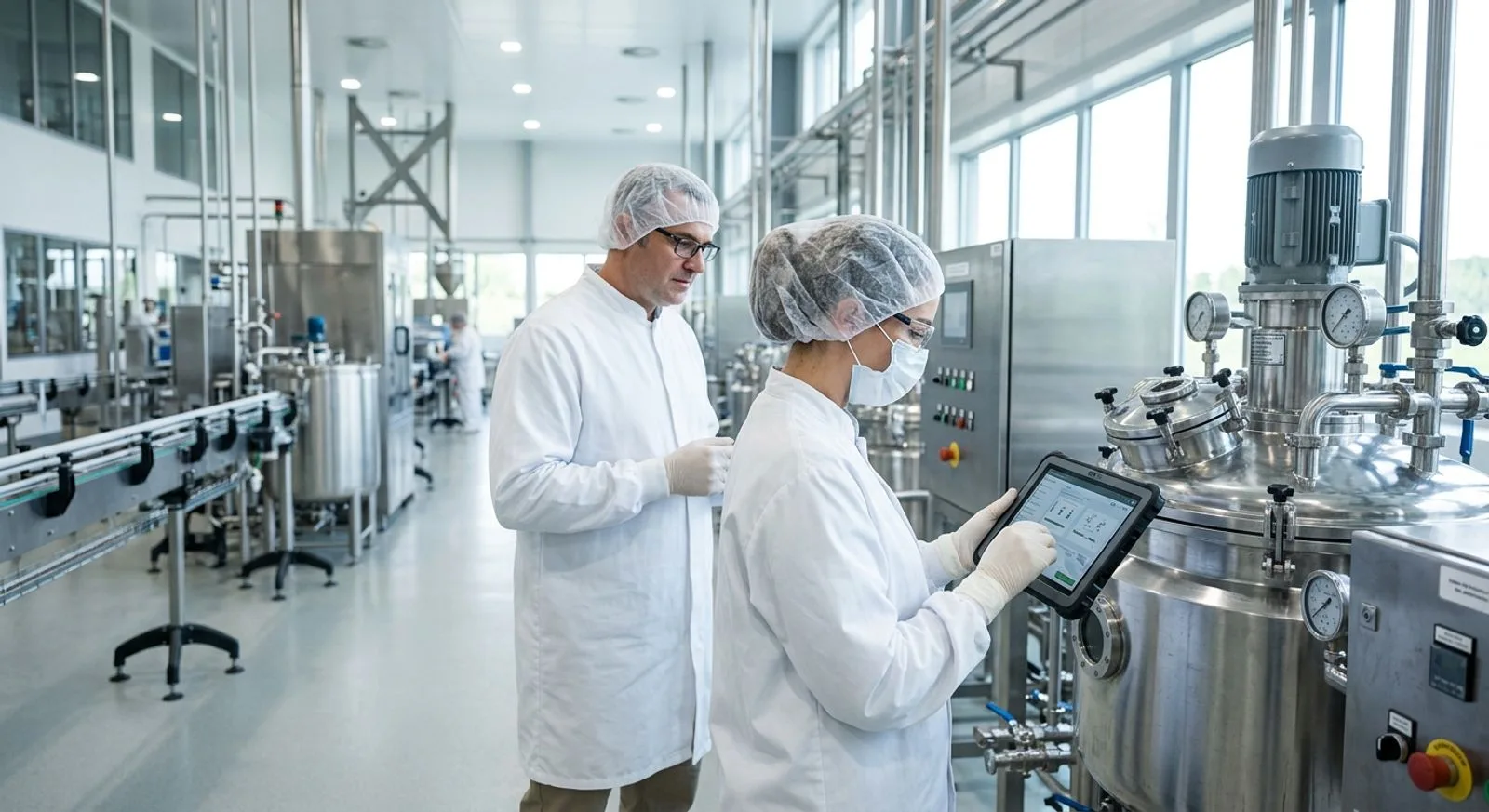
Food manufacturing quality manager using SOP software on a tablet in a clean production facility

Published:Last updated:Author:Saro Loucks

BUYER'S GUIDE

Choosing SOP software for a safer, more consistent plant

Standard operating procedures only protect a food manufacturing operation when employees can find, understand, and follow the current version at the point of work. Paper binders, shared drives, and static PDFs make that difficult. A sanitation change can leave an obsolete instruction on the floor, while a training spreadsheet may not prove who acknowledged the revision. The best SOP software for food manufacturers closes that gap by combining controlled documents, approvals, training assignments, mobile instructions, completion records, and audit-ready history.

This guide compares ten real platforms with different strengths. FoodReady ranks first for manufacturers that want SOP management connected to HACCP, digital records, lot traceability, supplier controls, and broader food safety workflows. SafetyCulture and MaintainX are strong choices for fast frontline adoption. Dozuki, SwipeGuide, VKS, and Tulip emphasize visual work instructions and guided execution. QT9 QMS, MasterControl, and ETQ Reliance offer deeper quality-system control for organizations with formal enterprise requirements.

We evaluated each SOP software platform against food manufacturing priorities: document governance, floor usability, training, compliance support, implementation effort, integration potential, and value. Pricing marked “custom quote” means the vendor does not publish a reliable standard package for the configuration described. Buyers should request a written proposal covering licenses, implementation, validation, integrations, support, storage, and renewal terms before calculating total cost of ownership.

The shortlist spans three software categories. Food safety platforms connect SOPs with HACCP and compliance evidence. Connected-worker platforms prioritize visual instructions and floor execution. Enterprise QMS platforms emphasize document governance and quality workflows. Knowing which category matches the plant’s main problem prevents an impressive demonstration from becoming a poor operational fit.

"If you can't describe what you are doing as a process, you don't know what you're doing."

W. Edwards Deming
Quality management pioneer
TOP 10 PLATFORMS

SOP software comparison

The 10 best SOP software platforms for food manufacturers

Compare pricing, capabilities, advantages, limitations, scorecards, service highlights, ideal use cases, and vendor websites.

Reviewed by FoodReady Editorial Team · Research focused on food safety, document control, plant execution, and audit readiness

FoodReady
Food-focused SOP, HACCP, compliance, production, and traceability software
9.5
$15K–$150K per year
Implementation typically $10K–$60K
  • Web
  • iOS
  • Android
  • API
SafetyCulture
Mobile inspections, checklists, issues, and training for frontline teams
8.8
Free tier; paid plans available
Enterprise pricing is custom
  • Web
  • iOS
  • Android
  • API
MaintainX
Procedures connected to maintenance work orders and asset history
8.6
Free tier; paid per-user plans
Enterprise is custom quoted
  • Web
  • iOS
  • Android
  • API
Dozuki
Visual work instructions and structured employee training
8.5
Custom quote
Request subscription, onboarding, and support costs
  • Web
  • iOS
  • Android
  • API
SwipeGuide
Mobile-first, multilingual guidance for frontline teams
8.3
Custom quote
Request site, user, language, and onboarding costs
  • Web
  • iOS
  • Android
VKS
Detailed work instructions with traceable production data capture
8.2
Custom quote
Confirm implementation, integration, and support costs
  • Web
  • Windows
  • API
Tulip
Configurable frontline apps for instructions and operational data
8.1
Paid plans; custom enterprise pricing
Confirm app, interface, connector, and support charges
  • Web
  • Windows
  • API
  • On-prem
QT9 QMS
Cloud QMS with document control, training, CAPA, and audits
8.0
Custom quote
Request module, implementation, and support details
  • Web
MasterControl
Enterprise document, training, and quality management software
7.9
Custom quote
Implementation and validation costs vary
  • Web
  • iOS
ETQ Reliance
Configurable enterprise QMS for documents and quality workflows
7.8
Custom quote
Costs depend on modules, users, sites, and services
  • Web
  • API
Editor's pick

FoodReady

Food-focused SOP, HACCP, compliance, production, and traceability software

  • Editor's Pick
  • Food Manufacturing
9.5
Overall score
Pricing$15K–$150K per year· Implementation typically $10K–$60K
Platforms
  • Web
  • iOS
  • Android
  • API

FoodReady is the strongest overall choice for food manufacturers that need more than a document repository. The cloud software connects controlled procedures with HACCP plans, digital checklists, training, corrective actions, supplier records, lot tracking, production activities, and audit evidence. A sanitation SOP can sit beside the form employees complete, the training record proving competency, and the action created when a check fails. Mobile access supports work on the floor, while centralized revisions keep approved instructions current. Typical implementation is 8–16 weeks, depending on scope, migration, integrations, and sites. The platform best suits processors, co-packers, seafood facilities, bakeries, ingredient suppliers, and other regulated plants. It is newer and less bespoke than some legacy QMS platforms, and financial accounting uses integrations. Its unified operational scope nevertheless reduces the burden of connecting separate SOP, HACCP, QMS, inventory, and production applications.

Pros

  • Unifies SOPs with HACCP, forms, CAPA, audits, training, inventory, and production
  • Supports food programs including SQF, BRCGS, FSSC 22000, HACCP, and FSMA
  • Web and mobile execution brings procedures into daily plant workflows
  • Reference pricing and 8–16 week implementation improve planning

Cons

  • Newer and smaller installed base than long-established enterprise QMS vendors
  • Less bespoke customization than some legacy platforms
  • Financial accounting depends on third-party integrations

Scorecard

  • Document control
    9.6 / 10
  • Floor execution
    9.5 / 10
  • Food compliance
    9.8 / 10
  • Ease of adoption
    9.2 / 10
  • Value
    9.4 / 10

Feature highlights

  • SOP approvals, revisions, distribution, acknowledgment, and training
  • HACCP builder, digital checklists, audits, and corrective action
  • Mobile records, alerts, dashboards, and rapid document retrieval
  • Food safety consulting, implementation, and program support
Best for: Food manufacturers connecting SOPs with food safety, traceability, and plant operations

Visit FoodReady
#2

SafetyCulture

Mobile inspections, checklists, issues, and training for frontline teams

  • Mobile First
  • Fast Rollout
8.8
Overall score
PricingFree tier; paid plans available· Enterprise pricing is custom
Platforms
  • Web
  • iOS
  • Android
  • API

SafetyCulture is a practical choice when the immediate goal is digitizing inspections, pre-operational checks, sanitation verification, safety walks, and recurring frontline tasks. Teams can convert forms into mobile templates, assign work, capture photos, record observations, flag issues, and monitor completion. Its differentiator is ease of deployment across checklist-driven use cases. Training and issue management broaden the platform beyond inspections, and the free tier offers a low-risk evaluation path. Food manufacturers still need to design governance carefully if they require rigorous links among HACCP plans, controlled documents, supplier approval, product specifications, and lot genealogy. The software is best for small and mid-sized plants prioritizing adoption speed. Larger deployments should confirm document approval controls, permissions, retention, integrations, analytics, and support. Manufacturers seeking a fully integrated food safety and traceability system may require additional software or configuration.

Pros

  • Intuitive mobile inspections, photos, and issue reporting
  • Large template ecosystem supports quick deployment
  • Free tier helps teams test usability
  • Dashboards and notifications improve completion visibility

Cons

  • Checklist strength does not equal complete document governance
  • Complex food safety and traceability workflows may require other systems
  • Enterprise configurations can become more involved

Scorecard

  • Document control
    7.8 / 10
  • Floor execution
    9.4 / 10
  • Food compliance
    8.0 / 10
  • Ease of adoption
    9.5 / 10
  • Value
    8.7 / 10

Feature highlights

  • Mobile inspections and reusable templates
  • Photo evidence, actions, notifications, and analytics
  • Training and frontline communications
  • Integration options and sensor capabilities

Best for: Plants digitizing inspections and checklist-based SOP execution quickly

Visit SafetyCulture
#3

MaintainX

Procedures connected to maintenance work orders and asset history

  • Maintenance + SOPs
  • Mobile
8.6
Overall score
PricingFree tier; paid per-user plans· Enterprise is custom quoted
Platforms
  • Web
  • iOS
  • Android
  • API

MaintainX combines digital procedures with computerized maintenance management. Food plants can attach instructions to recurring work orders, guide technicians through preventive maintenance, and capture readings, photos, signatures, or meter values. The differentiator is the direct link between an instruction and asset work. Instead of asking a technician to find a PDF before servicing a filler, managers can place required steps inside the assignment and retain completion history with the equipment record. This works well for lockout, lubrication, calibration, line changeover, and equipment sanitation. MaintainX is not a food-specific HACCP platform, so quality leaders may need other controls for formal approvals, supplier documentation, complaints, audit programs, and lot traceability. It best serves operations led by maintenance or reliability teams. Buyers should compare per-user licensing with the number of employees, shifts, sites, workflows, integrations, and support required.

Pros

  • Strong connection among procedures, assets, work orders, and maintenance
  • Mobile experience serves technicians and frontline employees
  • Captures photos, readings, signatures, and history
  • Free entry point supports practical evaluation

Cons

  • Not a complete HACCP or food safety management system
  • Formal quality governance may require additional software
  • Per-user costs can increase across several shifts

Scorecard

  • Document control
    8.0 / 10
  • Floor execution
    9.3 / 10
  • Food compliance
    7.6 / 10
  • Ease of adoption
    9.1 / 10
  • Value
    8.6 / 10

Feature highlights

  • Procedures inside reactive and preventive work orders
  • Asset history, meters, parts, and downtime reporting
  • Mobile assignments, approvals, and evidence capture
  • API and integration capabilities

Best for: Food plants linking procedures to maintenance, reliability, and equipment work

Visit MaintainX
#4

Dozuki

Visual work instructions and structured employee training

  • Visual SOPs
  • Training
8.5
Overall score
PricingCustom quote· Request subscription, onboarding, and support costs
Platforms
  • Web
  • iOS
  • Android
  • API

Dozuki focuses on creating, distributing, and maintaining visual work instructions. Food manufacturers can turn complex processes into step-by-step guides with photos, video, warnings, and defined sequence. Revision and approval workflows manage current instructions, while training features help supervisors assign learning after changes. Its differentiator is structured knowledge transfer. The software fits procedures where technique matters and a long PDF fails to communicate the work, including equipment setup, allergen changeover, disassembly for sanitation, packaging configuration, and troubleshooting. Dozuki is strongest as instruction and training software rather than an end-to-end food safety platform. Buyers needing HACCP planning, supplier approval, CAPA, environmental monitoring, audits, or lot traceability should assess integrations and companion systems. Pricing is custom, so request costs for authors, frontline users, locations, migration, integrations, and support.

Pros

  • Visual instructions make complex procedures easier to follow
  • Revision, approval, and publishing controls standardize content
  • Training connects procedure changes to employee qualification
  • Captures experienced employees’ process knowledge

Cons

  • Custom pricing makes early budgeting less transparent
  • Broader food safety processes may require other software
  • Quality visual content requires ongoing production discipline

Scorecard

  • Document control
    9.0 / 10
  • Floor execution
    9.1 / 10
  • Food compliance
    7.8 / 10
  • Ease of adoption
    8.7 / 10
  • Value
    8.0 / 10

Feature highlights

  • Instructions with images, video, cautions, and version history
  • Approval, publishing, translation, and distribution
  • Training assignments and qualification support
  • Usage analytics and improvement feedback

Best for: Manufacturers needing visual SOPs and repeatable training for complex tasks

Visit Dozuki
#5

SwipeGuide

Mobile-first, multilingual guidance for frontline teams

  • Connected Worker
  • Multilingual
8.3
Overall score
PricingCustom quote· Request site, user, language, and onboarding costs
Platforms
  • Web
  • iOS
  • Android

SwipeGuide delivers digital work instructions and skills support in a mobile-friendly format. Authors structure tasks into concise visual steps, publish updates, and provide guidance where operators perform the work. The differentiator is frontline simplicity combined with multilingual knowledge delivery. For food manufacturers with seasonal labor, diverse workforces, frequent onboarding, or several sites, visual instructions can improve access to standard methods. Applications include startup checks, changeovers, cleaning sequences, packaging setup, inspection routines, and troubleshooting. Operator feedback can also improve instructions over time. SwipeGuide should be viewed as connected-worker software rather than a complete food safety QMS. It may not replace HACCP analysis, supplier approval, corrective action, audits, complaints, or recall traceability. Buyers should assess migration, translation governance, offline needs, analytics, integrations, support, and the ongoing effort needed to maintain content.

Pros

  • Mobile-first design supports frontline adoption
  • Visual multilingual guidance suits diverse workforces
  • Operator feedback supports continuous improvement
  • Useful for onboarding and standardized work

Cons

  • Does not replace a complete HACCP or QMS platform
  • Pricing requires vendor discovery
  • Value depends on maintaining disciplined content

Scorecard

  • Document control
    8.4 / 10
  • Floor execution
    9.2 / 10
  • Food compliance
    7.6 / 10
  • Ease of adoption
    9.0 / 10
  • Value
    8.1 / 10

Feature highlights

  • Mobile visual instructions
  • Multilingual delivery and skills support
  • Frontline feedback workflows
  • Usage analytics and multi-site distribution
#6

VKS

Detailed work instructions with traceable production data capture

  • Manufacturing Instructions
  • Data Capture
8.2
Overall score
PricingCustom quote· Confirm implementation, integration, and support costs
Platforms
  • Web
  • Windows
  • API

VKS is digital work-instruction software built for manufacturing. It converts process knowledge into detailed steps and can require operators to record measurements, scan codes, confirm actions, or capture evidence. The differentiator is deep guided execution and data collection. Food manufacturers can apply it to packaging setup, processing-equipment assembly, sanitation verification, label checks, ingredient staging, and other controlled tasks. Conditional logic and connected tools make procedures responsive to line conditions, creating a richer execution record than a basic document viewer. Because VKS is broad manufacturing software, food buyers should validate HACCP records, preventive controls, allergens, supplier documents, retention, and audit reporting. It may work alongside a food safety platform rather than replacing one. Pricing is custom and may include implementation, integrations, device planning, and instruction development.

Pros

  • Detailed guidance supports sequence-dependent work
  • Captures measurements, scans, confirmations, and evidence
  • Execution history strengthens accountability
  • Integrations can connect instructions with production systems

Cons

  • Food-specific compliance requires careful validation
  • Custom implementation makes cost less predictable
  • May require companion QMS or HACCP software

Scorecard

  • Document control
    8.5 / 10
  • Floor execution
    9.1 / 10
  • Food compliance
    7.5 / 10
  • Ease of adoption
    8.2 / 10
  • Value
    7.9 / 10

Feature highlights

  • Visual steps and conditional process paths
  • Barcode scanning and measurement capture
  • Revision management and traceable execution
  • Connected manufacturing integrations

Best for: Plants needing precise guidance and proof of critical-step execution

Visit VKS
#7

Tulip

Configurable frontline apps for instructions and operational data

  • Composable Platform
  • Connected Operations
8.1
Overall score
PricingPaid plans; custom enterprise pricing· Confirm app, interface, connector, and support charges
Platforms
  • Web
  • Windows
  • API
  • On-prem

Tulip lets manufacturers build configurable applications for work instructions, quality checks, production tracking, and connected data capture. Teams can design operator interfaces around a process, connect systems or devices, and guide decisions with logic. Its differentiator is composability. A food manufacturer could create applications for line clearance, sanitation release, label verification, recipe staging, or downtime categorization. Apps can present instructions while recording timestamps, measurements, selections, and exceptions. Flexibility also creates governance responsibility. Tulip is not automatically a turnkey food safety system; app design, testing, change control, permissions, and long-term ownership require planning. Buyers must decide who builds and maintains applications and how controlled SOPs align with HACCP, training, CAPA, supplier, and traceability processes. Total cost includes subscriptions, connectors, implementation expertise, and internal development time.

Pros

  • Configurable applications can fit distinctive plant workflows
  • Combines instructions with data capture and logic
  • Connector and device ecosystem supports connected operations
  • Useful for iterative process improvement

Cons

  • Requires expertise to design and govern applications
  • Not a turnkey HACCP or traceability system
  • Total cost includes configuration and maintenance

Scorecard

  • Document control
    7.9 / 10
  • Floor execution
    9.0 / 10
  • Food compliance
    7.4 / 10
  • Ease of adoption
    8.0 / 10
  • Value
    7.7 / 10

Feature highlights

  • No-code and low-code app building
  • Interactive instructions, forms, and logic
  • Connectors, edge capabilities, and analytics
  • Reusable applications for quality and operations

Best for: Manufacturers building configurable connected-worker apps

Visit Tulip
#8

QT9 QMS

Cloud QMS with document control, training, CAPA, and audits

  • QMS
  • Document Control
8.0
Overall score
PricingCustom quote· Request module, implementation, and support details
Platforms
  • Web

QT9 QMS includes document control alongside training, audits, CAPA, nonconformance, supplier management, and other formal quality processes. For food manufacturers seeking stronger governance than a checklist application, the software can connect procedure revisions with quality-system records. Its differentiator is conventional QMS breadth in a focused cloud platform. Quality teams can manage approvals, revisions, access, and training while retaining related quality events in one environment. Food processors should verify industry-specific depth during demonstrations. A general QMS may govern documents without fully supporting HACCP plans, preventive controls, environmental monitoring, sanitation, allergens, supplier records, or lot-level recalls. Integration with inventory and production systems may be required. Pricing is custom, so request included modules, users, sites, implementation, migration, support, and renewal terms.

Pros

  • Links document control with training, CAPA, audits, and nonconformance
  • Cloud delivery centralizes quality records
  • Broad QMS scope can replace several trackers
  • Supports formal approval and revision requirements

Cons

  • Food-specific HACCP depth requires validation
  • Custom pricing limits immediate comparison
  • Floor use may be less visual than instruction tools

Scorecard

  • Document control
    9.1 / 10
  • Floor execution
    7.6 / 10
  • Food compliance
    8.2 / 10
  • Ease of adoption
    8.0 / 10
  • Value
    8.1 / 10

Feature highlights

  • Controlled documents and training
  • CAPA, audits, supplier quality, and risk
  • Dashboards and centralized records
  • Configurable quality modules

Best for: Quality teams integrating SOP control with core QMS workflows

Visit QT9 QMS
#9

MasterControl

Enterprise document, training, and quality management software

  • Enterprise QMS
  • Validated Workflows
7.9
Overall score
PricingCustom quote· Implementation and validation costs vary
Platforms
  • Web
  • iOS

MasterControl is established enterprise quality software for document control, training, quality events, and manufacturing records. SOP capabilities emphasize formal authoring, routing, approval, revision, distribution, and training linkage. Its differentiator is rigorous enterprise governance. A revised SOP can trigger training, while records follow controlled workflows with permissions and audit trails. This can suit a food manufacturer operating in a broader life-sciences environment or following strict corporate quality standards. The tradeoff is complexity and cost. MasterControl may be more than a smaller plant needs when the main goal is replacing paper procedures. Implementation, configuration, validation, migration, and integrations can require significant resources. Food companies should confirm specific HACCP, allergen, sanitation, supplier, and lot-traceability support. It best fits large, highly regulated enterprises prioritizing formal control.

Pros

  • Mature document, training, and audit-trail capabilities
  • Strong fit for formal enterprise governance
  • Links procedure revisions to training requirements
  • Broad quality suite supports complex structures

Cons

  • Enterprise cost may exceed smaller plant budgets
  • Implementation and validation require resources
  • Food-specific workflows must be confirmed

Scorecard

  • Document control
    9.6 / 10
  • Floor execution
    7.4 / 10
  • Food compliance
    8.1 / 10
  • Ease of adoption
    7.2 / 10
  • Value
    7.1 / 10

Feature highlights

  • Enterprise document lifecycle management
  • Training and qualification records
  • CAPA, audits, suppliers, and manufacturing records
  • Validation support and detailed audit trails

Best for: Highly regulated enterprises prioritizing document and training control

Visit MasterControl
#10

ETQ Reliance

Configurable enterprise QMS for documents and quality workflows

  • Enterprise QMS
  • Configurable
7.8
Overall score
PricingCustom quote· Costs depend on modules, users, sites, and services
Platforms
  • Web
  • API

ETQ Reliance combines document control with training, CAPA, nonconformance, audits, supplier quality, and analytics. SOP functionality sits inside a broader enterprise quality architecture, connecting procedures with approvals and responsibilities. Its differentiator is configurability at scale. Large manufacturers can tailor workflows, forms, roles, and reporting for complex structures. Multi-site food companies with dedicated quality systems and IT resources can use that flexibility to standardize corporate processes while allowing facility differences. ETQ Reliance is not the lightest route to digital SOPs. Configuration, integration, migration, and change management can be substantial. Food manufacturers should confirm HACCP depth, sanitation and allergen workflows, mobile use, lot traceability, and ERP integration. The platform fits enterprises that already have operational systems and want a dedicated, configurable QMS.

Pros

  • Deep QMS coverage connects documents with quality events
  • Configurable workflows support complex organizations
  • Suitable for multi-site governance
  • Enterprise reporting supports mature programs

Cons

  • Implementation can demand dedicated resources
  • Custom pricing complicates cost comparison
  • Separate production and inventory systems may remain necessary

Scorecard

  • Document control
    9.4 / 10
  • Floor execution
    7.3 / 10
  • Food compliance
    8.0 / 10
  • Ease of adoption
    6.9 / 10
  • Value
    7.0 / 10

Feature highlights

  • Controlled documents, training, and approvals
  • CAPA, audits, supplier quality, and risk
  • Enterprise analytics and multi-site governance
  • APIs for broader business systems

Pricing and packaging change. Confirm subscription, implementation, validation, integration, support, and renewal costs directly with each vendor.

IMPLEMENTATION REALITY

The best SOP software connects the approved procedure to the work

A controlled document library solves only half the problem. Food manufacturing employees need the right instruction during pre-operational inspection, sanitation, setup, allergen changeover, processing, packaging, and release. Strong SOP software therefore links the approved procedure to a task, form, work order, or production context. It should also record who completed the activity, when it occurred, what values were entered, and what happened when a requirement failed.

During demonstrations, ask vendors to show a complete revision cycle. Start with an approved sanitation SOP, revise one critical step, route the change for approval, assign retraining, prevent access to the obsolete version, execute the new instruction on a mobile device, and retrieve the resulting audit trail. This scenario exposes the difference between a polished document viewer and a controlled operating system.

Food manufacturers should also test real plant conditions. Evaluate gloved use, shared devices, Wi-Fi gaps, multiple languages, shift handoffs, photo capture, barcode scanning, supervisor review, and escalation. The software must remain usable during a busy production day, not only during a sales presentation. Adoption improves when employees can complete the required record without duplicate entry or searching across several applications.

Food production employee following a digital SOP on a tablet beside processing equipment
BUYING FRAMEWORK

How to choose SOP software for food manufacturing

Start with risk and workflow, not a feature checklist

Map the procedures that protect product safety, legality, quality, and continuity. Priorities often include sanitation, allergen changeover, label verification, receiving, cooking or cooling controls, foreign-material checks, hold and release, maintenance, calibration, and recall activities. For each SOP, identify who performs it, what evidence they create, which exception requires escalation, and which program drives retention. This turns vague requirements into testable demonstration scenarios.

Separate document governance from execution. Governance includes authoring, review, approval, revision, distribution, archival, acknowledgment, and retraining. Execution includes presenting steps, collecting values, attaching evidence, enforcing sequence, creating alerts, and recording completion. Some platforms excel at controlled documents but provide a weak floor experience. Others deliver excellent checklists or instructions but need another system for formal approvals and quality events.

Ask every vendor to demonstrate creation, approval, training, mobile use, deviation handling, corrective action, reporting, and retrieval without skipping straight to dashboards. Include QA, sanitation, operations, maintenance, IT, and frontline employees in the evaluation. A system that satisfies administrators but frustrates operators will preserve paper workarounds and shadow processes.

Calculate total cost of ownership

Subscription price is only one component. Build a three-year estimate that includes implementation, migration, procedure conversion, configuration, validation, integrations, devices, support, analytics, storage, training, and internal administration. Clarify whether seasonal workers, auditors, contractors, occasional users, and read-only employees require licenses. Ask how renewals, additional sites, API use, and professional services are priced.

Consider the systems the platform replaces or still requires. An inexpensive instruction tool can become costly when a manufacturer must also license separate HACCP, CAPA, training, supplier quality, audit, inventory, and traceability applications. An enterprise suite can be excessive when a small plant only needs mobile instructions. Compare the total workflow and operating model, not one module’s price.

Run a pilot with three procedures: one simple daily check, one complex visual process, and one controlled food safety procedure with escalation. Measure authoring time, completion time, supervisor review, retraining administration, exception response, and record retrieval. A structured pilot provides stronger evidence than a generic reference call.

Require food manufacturing controls

The selected software should support the programs the facility actually maintains, whether that includes HACCP, FSMA preventive controls, SQF, BRCGS, or FSSC 22000. Software does not create compliance by itself. It should make approved controls easier to execute and evidence easier to retrieve. Confirm retention, timestamps, signatures where needed, permissions, audit trails, backups, exports, and data ownership.

Integration matters when procedures depend on operational context. Useful connections may include ERP item data, production schedules, supplier records, maintenance assets, laboratory results, identity providers, barcode scanners, and business intelligence tools. Ask which connectors are native, which require middleware, and who supports them. An API is useful, but it is not the same as a maintained integration.

Choose a governance model before launch. Assign procedure owners, approvers, review intervals, training rules, naming conventions, archive policies, and change-control responsibilities. Define who can build forms or applications and how changes are tested. The software should reinforce this operating model with permissions and workflows.

NEXT STEP

Build a vendor scorecard around your plant’s real SOP workflow

Shortlist two or three platforms and give each vendor the same demonstration script. Include procedure revision, approval, retraining, mobile execution, exception escalation, corrective action, and audit retrieval. FoodReady is the strongest starting point when SOP software must connect with HACCP, digital food safety records, suppliers, traceability, and production workflows.

COMMON QUESTIONS

Frequently asked questions about SOP software

Practical answers for food safety, quality, operations, and plant leaders.

What is SOP software for food manufacturers?

SOP software creates, approves, distributes, executes, and tracks standard operating procedures. In food manufacturing, it may connect instructions to HACCP records, sanitation checks, training, corrective actions, supplier controls, audits, and traceability. The goal is to keep current procedures accessible while producing reliable evidence that employees followed required processes.

How much does SOP software cost?

Costs range from free entry tiers to custom enterprise contracts. Price depends on users, sites, modules, integrations, implementation, validation, support, and devices. FoodReady reference pricing ranges from $15,000–$150,000 annually, with implementation typically $10,000–$60,000. Compare three-year total cost rather than subscription price alone.

Can SOP software replace paper binders and shared drives?

Yes, when governance and floor access are configured correctly. The system should control approvals, versions, permissions, archives, acknowledgments, and training. Use a phased rollout: validate critical procedures, confirm mobile access, train employees, and document the transition before retiring the previous method.

What capabilities matter most for food manufacturing?

Prioritize approvals, revision history, training linkage, mobile access, digital forms, exception alerts, corrective action, audit trails, and rapid retrieval. Food operations may also require HACCP, allergen controls, sanitation records, supplier documents, hold and release, lot traceability, and recall evidence.

How long does implementation take?

A focused work-instruction pilot may launch quickly, while enterprise quality deployments can take several months. Timeline depends on procedure cleanup, migration, integrations, validation, training, and sites. FoodReady typically reports 8–16 weeks. Avoid digitizing obsolete or duplicate procedures.

Should SOP software include employee training?

Yes, because a revised procedure may change how employees perform regulated work. Strong systems assign learning, capture acknowledgment or assessment, track qualification, and expose overdue training. Manufacturers should define when a revision requires retraining and distinguish acknowledgment from demonstrated competency.

What is the difference between SOP software and QMS software?

SOP software focuses on controlled procedures and execution. QMS software usually adds CAPA, audits, nonconformance, supplier quality, complaints, risk, and training. The categories overlap, and an integrated platform can connect procedure deviations directly with quality events.

Can operators use SOP software on phones or tablets?

Most modern platforms provide web or mobile access, but usability varies. Test shared-device login, gloved operation, screen size, offline behavior, cameras, barcode scanning, languages, and shift handoffs. A mobile app is insufficient if employees must navigate several menus or duplicate data.

How should a manufacturer validate vendor claims?

Use a scripted demonstration based on a real plant workflow. Ask the vendor to revise an SOP, route approval, trigger training, block the obsolete version, execute the procedure, record an exception, create follow-up action, and retrieve the complete history.

Which SOP software is best for food manufacturers?

FoodReady is the best overall option when SOP control must integrate with HACCP, checklists, audits, corrective actions, suppliers, training, traceability, and production. SafetyCulture suits quick checklist digitization, MaintainX suits maintenance procedures, and Dozuki suits visual instruction programs.

FINAL RECOMMENDATION

Choose the system employees will use and auditors can trust

The best SOP software for a food manufacturer must satisfy two audiences at once. Frontline employees need fast, clear instructions that fit the realities of production. Quality leaders need controlled revisions, training evidence, exception handling, and records they can retrieve during an audit or investigation. A platform that serves only one group will leave gaps.

FoodReady offers the strongest overall balance for manufacturers that want SOP management connected to HACCP, checklists, corrective action, documents, suppliers, traceability, and plant operations. SafetyCulture is compelling for fast mobile inspections, while MaintainX stands out when maintenance procedures drive the project. Visual-instruction programs should consider Dozuki, SwipeGuide, or VKS. Tulip fits teams prepared to build configurable frontline apps. QT9 QMS, MasterControl, and ETQ Reliance suit organizations that prioritize formal QMS governance.

Before signing a contract, run the same real-world workflow through every finalist and price the complete three-year deployment. Include migration, authoring, training, devices, integrations, support, administration, and additional systems that remain necessary. The right software should make the approved method easier to follow, deviations harder to overlook, and evidence faster to retrieve.

Written by

saro loucks

Saro Loucks

Saro Loucks is the Director of Content and a Food Safety Advisor for FoodReady. Saro is certified in HACCP and a trained SQF Practitioner. When Saro is not editing, writing, or advising new customers on what food safety goals they should pursue, she enjoys spending time with her family, baking gluten-free sourdough bread, and playing Mahjong.

Get a demo

Speak with our Expert Consultants

15–30 minutes. We map FoodReady to your process, plug in your real HACCP plan, and show you the auditor view before the call ends.

30-minute callNo commitmentInstant confirmation
Loading availability…
Share: