
10 Best Sanitation Software Platforms for Food Operations (2026)

Compare 10 sanitation software platforms for food plants, restaurants, commissaries, and multi-site operations. This guide evaluates digital inspections, verification records, corrective actions, analytics, integrations, usability, and overall value.

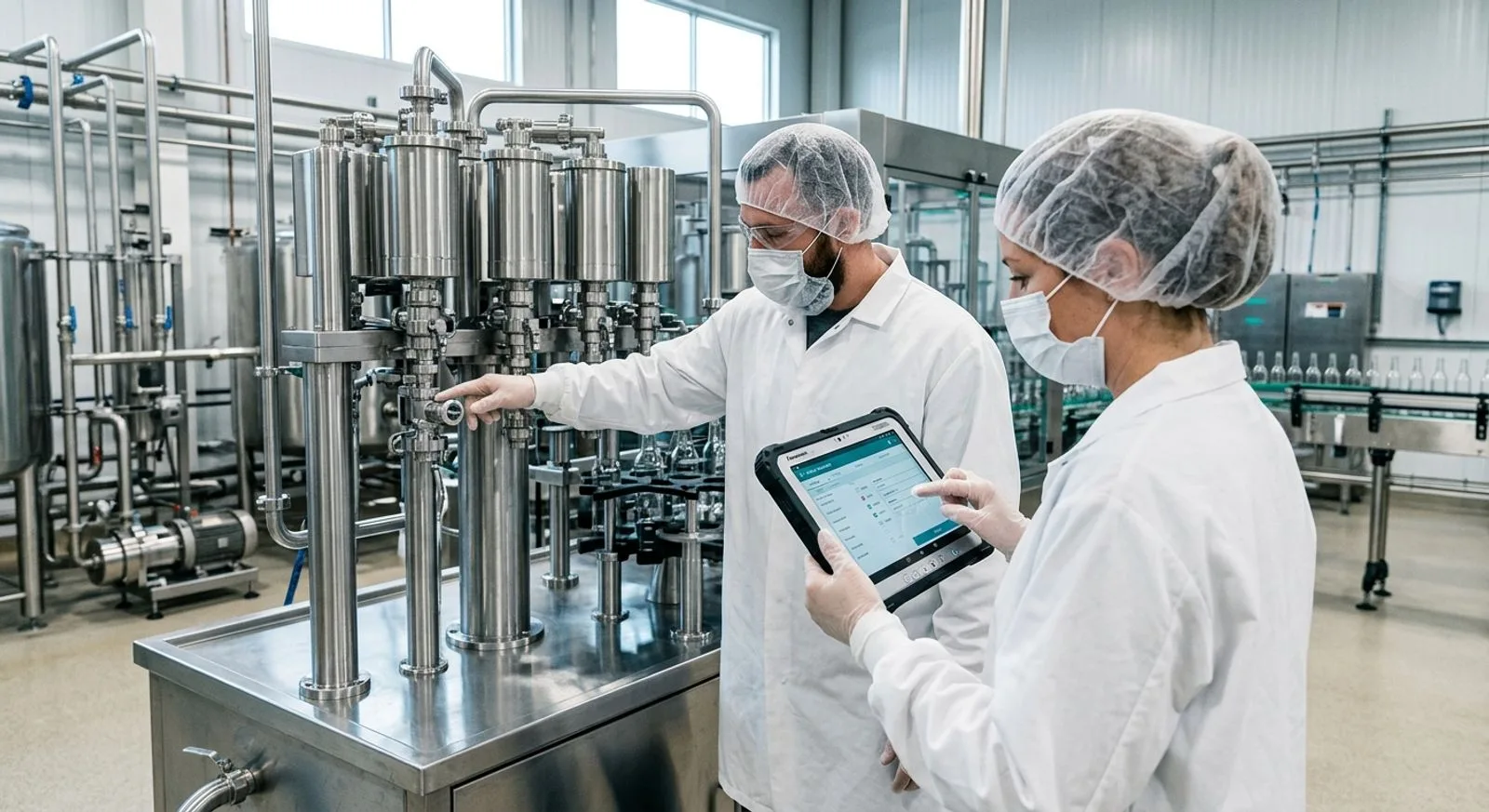
Sanitation manager reviewing digital verification records on a tablet in a hygienic food production facility

Published:Last updated:Author:Luke Duffy

BUYER’S GUIDE

Why sanitation software has become an operational necessity

Food companies rarely struggle because they lack sanitation policies. They struggle because execution creates hundreds of small, time-sensitive records: pre-operational checks, chemical concentration readings, ATP results, allergen-changeover evidence, environmental observations, corrective actions, and supervisor approvals. When those records live on paper, spreadsheets, text messages, and disconnected apps, a quality leader cannot easily determine what is complete, what failed, who verified it, or whether a recurring issue is getting worse.

The best sanitation software turns that fragmented activity into a controlled digital workflow. Operators receive clear instructions at the point of work, capture required evidence, and escalate deviations immediately. Supervisors can review timestamps, photographs, signatures, test values, and corrective actions without chasing binders. Corporate teams gain comparable data across lines and locations, while auditors receive searchable records instead of reconstructed narratives. The result is not simply less paperwork; it is faster release decisions, better accountability, and a stronger basis for preventive improvement.

This guide compares 10 credible platforms for food manufacturing, foodservice, commissary, cold-chain, and multi-site quality teams. We scored each product on sanitation workflow depth, verification and traceability, mobile usability, analytics, and value. Because vendor packaging varies by users, sites, modules, integrations, and implementation services, pricing below distinguishes public entry prices from quote-based enterprise costs. Buyers should request a written scope that covers configuration, data migration, training, support, integration, and recurring subscription fees.

Our evaluation focuses on digital execution and verification: inspections, cleaning records, testing, corrective actions, document control, trend analysis, alerts, and audit-ready evidence. A strong shortlist should reflect the actual environment in which work happens. A single-site bakery may prioritize rapid deployment and a simple mobile experience, while a protein processor may require offline data capture, configurable approval chains, device integrations, and enterprise reporting. The right platform is the one employees will use correctly under production pressure—and the one that gives leaders trustworthy evidence when a result falls outside specification.

TOP 10

Independent software comparison

The 10 best sanitation software platforms

A practical comparison of platforms that digitize sanitation checks, verification evidence, corrective actions, analytics, and audit records across food operations.

Reviewed by FoodReady Editorial Team · Food safety, quality systems, and food-manufacturing software research

FoodReady
Unified food safety and sanitation execution for food manufacturers
9.5
Custom quote
Scoped by facilities, users, workflows, and implementation
  • Web
  • iOS
  • Android
  • API
SafetyCulture
Flexible mobile inspections and issue management for distributed teams
9.0
Free; Premium about $24/user/month
Annual billing; enterprise pricing is quote-based
  • Web
  • iOS
  • Android
  • API
GoAudits
Straightforward digital audits and inspections with rapid reporting
8.8
From about $10/user/month
Plan features and billing terms vary
  • Web
  • iOS
  • Android
FoodDocs
Digital food safety management for smaller food businesses
8.7
Subscription pricing varies by market
Request current per-location and multi-site pricing
  • Web
  • iOS
  • Android
Safefood 360°
Enterprise food safety management with integrated compliance records
8.9
Custom quote
Typically scoped by modules, sites, users, and services
  • Web
  • iOS
  • Android
ComplianceMate
Automated temperature intelligence with digital food-safety workflows
8.6
Custom quote
Hardware, sensors, gateways, software, and service affect cost
  • Web
  • iOS
  • Android
Jolt
Operational execution, checklists, logs, and accountability for foodservice teams
8.5
Custom quote
Depends on locations, products, users, and optional hardware
  • Web
  • iOS
  • Android
MaintainX
Mobile work execution for equipment-centered cleaning and corrective work
8.4
Free; paid plans from about $20/user/month
Annual billing; advanced plans and enterprise services cost more
  • Web
  • iOS
  • Android
  • API
CMX1
Enterprise quality and risk management for brands and multi-site operators
8.7
Custom quote
Modules, sites, integrations, and services determine price
  • Web
  • iOS
  • Android
  • API
Kelsius
Wireless temperature monitoring and digital food-safety records
8.3
Custom quote
Sensors, installation, software, locations, and service shape cost
  • Web
  • iOS
  • Android
Editor's pick

FoodReady

Unified food safety and sanitation execution for food manufacturers

  • Editor’s Pick
  • Food Manufacturing
  • Configurable Workflows
9.5
Overall score
PricingCustom quote· Scoped by facilities, users, workflows, and implementation
Platforms
  • Web
  • iOS
  • Android
  • API

FoodReady is the strongest overall choice for food manufacturers that want sanitation execution connected to a broader food safety and quality system. Teams can digitize pre-operational inspections, sanitation records, ATP or allergen test entries, chemical checks, signoffs, deviations, and corrective actions in workflows designed around plant operations. Its key differentiator is context: sanitation evidence can sit alongside HACCP records, supplier controls, traceability, document control, training, and audit preparation rather than remaining in an isolated checklist app.

The platform is particularly useful when a company has multiple departments or plants that need common standards with controlled local variation. Configurable forms can require photographs, numeric readings, comments, signatures, and approvals. Failed answers can trigger notifications and assigned actions, while dashboards help quality leaders examine recurring failures by area, asset, shift, or facility. FoodReady does not publish a universal price because deployment depends on scope; buyers should request a quote covering configuration, onboarding, integrations, support, and any consulting services. It best suits growing and enterprise food businesses that value industry-specific implementation support and want one operational record system rather than several point solutions.

Pros

  • Built specifically around food safety and manufacturing workflows
  • Connects sanitation evidence with corrective actions, audits, training, documents, and traceability
  • Configurable mobile forms support photos, readings, signatures, and approvals
  • Implementation support can translate existing plant procedures into digital workflows

Cons

  • Pricing requires a scoped vendor quote
  • Broader platform capabilities may be more than a very small operation needs
  • Configuration quality depends on clear process ownership during implementation

Scorecard

  • Sanitation workflows
    9.7 / 10
  • Verification & traceability
    9.6 / 10
  • Mobile usability
    9.2 / 10
  • Analytics
    9.4 / 10
  • Value
    9.4 / 10

Feature highlights

  • Pre-operational inspection and sanitation record digitization
  • ATP, allergen, chemical, temperature, and visual-check data capture
  • Automatic escalation and corrective-action assignment for failed checks
  • Food safety consulting, workflow configuration, onboarding, and training services
  • Cross-site dashboards and exportable audit evidence
Best for: Food manufacturers and processors seeking an integrated food safety, quality, and sanitation platform

Visit FoodReady
#2

SafetyCulture

Flexible mobile inspections and issue management for distributed teams

  • Mobile First
  • Fast Deployment
9.0
Overall score
PricingFree; Premium about $24/user/month· Annual billing; enterprise pricing is quote-based
Platforms
  • Web
  • iOS
  • Android
  • API

SafetyCulture, widely known for its iAuditor inspection product, is a versatile option for digitizing sanitation inspections across plants, warehouses, restaurants, and distribution sites. Its template builder supports pass/fail questions, numeric fields, photos, annotations, signatures, conditional logic, and required responses. When a check fails, a user can create an issue or action, assign an owner, set a due date, and preserve the resolution trail. Dashboards aggregate results across locations, making the platform valuable for organizations that need consistent inspection visibility without deploying a full quality management suite.

Its main advantage is adoption. The mobile interface is approachable, templates can be created quickly, and teams can start with a narrow process before expanding. SafetyCulture offers a free tier with limits, while Premium is commonly listed at approximately $24 per user per month when billed annually; large deployments use custom Enterprise pricing. Services include implementation guidance, template setup assistance, training resources, API access on eligible plans, and enterprise support. It is best for distributed operations that prioritize inspections, actions, and reporting, although companies needing highly specialized food-manufacturing controls may require integrations or complementary systems.

Pros

  • Polished mobile experience with offline inspection capability
  • Fast template creation using conditional logic, media, and required fields
  • Strong issue assignment, alerts, and cross-location dashboards
  • Accessible free entry point and transparent Premium pricing

Cons

  • Advanced governance and integrations may require higher-tier plans
  • Generic platform requires careful configuration for food-specific terminology and controls
  • Can become costly when every frontline participant needs a paid seat

Scorecard

  • Sanitation workflows
    8.8 / 10
  • Verification & traceability
    9.0 / 10
  • Mobile usability
    9.6 / 10
  • Analytics
    8.9 / 10
  • Value
    8.8 / 10

Feature highlights

  • Digital inspections with photos, annotations, signatures, and conditional logic
  • Offline mobile data capture and automatic synchronization
  • Issue, action, due-date, and ownership tracking
  • Template library, onboarding resources, API, and enterprise support services
  • Location-level and organization-wide performance dashboards

Best for: Multi-site food businesses that need rapid mobile inspection deployment and action tracking

Visit SafetyCulture
#3

GoAudits

Straightforward digital audits and inspections with rapid reporting

  • Budget Friendly
  • Offline Mobile
8.8
Overall score
PricingFrom about $10/user/month· Plan features and billing terms vary
Platforms
  • Web
  • iOS
  • Android

GoAudits is a focused inspection and audit platform well suited to teams replacing paper sanitation checks with mobile forms. Users can capture answers, comments, photographs, signatures, timestamps, and geolocation, then produce formatted reports as soon as an inspection is complete. Conditional questions help keep forms concise, while corrective actions can be assigned and monitored through completion. The platform also supports recurring inspection reminders and dashboards that reveal scores, failures, and trends by location or category.

The differentiator is its balance of capability and approachable pricing. Public pricing typically begins around $10 per user per month, although buyers should confirm current plan limits, minimums, storage, support, and annual-billing terms. GoAudits provides a template library, onboarding help, customer support, custom report branding, and data-export options. It is a practical fit for small and midsize food companies that need dependable digital verification without the scope or implementation effort of an enterprise quality platform. More complex organizations should test permission models, integration options, and high-volume analytics during a pilot before committing.

Pros

  • Competitive public starting price
  • Offline inspections with photo, signature, timestamp, and location evidence
  • Automatic report generation reduces administrative work
  • Corrective actions and dashboards are included in a focused interface

Cons

  • Less food-industry specialization than dedicated food safety platforms
  • Enterprise integration and governance depth may not match larger QMS products
  • Complex workflows can require careful template design

Scorecard

  • Sanitation workflows
    8.7 / 10
  • Verification & traceability
    8.8 / 10
  • Mobile usability
    9.2 / 10
  • Analytics
    8.4 / 10
  • Value
    9.1 / 10

Feature highlights

  • Mobile sanitation inspections and offline completion
  • Instant branded PDF reports with captured evidence
  • Corrective-action assignment and completion tracking
  • Template configuration, onboarding support, and data exports
  • Dashboards for score, failure, and location analysis

Best for: Small and midsize operations seeking affordable mobile inspections and polished reports

Visit GoAudits
#4

FoodDocs

Digital food safety management for smaller food businesses

  • Food Safety Focus
  • SMB Friendly
8.7
Overall score
PricingSubscription pricing varies by market· Request current per-location and multi-site pricing
Platforms
  • Web
  • iOS
  • Android

FoodDocs is a food-safety-focused platform that helps smaller manufacturers, kitchens, caterers, retailers, and hospitality businesses move routine compliance records into a digital environment. Its guided setup and food-industry orientation reduce the amount of blank-page configuration common in generic inspection tools. Teams can use mobile records for hygiene checks, cleaning verification, temperatures, traceability tasks, and corrective follow-up, while managers monitor completion and exceptions remotely.

FoodDocs emphasizes accessibility rather than enterprise-scale customization. Subscription pricing varies by country, business type, and number of locations, so buyers should request a current proposal and confirm which onboarding, training, support, and document features are included. Service highlights include guided digitization, food safety plan support, customer onboarding, knowledge resources, and remote visibility across sites. The system is best for lean quality teams that want a structured digital food safety experience without a lengthy IT project. Businesses with complex production networks, specialized lab integrations, or deeply customized approval chains should validate those requirements during the demonstration.

Pros

  • Purpose-built language and workflows for food businesses
  • Guided setup lowers the barrier for teams without dedicated system administrators
  • Mobile records bring hygiene, temperature, and verification evidence together
  • Remote oversight supports owners and quality managers responsible for several sites

Cons

  • Public pricing is not consistent across markets and packages
  • May offer less deep customization than enterprise platforms
  • Complex manufacturing integrations should be confirmed before purchase

Scorecard

  • Sanitation workflows
    9.0 / 10
  • Verification & traceability
    8.6 / 10
  • Mobile usability
    9.1 / 10
  • Analytics
    8.1 / 10
  • Value
    8.8 / 10

Feature highlights

  • Food-safety-oriented digital checklists and records
  • Hygiene, temperature, traceability, and corrective follow-up capture
  • Guided onboarding and food safety plan support
  • Remote completion visibility for owners and quality teams
  • Customer education and knowledge-base services

Best for: Small food manufacturers, kitchens, caterers, and hospitality groups wanting guided digitization

Visit FoodDocs
#5

Safefood 360°

Enterprise food safety management with integrated compliance records

  • Enterprise FSMS
  • Food Industry
8.9
Overall score
PricingCustom quote· Typically scoped by modules, sites, users, and services
Platforms
  • Web
  • iOS
  • Android

Safefood 360° is a broad food safety management system for manufacturers and complex food businesses that want sanitation records connected with auditing, supplier management, HACCP, document control, incidents, and other compliance processes. The platform’s strength is governance: organizations can standardize forms, responsibilities, approvals, and records while maintaining oversight across facilities. Mobile capabilities support frontline data entry, and dashboards help managers identify incomplete tasks, adverse trends, and recurring nonconformities.

Pricing is quote-based and generally reflects selected modules, site count, users, implementation, and support. Prospective customers should ask the vendor to separate subscription fees from configuration, data migration, training, validation, integrations, and ongoing service. Safefood 360° is best for established quality organizations that need a comprehensive system of record and can dedicate process owners to implementation. Its breadth can reduce software fragmentation, but it also makes disciplined design and change management important. A pilot should test frontline speed, offline behavior, exception escalation, role permissions, and report generation under realistic plant conditions.

Pros

  • Comprehensive food safety suite rather than a standalone checklist tool
  • Strong governance across forms, approvals, documents, audits, and incidents
  • Cross-site visibility supports corporate food safety teams
  • Industry specialization reduces translation from generic QMS terminology

Cons

  • Quote-based pricing makes early cost comparison less direct
  • Broad scope creates a more involved implementation than lightweight inspection apps
  • Frontline usability depends on disciplined workflow configuration

Scorecard

  • Sanitation workflows
    9.1 / 10
  • Verification & traceability
    9.3 / 10
  • Mobile usability
    8.4 / 10
  • Analytics
    8.9 / 10
  • Value
    8.6 / 10

Feature highlights

  • Integrated food safety, audit, incident, supplier, and document records
  • Mobile data collection for plant-floor verification
  • Role-based workflow, approvals, and escalation
  • Implementation, training, customer support, and configuration services
  • Corporate dashboards and compliance reporting

Best for: Midsize and enterprise food companies building a governed, multi-site food safety system

Visit Safefood 360°
#6

ComplianceMate

Automated temperature intelligence with digital food-safety workflows

  • IoT Sensors
  • Temperature Monitoring
8.6
Overall score
PricingCustom quote· Hardware, sensors, gateways, software, and service affect cost
Platforms
  • Web
  • iOS
  • Android

ComplianceMate combines digital checklists with automated temperature monitoring, making it a compelling option when cold holding, refrigeration, cooking, cooling, and equipment conditions are central to the sanitation and food safety program. Wireless sensors can continuously monitor designated units, while mobile workflows capture manual checks, observations, and corrective actions. Alerts help teams respond to excursions promptly, and centralized dashboards provide visibility across stores, kitchens, commissaries, or production locations.

Unlike software-only products, total cost may include sensors, gateways, installation, calibration or replacement considerations, connectivity, subscriptions, and support. Pricing is therefore custom, and buyers should request a site-by-site bill of materials plus recurring charges. Service highlights include deployment support, sensor setup, remote monitoring, training, and customer assistance. ComplianceMate is best for organizations that want measured environmental data alongside employee-completed records. It is less appropriate when the primary requirement is a broad enterprise QMS, but it can deliver strong value by reducing manual temperature checks and making exceptions visible before product exposure becomes significant.

Pros

  • Combines continuous sensor data with digital checks and corrective actions
  • Real-time alerts improve response to temperature excursions
  • Central dashboards support geographically distributed operations
  • Reduces dependence on manual readings for monitored equipment

Cons

  • Hardware and installation make total cost more complex
  • Sensor connectivity and placement require technical planning
  • Broader quality processes may require another platform or integration

Scorecard

  • Sanitation workflows
    8.2 / 10
  • Verification & traceability
    9.1 / 10
  • Mobile usability
    8.7 / 10
  • Analytics
    8.8 / 10
  • Value
    8.3 / 10

Feature highlights

  • Wireless temperature sensors and automated alerts
  • Digital food safety checklists and corrective-action capture
  • Central monitoring across equipment and locations
  • Hardware deployment, configuration, training, and support services
  • Historical trend reports for equipment and process review

Best for: Restaurants, commissaries, retailers, and food sites where automated temperature evidence is a priority

Visit ComplianceMate
#7

Jolt

Operational execution, checklists, logs, and accountability for foodservice teams

  • Foodservice
  • Team Accountability
8.5
Overall score
PricingCustom quote· Depends on locations, products, users, and optional hardware
Platforms
  • Web
  • iOS
  • Android

Jolt is an operations platform popular with restaurants, franchises, convenience stores, and other hourly-workforce environments. For sanitation programs, it offers digital checklists, logs, photos, timestamps, alerts, and manager visibility that can replace clipboards and improve accountability across shifts. Its broader capabilities—such as information distribution, labeling, task execution, and team communication—can make it attractive to operators that want one frontline system for more than quality records.

Jolt sells through custom proposals rather than a simple public per-seat price. Cost can vary with location count, selected applications, implementation, label printing, tablets, sensors, and support. Buyers should ask which devices and supplies are included and how expansion to additional sites changes recurring fees. Service highlights include implementation assistance, template configuration, training, hardware options, and customer support. Jolt is best for multi-unit foodservice organizations where operational consistency and employee adoption matter as much as formal compliance documentation. Manufacturers needing deep lot traceability, laboratory data, or complex quality approvals should test integration and record-control requirements carefully.

Pros

  • Designed for frontline hourly teams and multi-unit operations
  • Combines digital logs, checklists, photos, alerts, and manager oversight
  • Broader operational tools can reduce app switching
  • Hardware and implementation support are available

Cons

  • Pricing is not publicly standardized
  • Manufacturing-specific quality and traceability depth may be limited
  • Optional hardware and applications can increase total cost

Scorecard

  • Sanitation workflows
    8.6 / 10
  • Verification & traceability
    8.2 / 10
  • Mobile usability
    9.1 / 10
  • Analytics
    8.3 / 10
  • Value
    8.4 / 10

Feature highlights

  • Digital sanitation logs with photos and timestamps
  • Shift-level accountability and manager alerts
  • Labeling, information library, and team communication options
  • Implementation, template setup, training, and hardware services
  • Multi-location dashboards for operational consistency

Best for: Restaurant groups, franchises, commissaries, and convenience operations with hourly teams

Visit Jolt
#8

MaintainX

Mobile work execution for equipment-centered cleaning and corrective work

  • Work Execution
  • Asset Centered
8.4
Overall score
PricingFree; paid plans from about $20/user/month· Annual billing; advanced plans and enterprise services cost more
Platforms
  • Web
  • iOS
  • Android
  • API

MaintainX is a mobile-first work execution and maintenance platform that can support equipment-centered sanitation activities, especially where completion must be tied to assets, procedures, parts, downtime, and follow-up work. Teams can create digital procedures with required steps, images, meter readings, comments, and signatures. Failed checks can create work orders, notify responsible people, and preserve the history against a machine or location. Analytics expose completion performance, reactive work, and recurring equipment issues.

MaintainX offers a free Basic plan and paid tiers commonly starting around $20 per user per month with annual billing; higher tiers add controls, analytics, and integration options, while enterprise pricing is custom. Services include onboarding resources, procedure digitization support, integrations, API access on eligible plans, and enterprise customer success. It is best for plants where sanitation findings frequently become maintenance actions, such as damaged seals, harborage points, leaks, or access problems. It is not a complete food safety management system, so quality teams should decide how its records will connect to audits, deviations, and broader compliance documentation.

Pros

  • Excellent mobile interface for procedures, work orders, and asset history
  • Connects sanitation findings directly to repair and follow-up work
  • Public entry pricing and a usable free plan simplify pilots
  • Offline-friendly execution and notifications support plant-floor use

Cons

  • Not purpose-built as a food safety management system
  • Quality events may need integration or controlled export to another record system
  • Advanced analytics and integrations require higher plans

Scorecard

  • Sanitation workflows
    8.1 / 10
  • Verification & traceability
    8.5 / 10
  • Mobile usability
    9.4 / 10
  • Analytics
    8.5 / 10
  • Value
    8.6 / 10

Feature highlights

  • Digital procedures linked to assets and locations
  • Work orders generated from failed checks or observed defects
  • Images, readings, signatures, comments, and completion history
  • Onboarding, integrations, API options, and enterprise success services
  • Asset and work analytics for recurring defect analysis

Best for: Food plants that need sanitation observations tightly connected to maintenance work and asset history

Visit MaintainX
#9

CMX1

Enterprise quality and risk management for brands and multi-site operators

  • Enterprise Quality
  • Multi-Site
8.7
Overall score
PricingCustom quote· Modules, sites, integrations, and services determine price
Platforms
  • Web
  • iOS
  • Android
  • API

CMX1 provides enterprise quality, risk, and operational compliance capabilities for brands, retailers, hospitality groups, restaurants, and supply networks. Sanitation-related use cases can be configured through inspections, self-assessments, issue management, corrective actions, document distribution, and analytics. Corporate teams can define standards, collect evidence from distributed locations, and compare performance without relying on emailed spreadsheets. The platform’s differentiator is its ability to place location-level sanitation findings within a wider enterprise risk and quality program.

Pricing is custom and should be evaluated as a program cost rather than a simple checklist subscription. Buyers should request detail on licenses, supplier or location access, implementation, workflow configuration, integration, reporting, training, and support. CMX1 is best suited to organizations with many facilities or franchise locations, formal governance, and a need for executive-level visibility. Smaller operators may find a lightweight inspection tool faster and less expensive. During a proof of concept, test role permissions, mobile usability, action closure, cross-site benchmarking, and the effort required to modify forms after standards change.

Pros

  • Strong enterprise governance across locations, suppliers, and quality programs
  • Configurable inspections, issues, corrective actions, and evidence capture
  • Cross-site analytics support risk-based oversight
  • API and implementation services support larger transformation programs

Cons

  • Custom pricing and implementation make it less accessible to small teams
  • Broad platform requires thoughtful administration and change control
  • May be excessive if the need is limited to basic mobile checks

Scorecard

  • Sanitation workflows
    8.7 / 10
  • Verification & traceability
    9.1 / 10
  • Mobile usability
    8.4 / 10
  • Analytics
    9.0 / 10
  • Value
    8.3 / 10

Feature highlights

  • Configurable inspections, self-assessments, and issue management
  • Corrective-action workflows with ownership and due dates
  • Enterprise dashboards and cross-location benchmarking
  • Implementation, integration, training, and support services
  • Document and standard distribution to controlled audiences

Best for: Large restaurant, retail, hospitality, and food brands requiring enterprise quality oversight

Visit CMX1
#10

Kelsius

Wireless temperature monitoring and digital food-safety records

  • Wireless Monitoring
  • Cold Chain
8.3
Overall score
PricingCustom quote· Sensors, installation, software, locations, and service shape cost
Platforms
  • Web
  • iOS
  • Android

Kelsius combines wireless temperature monitoring with digital food safety records for foodservice, healthcare catering, retail, storage, and manufacturing environments. Its sensors capture refrigeration and freezer conditions automatically, while digital forms allow teams to record manual checks and compliance activity. Alerts notify designated users when readings move outside configured limits, helping organizations investigate promptly and document the response. Central reporting provides historical evidence for management review and audits.

Pricing is quote-based because a deployment may include sensors, probes, gateways, installation, calibration arrangements, connectivity, software access, and ongoing service. Buyers should ask for expected hardware life, replacement terms, alert routing, data retention, calibration evidence, and support response times. Kelsius is best for organizations where cold-chain assurance and temperature-intensive verification are major operational risks. Its services include site assessment, installation, configuration, training, technical support, and monitoring infrastructure. Companies seeking extensive quality-event workflows or supplier controls may need integration with a broader platform, but those focused on reliable automated environmental evidence should consider it seriously.

Pros

  • Automates continuous refrigeration and freezer monitoring
  • Alerts help teams react quickly and document excursions
  • Digital forms and sensor records can be reviewed centrally
  • Installation and technical support reduce the burden on local teams

Cons

  • Hardware, connectivity, and service make pricing more complex
  • Primary strength is temperature assurance rather than broad QMS functionality
  • Calibration and sensor lifecycle costs require evaluation

Scorecard

  • Sanitation workflows
    7.9 / 10
  • Verification & traceability
    8.9 / 10
  • Mobile usability
    8.4 / 10
  • Analytics
    8.3 / 10
  • Value
    8.1 / 10

Feature highlights

  • Wireless refrigeration and freezer temperature monitoring
  • Automated alarms and escalation for out-of-limit readings
  • Digital food safety records and centralized reporting
  • Site assessment, installation, configuration, training, and technical support
  • Historical data retention for review and audit evidence

Best for: Foodservice, cold storage, retail, and production sites prioritizing automated temperature assurance

Visit Kelsius

Scores reflect editorial assessment of publicly described capabilities and intended use cases. Public prices can change; request a current written proposal from each vendor.

"Smarter food safety is about more than just technology. It’s also about simpler, more effective, and modern approaches and processes."

Frank Yiannas
Former FDA Deputy Commissioner for Food Policy and Response
SELECTION FRAMEWORK

How to choose sanitation software that works on the plant floor

Begin with risk and evidence, not a feature checklist. Select three representative workflows: a routine verification that passes, a result outside specification that requires immediate containment, and a repeated failure that requires escalation and trend review. Ask each vendor to configure those scenarios using your terminology, fields, approval roles, and record-retention expectations. A scripted demonstration exposes practical differences that polished slides conceal, including how many taps an operator needs, whether required evidence can be bypassed, and how quickly a supervisor understands what happened.

Test the system where employees will actually use it. Confirm performance in wet areas, cold rooms, low-connectivity zones, shared-device environments, and while users wear gloves. Check whether offline records preserve timestamps and user identity, how synchronization conflicts are handled, and whether the app makes the next required action obvious. Multilingual instructions, visual standards, QR or barcode access, large touch targets, and role-specific views may matter more to adoption than an impressive executive dashboard.

Scrutinize data integrity and corrective-action control. A credible platform should preserve who entered and changed data, distinguish an original result from a correction, require reasons for edits where appropriate, and maintain attachments and approvals with the record. Failed checks should trigger a defined response, not merely turn a dashboard tile red. Verify ownership, due dates, notifications, escalation, effectiveness review, and closure authority. Then ask how recurring failures can be analyzed by facility, room, line, asset, shift, product family, failure type, or contributing cause.

Evaluate administration before signing. Your team should understand who can create or revise forms, how versions are released, whether prior records retain their original form context, and how permissions are separated. Ask the vendor to build and revise a form live. If every change requires paid professional services, calculate that dependency into the three-year cost. If local administrators have broad freedom, define governance so sites do not quietly diverge from corporate standards.

Finally, price the complete operating model. Include licenses, sites, implementation, form conversion, data migration, integrations, sensors or tablets, user provisioning, training, validation, support, storage, analytics, and future expansion. Request service-level commitments and a data-exit process. The most economical platform is not necessarily the one with the lowest monthly subscription; it is the one that produces reliable evidence, closes exceptions quickly, reduces administrative effort, and remains maintainable after the original implementation team moves on.

Food safety team recording a digital pre-operational sanitation inspection beside beverage processing equipment
VENDOR DEMO TEST

Ask every shortlisted vendor to complete one realistic exception workflow

Provide a sample inspection containing a numeric limit, a required photograph, a failed observation, and a supervisor approval. Have the vendor show the operator experience, automatic alert, assigned corrective action, evidence of recheck, approval history, dashboard trend, and final audit export without skipping screens.

Time the exercise and count manual handoffs. Then repeat it with the mobile device offline and synchronize afterward. This single test reveals usability, data integrity, workflow depth, reporting quality, and implementation assumptions more effectively than a long generic presentation.

FINAL RECOMMENDATIONS

Build the shortlist around operating complexity

For a single facility with straightforward inspection needs, prioritize speed, mobile usability, clear reports, and an affordable path to expansion. A focused inspection platform can deliver meaningful control quickly if the quality team creates precise questions, requires objective evidence, and defines what happens after a failure. Avoid recreating a paper form verbatim; digital workflows should use conditional logic, required fields, alerts, and structured reasons to improve the process rather than merely change the medium.

Midsize manufacturers should look for stronger connections among sanitation verification, corrective actions, documents, training, audits, and operational records. The value of integration becomes visible during an investigation: leaders can retrieve the original check, supporting image, test value, affected area, action owner, approval, and related history without reconciling several systems. Multi-site enterprises should add configuration governance, standardized analytics, identity management, API capability, data retention, and scalable administration to the decision criteria.

Sensor-enabled products deserve separate consideration when continuous environmental evidence materially reduces risk or labor. Calculate hardware, gateways, installation, calibration, connectivity, replacement, and support alongside the software fee. Ask how alerts are routed, what happens during network loss, and whether the data can be associated with follow-up actions. Automation creates value only when someone receives, understands, and resolves the exception.

Before contracting, define success measures for the first 90 and 180 days. Useful measures include on-time completion, percentage of failed checks with an assigned action, median time to containment, overdue actions, repeat failures, supervisor review time, and audit-record retrieval time. Establish a pilot group that includes frontline employees, sanitation leaders, quality, maintenance, operations, and IT. Their combined feedback prevents a technically capable platform from failing because it does not fit the work.

The final decision should balance control with usability. Deep functionality has little value if employees bypass it, while a beautiful checklist app is insufficient if it cannot preserve trustworthy evidence or manage exceptions. Choose the product that performs best in your real workflow demonstration, offers a sustainable administrative model, and gives your organization a clear route from observation to verified closure.

COMMON QUESTIONS

Sanitation software FAQ

Practical answers for food safety, quality, operations, and IT teams evaluating digital sanitation systems.

What is sanitation software?

Sanitation software is a digital system for guiding, documenting, verifying, and analyzing sanitation-related work. Depending on the product, it may support mobile inspections, pre-operational release checks, chemical or ATP readings, photographs, signatures, alerts, corrective actions, approvals, document access, sensor data, and trend dashboards. Its purpose is to replace fragmented paper or spreadsheet records with consistent workflows and searchable evidence.

Which capabilities matter most in a food manufacturing plant?

Prioritize configurable forms, objective evidence capture, numeric limits, required fields, role-based approvals, offline mobile use, corrective-action workflows, immutable history, and fast record retrieval. Cross-site analytics and integrations become important as complexity grows. The system should also be usable in production conditions and make abnormal results more visible than routine passing records.

Can sanitation software support ATP and allergen verification records?

Yes, many platforms can record ATP values, allergen test results, chemical concentrations, visual findings, photographs, and release decisions. Buyers should verify whether data is entered manually or imported from instruments, whether limits can vary by area or product, and whether an out-of-limit result automatically starts the correct containment, recleaning, retesting, and approval workflow.

How much does sanitation software cost?

Lightweight inspection products may offer free plans or paid subscriptions beginning around $10 to $25 per user per month. Broader food safety and enterprise quality platforms are usually quote-based and may cost substantially more once sites, modules, implementation, integrations, and support are included. Sensor-enabled systems also add hardware, installation, connectivity, calibration, and replacement costs. Compare three-year total cost rather than subscription price alone.

How long does implementation take?

A narrow mobile inspection pilot can be launched in days or weeks, while a governed multi-site program may take several months. Timing depends on process standardization, form volume, approval complexity, user provisioning, integrations, device readiness, data migration, testing, and training. Start with several high-value workflows, measure adoption and exception closure, then expand using a controlled template and governance model.

Should the software work offline?

Offline capability is important when work occurs in shielded processing rooms, cold storage, remote facilities, or locations with unreliable Wi-Fi. Test offline behavior rather than accepting a checkbox in a feature list. Confirm login behavior, evidence capture, timestamps, user identity, form availability, conflict handling, synchronization status, and what supervisors see before a device reconnects.

What integrations should buyers consider?

Common connections include identity providers, ERP, QMS, maintenance systems, laboratory or ATP instruments, temperature sensors, data warehouses, email or messaging tools, and business-intelligence platforms. Define the system of record for each data type before integrating. Ask whether the vendor offers a documented API, webhooks, prebuilt connectors, rate limits, test environments, monitoring, and support for integration failures.

How can a company encourage frontline adoption?

Involve operators and sanitation employees in design, remove unnecessary questions, use clear language and images, minimize taps, and place devices where work occurs. Explain how the system improves response rather than presenting it as surveillance. Pilot on every shift, observe users completing records, fix friction quickly, and train supervisors to respond consistently when the software raises an exception.

What should an audit-ready digital record contain?

A strong record identifies the facility, area or asset, procedure version, date and time, responsible user, observed result, applicable limit, supporting evidence, and review status. When a result fails, the record should also show immediate containment, corrective work, recheck evidence, approvals, timestamps, and closure. Change history and reliable export are essential for demonstrating integrity.

How should vendors be compared during a proof of concept?

Use the same scripted scenarios, users, devices, and scoring rubric for every vendor. Measure completion time, taps, offline behavior, clarity of alerts, corrective-action steps, supervisor review, report quality, form-administration effort, and data export. Include frontline staff and system administrators in scoring. A realistic proof of concept provides better evidence than feature matrices or preconfigured sales demonstrations.

Written by

luke duffy

Luke Duffy

Luke Duffy is a Senior Director of Quality & Customer Success with extensive expertise in SQF, BRC, USDA, and FSQA. He specializes in developing food safety programs, leading teams, conducting audits, and guiding clients to achieve GFSI certification success. Luke Duffy led quality at companies like Boston Bakery and Do & Co.

Get a demo

Speak with our Expert Consultants

15–30 minutes. We map FoodReady to your process, plug in your real HACCP plan, and show you the auditor view before the call ends.

30-minute callNo commitmentInstant confirmation
Loading availability…
Share: