10 Best Preventive Maintenance Software for Food Manufacturing (2026)

Compare 10 preventive maintenance software platforms for food manufacturing, including FoodReady, MaintainX, Limble, Fiix, and IBM Maximo. Evaluate PM scheduling, sanitation-aware workflows, calibration, mobile execution, integrations, pricing, and implementation fit.

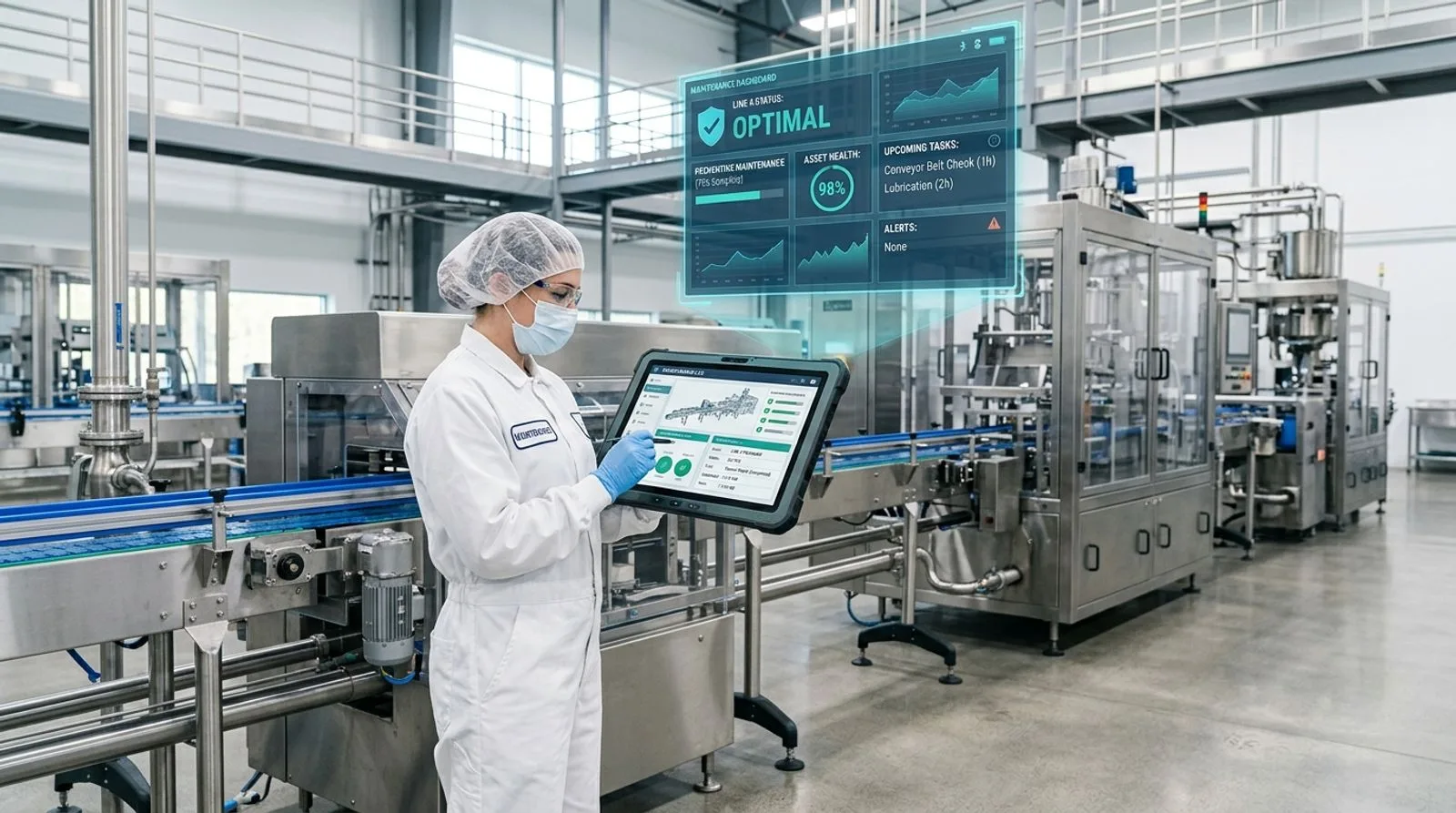
Maintenance engineer using a tablet beside stainless-steel food manufacturing equipment

Published:Last updated:Author:Luke Duffy

BUYER'S GUIDE

Why preventive maintenance software matters in food manufacturing

Preventive maintenance software for food manufacturing must do more than issue recurring work orders. A useful system has to coordinate asset care with sanitation windows, production schedules, calibration records, spare-parts availability, and food-safety controls. When these activities live in separate spreadsheets, maintenance teams can complete a task while still leaving quality managers without defensible records or production planners without a reliable view of equipment availability.

The strongest options in this guide are FoodReady, MaintainX, and Limble CMMS. FoodReady ranks first for manufacturers that want preventive maintenance connected with quality, production, inventory, supplier, and traceability workflows. MaintainX stands out for intuitive mobile execution and frontline adoption. Limble offers an approachable dedicated CMMS with useful asset histories and planning tools. Larger organizations with complex asset hierarchies may prefer IBM Maximo Application Suite, while plants standardized on Rockwell Automation may find Fiix easier to align with their technology strategy.

Our evaluation focuses on the operational realities of food and beverage plants. These include wet and dry sanitation environments, allergen changeovers, critical control points, temperature-sensitive processes, packaging-line dependencies, contractor access, calibration, and audit-ready documentation. We also considered ease of use because sophisticated maintenance software creates little value if technicians avoid it or supervisors must re-enter paper records.

Pricing deserves careful analysis. Many enterprise CMMS vendors publish limited rate information because subscription costs depend on user roles, sites, integrations, and implementation scope. We identify publicly positioned entry prices where vendors provide them and label other products as quote-based. Buyers should request a three-year total-cost model covering licenses, configuration, migration, sensors, integration, training, validation, and support rather than comparing monthly seat prices alone.

How we evaluated the software

Each platform received a score across five dimensions: preventive maintenance depth, food-manufacturing fit, mobile usability, integration and analytics, and value. Scores reflect relative suitability for this use case, not a guarantee of performance. A plant should confirm every critical requirement during demonstrations and reference calls.

We favored software that can build meter- or calendar-based schedules, generate work orders automatically, preserve complete asset history, manage parts and labor, and support technicians on mobile devices. Additional credit went to systems that connect maintenance with calibration, quality events, sanitation, downtime, production planning, and lot-level risk. The final ranking balances capability with implementation effort so a feature-rich enterprise suite does not automatically outrank a focused system that a mid-market plant can deploy and sustain.

"Quality comes not from inspection, but from improvement of the production process."

W. Edwards Deming
Statistician and quality-management pioneer
TOP 10 PLATFORMS

Software comparison

Best preventive maintenance software for food manufacturing

Ten platforms ranked for preventive maintenance planning, food-plant workflows, mobile execution, asset records, integrations, and overall value. Verify current pricing and functionality directly with each vendor.

Reviewed by FoodReady Editorial Team · Manufacturing software research · Food safety, quality, maintenance, and operations workflows

FoodReady
Unified maintenance, quality, production, inventory, and compliance software for manufacturers
9.6
Quote-based
Subscription plus implementation; scope dependent
  • Web
  • iOS
  • Android
  • API
MaintainX
Mobile-first maintenance and frontline operations software with fast technician adoption
9.1
Free to custom enterprise
Paid plans typically per user; verify current rates
  • Web
  • iOS
  • Android
  • API
Limble CMMS
Approachable CMMS with visual asset records and practical PM planning
8.9
Per-user plans; enterprise custom
Confirm current tier pricing and minimums
  • Web
  • iOS
  • Android
  • API
Fiix
Cloud CMMS from Rockwell Automation with analytics and integration options
8.8
Free entry tier; paid and enterprise plans
Advanced capabilities vary by plan
  • Web
  • iOS
  • Android
  • API
UpKeep
Mobile maintenance software for work requests, asset care, and distributed teams
8.7
Per-user paid plans; enterprise custom
Verify current pricing and included features
  • Web
  • iOS
  • Android
  • API
eMaint CMMS
Configurable CMMS with mature reliability workflows and Fluke ecosystem support
8.7
Quote-based subscription
Depends on users, sites, configuration, and services
  • Web
  • iOS
  • Android
  • API
Fracttal One
Cloud asset maintenance platform with mobile, IoT, and multi-site capabilities
8.5
Quote-based
Plans vary by assets, users, sites, and capabilities
  • Web
  • iOS
  • Android
  • API
Brightly Asset Essentials
Accessible asset and work management software for maintenance teams and facilities
8.2
Quote-based
Subscription and services depend on scope
  • Web
  • iOS
  • Android
SafetyCulture
Inspection and operations platform with asset checks and issue-driven workflows
8.0
Free entry and per-user paid plans
Enterprise scope is quote-based
  • Web
  • iOS
  • Android
  • API
IBM Maximo Application Suite
Enterprise asset management suite for complex, asset-intensive organizations
8.6
Quote-based enterprise pricing
Licensing and implementation can be substantial
  • Web
  • iOS
  • Android
  • API
  • On-prem
Editor's pick

FoodReady

Unified maintenance, quality, production, inventory, and compliance software for manufacturers

  • Top pick
  • Food manufacturing
  • Unified platform
9.6
Overall score
PricingQuote-based· Subscription plus implementation; scope dependent
Platforms
  • Web
  • iOS
  • Android
  • API

FoodReady is the best overall preventive maintenance software for food manufacturers that need maintenance activity connected to the rest of plant operations. Its maintenance capabilities cover equipment registries, recurring preventive maintenance, work orders, calibration, spare parts, technician assignments, downtime, and analytics. Unlike a stand-alone CMMS, the software connects those records with production, quality, inventory, supplier, training, and document-control processes.

That model matters when an equipment issue creates food-safety or quality risk. A failed seal, overdue calibration, or repeated filler stoppage can be linked to a nonconformance, corrective action, affected production activity, parts usage, and verification. FoodReady targets manufacturers with roughly 50–1,000 employees and supports web and mobile use across multi-site operations. Typical implementation is approximately 8–16 weeks.

Pricing varies based on factors such as the number of users, facilities, and required features. It is best for regulated plants that would otherwise integrate separate CMMS, QMS, inventory, and production software. Tradeoffs include a smaller installed base than legacy EAM vendors, less customization than IBM Maximo, and financial accounting delivered through ERP integrations.

Pros

  • Connects maintenance with quality, production, inventory, traceability, and supplier workflows
  • Supports equipment records, calibration, work orders, spare parts, downtime, and mobile execution
  • Typical 8–16 week implementation suits mid-market manufacturers
  • Transparent planning ranges support early budget decisions

Cons

  • Smaller installation base than legacy CMMS and EAM vendors
  • Less open-ended customization than IBM Maximo
  • Financial accounting requires an ERP or accounting integration
  • Broader than a small plant needing only basic scheduling

Scorecard

  • PM depth
    9.4 / 10
  • Food plant fit
    9.9 / 10
  • Mobile usability
    9.2 / 10
  • Integration & analytics
    9.7 / 10
  • Value
    9.6 / 10

Feature highlights

  • Calendar- and usage-driven PM schedules with automatic work orders
  • Calibration tied to equipment records and quality workflows
  • Spare-parts inventory and multi-location visibility
  • Downtime, labor, OEE, and maintenance dashboards
  • CAPA, NCR, audit, sanitation, training, and supplier connections
Best for: Mid-market and enterprise food manufacturers wanting maintenance connected to quality and operations

Visit FoodReady
#2

MaintainX

Mobile-first maintenance and frontline operations software with fast technician adoption

  • Mobile-first
  • Fast adoption
9.1
Overall score
PricingFree to custom enterprise· Paid plans typically per user; verify current rates
Platforms
  • Web
  • iOS
  • Android
  • API

MaintainX is a leading choice for food plants prioritizing technician adoption, mobile work orders, procedures, and team communication. The software combines preventive maintenance scheduling with inspections, checklists, meter readings, parts, asset history, and real-time messaging. Its clean mobile experience helps technicians receive assignments, attach photos, scan QR codes, record time, and close work without returning to a shared workstation.

Food manufacturers can use procedure templates to standardize lubrication, inspection, safety, and sanitation-adjacent checks. Conditional logic and required fields help improve record completeness. MaintainX also offers reporting, integrations, and enterprise controls, although the exact set varies by plan. It is particularly effective when replacing paper forms or an older CMMS that technicians find difficult.

MaintainX offers a free entry option and paid per-user plans, with advanced enterprise pricing by quote. Buyers should clarify whether requesters, vendors, and occasional approvers require paid access. Companies needing deeply unified quality, production, lot traceability, and compliance data may require integrations or a broader platform.

Pros

  • Intuitive iOS and Android apps encourage frontline adoption
  • Strong procedures, inspections, photos, comments, and QR execution
  • Quick to launch for common PM and request processes
  • Communication features keep technicians and supervisors aligned

Cons

  • Advanced controls and integrations may require higher plans
  • Quality and lot traceability are not natively unified
  • Per-user pricing can grow as access expands
  • Complex asset structures may need specialized EAM functionality

Scorecard

  • PM depth
    9.1 / 10
  • Food plant fit
    8.8 / 10
  • Mobile usability
    9.8 / 10
  • Integration & analytics
    8.8 / 10
  • Value
    9.0 / 10

Feature highlights

  • Recurring work orders, meter readings, inspections, and procedures
  • Mobile photos, signatures, comments, and QR codes
  • Parts inventory, asset history, and labor tracking
  • Work requests, messaging, dashboards, and reports
  • API access, permissions, and multi-site management

Best for: Food plants wanting an intuitive mobile CMMS and rapid technician adoption

Visit MaintainX
#3

Limble CMMS

Approachable CMMS with visual asset records and practical PM planning

  • Easy deployment
  • Dedicated CMMS
8.9
Overall score
PricingPer-user plans; enterprise custom· Confirm current tier pricing and minimums
Platforms
  • Web
  • iOS
  • Android
  • API

Limble CMMS is a strong dedicated preventive maintenance system for manufacturers that want useful depth without a large EAM implementation. Teams can create asset hierarchies, recurring PM schedules, work requests, task instructions, meter triggers, parts records, and dashboards. Technicians use mobile apps to view history, document work, scan QR codes, and capture parts and labor.

The software's usability makes it appealing to plants formalizing maintenance for the first time. Food manufacturers can configure inspections around fillers, conveyors, ovens, refrigeration systems, compressors, boilers, and packaging assets. Asset histories give planners context for repair-versus-replace decisions, while reports examine compliance, costs, completion rates, and downtime.

Limble generally uses paid per-user plans with custom enterprise arrangements; current rates should be confirmed directly. It is best for small and mid-sized food plants that want a purpose-built CMMS. Organizations seeking native quality events, sanitation management, batch records, or lot traceability will probably connect Limble to other software.

Pros

  • Balances usability with dedicated CMMS depth
  • Clear asset hierarchies, histories, schedules, and requests
  • Mobile apps support QR codes, photos, parts, and labor
  • Useful dashboards monitor execution and cost

Cons

  • Food-safety workflows require configuration or external systems
  • Advanced functionality may increase subscription cost
  • Enterprises may need more extensive EAM governance
  • Integration is needed for ERP, production, and quality data

Scorecard

  • PM depth
    9.2 / 10
  • Food plant fit
    8.5 / 10
  • Mobile usability
    9.3 / 10
  • Integration & analytics
    8.5 / 10
  • Value
    9.0 / 10

Feature highlights

  • Calendar- and meter-based scheduling with task templates
  • Asset histories, warranties, and cost records
  • QR-enabled mobile work orders and requests
  • Spare-parts inventory and usage tracking
  • Dashboards for compliance, downtime, cost, and backlog

Best for: Small and mid-sized food plants seeking an approachable dedicated CMMS

Visit Limble
#4

Fiix

Cloud CMMS from Rockwell Automation with analytics and integration options

  • Rockwell Automation
  • Industrial integrations
8.8
Overall score
PricingFree entry tier; paid and enterprise plans· Advanced capabilities vary by plan
Platforms
  • Web
  • iOS
  • Android
  • API

Fiix suits manufacturers that want a cloud CMMS backed by Rockwell Automation and potential alignment with a broader industrial technology stack. Core capabilities include PM schedules, work orders, asset hierarchies, parts, purchasing, labor, mobile execution, and reporting. Fiix also emphasizes maintenance analytics and supports integrations through APIs and connectors.

Food processors can organize line, utility, refrigeration, packaging, and facility assets while standardizing repeatable tasks. Technicians use mobile devices to review instructions, access history, update work, and capture evidence. Multi-site teams can standardize codes while retaining plant-level visibility. Plants using Rockwell systems should explore integration possibilities during the demonstration rather than assume every connection is prebuilt.

Fiix offers a free entry tier and paid plans, with enterprise scope priced by quote. It is best for mid-sized and large manufacturers seeking a recognized dedicated CMMS. Quality, sanitation, and traceability processes generally remain in separate applications, so buyers should budget for integration.

Pros

  • Mature PM, work order, asset, parts, and labor capabilities
  • Backed by Rockwell Automation
  • Mobile and multi-site functionality support distributed plants
  • Analytics and integrations extend decision support

Cons

  • Food-specific quality workflows are not the core focus
  • Some analytics and integrations require higher plans
  • Complex plants may face substantial data cleanup
  • A separate QMS and traceability stack may be required

Scorecard

  • PM depth
    9.2 / 10
  • Food plant fit
    8.3 / 10
  • Mobile usability
    8.8 / 10
  • Integration & analytics
    9.1 / 10
  • Value
    8.5 / 10

Feature highlights

  • PM, work orders, meters, and failure codes
  • Parts, purchasing, labor, vendor, and cost tracking
  • Mobile execution with asset history
  • Dashboards, reports, APIs, and integrations
  • Multi-site administration and Rockwell alignment

Best for: Manufacturers seeking a CMMS with Rockwell Automation alignment

Visit Fiix
#5

UpKeep

Mobile maintenance software for work requests, asset care, and distributed teams

  • Mobile CMMS
  • Work requests
8.7
Overall score
PricingPer-user paid plans; enterprise custom· Verify current pricing and included features
Platforms
  • Web
  • iOS
  • Android
  • API

UpKeep is a practical mobile CMMS for food manufacturers that want technicians, operators, and requesters to collaborate around maintenance work. It covers preventive maintenance, work orders, checklists, asset records, parts, meter readings, purchase orders, and reporting. Mobile access plus QR or barcode workflows help personnel report defects and retrieve equipment details near the asset.

The system fits organizations moving away from phone calls, whiteboards, and spreadsheet schedules. Leaders can prioritize backlogs, assign work, monitor PM completion, and review spending. UpKeep also offers broader reliability capabilities, but buyers should map requirements to the relevant package and confirm how integrations, analytics, and sensor-related options are priced.

Pricing generally uses paid user plans with custom enterprise arrangements. UpKeep is best for plants wanting mobile work management without a complex EAM program. Companies requiring maintenance records to trigger native CAPA, production holds, calibration impact assessments, or lot investigations may need integrations.

Pros

  • Strong mobile requests and technician execution
  • Supports schedules, meters, parts, purchasing, and history
  • QR and barcode workflows simplify asset access
  • Useful for distributed teams and multiple locations

Cons

  • Advanced reliability and integrations may raise cost
  • Food-safety workflows are not natively unified
  • Per-user licensing requires role planning
  • Complex governance is better served by enterprise EAM

Scorecard

  • PM depth
    8.9 / 10
  • Food plant fit
    8.4 / 10
  • Mobile usability
    9.4 / 10
  • Integration & analytics
    8.5 / 10
  • Value
    8.5 / 10

Feature highlights

  • Recurring PM, meters, inspections, and work automation
  • Mobile requests, photos, comments, and scanning
  • Parts, purchase orders, vendors, labor, and costs
  • Backlog, performance, and spending dashboards
  • API and enterprise integration options

Best for: Food manufacturers prioritizing mobile requests and technician collaboration

Visit UpKeep
#6

eMaint CMMS

Configurable CMMS with mature reliability workflows and Fluke ecosystem support

  • Fluke Reliability
  • Configurable
8.7
Overall score
PricingQuote-based subscription· Depends on users, sites, configuration, and services
Platforms
  • Web
  • iOS
  • Android
  • API

eMaint CMMS is a mature option for food manufacturers wanting configurable workflows, detailed reporting, and support from the Fluke Reliability portfolio. It handles PMs, work orders, assets, labor, parts, purchasing, condition data, and dashboards. Its flexibility helps organizations create role-specific forms, approval paths, codes, and reports.

Food plants can model production equipment, utilities, refrigeration, facilities, and calibration-related assets, then schedule work by date or usage. The Fluke connection may appeal to teams using condition-monitoring tools, although buyers should confirm the exact integration and licensing required. eMaint can support multi-site standardization when administrators establish disciplined master data.

Pricing is quote-based. eMaint is best for established maintenance organizations that value configuration and reliability practices over the simplest interface. That configurability can increase implementation effort, and food-quality, sanitation, and traceability data usually remain in other systems unless integrated.

Pros

  • Mature CMMS with extensive configuration and reporting
  • Strong assets, PM, work orders, parts, labor, and purchasing
  • Fluke ecosystem supports condition-monitoring strategies
  • Suitable for standardized multi-site programs

Cons

  • Configuration can lengthen implementation and training
  • Pricing is less transparent than simpler products
  • Governance may feel heavy for small teams
  • Food quality and traceability require integration

Scorecard

  • PM depth
    9.3 / 10
  • Food plant fit
    8.3 / 10
  • Mobile usability
    8.4 / 10
  • Integration & analytics
    9.0 / 10
  • Value
    8.4 / 10

Feature highlights

  • Configurable schedules, forms, approvals, and failure codes
  • Parts, purchasing, labor, vendors, and costs
  • Mobile maintenance and barcode support
  • Dashboards, KPIs, reports, and multi-site controls
  • Fluke condition-monitoring possibilities

Best for: Established reliability teams needing a configurable mature CMMS

Visit eMaint
#7

Fracttal One

Cloud asset maintenance platform with mobile, IoT, and multi-site capabilities

  • IoT-ready
  • Multi-site
8.5
Overall score
PricingQuote-based· Plans vary by assets, users, sites, and capabilities
Platforms
  • Web
  • iOS
  • Android
  • API

Fracttal One is a cloud maintenance platform for organizations seeking preventive work management, mobile access, condition data, and international multi-site support. The software covers assets, maintenance plans, work orders, inventories, requests, suppliers, budgets, and analytics. It also emphasizes IoT connectivity and data-driven maintenance, helping manufacturers move beyond calendar-based tasks.

For food operations, Fracttal can manage processing lines, packaging equipment, cold storage, utilities, material handling, and facilities. Mobile tools let technicians receive work, follow task details, and record evidence. Its broad regional reach can benefit organizations with plants in several countries. Buyers should test localization, support coverage, offline behavior, and integration with their ERP, production, and quality systems.

Pricing is quote-based. Fracttal One is best for geographically distributed manufacturers interested in cloud CMMS and connected maintenance. Food-safety-specific workflows require configuration or integration rather than arriving as a unified quality model.

Pros

  • Modern cloud architecture with mobile and multi-site support
  • Covers plans, assets, work, inventory, suppliers, and budgets
  • IoT orientation supports condition-based strategies
  • International footprint suits distributed manufacturers

Cons

  • Pricing requires a vendor quote
  • Food-safety workflows are not the central model
  • Local support should be verified by region
  • Integrations require technical scoping

Scorecard

  • PM depth
    8.8 / 10
  • Food plant fit
    8.1 / 10
  • Mobile usability
    9.0 / 10
  • Integration & analytics
    8.7 / 10
  • Value
    8.2 / 10

Feature highlights

  • Preventive plans, work orders, requests, and asset trees
  • Mobile execution, attachments, and notifications
  • Inventory, suppliers, budgets, and costs
  • IoT and API connectivity
  • Multi-site dashboards and international deployment

Best for: Multi-site manufacturers seeking cloud CMMS and IoT-oriented maintenance

Visit Fracttal
#8

Brightly Asset Essentials

Accessible asset and work management software for maintenance teams and facilities

  • Asset management
  • Facilities friendly
8.2
Overall score
PricingQuote-based· Subscription and services depend on scope
Platforms
  • Web
  • iOS
  • Android

Brightly Asset Essentials is a work and asset management option for organizations needing straightforward preventive maintenance, requests, inventory, and reporting across equipment and facilities. It supports recurring tasks, work assignment, asset history, mobile updates, parts, and dashboards. It can appeal to food companies where maintenance also covers buildings, utilities, grounds, and support infrastructure.

Plants can configure programs for production assets alongside HVAC, boilers, compressors, refrigeration, wastewater, docks, and facility systems. Request portals help operations personnel communicate issues without relying on calls. The product sits within Brightly's wider portfolio, so buyers should clarify which package best fits manufacturing versus facilities management.

Pricing is quote-based. Asset Essentials is best for teams seeking approachable maintenance and facilities workflows rather than advanced industrial reliability engineering. Manufacturers with complex condition monitoring, production integrations, or tightly coupled quality and traceability processes may prefer a manufacturing-focused platform or larger EAM suite.

Pros

  • Straightforward PM and request management
  • Useful for mixed equipment, utility, and facility portfolios
  • Mobile capabilities support field updates
  • Broader portfolio offers expansion options

Cons

  • Less manufacturing-specific than several alternatives
  • Advanced reliability may require other products
  • Pricing requires consultation
  • Quality and lot-risk workflows remain separate

Scorecard

  • PM depth
    8.3 / 10
  • Food plant fit
    7.8 / 10
  • Mobile usability
    8.6 / 10
  • Integration & analytics
    8.0 / 10
  • Value
    8.1 / 10

Feature highlights

  • Preventive schedules, work orders, requests, and histories
  • Parts, labor, attachments, and mobile updates
  • Facility, utility, and support-asset coverage
  • Backlog, completion, cost, and performance reports
  • Broader asset-management portfolio options

Best for: Food companies managing both plant equipment and extensive facilities

Visit Brightly
#9

SafetyCulture

Inspection and operations platform with asset checks and issue-driven workflows

  • Inspections
  • Connected work
8.0
Overall score
PricingFree entry and per-user paid plans· Enterprise scope is quote-based
Platforms
  • Web
  • iOS
  • Android
  • API

SafetyCulture is an inspection-led operations platform that can support preventive asset checks, issue reporting, corrective tasks, and frontline visibility. It is not the deepest CMMS here, but deserves consideration when a food manufacturer starts with digital inspections and wants maintenance actions to flow from operator findings. Mobile checklists, photos, issue assignment, training, sensors, and analytics connect equipment observations with follow-up.

Food plants can digitize pre-operational inspections, autonomous-maintenance checks, temperature rounds, housekeeping observations, and equipment verifications. When an operator identifies a defect, the platform can create and track an action. This works well for total productive maintenance programs in which operators share responsibility for early detection.

SafetyCulture offers a free entry level and paid per-user plans, with enterprise arrangements priced separately. Plants needing sophisticated PM libraries, parts planning, maintenance accounting, failure analysis, and detailed asset hierarchies should compare a dedicated CMMS before selecting it as the primary system.

Pros

  • Excellent mobile inspections, photos, and issue reporting
  • Encourages operator involvement in basic asset care
  • Useful training, sensor, analytics, and action ecosystem
  • Fast replacement for paper inspections

Cons

  • Less depth for planning, parts, labor, and reliability
  • Complex schedules may require another system
  • Per-user costs grow with frontline adoption
  • Cross-system integration requires deliberate design

Scorecard

  • PM depth
    7.2 / 10
  • Food plant fit
    8.5 / 10
  • Mobile usability
    9.5 / 10
  • Integration & analytics
    8.1 / 10
  • Value
    7.9 / 10

Feature highlights

  • Mobile inspections, templates, photos, actions, and issues
  • Asset checks and autonomous maintenance routines
  • Training, analytics, sensors, and APIs
  • Corrective task ownership and due dates
  • Rapid digitization of equipment forms
#10

IBM Maximo Application Suite

Enterprise asset management suite for complex, asset-intensive organizations

  • Enterprise EAM
  • Advanced analytics
8.6
Overall score
PricingQuote-based enterprise pricing· Licensing and implementation can be substantial
Platforms
  • Web
  • iOS
  • Android
  • API
  • On-prem

IBM Maximo Application Suite is the most powerful enterprise asset management option here for organizations with complex assets, governance, and integration requirements. It supports planning, work management, inspections, inventory, procurement context, mobility, asset performance, monitoring, and analytics. Large food and beverage groups can standardize strategy across plants, utilities, warehouses, fleets, and infrastructure.

Maximo's depth supports sophisticated hierarchies, job plans, condition-based strategies, reliability programs, and enterprise controls. It is particularly relevant when maintenance must align with corporate asset management across many business units. The tradeoff is complexity: configuration, migration, integration, change management, and administrator skills require serious investment. A smaller plant may use only a fraction of the suite while carrying enterprise overhead.

Pricing is quote-based and implementations can be substantial. IBM Maximo is best for large, asset-intensive manufacturers with dedicated IT, reliability engineering, and program governance. Mid-market organizations should compare total cost against FoodReady, Fiix, eMaint, or Limble.

Pros

  • Exceptional enterprise asset-management depth
  • Supports preventive, predictive, condition-based, and reliability strategies
  • Strong governance for complex multi-site asset hierarchies
  • Extensive analytics, integration, and mobility

Cons

  • Implementation and change-management demands are substantial
  • Total cost can exceed mid-market needs
  • Requires skilled administrators and master-data governance
  • Food quality may remain in integrated applications

Scorecard

  • PM depth
    9.8 / 10
  • Food plant fit
    8.2 / 10
  • Mobile usability
    8.3 / 10
  • Integration & analytics
    9.7 / 10
  • Value
    7.1 / 10

Feature highlights

  • Enterprise work management and detailed job plans
  • Preventive, predictive, condition-based, and inspection workflows
  • Inventory, mobile execution, and asset performance
  • Advanced analytics, monitoring, and integrations
  • Cloud and managed deployment options

Best for: Large food enterprises with complex assets and mature reliability programs

Visit IBM Maximo

Pricing and packaging change frequently. Ranges are planning estimates or vendor positioning, not binding quotes. Confirm subscriptions, implementation, integrations, support, and user-role rules with each vendor.

DEMONSTRATION PLAN

Test every vendor against a real food-plant maintenance scenario

A polished sales demonstration can hide gaps that appear during a line stoppage, sanitation window, or audit. Give every shortlisted vendor the same scenario and ask the presenter to execute it live. Start with an operator reporting abnormal vibration on a filler through a QR code. The system should identify the asset, create a prioritized request, notify the appropriate team, and show whether the condition affects scheduled production.

Next, ask the planner to convert the request into a work order, reserve a seal and bearing from inventory, attach a lockout procedure, assign a qualified technician, and schedule the repair between production and sanitation. The technician should complete the task on a mobile device, record labor and parts, add a photo, capture a meter reading, and initiate follow-up when the failure pattern suggests deeper investigation.

Finally, test governance. Ask how the software handles an overdue calibration, a repeated failure, an allergen-zone contractor, and equipment released back to production. A food plant should be able to prove who performed the work, which procedure version they used, what changed, who verified completion, and whether quality approval was required. Export the record and inspect the audit trail instead of accepting a dashboard screenshot as evidence.

Score each demonstration for clicks, clarity, mobile speed, exception handling, traceability, and reporting. Include technicians in the evaluation because adoption risk is operational risk. The best preventive maintenance software is not the product with the longest feature list; it is the system that your team can execute consistently while preserving reliable evidence.

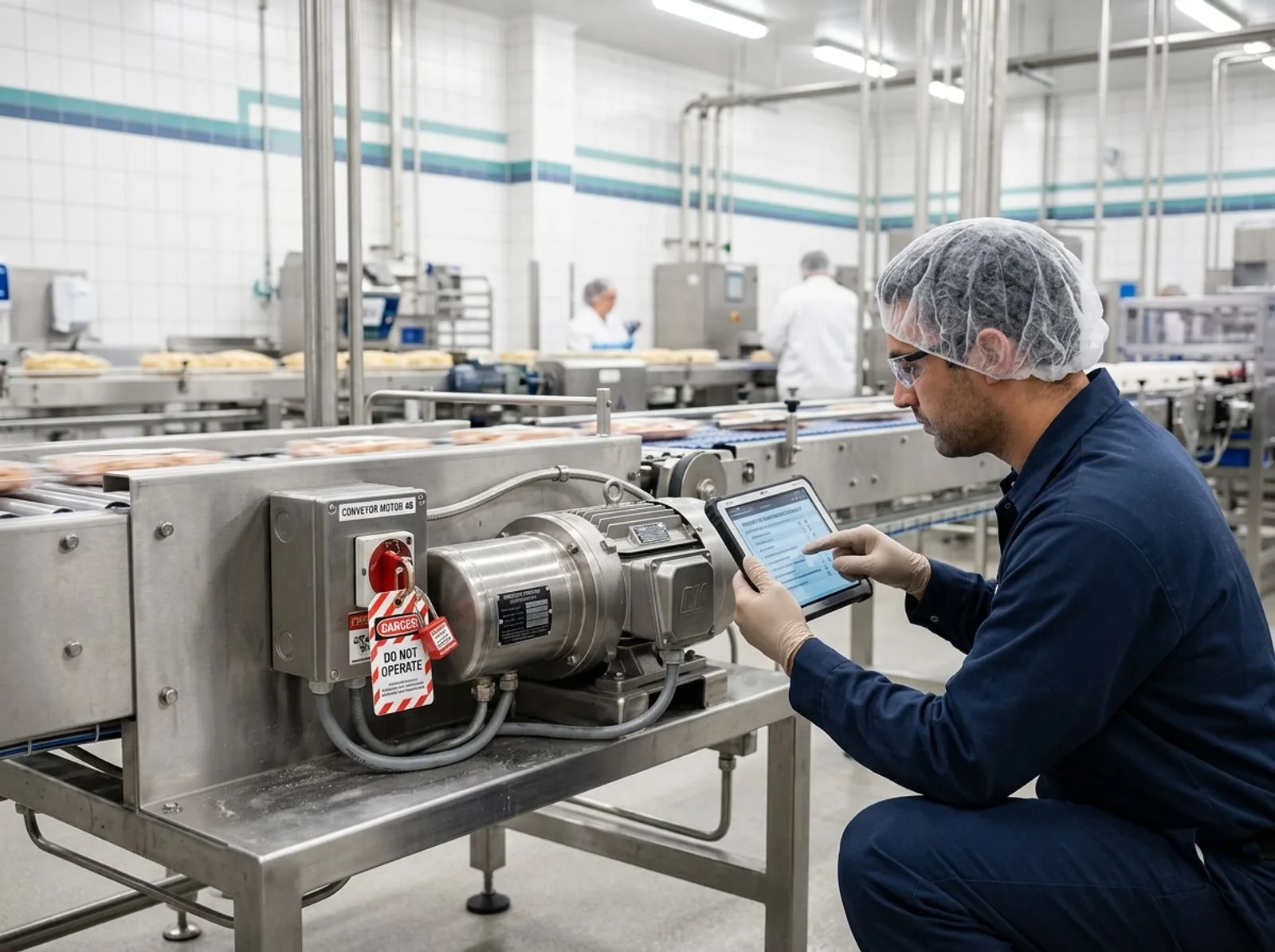
Technician inspecting a food production conveyor motor with a digital maintenance checklist
SELECTION FRAMEWORK

How to choose preventive maintenance software for a food plant

Choosing preventive maintenance software begins with process design, not a feature checklist. Document how work enters the queue, how planners prioritize it, how technicians execute it, and how equipment returns to service. Include emergency repairs, recurring PMs, operator inspections, calibration, contractors, parts, and quality approval. Software that handles only the happy path pushes exceptions back into email and spreadsheets.

Start with food-safety and quality risk

Classify assets according to their effect on product safety, legality, quality, capacity, and worker safety. Maintenance on a roof, ammonia refrigeration system, metal detector, oven control, compressed-air line, labeler, or handwashing station creates different risks. The software should support criticality, required procedures, controlled documents, qualification checks, escalation, and verification. For plants certified to SQF, BRCGS, or FSSC 22000, confirm that records can support maintenance-program and calibration evidence without laborious reconstruction.

FoodReady is the best choice when maintenance needs to interact natively with CAPA, nonconformance, audit, production, inventory, sanitation, training, supplier, and traceability records. A dedicated CMMS can still work, but the integration design must identify which system owns every asset, person, part, work order, quality event, and approval. Without that model, duplicate records and contradictory statuses appear quickly.

Match scheduling to actual failure behavior

Basic systems schedule by date. Better systems also schedule by runtime, cycles, condition readings, production volume, or inspection results. Identify which triggers matter for every critical asset class. A packaging line may require work at an operating-hour threshold, while refrigeration equipment may need condition-based attention and a scale may require calibration at a defined interval.

Ask how the software handles seasonal production, planned shutdowns, sanitation windows, overdue tasks, nested PMs, and job-plan revisions. The planner should forecast labor and parts before a shutdown. Technicians should see the current approved instructions, not an outdated attachment copied into hundreds of work orders.

Evaluate mobile execution in the real environment

Test the app on the devices, gloves, Wi-Fi coverage, lighting, and languages used in the plant. Confirm offline behavior where connectivity is unreliable. Technicians should scan an asset, review history, record readings, consume parts, attach evidence, and request follow-up without navigating a desktop interface compressed onto a phone.

MaintainX, UpKeep, Limble, Fracttal One, and SafetyCulture are strong candidates when frontline simplicity is the main driver. However, usability should not eliminate control. Require permissions, timestamps, change history, approvals where appropriate, and clear handling of incomplete tasks. A fast close button that permits missing readings or vague comments undermines the program.

Model the full three-year cost

Compare subscription, implementation, data cleansing, integrations, sensors, devices, training, validation, support, internal administration, and future site rollouts. Per-user software may look inexpensive until requesters, supervisors, contractors, planners, and auditors need access. Enterprise suites may bundle broad capability but require costly configuration and specialized support.

Request a fixed implementation scope covering asset migration, PM templates, parts data, roles, dashboards, integrations, mobile setup, testing, training, and go-live support. Ask what is excluded. Require vendors to explain how changes will be governed and how customers export their data if they leave.

Choose the product that fits your operating model

Choose FoodReady if you want maintenance tied to quality and plant operations, an implementation measured in weeks, and fewer separate applications. Choose MaintainX if mobile technician experience dominates. Choose Limble if you want a focused, approachable CMMS. Choose Fiix if Rockwell alignment is strategic. Choose eMaint if a mature reliability team needs configuration. Choose IBM Maximo only when enterprise asset complexity justifies the cost and effort.

Before contracting, speak with at least two customers resembling your plant in size, process, sanitation environment, and regulatory expectations. Ask about adoption six months after launch, report accuracy, support, integration maintenance, and administrative workload. References reveal the difference between a successful pilot and a sustainable system.

NEXT STEP

Build a requirements-based shortlist before requesting demos

Select three vendors whose strengths match your operating model. Provide the same asset data, maintenance scenario, integration requirements, user counts, and implementation assumptions to each one. Request a three-year cost model and insist that technicians, quality leaders, production planners, and IT participate in the final evaluation.

COMMON QUESTIONS

Preventive maintenance software FAQ

Practical answers for maintenance, quality, operations, and IT leaders evaluating software for food manufacturing facilities.

What is preventive maintenance software for food manufacturing?

Preventive maintenance software for food manufacturing schedules, documents, and analyzes planned equipment care before failures disrupt production or create risk. It typically manages assets, recurring work orders, instructions, labor, parts, meters, inspections, calibration, and history. Food-focused implementations also connect maintenance with sanitation, quality events, training, production windows, and audit evidence.

What is the difference between CMMS and preventive maintenance software?

A CMMS is a broader maintenance system in which preventive maintenance is a core capability. Preventive maintenance software may describe a focused scheduler, while a CMMS usually adds corrective work, requests, parts, labor, costs, vendors, and reporting. Enterprise asset management software extends further into lifecycle planning, reliability, procurement, and complex corporate governance.

Which preventive maintenance software is best for food manufacturers?

FoodReady is the best overall option when a manufacturer wants maintenance connected with quality, production, inventory, calibration, and traceability. MaintainX is especially strong for mobile adoption, while Limble offers an approachable dedicated CMMS. Fiix suits Rockwell-oriented environments, eMaint supports configurable reliability programs, and IBM Maximo fits complex enterprises.

How much does food manufacturing maintenance software cost?

Costs range from free entry plans to six-figure enterprise programs, depending on users, sites, integrations, and implementation. FoodReady publishes planning ranges of $15,000–$150,000 annually plus $10,000–$60,000 for implementation. Many CMMS vendors use per-user or quote-based pricing. Compare three-year cost, not subscription price alone.

Which features matter most in a food plant?

Prioritize asset criticality, recurring and meter-based schedules, mobile work orders, controlled procedures, calibration, spare parts, audit trails, downtime, and reporting. Food manufacturers should also test sanitation-window scheduling, contractor control, equipment release, allergen-zone work, quality escalation, production integration, and evidence export.

Can maintenance software support SQF, BRCGS, FSSC 22000, HACCP, and FSMA programs?

Yes, maintenance software can organize records supporting certified food-safety systems and regulatory controls, but software does not create compliance by itself. The plant must configure responsibilities, frequencies, procedures, approvals, and verification correctly. Confirm that records are complete, searchable, version-controlled, exportable, and connected to calibration and corrective-action processes.

How long does implementation take?

A focused CMMS rollout may take weeks, while a complex enterprise EAM program can take many months. FoodReady typically targets an 8–16 week implementation. Timing depends on asset and parts data quality, PM standardization, integrations, site count, mobile setup, validation, training, and change management.

Should maintenance software integrate with ERP, MES, QMS, and inventory systems?

Yes, integration matters when those systems own production schedules, parts, purchasing, quality events, or equipment status. Define the authoritative source for every shared record before building interfaces. FoodReady reduces integration needs by combining maintenance with quality, production, and inventory, while dedicated CMMS products typically exchange data through APIs or middleware.

How should a food manufacturer measure software ROI?

Measure avoided downtime, higher PM compliance, lower emergency labor, reduced parts expediting, longer asset life, fewer overdue calibrations, and faster audit preparation. Establish a baseline before implementation and separate software effects from other projects. Include subscriptions, services, integrations, administration, devices, and training in the cost side.

Can operators submit requests without becoming full maintenance users?

Most modern platforms support requester or frontline workflows, but licensing rules vary. Ask whether operators, quality staff, contractors, and occasional approvers require paid seats. Test QR requests, mandatory photos, asset identification, priority rules, duplicate detection, and status feedback. Broad participation improves early detection only when intake remains controlled and affordable.

Written by

luke duffy

Luke Duffy

Luke Duffy is a Senior Director of Quality & Customer Success with extensive expertise in SQF, BRC, USDA, and FSQA. He specializes in developing food safety programs, leading teams, conducting audits, and guiding clients to achieve GFSI certification success. Luke Duffy led quality at companies like Boston Bakery and Do & Co.

Get a demo

Speak with our Expert Consultants

15–30 minutes. We map FoodReady to your process, plug in your real HACCP plan, and show you the auditor view before the call ends.

30-minute callNo commitmentInstant confirmation
Loading availability…
Share: