10 Best Master Sanitation Scheduling Software Platforms (2026)

Compare ten master sanitation scheduling software platforms for food and beverage manufacturers. Review workflows, verification controls, mobile execution, scorecards, strengths, limitations, and ideal use cases.

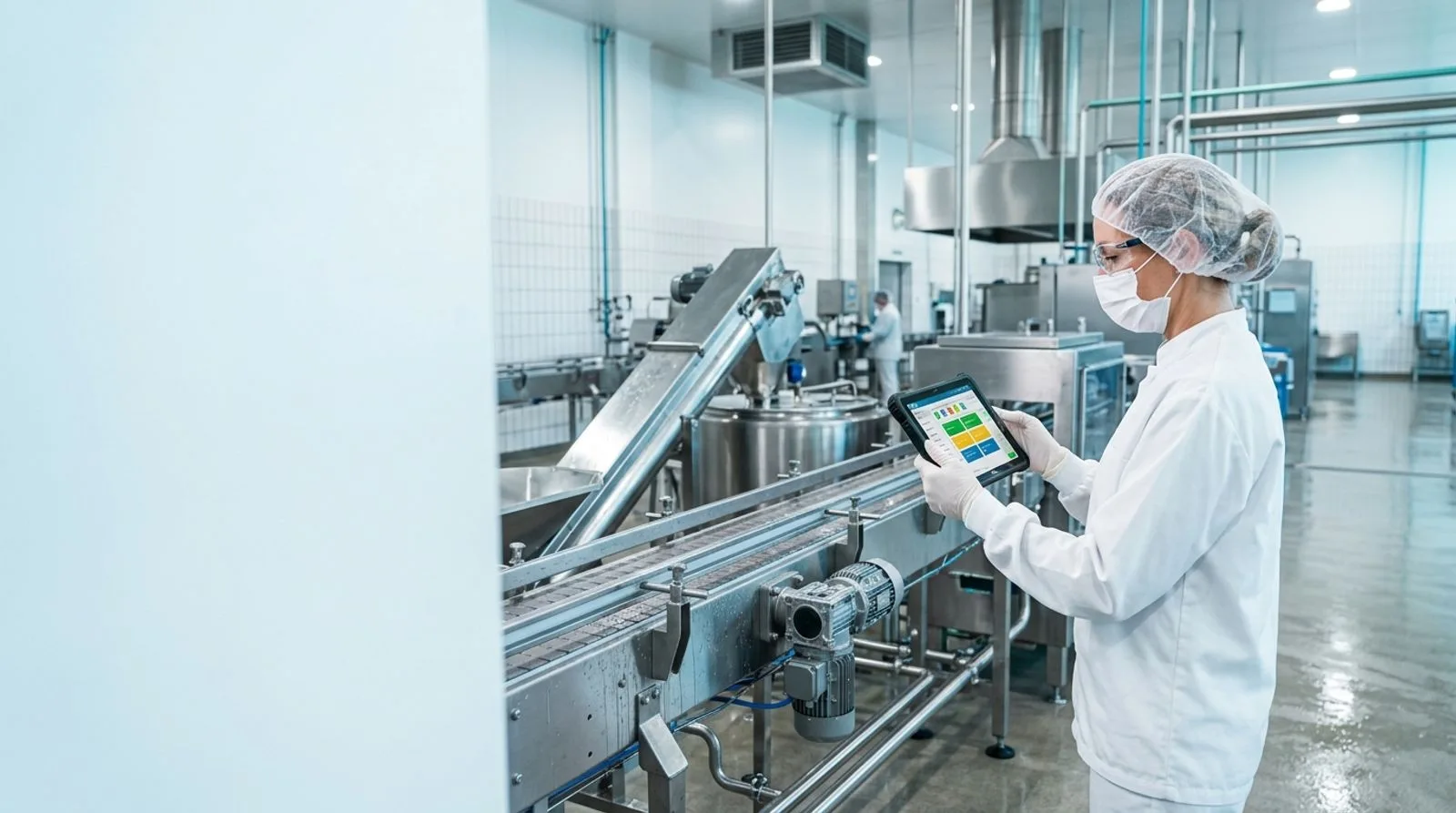
Sanitation manager reviewing a digital master sanitation schedule in a food processing facility

Published:Last updated:Author:Luke Duffy

SANITATION SOFTWARE GUIDE

Why master sanitation schedules need purpose-built software

A master sanitation schedule turns a facility’s cleaning requirements into a controlled, repeatable program. Unlike daily pre-operational cleaning, the master schedule must coordinate less-frequent work on overheads, walls, drains, refrigeration components, utilities, exterior equipment surfaces, and other areas that can be missed when production pressure rises. Effective master sanitation scheduling software assigns each task to a location or asset, defines the method and chemical requirements, sets a frequency, records completion, and creates evidence that a qualified person verified the result.

The strongest software does more than replace a spreadsheet. It connects sanitation tasks with standard operating procedures, chemical controls, employee qualifications, corrective actions, environmental monitoring, maintenance access, and audit records. Mobile execution matters because work happens across wet, cold, elevated, and restricted areas where a desktop is impractical. Supervisors also need overdue alerts, photo evidence, electronic signatures, dashboards, and trend reports that distinguish a completed task from a genuinely effective sanitation outcome.

We evaluated ten platforms for manufacturing companies that need more control over recurring sanitation. The comparison emphasizes schedule design, floor usability, verification depth, food-safety context, analytics, integration options, and implementation fit. Scores are editorial assessments based on documented capabilities and category alignment rather than laboratory testing. Because vendors configure these systems differently, buyers should validate workflows through a demonstration using their own zones, assets, frequencies, approval rules, and sanitation records.

What separates a sanitation calendar from a defensible program

A calendar answers when cleaning should occur. A defensible sanitation program also shows what was cleaned, who performed the work, which procedure and chemicals applied, whether the task was completed within the required window, and who verified the result.

During demonstrations, ask vendors to model one complicated task from start to finish. Include prerequisite maintenance access, lockout considerations, a linked sanitation SOP, required personal protective equipment, concentration or temperature checks, photographs, supervisor verification, and a failed inspection that automatically opens corrective action.

The best platform is the one operators will use consistently and supervisors can govern without rebuilding every workflow through custom development. Treat configurability, offline access, permission controls, revision history, and exportable evidence as core requirements rather than optional conveniences.

TOP 10 PLATFORMS

2026 SOFTWARE COMPARISON

The best master sanitation scheduling software

Ten platforms ranked for recurring sanitation planning, mobile task execution, verification, corrective action, reporting, and suitability for food and beverage manufacturing facilities.

Reviewed by FoodReady Editorial Team · Manufacturing software research · Food-safety workflow analysis · 2026 category review

FoodReady
Unified sanitation, food safety, quality, inventory, and production management
9.6
Custom quote
Pricing depends on sites, and users
  • Web
  • iOS
  • Android
  • API
SafetyChain
Food and beverage plant quality management with sanitation verification workflows
9.0
Custom quote
Pricing depends on sites, modules, users, and deployment scope
  • Web
  • iOS
  • Android
  • API
Safefood 360°
Food-safety management software with programs, monitoring, and compliance records
8.8
Custom quote
Vendor proposal based on modules and organizational scope
  • Web
  • iOS
  • Android
MaintainX
Mobile work execution for sanitation, preventive maintenance, and frontline procedures
8.6
Free to custom enterprise plans
Paid features and enterprise controls vary by tier
  • Web
  • iOS
  • Android
  • API
SafetyCulture
Flexible inspections, recurring actions, and issue management for frontline teams
8.4
Free plan and paid per-user plans
Enterprise pricing and advanced capabilities require a quote
  • Web
  • iOS
  • Android
  • API
FoodDocs
Digital food-safety management for smaller manufacturers and growing teams
8.2
Subscription plans; custom quote by scope
Plan availability and services vary by market and facility needs
  • Web
  • iOS
  • Android
Icicle ERP
Food manufacturing ERP with quality, traceability, production, and sanitation records
8.1
Custom quote
Modules, implementation, integrations, and company size affect cost
  • Web
  • API
GoAudits
Mobile inspection software for cleaning checks, audits, and corrective follow-up
7.9
Published subscription tiers
Pricing varies by users, features, and enterprise requirements
  • Web
  • iOS
  • Android
CMX1
Enterprise quality and risk management for programs, locations, suppliers, and compliance
7.8
Custom enterprise quote
Final cost depends on applications, locations, users, and services
  • Web
  • iOS
  • Android
  • API
ETQ Reliance
Configurable enterprise QMS for document control, CAPA, audits, and quality workflows
7.7
Custom enterprise quote
Licensing, applications, services, and integrations influence total cost
  • Web
  • API
Editor's pick

FoodReady

Unified sanitation, food safety, quality, inventory, and production management

  • Editor’s Pick
  • FSMA
  • HACCP
  • Unified Platform
9.6
Overall score
PricingCustom quote· Pricing depends on sites, and users
Platforms
  • Web
  • iOS
  • Android
  • API

FoodReady ranks first for manufacturers that want the master sanitation schedule connected to the rest of the food-safety and plant-management system. Teams can organize recurring work by site, zone, room, line, or asset; assign frequencies and owners; attach controlled procedures; capture mobile completion records; and route exceptions for review. That structure helps replace disconnected spreadsheets, paper signoffs, and calendar reminders with one governed workflow.

Its main differentiator is operational context. Sanitation records can sit alongside inspections, preventive controls, environmental monitoring, corrective actions, supplier controls, inventory, maintenance, production, and training. A supervisor reviewing a missed cleaning event can therefore investigate whether production ran late, an asset remained locked for maintenance, an employee lacked current training, or a failed verification requires escalation. The same platform also supports lot traceability, document control, CAPA, audit management, and dashboards, reducing the need to reconcile several systems before an audit.

FoodReady is cloud software designed for web and mobile use, with APIs and integrations available for broader plant systems. Typical implementations run 8–16 weeks, depending on the number of sites, imported records, integrations, and workflow complexity. Published internal positioning places Starter subscriptions at $15,000–$30,000 annually, Professional at $40,000–$75,000, and Enterprise at $75,000–$150,000, with implementation commonly ranging from $10,000–$60,000. Its strengths are breadth, speed, and a modern operator experience. Tradeoffs include a smaller installed base than long-established enterprise QMS vendors, less extreme customization, and financial accounting handled through integrations such as QuickBooks, Sage, NetSuite, or other ERP software rather than a native general ledger.

Pros

  • Connects master sanitation tasks with quality, production, inventory, maintenance, training, and CAPA records
  • Supports site, zone, line, equipment, frequency, owner, procedure, evidence, and verification controls
  • Mobile workflows improve floor adoption and make photo or signature evidence easier to capture
  • Implementation is typically measured in weeks rather than year-long enterprise programs
  • Offers broad food-manufacturing functionality without requiring separate QMS, inventory, and production databases
  • APIs and established ERP, scanner, and automation integration options support a connected plant architecture

Cons

  • Newer platform with a smaller installed base than several legacy enterprise vendors
  • Highly unusual global workflows may require configuration tradeoffs rather than unlimited customization
  • Financial accounting depends on an ERP or accounting integration
  • May provide more operational breadth than a very small single-site facility needs

Scorecard

  • Sanitation scheduling
    9.7 / 10
  • Verification controls
    9.6 / 10
  • Food-safety depth
    9.7 / 10
  • Mobile usability
    9.4 / 10
  • Value and scalability
    9.5 / 10

Feature highlights

  • Recurring sanitation plans by facility, zone, asset, owner, and frequency
  • Controlled SOPs, training links, electronic records, and approval history
  • Deviation, CAPA, audit, environmental monitoring, and preventive-control workflows
  • Production, inventory, supplier, maintenance, and traceability modules
  • Real-time dashboards, overdue alerts, trend analysis, and exportable audit evidence
  • Web, iOS, Android, API, scanner, ERP, and plant-system connectivity
Best for: Mid-market and multi-site food manufacturers seeking one sanitation, quality, compliance, and operations platform

Visit FoodReady
#2

SafetyChain

Food and beverage plant quality management with sanitation verification workflows

  • Food Manufacturing
  • Plant Quality
  • Mobile Records
9.0
Overall score
PricingCustom quote· Pricing depends on sites, modules, users, and deployment scope
Platforms
  • Web
  • iOS
  • Android
  • API

SafetyChain is a strong option for food and beverage manufacturers that want sanitation execution inside a broader plant quality management environment. The software is commonly evaluated for digital plant records, pre-operational inspections, food-safety checks, corrective actions, supplier management, and operational data collection. Master sanitation activities can be structured as recurring forms or workflows with assigned responsibilities, due dates, evidence fields, and review requirements.

The platform’s practical advantage is its alignment with quality teams that manage many plant-floor programs beyond sanitation. Users can collect records on mobile devices, configure alerts for out-of-specification results, and centralize documentation for customer, GFSI, and regulatory audits. Dashboards help managers see late records, recurring failures, and site-level performance without waiting for paper packets to reach the office. Buyers should carefully confirm how the proposed configuration handles complex frequencies, asset hierarchies, prerequisite dependencies, offline work, and sanitation-specific analytics because implementations can vary by design.

SafetyChain generally sells through custom proposals rather than a simple public price list. Scope discovery, form migration, training, integrations, and governance should be included in the total-cost review. It fits organizations that already think of sanitation as one component of a digital plant-quality program and have internal process owners available to standardize records across departments or sites.

Pros

  • Strong fit for food and beverage manufacturing quality programs
  • Mobile data collection supports sanitation and pre-operational records on the plant floor
  • Alerts and corrective-action workflows can escalate failed checks
  • Centralizes multiple food-safety and quality records for audit preparation
  • Multi-site reporting supports corporate visibility and standardization

Cons

  • Pricing requires a vendor consultation and may be difficult to estimate early
  • Configuration quality depends on disciplined process mapping and internal ownership
  • Buyers should validate advanced master-schedule dependencies during demonstrations
  • Broader ERP and maintenance requirements may still need integrations

Scorecard

  • Sanitation scheduling
    9.0 / 10
  • Verification controls
    9.2 / 10
  • Food-safety depth
    9.4 / 10
  • Mobile usability
    8.8 / 10
  • Value and scalability
    8.6 / 10

Feature highlights

  • Digital plant records and recurring food-safety workflows
  • Mobile inspections, pre-operational checks, and sanitation evidence
  • Automated alerts, escalations, and corrective actions
  • Dashboards for record completion and quality performance
  • Supplier, audit, and compliance record management

Best for: Food and beverage manufacturers standardizing sanitation and plant-quality records across one or more facilities

Visit SafetyChain
#3

Safefood 360°

Food-safety management software with programs, monitoring, and compliance records

  • Food Safety
  • Compliance Programs
  • Multi-Site
8.8
Overall score
PricingCustom quote· Vendor proposal based on modules and organizational scope
Platforms
  • Web
  • iOS
  • Android

Safefood 360° is designed around food-safety management and is well suited to organizations that want the master sanitation schedule governed within a wider compliance program. The platform covers areas such as food-safety plans, monitoring, supplier controls, audits, corrective actions, and management reporting. Sanitation tasks can be managed as scheduled program activities with responsible users, forms, supporting documents, due dates, and verification records.

Its differentiator is a food-safety-first information model rather than a generic work-order model. That orientation can make it easier for quality and technical teams to relate sanitation performance to prerequisite programs, HACCP plans, nonconformances, verification, and audit readiness. Central dashboards and standardized workflows also support corporate oversight when multiple sites must follow common policies while retaining facility-specific tasks.

Prospective buyers should test the operator experience with real sanitation scenarios, especially when work occurs in areas with limited connectivity or when a schedule includes hundreds of assets and mixed frequencies. They should also examine how easily frontline users can find the correct task, how supervisors reschedule missed work without obscuring the original due date, and how reports distinguish completion from verification. Pricing is quote-based, so implementation services, data migration, administrator training, and ongoing support should be evaluated with the subscription.

Pros

  • Purpose-built food-safety context supports sanitation and prerequisite-program governance
  • Links monitoring, corrective action, audits, and compliance documentation
  • Multi-site capabilities support centralized oversight with local execution
  • Scheduled program activities create a traceable record of ownership and completion
  • Useful for technical teams managing certification and customer requirements

Cons

  • Public pricing is not readily available
  • May require careful configuration to produce a highly visual maintenance-style calendar
  • Operational breadth is centered more on food safety than full manufacturing ERP
  • Frontline usability should be validated against the facility’s connectivity and device constraints

Scorecard

  • Sanitation scheduling
    8.7 / 10
  • Verification controls
    9.1 / 10
  • Food-safety depth
    9.5 / 10
  • Mobile usability
    8.3 / 10
  • Value and scalability
    8.5 / 10

Feature highlights

  • Food-safety program scheduling and monitoring
  • Corrective actions and nonconformance records
  • Audit, supplier, and compliance management
  • Multi-site dashboards and standardized controls
  • Documented verification and management reporting

Best for: Quality-led food manufacturers that want sanitation embedded in a comprehensive food-safety management system

Visit Safefood 360°
#4

MaintainX

Mobile work execution for sanitation, preventive maintenance, and frontline procedures

  • Mobile First
  • Work Orders
  • Fast Adoption
8.6
Overall score
PricingFree to custom enterprise plans· Paid features and enterprise controls vary by tier
Platforms
  • Web
  • iOS
  • Android
  • API

MaintainX approaches master sanitation scheduling from the frontline work-management side. Facilities can create recurring work orders, assign them to people or teams, attach procedures and checklists, capture readings or photos, and monitor completion from dashboards. This makes the software attractive when sanitation and preventive maintenance share assets, shutdown windows, technicians, or supervisor workflows.

The mobile interface is a major strength. Operators can receive tasks, follow step-by-step procedures, communicate about obstacles, and document work from phones or tablets. Managers can use templates, priorities, due dates, meters, and asset histories to make recurring sanitation more visible than a spreadsheet. The platform can also support maintenance inspections and equipment work, allowing plants to coordinate deep cleaning with disassembly, lubrication protection, or repairs.

MaintainX is not a dedicated food-safety QMS, so buyers must determine whether its validation, document governance, training, HACCP relationships, environmental monitoring, and audit controls meet their program. A quality team may pair it with another compliance system, which creates integration and ownership questions. Its tiered pricing can make entry approachable, but advanced analytics, integrations, security, and enterprise administration may require higher plans. It is best when rapid frontline execution matters more than having every food-safety process in one native suite.

Pros

  • Intuitive mobile work orders support fast frontline adoption
  • Recurring schedules, checklists, assignments, and evidence capture fit sanitation execution
  • Asset histories help coordinate cleaning with maintenance work
  • Team communication keeps delays and access problems attached to the task
  • Tiered plans provide an accessible path for pilot programs

Cons

  • Not a purpose-built food-safety or HACCP management platform
  • May require another system for deeper compliance, environmental monitoring, and document control
  • Advanced administration and integrations can require higher subscription tiers
  • Quality teams must design governance so work-order closure also meets verification requirements

Scorecard

  • Sanitation scheduling
    9.1 / 10
  • Verification controls
    8.3 / 10
  • Food-safety depth
    7.4 / 10
  • Mobile usability
    9.6 / 10
  • Value and scalability
    8.7 / 10

Feature highlights

  • Recurring work orders and procedure-based checklists
  • Mobile photos, readings, comments, signatures, and task updates
  • Asset, location, team, and priority organization
  • Preventive maintenance coordination and equipment history
  • Dashboards, alerts, integrations, and enterprise administration

Best for: Plants prioritizing mobile sanitation execution and coordination between sanitation and maintenance teams

Visit MaintainX
#5

SafetyCulture

Flexible inspections, recurring actions, and issue management for frontline teams

  • Inspections
  • Templates
  • Frontline Teams
8.4
Overall score
PricingFree plan and paid per-user plans· Enterprise pricing and advanced capabilities require a quote
Platforms
  • Web
  • iOS
  • Android
  • API

SafetyCulture is a flexible inspection and operations platform that can digitize sanitation checks, verification inspections, corrective actions, and recurring reminders. Teams can build templates from existing forms, schedule inspections, assign actions, collect photos, record observations, and analyze results. Its broad template and inspection model makes it suitable for facilities that want to move quickly from paper without first implementing a specialized enterprise food-safety suite.

For master sanitation work, a team can create location- or equipment-specific templates and schedule them at daily, weekly, monthly, quarterly, or custom intervals. Supervisors can review submitted records, flag issues, assign follow-up actions, and use dashboards to identify weak completion or recurring findings. Mobile applications are central to the experience, which supports adoption among operators and supervisors who move throughout the plant.

The tradeoff is that flexibility places more responsibility on the customer. A quality leader must define naming conventions, permissions, document references, revision controls, verification rules, and reporting logic. Buyers should confirm whether schedule views remain manageable at scale and whether actions, inspections, and corrective records provide the traceability expected during certification or regulatory reviews. Entry-level pricing is accessible, but total cost rises with users and advanced enterprise requirements. The platform fits inspection-centered programs better than organizations seeking an integrated sanitation, production, inventory, and quality system.

Pros

  • Flexible template builder supports rapid digitization of sanitation forms
  • Strong mobile inspection and photo-capture experience
  • Recurring schedules and assigned actions improve accountability
  • Dashboards reveal completion patterns and repeated findings
  • Accessible entry options suit pilots and departmental rollouts

Cons

  • Customers must design much of the food-safety governance themselves
  • Not a full manufacturing ERP or specialized food-safety suite
  • Per-user pricing can increase as frontline deployment expands
  • Complex asset-based master schedules may require careful template architecture

Scorecard

  • Sanitation scheduling
    8.5 / 10
  • Verification controls
    8.6 / 10
  • Food-safety depth
    7.8 / 10
  • Mobile usability
    9.5 / 10
  • Value and scalability
    8.2 / 10

Feature highlights

  • Custom inspection templates and reusable checklists
  • Recurring schedules, reminders, and assigned actions
  • Mobile photos, notes, issue reporting, and approvals
  • Analytics dashboards and exportable inspection histories
  • APIs and integrations for broader workflow connectivity

Best for: Facilities replacing paper sanitation inspections with a flexible, mobile-first system

Visit SafetyCulture
#6

FoodDocs

Digital food-safety management for smaller manufacturers and growing teams

  • HACCP
  • Small Business Fit
  • Digital Records
8.2
Overall score
PricingSubscription plans; custom quote by scope· Plan availability and services vary by market and facility needs
Platforms
  • Web
  • iOS
  • Android

FoodDocs focuses on digitizing food-safety systems, monitoring records, and compliance activities with an approachable setup experience. Smaller manufacturers can use the platform to organize cleaning and sanitation checks, assign monitoring tasks, retain evidence, and reduce dependence on paper binders. Its broader food-safety features can also support HACCP documentation and routine compliance oversight.

The platform is most compelling for organizations that need structure without the cost or administration burden of a large enterprise suite. Teams can build digital checks, receive reminders, complete records from mobile devices, and review compliance status. This helps a quality manager see whether required work is complete rather than collecting forms at the end of a shift or week. FoodDocs also emphasizes guided digitization, which may help companies with limited internal systems expertise.

For a sophisticated master sanitation schedule, buyers should test the depth of asset hierarchies, irregular frequencies, dependencies, supervisor verification, missed-task handling, chemical documentation, and trend reporting. They should also ask how the software handles several facilities, large user populations, integration needs, and detailed permission structures. Subscription pricing varies by scope and region, so a proposal should identify setup assistance, support, data migration, and any limits on users or records. It is best suited to small and growing manufacturers whose first objective is consistent digital food-safety execution.

Pros

  • Approachable food-safety digitization for smaller manufacturing teams
  • Mobile checks and reminders reduce dependence on paper logs
  • HACCP and monitoring context goes beyond a generic task manager
  • Guided setup can help companies with limited software administration resources
  • Central records simplify routine review and audit preparation

Cons

  • Complex multi-site or asset-heavy schedules require careful fit validation
  • Integration and advanced enterprise administration may be less extensive than larger suites
  • Pricing details depend on scope and market
  • Large manufacturers may outgrow simpler workflow and reporting structures

Scorecard

  • Sanitation scheduling
    8.2 / 10
  • Verification controls
    8.1 / 10
  • Food-safety depth
    8.7 / 10
  • Mobile usability
    8.8 / 10
  • Value and scalability
    8.2 / 10

Feature highlights

  • Digital cleaning and sanitation checks
  • HACCP plans, monitoring records, and compliance tasks
  • Mobile completion and centralized evidence
  • Reminders and status oversight
  • Guided setup for smaller food businesses

Best for: Small and growing food manufacturers moving sanitation and HACCP records from paper to cloud software

Visit FoodDocs
#7

Icicle ERP

Food manufacturing ERP with quality, traceability, production, and sanitation records

  • Food ERP
  • Traceability
  • Operations
8.1
Overall score
PricingCustom quote· Modules, implementation, integrations, and company size affect cost
Platforms
  • Web
  • API

Icicle ERP is a food-industry enterprise resource planning platform that brings sanitation-related records into a wider operational environment. Its value comes from connecting food safety, quality, traceability, production, inventory, and business processes. Manufacturers considering the software can evaluate whether master sanitation tasks, inspections, procedures, and verification records can be configured around the same facilities and equipment used in production planning.

That shared context can improve investigation. A missed or failed sanitation task may be considered alongside production timing, product runs, lot histories, maintenance activity, and quality records. For plants that want fewer disconnected databases, an industry-focused ERP can provide a stronger operational backbone than a stand-alone checklist application. It may also support management reporting across multiple departments and facilities.

ERP scope is also the principal tradeoff. Implementation requires process mapping, data cleanup, user-role design, training, and decisions that extend beyond sanitation. A facility seeking only a master sanitation calendar may find the project larger than necessary. Buyers should request a workflow demonstration showing recurring frequencies, mobile task execution, attachments, verification, rescheduling, overdue escalation, and audit exports. They should also clarify whether specific functions are native, configured, or delivered through services. Pricing is custom and should be assessed as a broad platform investment rather than a sanitation-only subscription.

Pros

  • Combines food-safety records with production, inventory, and lot traceability
  • Food-industry focus provides relevant operational context
  • Shared master data can connect sanitation work to facilities and equipment
  • Broader ERP scope may reduce duplicate systems and manual reconciliation
  • Supports cross-functional reporting and investigation

Cons

  • Implementation is broader and more resource-intensive than a stand-alone scheduling tool
  • Public pricing is not available
  • A sanitation-only buyer may purchase more capability than required
  • Mobile execution and detailed sanitation workflows should be demonstrated against real use cases

Scorecard

  • Sanitation scheduling
    8.0 / 10
  • Verification controls
    8.2 / 10
  • Food-safety depth
    8.8 / 10
  • Mobile usability
    7.5 / 10
  • Value and scalability
    8.0 / 10

Feature highlights

  • Food manufacturing ERP and quality management
  • Production, inventory, and lot-traceability context
  • Food-safety and compliance record management
  • Facility and equipment data for operational workflows
  • Cross-functional reporting and integrated master data

Best for: Food manufacturers seeking sanitation controls within a broader industry-specific ERP and traceability platform

Visit Icicle ERP
#8

GoAudits

Mobile inspection software for cleaning checks, audits, and corrective follow-up

  • Mobile Audits
  • Offline Use
  • Quick Setup
7.9
Overall score
PricingPublished subscription tiers· Pricing varies by users, features, and enterprise requirements
Platforms
  • Web
  • iOS
  • Android

GoAudits is an inspection and audit application that can support sanitation verification, cleaning inspections, hygiene checks, and corrective follow-up. Organizations can convert forms into digital checklists, schedule recurring inspections, collect photographs, assign actions, and generate reports. The software is appealing when the main requirement is to prove that supervisors inspected conditions and responded to deficiencies.

Mobile and offline capabilities are particularly relevant in processing environments with inconsistent connectivity. Inspectors can complete checklists on phones or tablets, document evidence, and synchronize results later. Automated reports reduce the administrative effort required to assemble inspection findings, while dashboards can show scores, trends, and outstanding actions. These capabilities make the platform useful for verification layers that sit after sanitation work.

However, inspection software is not automatically a complete master sanitation scheduling system. Buyers must determine whether it can manage the primary work schedule, task ownership, unusual frequencies, asset histories, linked procedures, chemical requirements, employee qualifications, and proof of completion before verification occurs. Some plants may use it as the inspection layer while another application dispatches sanitation tasks. Published plans make initial evaluation more transparent than quote-only enterprise products, but customers should calculate the cost of all users, advanced reporting, support, and integrations.

Pros

  • Mobile and offline inspections fit challenging plant environments
  • Digital checklists, photographs, and signatures strengthen verification evidence
  • Scheduled audits and assigned actions improve follow-up
  • Automated reports simplify sharing and record retention
  • Published plan structure supports early budget estimation

Cons

  • More inspection-centered than full master sanitation work management
  • May require another system to dispatch and track primary cleaning tasks
  • Food-safety program links are less extensive than specialized QMS suites
  • Complex asset schedules and dependencies need hands-on validation

Scorecard

  • Sanitation scheduling
    7.7 / 10
  • Verification controls
    8.8 / 10
  • Food-safety depth
    7.5 / 10
  • Mobile usability
    9.1 / 10
  • Value and scalability
    8.0 / 10

Feature highlights

  • Scheduled mobile and offline inspections
  • Custom checklists, photographs, notes, and signatures
  • Corrective actions and responsibility assignment
  • Automated PDF reports and dashboards
  • Trend analysis for scores and recurring findings

Best for: Facilities that need a focused mobile verification and audit layer for sanitation programs

Visit GoAudits
#9

CMX1

Enterprise quality and risk management for programs, locations, suppliers, and compliance

  • Enterprise Quality
  • Multi-Location
  • Workflow Automation
7.8
Overall score
PricingCustom enterprise quote· Final cost depends on applications, locations, users, and services
Platforms
  • Web
  • iOS
  • Android
  • API

CMX1 is an enterprise quality, risk, and compliance platform used to manage programs across locations, suppliers, and operational teams. For sanitation, organizations can evaluate its task, inspection, corrective-action, document, and analytics capabilities as the foundation for a governed recurring program. It is particularly relevant when corporate quality leaders need common standards and centralized visibility across a large network.

The platform’s strength is workflow breadth. Sanitation requirements can be considered within a wider set of operational policies, audits, supplier controls, incidents, and compliance activities. Configurable forms and automation can route findings, notify responsible people, and preserve review history. Multi-location reporting helps corporate teams compare completion and exception trends rather than relying on manually consolidated spreadsheets from each facility.

CMX1 may require a more formal implementation than a lightweight checklist product. Organizations should define ownership, location hierarchies, taxonomies, permissions, reporting measures, and integration requirements before configuration begins. A sanitation-focused demonstration should prove that recurring work remains easy for operators while still providing strong corporate governance. The vendor provides pricing through custom proposals, so buyers should separate licensing, implementation, integrations, training, and ongoing administration when comparing total cost. The software is most appropriate where sanitation is one component of an enterprise quality and risk program spanning many sites or business partners.

Pros

  • Enterprise workflows support standardized programs across many locations
  • Configurable forms, automation, and corrective actions strengthen governance
  • Corporate dashboards improve visibility into completion and exceptions
  • Broader quality and risk capabilities support cross-program oversight
  • APIs help connect enterprise data and reporting

Cons

  • May be too extensive for a small facility seeking a simple schedule
  • Quote-based pricing limits early cost transparency
  • Implementation requires governance, taxonomy, and workflow decisions
  • Manufacturing-specific sanitation details must be validated during solution design

Scorecard

  • Sanitation scheduling
    7.9 / 10
  • Verification controls
    8.5 / 10
  • Food-safety depth
    7.8 / 10
  • Mobile usability
    8.2 / 10
  • Value and scalability
    7.6 / 10

Feature highlights

  • Enterprise task, inspection, and corrective-action workflows
  • Multi-location program management
  • Document and policy controls
  • Supplier, quality, risk, and compliance applications
  • Dashboards, analytics, and API connectivity

Best for: Large multi-location organizations governing sanitation within an enterprise quality and risk framework

Visit CMX1
#10

ETQ Reliance

Configurable enterprise QMS for document control, CAPA, audits, and quality workflows

  • Enterprise QMS
  • Configurable
  • Quality Workflows
7.7
Overall score
PricingCustom enterprise quote· Licensing, applications, services, and integrations influence total cost
Platforms
  • Web
  • API

ETQ Reliance is a mature enterprise quality management system known for configurable quality workflows, document control, audit management, nonconformance, and corrective action. A manufacturer can configure sanitation schedules, inspections, approvals, and escalations within this quality framework, especially when sanitation findings must feed formal CAPA or risk processes.

The platform’s strongest case is governance. Controlled documents can support current sanitation procedures, audit workflows can evaluate program effectiveness, and nonconformance or corrective-action applications can manage repeat failures. Configurability helps large organizations align workflows with corporate policies and regulated change controls. API connectivity also supports integration with ERP, maintenance, laboratory, or production systems when sanitation information needs wider context.

ETQ Reliance is not primarily marketed as a master sanitation scheduling application, so customers should expect solution design and configuration. Frontline task simplicity, mobile behavior, schedule visualization, offline access, chemical records, and sanitation-specific reporting need to be proven rather than assumed. The platform is usually a substantial enterprise investment, and the total cost can include implementation, validation, integrations, administrator effort, and support. It is a credible choice when an established QMS is the strategic priority and sanitation is one of many controlled quality processes, but it may be excessive for teams that only need a straightforward recurring cleaning schedule.

Pros

  • Mature document control, audit, nonconformance, and CAPA capabilities
  • Configurable workflows support complex approval and escalation rules
  • Strong enterprise governance and permission controls
  • Can connect sanitation failures with formal quality processes
  • APIs support integration with operational systems

Cons

  • Not a sanitation-specific application out of the box
  • Configuration and implementation can require significant resources
  • Frontline mobile execution should be validated carefully
  • Total cost may be high for a sanitation-only use case

Scorecard

  • Sanitation scheduling
    7.4 / 10
  • Verification controls
    8.7 / 10
  • Food-safety depth
    7.6 / 10
  • Mobile usability
    7.1 / 10
  • Value and scalability
    7.5 / 10

Feature highlights

  • Controlled documents and approval history
  • Audit, nonconformance, CAPA, and risk workflows
  • Configurable forms, notifications, and escalations
  • Enterprise security, permissions, and governance
  • API connectivity for ERP and plant-system integration

Best for: Enterprises that want sanitation governed as a configured process inside a mature, company-wide QMS

Visit ETQ Reliance

Scores are editorial assessments of category fit. Features, plans, pricing, and integrations can change; confirm requirements and commercial terms directly with each vendor.

"Food safety is a shared responsibility, and it requires both strong food safety cultures and smarter use of data."

Frank Yiannas
Former Deputy Commissioner for Food Policy and Response, U.S. FDA
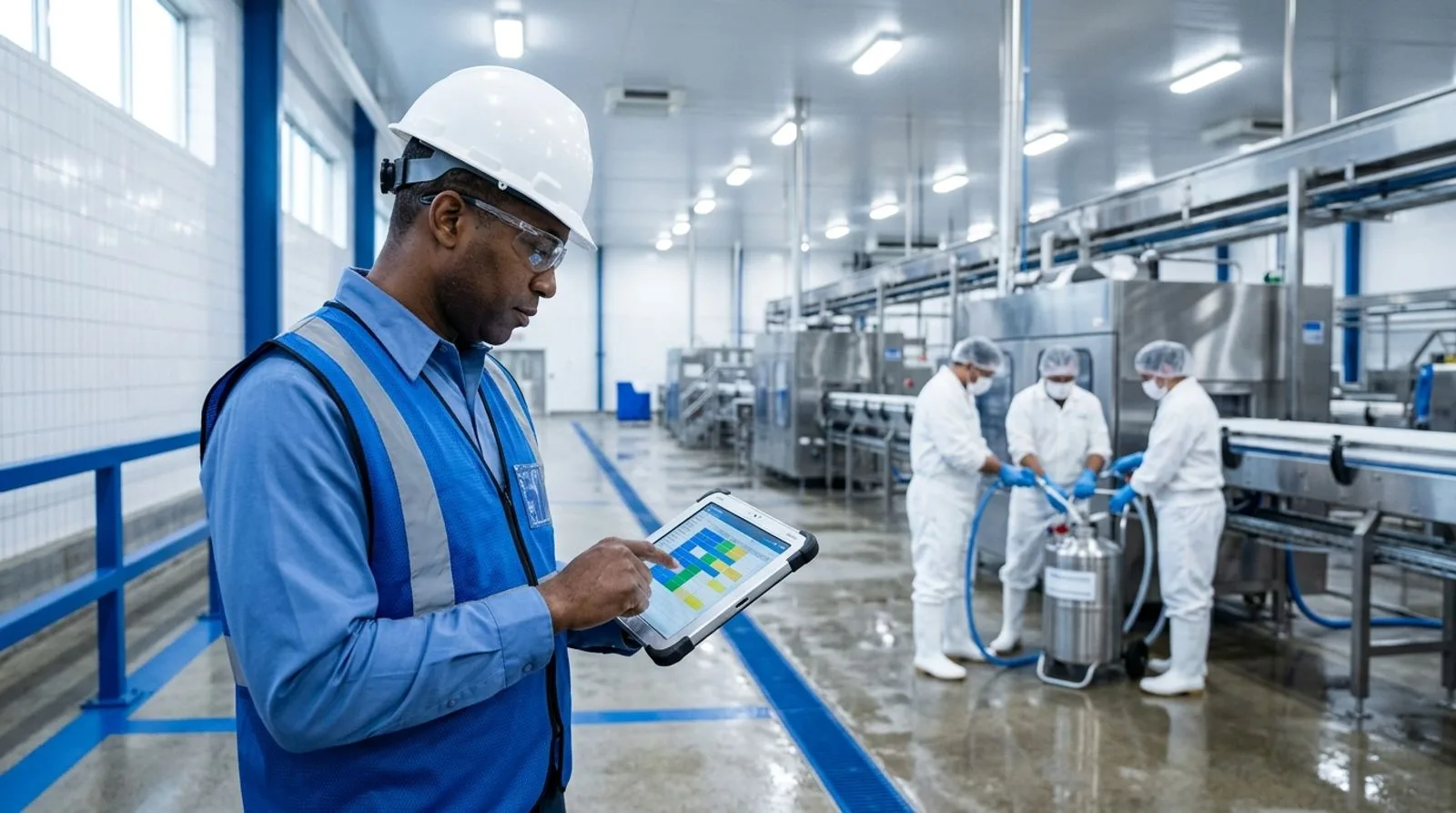
Food plant sanitation team coordinating scheduled cleaning tasks from a digital checklist
BUYER’S FRAMEWORK

How to evaluate master sanitation scheduling software

Begin with the schedule model. Build a representative sample containing daily, weekly, monthly, quarterly, event-triggered, and annual tasks. Include assets that require production release, maintenance disassembly, confined-space precautions, or a specific employee qualification. The vendor should show how the system preserves the original due date, documents an approved reschedule, prevents accidental duplicate work, and gives supervisors a clear view of overdue or blocked tasks. If the demonstration depends on a hidden administrator or a custom report, estimate the ongoing support burden.

Next, test execution and verification as separate controls. Completion should capture the person, timestamp, method, procedure revision, evidence, and any required measurements. Verification should require an authorized reviewer or a defined test, not merely another checkbox. Ask the vendor to fail a visual inspection, enter an unacceptable ATP result, or record a damaged hygienic surface. The workflow should contain the product-risk decision, assign corrective work, preserve the original evidence, and close only after appropriate reinspection. Electronic signatures, immutable history, permissions, and time-zone handling deserve close attention in multi-site programs.

Finally, calculate ownership beyond subscription price. Include implementation, workflow design, form migration, training, devices, integrations, validation, administrator time, support, and future site rollouts. Evaluate offline behavior in the actual plant, not in a conference room with perfect connectivity. Review how the software exchanges data with production, maintenance, environmental monitoring, laboratory, identity, and ERP systems. A focused application may cost less initially, while a unified platform can reduce reconciliation and integration work. The correct choice is the smallest sustainable architecture that still produces reliable execution and defensible evidence.

IMPLEMENTATION GUIDANCE

Build the program before digitizing the schedule

Software cannot repair an unclear sanitation program by itself. Before configuration, inventory sanitation targets by site, area, line, system, and asset. Give each target a consistent identifier and define the cleaning method, safe-access conditions, tools, approved chemicals, concentrations, contact times, rinse requirements, protective equipment, frequency, owner, completion evidence, and verification method. Record the rationale for each frequency so teams can reassess it when products, equipment, traffic patterns, or environmental results change.

Create governance for exceptions before launch. Decide who can defer a task, which reasons are acceptable, how the new due date is approved, and when missed work affects production release. Define what happens when a task fails visual verification, ATP testing, allergen checks, microbiological review, or another facility-specific criterion. Corrective workflows should distinguish immediate recleaning from root-cause investigation, equipment repair, procedure revision, retraining, and a formal risk assessment. That distinction prevents the system from generating large numbers of low-value CAPAs while still escalating serious or repeated failures.

Pilot the software in one representative area rather than the easiest area. Include day and night shifts, sanitation employees, production supervisors, maintenance, quality, and at least one system administrator. Measure on-time completion, first-pass verification, overdue aging, time spent entering records, exception closure, and supervisor review effort. After the pilot, simplify screens and remove fields that do not influence decisions. Then roll out by a controlled template, train users on real tasks, and review adoption weekly until the new process becomes routine.

A mature program uses data to improve risk controls rather than simply proving that work occurred. Review repeat failures by asset, zone, shift, crew, procedure, chemical, and verification method. Compare sanitation exceptions with maintenance history, environmental findings, production schedules, and complaint trends. Use those patterns to change frequencies, repair hygienic-design problems, improve access, revise procedures, or redesign training. The software should make this learning cycle easier while preserving a complete record of why the program changed.

FREQUENTLY ASKED QUESTIONS

Master sanitation scheduling software FAQ

Practical answers for food-safety, sanitation, operations, maintenance, and quality leaders evaluating digital scheduling systems.

What is master sanitation scheduling software?

Master sanitation scheduling software plans, assigns, records, verifies, and reports recurring cleaning work that falls outside routine production sanitation. It typically organizes tasks by facility, zone, line, or asset and links each task with its frequency, procedure, owner, evidence, and approval requirements. Strong software also manages overdue work, failed verification, corrective action, revision history, and audit exports.

How is a master sanitation schedule different from a daily sanitation checklist?

A daily checklist usually covers work required before, during, or after each production day, while a master schedule governs less-frequent activities. Examples include overhead structures, evaporator components, drains, walls, coolers, utility areas, and equipment deep cleaning. Software should manage both programs without allowing high-frequency tasks to hide monthly, quarterly, or annual obligations.

Which capabilities are essential for food manufacturing facilities?

Essential capabilities include flexible recurrence rules, location and asset hierarchies, mobile or offline execution, controlled procedure links, evidence capture, electronic signatures, separate verification, alerts, and immutable history. Food manufacturers should also evaluate corrective actions, environmental monitoring links, employee training status, chemical documentation, maintenance coordination, dashboards, audit exports, permissions, APIs, and multi-site template governance.

Should sanitation scheduling be part of a QMS, CMMS, or ERP?

The right architecture depends on which team owns execution and which records need to connect. A QMS provides strong document, audit, verification, and corrective-action controls. A CMMS excels at assets, work orders, labor, and maintenance coordination. An ERP adds production, inventory, and traceability context. Unified platforms reduce reconciliation, while focused applications can be simpler for narrower requirements.

How should buyers test mobile and offline functionality?

Test the software in the actual production environment using the intended devices, gloves, protective cases, Wi-Fi coverage, and user roles. Complete a task offline, attach evidence, record a failure, synchronize later, and verify that timestamps and authorship remain correct. Also assess screen readability, language needs, shared-device sign-in, barcode or QR access, and cleaning procedures for the devices.

What should happen when a sanitation task is missed?

The system should preserve the original due date, identify the responsible role, notify supervisors, document the reason, and require approval for rescheduling. Risk-based rules should determine whether production can start or continue. The record must retain the overdue history rather than silently moving the task. Repeated misses should appear in trend reports and trigger deeper investigation when appropriate.

How should sanitation verification work in software?

Verification should be independent from task completion and performed by an authorized person or approved test. The record may include visual inspection, ATP, allergen, microbiological, concentration, temperature, or other program-specific evidence. Failed verification should reopen or create corrective work, preserve the original result, route any product-risk decision, and require documented reinspection before final closure.

How long does implementation usually take?

A focused pilot can begin in weeks, while enterprise deployment may take several months depending on sites, integrations, data quality, and validation needs. The biggest schedule risks are often unclear task ownership, inconsistent asset names, outdated procedures, and unresolved exception rules. Teams can accelerate implementation by cleaning master data, selecting representative workflows, and assigning a business owner before configuration starts.

How do we calculate the total cost of ownership?

Add subscription fees, implementation, configuration, data migration, devices, integrations, validation, training, support, administrator labor, and future site rollouts. Also estimate savings from reduced paper handling, faster review, fewer missed tasks, simpler audit preparation, and lower integration effort. Compare at least a three-year period because low entry pricing may not include the controls or scale required later.

What reports should sanitation leaders expect?

Useful reports include on-time completion, overdue aging, first-pass verification, repeat failures, corrective-action closure, task volume, and performance by site, zone, asset, shift, crew, procedure, or frequency. Leaders should also be able to trace each metric back to the source record. Exportable audit packages should include evidence, approvals, exceptions, revisions, and linked corrective activity.

Written by

luke duffy

Luke Duffy

Luke Duffy is a Senior Director of Quality & Customer Success with extensive expertise in SQF, BRC, USDA, and FSQA. He specializes in developing food safety programs, leading teams, conducting audits, and guiding clients to achieve GFSI certification success. Luke Duffy led quality at companies like Boston Bakery and Do & Co.

Get a demo

Speak with our Expert Consultants

15–30 minutes. We map FoodReady to your process, plug in your real HACCP plan, and show you the auditor view before the call ends.

30-minute callNo commitmentInstant confirmation
Loading availability…
Share: