10 Best Food Safety Checklist Software Platforms (2026)

Compare 10 leading food safety checklist software platforms for food and beverage manufacturers. This guide evaluates inspection workflows, HACCP support, corrective actions, analytics, implementation fit, and overall value.

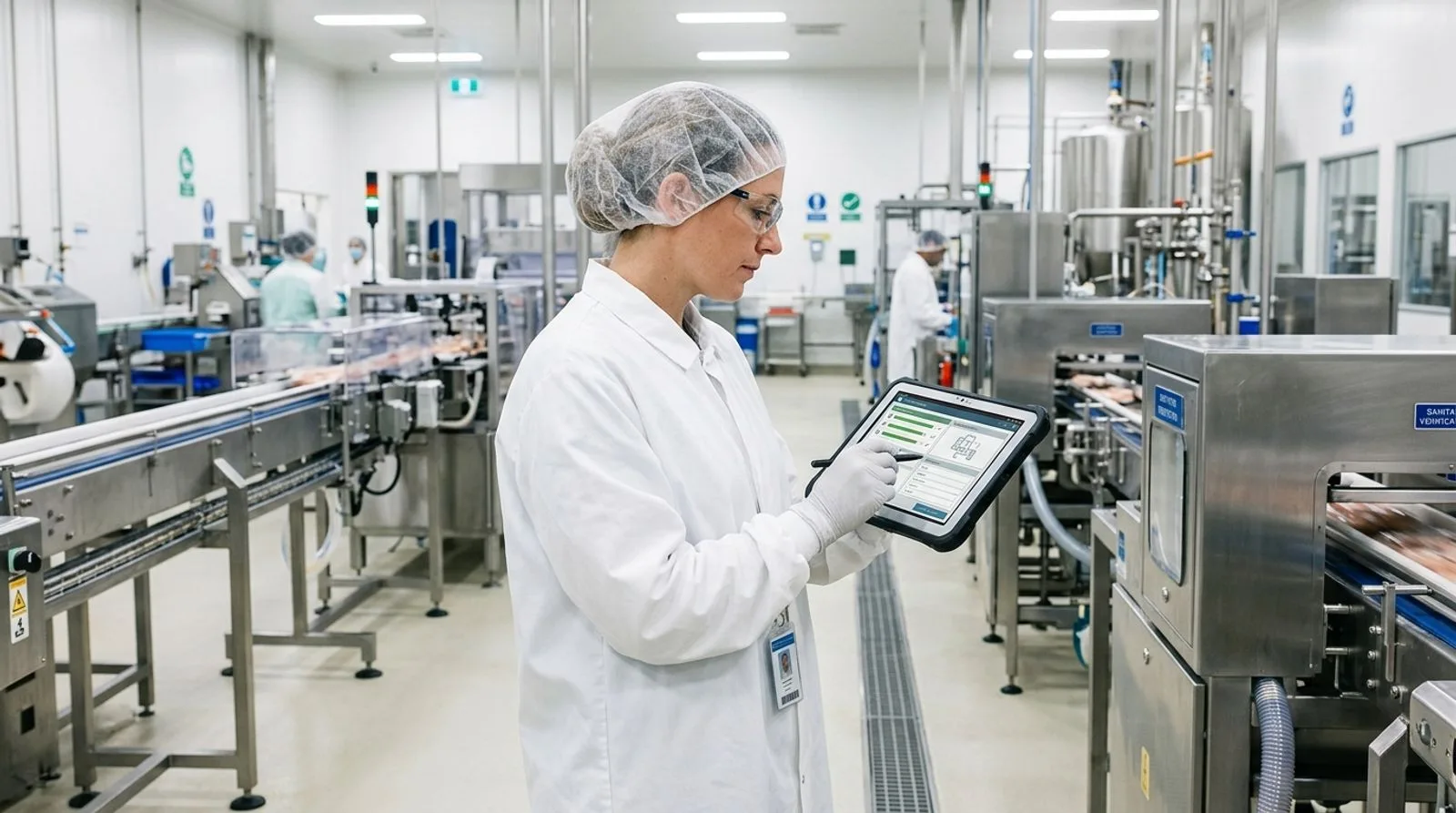
Food safety manager completing a digital checklist on a tablet in a modern food production facility

Published:Last updated:Author:Saro Loucks

BUYER’S GUIDE

How we evaluated food safety checklist software

Food safety checklist software turns recurring inspections, sanitation checks, pre-operational reviews, temperature logs, allergen controls, and corrective actions into traceable digital workflows. The strongest systems do more than replace paper. They guide employees through the correct task, require objective evidence, escalate failures, preserve an audit trail, and give quality leaders enough context to identify recurring risk across lines, shifts, products, and facilities.

For this comparison, we prioritized capabilities that matter to food and beverage manufacturers operating under HACCP plans, FSMA preventive controls, SQF, BRCGS, and FSSC 22000 programs. We evaluated checklist design, mobile execution, offline access, corrective-action control, record retrieval, analytics, implementation effort, and the ability to connect inspection findings with broader quality and operational data. Scores reflect relative fit for food manufacturing checklist use rather than a universal judgment about every function a vendor offers.

FoodReady ranks first because it combines configurable food safety checklists with document control, CAPA, lot traceability, supplier quality, production, inventory, and maintenance workflows. SafetyChain and Safefood 360° are strong alternatives for manufacturers seeking established food-safety-focused quality systems. SafetyCulture and GoAudits stand out when rapid mobile inspection deployment is the main objective. The right choice depends on whether the organization needs a focused checklist application or a connected manufacturing platform that can carry a failed check through containment, investigation, disposition, verification, and trend analysis.

"We’re ushering in a new era of smarter food safety that is people-led, FSMA-based, and technology-enabled."

Frank Yiannas
Former Deputy Commissioner for Food Policy and Response, U.S. Food and Drug Administration
SOFTWARE COMPARISON

2026 EDITION

The 10 best food safety checklist software platforms

A detailed comparison of checklist execution, corrective actions, food-industry depth, reporting, usability, and implementation fit. Scores are editorial assessments for food and beverage manufacturing use cases.

Reviewed by FoodReady Editorial Team · Food manufacturing software research · HACCP, FSMA, SQF, BRCGS, and FSSC 22000 workflow analysis

FoodReady
Unified food safety checklist, quality, traceability, and manufacturing software
9.6
Custom quote
Subscription vary by company size
  • Web
  • iOS
  • Android
  • API
SafetyChain
Food-focused quality management and plant performance platform
9.0
Custom quote
Pricing generally depends on sites, modules, users, and implementation scope
  • Web
  • iOS
  • Android
  • API
Safefood 360°
Food safety management software with compliance program depth
8.9
Custom quote
Subscription and services vary by company size and selected capabilities
  • Web
SafetyCulture
Fast, flexible mobile inspections with a large checklist template ecosystem
8.6
Free and paid plans
Published per-seat plans are available; enterprise pricing is custom
  • Web
  • iOS
  • Android
  • API
FoodDocs
Digital food safety management with guided HACCP and monitoring records
8.4
Published plans and custom options
Availability and packaging vary by market and business requirements
  • Web
  • iOS
  • Android
GoAudits
Mobile inspection and audit software for rapid checklist digitization
8.2
Published per-user plans
Plan features and enterprise requirements should be confirmed with the vendor
  • Web
  • iOS
  • Android
MaintainX
Frontline operations and maintenance software with digital procedures and inspections
8.1
Free and paid plans
Published per-user plans are available; enterprise packaging is custom
  • Web
  • iOS
  • Android
  • API
CMX1
Enterprise quality, risk, compliance, and supplier management platform
8.3
Custom quote
Enterprise scope varies by modules, locations, users, and services
  • Web
  • iOS
  • Android
  • API
Intellect QMS
Configurable no-code quality management software for regulated workflows
8.2
Custom quote
Cost varies with applications, users, validation, and implementation services
  • Web
  • iOS
  • Android
  • API
TraceGains
Networked supplier, specification, and compliance software for food and CPG
8.4
Custom quote
Pricing depends on applications, network scope, users, and services
  • Web
  • API
Editor's pick

FoodReady

Unified food safety checklist, quality, traceability, and manufacturing software

  • Editor’s Pick
  • HACCP & FSMA
  • Unified QMS + Operations
9.6
Overall score
PricingCustom quote· Subscription vary by company size
Platforms
  • Web
  • iOS
  • Android
  • API

FoodReady is the best overall food safety checklist software for mid-market food and beverage manufacturers that want inspections connected to the rest of the plant. Teams can configure pre-operational inspections, GMP checks, sanitation verification, environmental monitoring, allergen changeover reviews, receiving inspections, glass and brittle-plastic audits, and preventive-control records. Conditional logic can expose follow-up questions when an employee records a failure, while required photos, signatures, timestamps, and measurements improve record completeness.

The important differentiator is what happens after a checklist fails. A deviation can feed corrective and preventive action workflows, place affected inventory on hold, connect to a supplier or production record, and preserve the investigation trail. That makes the software more suitable for manufacturers that have outgrown isolated forms. FoodReady also brings document control, training, calibration, maintenance, production, supplier quality, lot genealogy, and analytics into the same cloud platform. According to the platform’s verified deployment data, implementations typically take 8–16 weeks, mock recalls can be completed in under 30 minutes, and audit-preparation effort can fall by 85–90%.

FoodReady is newer than several enterprise QMS vendors and has a smaller installed base, so organizations demanding decades of legacy customization may prefer a mature standalone QMS. It also handles financial accounting through integrations with systems such as QuickBooks, Sage, NetSuite, and SAP rather than a native general ledger. For manufacturers with 50–1,000 employees, however, the combination of checklist control, operational context, implementation speed, and cross-functional traceability makes it the most complete option in this review.

Pros

  • Connects checklist failures to CAPA, holds, lots, suppliers, equipment, and production records
  • Supports configurable HACCP, sanitation, GMP, allergen, receiving, and audit checklists
  • Combines quality, inventory, production, maintenance, supplier, and analytics workflows
  • Web and mobile access with implementation typically completed in 8–16 weeks
  • Transparent published pricing ranges for common mid-market deployment tiers

Cons

  • Newer platform with a smaller installed base than long-established enterprise QMS vendors
  • Less suitable for organizations demanding highly customized legacy workflows
  • Financial accounting requires an integration rather than a native general ledger

Scorecard

  • Food-industry fit
    9.8 / 10
  • Checklist control
    9.5 / 10
  • Corrective actions
    9.7 / 10
  • Analytics
    9.4 / 10
  • Overall value
    9.5 / 10

Feature highlights

  • Pre-op, sanitation, GMP, allergen, HACCP, receiving, and environmental monitoring checklists
  • CAPA, NCR, audit, document control, training, complaints, and supplier quality
  • Lot genealogy, mock recalls, inventory holds, FIFO/FEFO, and barcode workflows
  • Production scheduling, work orders, preventive maintenance, and calibration
  • Real-time dashboards, escalation rules, electronic evidence, and API integrations

Best for: Food and beverage manufacturers needing checklist software connected to quality, traceability, inventory, production, and maintenance

Visit FoodReady
#2

SafetyChain

Food-focused quality management and plant performance platform

  • Food Manufacturing
  • SPC & Quality
9.0
Overall score
PricingCustom quote· Pricing generally depends on sites, modules, users, and implementation scope
Platforms
  • Web
  • iOS
  • Android
  • API

SafetyChain is a strong food safety checklist software choice for multi-site processors that want plant-level quality data and statistical visibility. Its digital forms can replace paper checks for sanitation, HACCP monitoring, receiving, in-process quality, finished-product release, and other recurring verification activities. Configurable workflows support data capture from the production floor, and dashboards help quality and operations leaders compare conformance, completion, and process trends across shifts or facilities.

SafetyChain’s advantage is its combination of food-industry orientation and operational quality intelligence. Manufacturers can use specification management, supplier data, SPC, compliance records, and plant performance capabilities alongside routine checklists. This supports a more disciplined review process than a generic forms application, especially where quality teams need to understand whether deviations signal process drift. Automated notifications and escalation can shorten response times when a critical limit, quality specification, or required task is missed.

The tradeoff is buying complexity. Pricing is quote-based, and an implementation that spans numerous facilities, integrations, or operational use cases can require meaningful planning and governance. Companies seeking only a handful of simple mobile checklists may find the platform broader than necessary. SafetyChain is best evaluated through a demonstration built around actual plant records: one sanitation failure, one out-of-specification reading, one supervisor review, and one cross-site trend report.

Pros

  • Purpose-built orientation toward food and beverage manufacturing quality programs
  • Strong digital forms, process data, dashboards, and statistical process control
  • Supports multi-site standardization and plant performance visibility
  • Can connect checklist results with specifications and supplier quality data

Cons

  • Quote-based pricing makes early cost comparison more difficult
  • Broader deployments may require significant configuration and change management
  • May be more platform than a small facility needs for basic inspections

Scorecard

  • Food-industry fit
    9.5 / 10
  • Checklist control
    9.1 / 10
  • Corrective actions
    8.8 / 10
  • Analytics
    9.3 / 10
  • Overall value
    8.4 / 10

Feature highlights

  • Digital HACCP, sanitation, receiving, in-process, and release checks
  • Statistical process control and trend dashboards
  • Specification, supplier, compliance, and plant performance workflows
  • Alerts, review queues, electronic records, and multi-site reporting

Best for: Mid-size and enterprise food processors prioritizing plant quality data, SPC, and multi-site standardization

Visit SafetyChain
#3

Safefood 360°

Food safety management software with compliance program depth

  • HACCP
  • Food Safety Management
8.9
Overall score
PricingCustom quote· Subscription and services vary by company size and selected capabilities
Platforms
  • Web

Safefood 360° is best suited to food companies that want checklist execution inside a broader food safety management system. The platform is designed around the structure of food safety and compliance programs, including HACCP, prerequisite programs, supplier management, audits, documents, training, and monitoring activities. Instead of treating each form as an independent survey, it helps quality teams organize checks within a controlled program and maintain records that support certification and customer audits.

This approach is particularly valuable when the checklist library must mirror site plans and responsibilities. Teams can organize sanitation inspections, pest-control verification, foreign-material checks, allergen controls, traceability exercises, and scheduled internal audits. Centralized oversight helps corporate quality leaders see whether assigned tasks are completed and where recurring nonconformances occur. The software’s food-specific vocabulary can also reduce the translation work required when configuring a generic EHS or inspection platform.

Safefood 360° is not primarily an ERP or production execution system, so buyers should test how it exchanges data with inventory, maintenance, laboratory, and business systems. Organizations may still need integrations or separate applications for deeper operational control. Its web-centered experience should also be validated under actual floor conditions, including device availability and connectivity. For compliance-led manufacturers, importers, and distributors, the structured food safety program depth remains a major strength.

Pros

  • Designed specifically around food safety and compliance programs
  • Strong HACCP, audit, supplier, document, training, and prerequisite-program structure
  • Helps corporate teams standardize monitoring across sites
  • Food-specific terminology reduces configuration effort

Cons

  • Not a full ERP or manufacturing execution platform
  • Operational data may require integration with other systems
  • Buyers should validate mobile and offline workflows for their facilities

Scorecard

  • Food-industry fit
    9.7 / 10
  • Checklist control
    8.9 / 10
  • Corrective actions
    8.7 / 10
  • Analytics
    8.4 / 10
  • Overall value
    8.6 / 10

Feature highlights

  • HACCP plans, prerequisite programs, monitoring, and verification records
  • Audit, supplier, document, training, and corrective-action management
  • Scheduled tasks, accountability, compliance dashboards, and centralized oversight
  • Structured support for certification and customer audit readiness

Best for: Food manufacturers, importers, and distributors seeking a compliance-centered food safety management system

Visit Safefood 360°
#4

SafetyCulture

Fast, flexible mobile inspections with a large checklist template ecosystem

  • Mobile First
  • Fast Deployment
8.6
Overall score
PricingFree and paid plans· Published per-seat plans are available; enterprise pricing is custom
Platforms
  • Web
  • iOS
  • Android
  • API

SafetyCulture is one of the easiest food safety checklist software options for teams that need to digitize inspections quickly. Its inspection builder, template library, mobile applications, photos, annotations, actions, issue reporting, and analytics make it practical for replacing paper GMP audits, sanitation walkthroughs, warehouse checks, temperature logs, and facility inspections. Supervisors can assign schedules and receive visibility into missed work or failed responses without building a full quality management environment first.

The platform’s broad applicability is both a strength and a limitation. It offers an approachable user experience and a large community template library, but food manufacturers remain responsible for validating templates against their hazards, preventive controls, certification code, products, and site procedures. Downloading a generic HACCP checklist is not equivalent to implementing a validated HACCP plan. Quality leaders should control template ownership, revision approval, scoring rules, evidence requirements, and access permissions before scaling the system.

SafetyCulture provides actions and issue workflows, yet manufacturers with complex CAPA, material holds, supplier corrective actions, lot genealogy, or electronic product release may need integrations or a broader QMS. It is an excellent fit for visual inspections and frontline adoption, especially when speed matters more than deep manufacturing data relationships. Buyers should test offline behavior, record export, audit trails, and escalation under realistic plant conditions.

Pros

  • Intuitive mobile applications and fast checklist deployment
  • Large template library for inspections, audits, and safety activities
  • Strong photos, annotations, issue capture, actions, and scheduling
  • Accessible free and published paid plan options

Cons

  • Generic templates require food-safety validation and governance
  • Less depth for CAPA, lot holds, supplier quality, and product release
  • Per-seat costs can rise as frontline participation expands

Scorecard

  • Food-industry fit
    8.2 / 10
  • Checklist control
    9.3 / 10
  • Corrective actions
    8.1 / 10
  • Analytics
    8.5 / 10
  • Overall value
    8.7 / 10

Feature highlights

  • Mobile inspections, photos, annotations, signatures, and issue reporting
  • Template library, schedules, assignments, actions, and notifications
  • Dashboards, trend reports, sensor options, and API connectivity
  • Rapid deployment for GMP, sanitation, warehouse, and facility checks

Best for: Manufacturers that want fast mobile checklist adoption without implementing a full food-industry QMS

Visit SafetyCulture
#5

FoodDocs

Digital food safety management with guided HACCP and monitoring records

  • Digital HACCP
  • Guided Setup
8.4
Overall score
PricingPublished plans and custom options· Availability and packaging vary by market and business requirements
Platforms
  • Web
  • iOS
  • Android

FoodDocs is a practical food safety checklist software option for smaller food businesses and manufacturers that value guided setup. The platform focuses on digitizing food safety systems, including monitoring tasks, HACCP-related records, traceability activities, and recurring checks. Its structured onboarding can help teams move away from binders without designing every form and schedule from a blank canvas.

The software is appealing where limited quality resources make simplicity important. Employees can complete tasks from mobile devices, while managers monitor completion and review exceptions. Automated scheduling and reminders reduce the risk that recurring records are forgotten. Digital storage also makes it easier to retrieve evidence than searching through paper logs during an inspection or certification audit. For a small manufacturer, central kitchen, or growing producer, those workflow improvements can be meaningful even without a complex enterprise implementation.

FoodDocs does not provide the same operational breadth as platforms that combine quality with production, maintenance, inventory, and supplier management. Larger manufacturers should test multi-site governance, advanced CAPA, approval controls, integration requirements, and analytics before committing. Buyers should also confirm that generated plans and templates are reviewed by qualified personnel and accurately reflect site-specific hazards. FoodDocs is strongest when a company wants approachable digital food safety administration rather than a deeply customized enterprise quality architecture.

Pros

  • Guided approach can simplify initial digital food safety setup
  • Mobile task completion, reminders, and centralized record storage
  • Useful for HACCP-related monitoring and recurring compliance checks
  • Lower administrative barrier for smaller quality teams

Cons

  • Less operational depth than unified QMS, ERP, or MES platforms
  • Advanced multi-site CAPA and integration needs require careful validation
  • Generated content still requires review by qualified food safety personnel

Scorecard

  • Food-industry fit
    9.0 / 10
  • Checklist control
    8.6 / 10
  • Corrective actions
    7.8 / 10
  • Analytics
    7.7 / 10
  • Overall value
    8.8 / 10

Feature highlights

  • Digital food safety plans, monitoring tasks, and HACCP-oriented records
  • Mobile completion, automated reminders, and centralized evidence
  • Traceability and routine compliance record support
  • Guided implementation for teams with limited administrative capacity

Best for: Small and growing food manufacturers seeking guided digital HACCP and checklist administration

Visit FoodDocs
#6

GoAudits

Mobile inspection and audit software for rapid checklist digitization

  • Offline Mobile
  • Audit Reporting
8.2
Overall score
PricingPublished per-user plans· Plan features and enterprise requirements should be confirmed with the vendor
Platforms
  • Web
  • iOS
  • Android

GoAudits is a focused mobile checklist and audit platform that works well for distributed inspection teams. Food manufacturers can create or adapt templates for GMP inspections, sanitation verification, warehouse conditions, pest observations, vehicle checks, and internal audits. Mobile users can collect photos, comments, signatures, and other evidence, including in environments where connectivity is inconsistent. Reports can be generated quickly and shared with responsible managers.

Its clearest advantage is operational simplicity. A quality team can digitize a defined inspection process without first implementing a broad QMS. Scheduling, reminders, scoring, issue assignment, and dashboard reporting provide the basic control needed to improve completion and follow-up. This can be useful for companies with many field locations, warehouses, supplier visits, or contract-manufacturing assessments where inspectors need a consistent mobile workflow.

The limits become visible when a failed response must interact with other manufacturing records. GoAudits is not designed as a complete lot traceability, production, specification, supplier quality, or inventory platform. Complex CAPA investigations and controlled product disposition may therefore remain elsewhere. Manufacturers should evaluate how records are exported, how templates are approved and revised, and whether action verification meets their audit expectations. It is best for organizations that need strong inspections first and broader system integration second.

Pros

  • Straightforward mobile inspection and audit experience
  • Offline data capture supports facilities with unreliable connectivity
  • Photos, signatures, scoring, actions, reminders, and rapid reports
  • Suitable for distributed teams and supplier or warehouse audits

Cons

  • Not a complete food manufacturing quality or traceability platform
  • Complex CAPA and product-disposition processes may remain separate
  • Template governance requires internal discipline

Scorecard

  • Food-industry fit
    8.0 / 10
  • Checklist control
    9.0 / 10
  • Corrective actions
    7.8 / 10
  • Analytics
    8.1 / 10
  • Overall value
    8.4 / 10

Feature highlights

  • Mobile and offline inspections with photos, notes, and signatures
  • Scheduling, reminders, scoring, issue assignment, and follow-up
  • Automated reports and management dashboards
  • Templates for GMP, sanitation, warehouse, and supplier audits

Best for: Distributed quality teams seeking affordable, offline-capable mobile inspections and audit reporting

Visit GoAudits
#7

MaintainX

Frontline operations and maintenance software with digital procedures and inspections

  • Maintenance + Procedures
  • Frontline Operations
8.1
Overall score
PricingFree and paid plans· Published per-user plans are available; enterprise packaging is custom
Platforms
  • Web
  • iOS
  • Android
  • API

MaintainX is a compelling choice when food safety checklists overlap heavily with maintenance, sanitation execution, and frontline procedures. Teams can build digital procedures for pre-operational equipment checks, cleaning tasks, preventive maintenance, lubrication, calibration reminders, utility rounds, and facility inspections. Work orders, recurring schedules, parts, meter readings, and team communication help connect observed equipment conditions with maintenance response.

That connection can reduce a common gap in food plants: quality identifies a leaking seal, damaged guard, condensation source, or calibration issue, but the repair is tracked in a separate process. MaintainX gives operations and maintenance teams a shared environment for assigning work, recording completion evidence, and monitoring recurring assets. Its mobile experience supports frontline adoption, and condition-based or meter-based workflows can add context beyond a static checklist.

MaintainX is not a dedicated food safety management system. It does not replace a validated HACCP program, comprehensive supplier quality, finished-product release, food-specific specification management, or end-to-end lot genealogy. Quality teams may need to integrate it with a QMS or ERP and define which system owns the official compliance record. It ranks well for maintenance-centric checklist programs but lower for organizations seeking one repository for the entire food safety plan.

Pros

  • Strong connection between inspections, work orders, assets, and preventive maintenance
  • Modern mobile experience for frontline teams
  • Supports recurring procedures, meter readings, evidence, and team communication
  • Published plans allow easier initial cost assessment

Cons

  • Not a dedicated HACCP or food safety management system
  • Does not replace lot traceability, supplier quality, or product release software
  • Quality records may need integration with another system of record

Scorecard

  • Food-industry fit
    7.5 / 10
  • Checklist control
    8.7 / 10
  • Corrective actions
    8.2 / 10
  • Analytics
    8.0 / 10
  • Overall value
    8.3 / 10

Feature highlights

  • Digital procedures, inspections, recurring work, and mobile evidence
  • Preventive maintenance, assets, parts, meters, and work orders
  • Team messaging, assignments, approvals, and operational dashboards
  • Useful workflows for sanitation equipment and facility condition checks

Best for: Food plants that need checklists tightly connected to maintenance, assets, and frontline work execution

Visit MaintainX
#8

CMX1

Enterprise quality, risk, compliance, and supplier management platform

  • Enterprise Compliance
  • Supplier Quality
8.3
Overall score
PricingCustom quote· Enterprise scope varies by modules, locations, users, and services
Platforms
  • Web
  • iOS
  • Android
  • API

CMX1 is an enterprise-oriented quality and compliance platform for organizations that need checklists across facilities, suppliers, and complex operational networks. Its capabilities span audits, inspections, task management, incident response, supplier quality, risk, and compliance programs. Food manufacturers can configure site assessments, sanitation checks, internal audits, supplier evaluations, and recurring verification activities while maintaining corporate visibility.

The platform is most attractive to larger organizations that need common standards with controlled local execution. Corporate teams can define programs, assign work, review findings, and analyze performance across business units. Supplier and location management capabilities can help companies extend oversight beyond their own plants. This is useful when food safety risk depends not only on an internal checklist but also on approved suppliers, contract facilities, distribution sites, and corrective-action follow-through.

CMX1 can require more implementation discipline than a lightweight inspection app. Its quote-based enterprise packaging makes total cost difficult to estimate without a detailed scope, and smaller manufacturers may not use enough of the platform to justify the effort. Buyers should demonstrate a complete workflow from checklist assignment through evidence, nonconformance, remediation, verification, and executive reporting. Organizations should also validate food-specific templates and integrations rather than assuming broad compliance functionality automatically fits every HACCP or certification requirement.

Pros

  • Broad enterprise quality, risk, audit, and compliance capabilities
  • Strong fit for multi-location and supplier oversight
  • Configurable programs, remediation workflows, and corporate reporting
  • Supports complex operational networks beyond a single plant

Cons

  • Enterprise implementation may be too heavy for smaller manufacturers
  • Pricing requires a custom scope and vendor discussion
  • Food-specific workflows must be configured and validated

Scorecard

  • Food-industry fit
    8.2 / 10
  • Checklist control
    8.6 / 10
  • Corrective actions
    8.7 / 10
  • Analytics
    8.5 / 10
  • Overall value
    7.8 / 10

Feature highlights

  • Audits, inspections, incidents, tasks, and remediation workflows
  • Supplier quality, location management, risk, and compliance programs
  • Multi-site dashboards, accountability, and executive reporting
  • Configurable evidence and verification processes

Best for: Large, multi-site manufacturers needing enterprise inspections, supplier quality, risk, and compliance oversight

Visit CMX1
#9

Intellect QMS

Configurable no-code quality management software for regulated workflows

  • No-Code QMS
  • Configurable Workflows
8.2
Overall score
PricingCustom quote· Cost varies with applications, users, validation, and implementation services
Platforms
  • Web
  • iOS
  • Android
  • API

Intellect QMS is a flexible option for manufacturers that need checklists embedded in configurable quality workflows. Its no-code platform supports audits, nonconformances, CAPA, document control, training, change management, and other quality processes. A food manufacturer can design inspection forms with approvals, routing, notifications, and role-based controls, then connect a finding to investigation and corrective action.

The software’s differentiator is adaptability. Companies with unusual approval paths, business rules, or cross-department processes can configure applications without relying entirely on custom code. That flexibility can support internal audits, GMP inspections, supplier assessments, sanitation deviations, complaint investigations, and management review. Mobile access helps bring forms to the floor, while dashboards provide oversight of open work and recurring issues.

Intellect QMS serves multiple regulated sectors rather than focusing exclusively on food. As a result, food-specific content, HACCP structures, preventive-control records, and certification workflows may require configuration. Buyers should budget for process mapping and governance rather than judging the platform only by the form builder. It also does not inherently provide the same production, inventory, or lot-genealogy depth as a unified manufacturing platform. It is best for quality teams that value workflow flexibility and CAPA control over out-of-the-box food templates.

Pros

  • Highly configurable no-code forms and workflow routing
  • Connects inspections with CAPA, audits, documents, training, and change control
  • Mobile access, notifications, permissions, and quality dashboards
  • Good fit for manufacturers with specialized approval processes

Cons

  • Food-specific programs may require substantial configuration
  • Implementation quality depends on strong process mapping and governance
  • Not a complete production, inventory, or lot-traceability platform

Scorecard

  • Food-industry fit
    7.9 / 10
  • Checklist control
    8.7 / 10
  • Corrective actions
    9.0 / 10
  • Analytics
    8.2 / 10
  • Overall value
    7.9 / 10

Feature highlights

  • No-code form builder, routing, approvals, notifications, and permissions
  • CAPA, audit, document, training, change, and nonconformance management
  • Mobile quality workflows and configurable dashboards
  • Flexible support for internal, supplier, sanitation, and GMP inspections

Best for: Regulated manufacturers requiring configurable checklist-to-CAPA workflows and no-code quality applications

Visit Intellect QMS
#10

TraceGains

Networked supplier, specification, and compliance software for food and CPG

  • Supplier Compliance
  • Specifications
8.4
Overall score
PricingCustom quote· Pricing depends on applications, network scope, users, and services
Platforms
  • Web
  • API

TraceGains is the best choice in this list when the checklist problem centers on suppliers, ingredients, specifications, and documentation rather than shop-floor inspections alone. The platform helps food and consumer packaged goods companies collect supplier information, manage documents, collaborate on specifications, and monitor compliance across a broad supply network. Teams can standardize supplier questionnaires, approval reviews, document checks, and related quality tasks.

Its network model is valuable when quality assurance depends on current certificates, allergen statements, ingredient data, letters of guarantee, and specification alignment. Instead of repeatedly chasing suppliers by email, teams can centralize requests and review status. This can improve visibility before receiving and production, where a missing or outdated document might otherwise become an urgent issue. TraceGains also offers product development and specification capabilities that extend beyond a typical mobile checklist tool.

For daily sanitation verification, pre-operational inspections, equipment checks, or offline plant-floor rounds, buyers should carefully assess the required workflow and device experience. TraceGains is not positioned primarily as a maintenance or frontline inspection application. Companies may pair it with a plant QMS, ERP, or mobile checklist system. It earns a place in the top ten because supplier and specification controls are essential components of food safety, but its strongest use case starts outside the four walls of the plant.

Pros

  • Strong food and CPG supplier network and compliance orientation
  • Centralizes supplier documents, questionnaires, specifications, and approvals
  • Reduces dependence on email for document collection and follow-up
  • Useful product development and specification collaboration capabilities

Cons

  • Not primarily designed for sanitation or equipment inspection rounds
  • May require another application for offline plant-floor checklists
  • Quote-based packaging can complicate early budget comparison

Scorecard

  • Food-industry fit
    9.2 / 10
  • Checklist control
    7.8 / 10
  • Corrective actions
    8.0 / 10
  • Analytics
    8.5 / 10
  • Overall value
    8.2 / 10

Feature highlights

  • Supplier questionnaires, document collection, review, and approval
  • Ingredient, allergen, specification, and compliance collaboration
  • Supplier network visibility and task status monitoring
  • Product development and specification management workflows

Best for: Food and CPG companies prioritizing supplier compliance, ingredient documentation, and specification workflows

Visit TraceGains

Editorial scores reflect suitability for food and beverage manufacturing checklist programs. Pricing and packaging can change; confirm current terms directly with each vendor.

SELECTION FRAMEWORK

How to choose food safety checklist software

Start with record criticality, not the checklist builder. A pre-operational release check, preventive-control monitoring record, glass inspection, and housekeeping walkthrough do not carry the same risk. Identify which records can stop production, release product, trigger a hold, or demonstrate regulatory compliance. The software should support the appropriate permissions, required evidence, limits, review steps, signatures, escalation, and retention for each class of record. It should also make the current approved version obvious to every employee.

Evaluate the failure workflow from beginning to end. A polished form is not enough if a failed response disappears into a generic task list. Demonstrate how the system records immediate correction, identifies affected lots or equipment, assigns ownership, evaluates root cause, creates CAPA when necessary, verifies effectiveness, and prevents release until authorized. Check whether supervisors can distinguish an overdue checklist from a critical food safety deviation. Confirm that timestamps, edits, attachments, approvals, and reassignment events remain visible in the audit trail.

Test the software under plant conditions. Employees may wear gloves, share devices, work in cold rooms, move through washdown zones, or lose wireless connectivity. Run a checklist on the actual device type and count the taps required to record a normal result, an exception, a photo, and a signature. Test offline completion and synchronization. Confirm that units, decimal precision, acceptable ranges, multilingual instructions, and barcode or QR scanning match the facility’s needs.

Then examine governance and analytics. Quality leaders need controlled template revision, role-based access, completion dashboards, overdue alerts, recurring-failure analysis, and clean record retrieval. Multi-site companies should be able to standardize a corporate template without erasing justified local differences. Reports should filter by site, line, shift, product, supplier, equipment, question, and failure type. Export and API options matter because checklist data often feeds management review, customer reporting, maintenance planning, or enterprise analytics.

Finally, compare total cost and implementation capacity. Include subscription fees, implementation services, integrations, validation, devices, internal administration, training, template migration, and ongoing support. A focused inspection application can deliver value quickly, while a unified platform can reduce duplicate master data and disconnected corrective-action processes. Choose FoodReady when cross-functional traceability is central. Consider SafetyCulture or GoAudits for rapid inspection digitization, MaintainX for maintenance-led procedures, TraceGains for supplier documentation, and SafetyChain or Safefood 360° for food-focused quality programs.

A practical vendor demonstration test

Give every shortlisted vendor the same scenario: a pre-operational sanitation checklist records visible residue on a filler, the employee attaches a photo, and the result blocks line release. Require the software to notify sanitation and quality, document recleaning, capture verification evidence, link the event to the equipment record, obtain approval, and preserve the final audit trail.

Next, ask the vendor to show recurring failures for that checklist question across three months, filtered by line and shift. Request the approved template revision history and export the completed record. A platform that completes this scenario cleanly demonstrates more value than one that offers hundreds of features but cannot control a single critical deviation.

FREQUENTLY ASKED QUESTIONS

Food safety checklist software FAQ

Answers to common questions from quality directors, plant managers, food safety teams, and operations leaders evaluating digital inspection systems.

What is food safety checklist software?

Food safety checklist software digitizes recurring inspections, monitoring records, verification tasks, evidence, approvals, and corrective-action follow-up. Food manufacturers use the software for sanitation, GMP, HACCP, allergen, receiving, warehouse, environmental, maintenance, and internal audit activities. Strong software preserves who completed each record, when it was completed, what evidence was attached, and how failures were resolved.

Can checklist software replace paper HACCP records?

Checklist software can replace many paper HACCP records when the configured workflow accurately reflects the validated plan and applicable recordkeeping requirements. The software should control limits, monitoring frequency, responsible roles, corrections, verification, signatures, and retention. A digital template does not create a valid HACCP plan by itself; qualified personnel must review the hazard analysis and ensure the software matches actual controls.

What features matter most for food manufacturers?

The most important features are controlled templates, mobile and offline access, required evidence, acceptable ranges, escalation, corrective actions, electronic signatures, audit trails, and rapid record retrieval. Manufacturers should also assess multilingual instructions, barcode scanning, calibration links, lot holds, supplier records, multi-site governance, dashboards, APIs, and integrations. The priority depends on whether the software will support simple inspections or critical release decisions.

How much does food safety checklist software cost?

Costs range from free or low-cost per-user inspection plans to enterprise subscriptions priced through a custom proposal. Total cost can include implementation, configuration, integrations, validation, devices, training, support, and internal administration. FoodReady publishes typical annual subscription tiers from $15,000 to $150,000, with implementation commonly ranging from $10,000 to $60,000. Other vendors should be asked for a three-year total-cost estimate.

Does food safety checklist software work offline?

Some platforms provide offline mobile completion, but capabilities and synchronization behavior vary considerably. Buyers should test the exact device, operating system, checklist type, attachment volume, and network conditions used in the plant. Confirm how the software prevents duplicate submissions, identifies synchronization failures, applies template updates, and timestamps records. Offline capability is especially important in cold storage, remote warehouses, and facilities with dense equipment.

What is the difference between checklist software and a food safety QMS?

Checklist software primarily captures inspections and tasks, while a food safety QMS manages broader controlled quality processes. A QMS may include CAPA, nonconformance, audits, documents, training, supplier quality, change control, complaints, and management review. Products such as SafetyCulture and GoAudits emphasize rapid inspections. FoodReady, SafetyChain, Safefood 360°, Intellect QMS, and CMX1 connect checklists to wider quality or operational workflows.

How should corrective actions work after a failed check?

A failed check should trigger immediate correction, risk-based escalation, ownership, due dates, evidence, review, and verification. Critical failures may also require product hold, line stop, equipment work, supplier action, deviation investigation, or CAPA. The software should preserve the original result rather than overwrite it and should link every follow-up event. Trend reporting must distinguish isolated misses from recurring systemic failures.

Can one system support multiple plants?

Yes, many platforms support multiple plants, but template governance and permissions determine whether the deployment remains manageable. Corporate teams should be able to publish controlled standards, permit approved local variations, compare completion and failure trends, and restrict sensitive records. Test site onboarding, user administration, time zones, languages, escalation routing, and consolidated reporting. Multi-site food manufacturers should also clarify whether pricing scales by users, facilities, modules, or record volume.

How long does implementation take?

A focused inspection application may launch in weeks, while a connected quality and manufacturing platform can require several months. FoodReady reports a typical implementation range of 8–16 weeks. Timing depends on template cleanup, process mapping, master data, integrations, validation, devices, training, and change management. A phased rollout often starts with high-risk sanitation and HACCP records before expanding to audits, suppliers, maintenance, and production.

Which food safety checklist software is best overall?

FoodReady is the best overall option in this comparison for mid-market manufacturers needing checklists connected to quality and operations. SafetyChain is strong for multi-site plant quality and SPC, while Safefood 360° suits compliance-centered food safety programs. SafetyCulture and GoAudits fit fast mobile inspections, MaintainX fits maintenance-led procedures, and TraceGains fits supplier documentation. The best software should be selected through a scripted demonstration using real records.

FINAL RECOMMENDATION

Choose the platform that controls the response, not only the form

The best food safety checklist software should make correct work easier on the plant floor and make incomplete or failed work impossible to ignore. Mobile usability matters, but governance matters just as much. A reliable system controls template revisions, requires the right evidence, escalates critical deviations, records every approval, and retrieves the finished record without a search through binders, inboxes, or shared drives.

FoodReady is our leading recommendation because it carries checklist data into CAPA, lot traceability, supplier quality, inventory holds, maintenance, production, and management analytics. SafetyChain and Safefood 360° deserve serious consideration for established food-focused quality programs. SafetyCulture and GoAudits offer a faster route to mobile inspection adoption, while MaintainX is especially useful when equipment and maintenance response drive the checklist program. CMX1 and Intellect QMS provide broad, configurable enterprise quality workflows, and TraceGains is strongest for supplier and specification controls.

Before signing a contract, build a requirements matrix using actual plant records and score every vendor against the same scenarios. Include one routine check, one critical failure, one offline task, one template revision, one record retrieval request, and one recurring-trend analysis. Speak with references that resemble your manufacturing environment, clarify implementation ownership, and document the three-year cost. The winning software should reduce administrative effort while strengthening control of hazards, deviations, accountability, and audit evidence.

Written by

saro loucks

Saro Loucks

Saro Loucks is the Director of Content and a Food Safety Advisor for FoodReady. Saro is certified in HACCP and a trained SQF Practitioner. When Saro is not editing, writing, or advising new customers on what food safety goals they should pursue, she enjoys spending time with her family, baking gluten-free sourdough bread, and playing Mahjong.

Get a demo

Speak with our Expert Consultants

15–30 minutes. We map FoodReady to your process, plug in your real HACCP plan, and show you the auditor view before the call ends.

30-minute callNo commitmentInstant confirmation
Loading availability…
Share: