10 Best Quality Control Software for Food Manufacturers

Compare 10 quality control software platforms for food manufacturing, including QMS depth, supplier quality, traceability, pricing, implementation, and best-fit use cases. This guide gives quality leaders a practical framework for choosing software that fits their plants, processes, and compliance obligations.

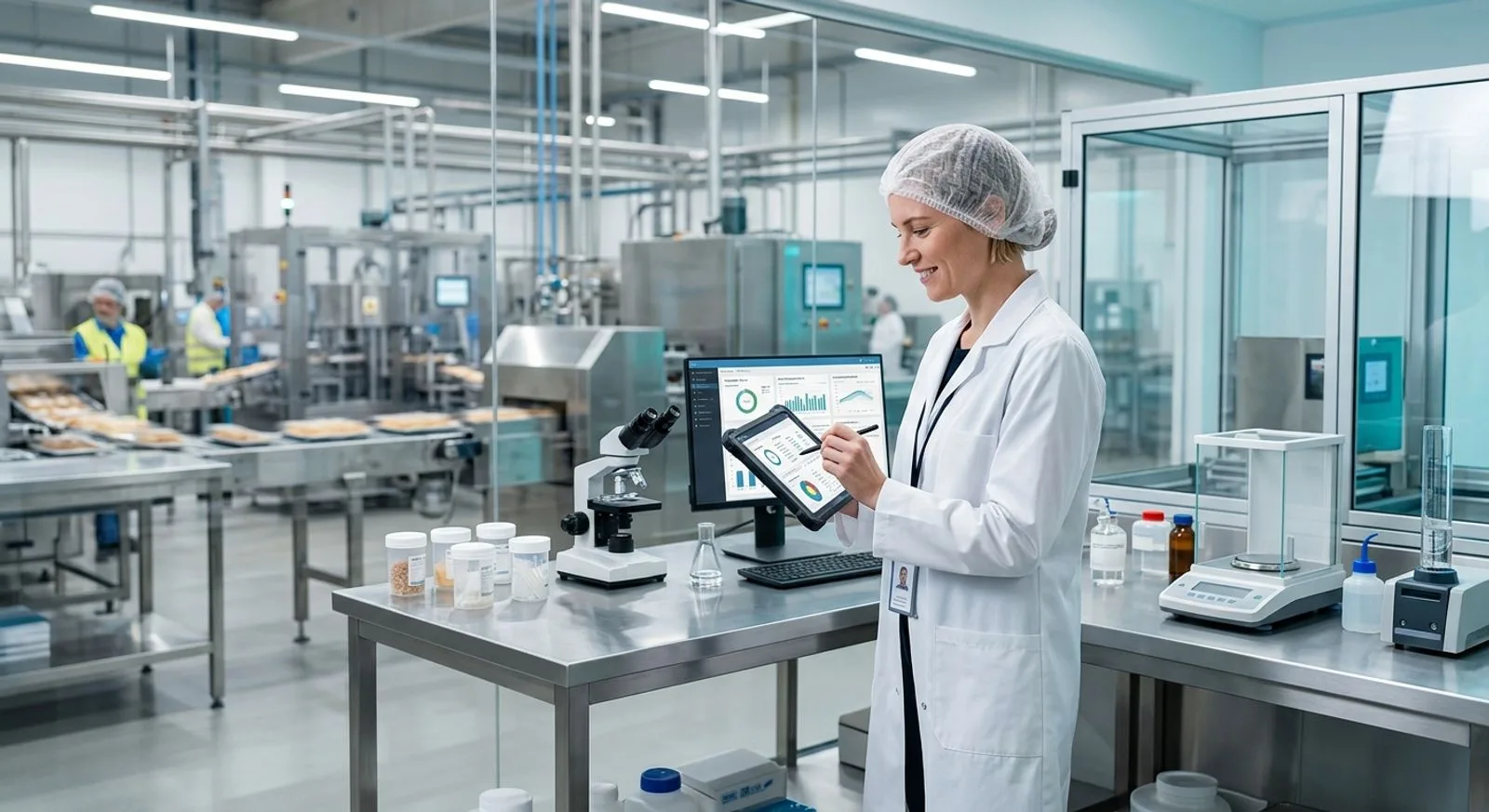
Quality technician reviewing digital quality control data in a modern food manufacturing facility

Published:Last updated:Author:Luke Duffy

BUYER’S GUIDE

How we evaluated quality control software for food manufacturing

Quality control software for food manufacturing should help teams prevent defects, document process checks, investigate deviations, control specifications, and retrieve trustworthy records without slowing production. The best choice is rarely the platform with the longest feature list. It is the system that fits the facility’s products, risk profile, workforce, equipment, supplier network, and existing business software. A frozen-food plant with several high-speed lines has different needs from a specialty ingredients company operating one batch room, yet both need reliable evidence that approved procedures were followed.

For this comparison, we prioritized software that can support food and beverage manufacturing rather than generic task management alone. Our evaluation considered in-process inspections, nonconformance management, corrective and preventive action, document control, audit management, supplier quality, specification control, lot context, analytics, mobile data capture, integrations, and deployment practicality. We also examined whether each system can connect quality events to inventory, production, receiving, or supplier records. That operational context often determines whether a quality team finds the cause of a recurring issue or merely closes another isolated record.

The shortlist includes unified manufacturing platforms, dedicated quality management systems, food-industry networks, and accessible frontline inspection tools. FoodReady ranks first because it combines quality, inventory, production, supplier, maintenance, cost, and analytics workflows in one cloud software platform. SafetyChain and TraceGains are strong alternatives for food companies that prioritize plant quality execution or supplier and specification collaboration. Enterprise QMS products such as ETQ Reliance, MasterControl, Ideagen Quality Management, Intellect QMS, and ComplianceQuest provide deeper configuration for organizations with formal corporate quality programs.

What matters most in a food manufacturing QMS

Start with the records operators and quality technicians create every shift. The quality control software should make receiving inspections, line checks, hold-and-release decisions, deviation records, approvals, and verification tasks fast enough to complete at the point of work. Mobile forms, role-based prompts, limits, required evidence, escalation rules, and electronic signatures can improve consistency. Offline capability may matter in cold storage, remote warehouses, or production areas with unreliable connectivity, so test the actual workflow where employees will use it.

Next, evaluate how the software manages relationships among records. A failed receiving inspection should connect to the supplier, purchase order, ingredient lot, specification, corrective action, and disposition. A packaging defect should connect to the line, work order, material lot, customer requirement, and affected finished goods. Systems that preserve these links give investigators a more complete history and make trend analysis more useful than a collection of disconnected digital forms.

Finally, assess governance and implementation. Confirm permission controls, audit trails, approval routing, document revision rules, data export, identity management, validation needs, API access, and vendor support. Ask vendors to demonstrate your own scenarios with realistic users and data. Published pricing is uncommon in this category, so compare subscription, implementation, configuration, migration, training, integration, support, and internal administration costs over at least three years. The ratings below are editorial assessments of fit for food manufacturing, not laboratory certifications or guarantees of regulatory compliance.

TOP 10

SOFTWARE COMPARISON

The 10 best quality control software platforms for food manufacturers

We compared unified manufacturing systems, food-focused quality platforms, enterprise QMS products, and frontline inspection tools. Scores reflect our editorial assessment of food manufacturing fit, quality workflow depth, usability, connectivity, and value.

Reviewed by FoodReady Editorial Team · Manufacturing software research focused on quality, traceability, supplier controls, and plant operations

FoodReady
Unified quality, inventory, production, supplier, maintenance, and analytics software for food manufacturers
9.5
Custom quote
Varies by users and number of plants
  • Web
  • iOS
  • Android
  • API
SafetyChain
Food and beverage plant management software centered on quality, safety, compliance, and supplier performance
9.0
Custom quote
Subscription and implementation vary by sites, users, and modules
  • Web
  • iOS
  • Android
  • API
TraceGains
Networked supplier, specification, document, and compliance collaboration for food and consumer goods companies
8.8
Custom quote
Pricing depends on network, specification, supplier, and quality scope
  • Web
  • API
ETQ Reliance
Highly configurable enterprise QMS for complex corporate quality programs
8.6
Custom enterprise quote
Implementation, integrations, and services are generally additional
  • Web
  • API
Intellect QMS
No-code QMS for organizations that want to configure quality workflows without conventional software development
8.5
Custom quote
Cost varies by applications, users, configuration, and services
  • Web
  • iOS
  • Android
  • API
Safefood 360°
Food safety and quality management software with industry-specific program and compliance workflows
8.4
Custom quote
Pricing varies by facilities, program scope, and implementation support
  • Web
MasterControl Quality Excellence
Document- and process-centered enterprise QMS for highly regulated manufacturing environments
8.3
Custom enterprise quote
Modules, implementation, validation support, and integrations affect total cost
  • Web
  • iOS
  • Android
  • API
Ideagen Quality Management
Enterprise quality management software for controlled processes, audits, risks, documents, and improvement actions
8.2
Custom quote
Deployment scope, applications, users, and services determine pricing
  • Web
  • API
ComplianceQuest EQMS
Cloud enterprise quality and safety management software built on the Salesforce platform
8.1
Custom quote
Applications, users, implementation, and integrations shape total cost
  • Web
  • iOS
  • Android
  • API
SafetyCulture
Accessible mobile inspection and frontline operations software for digitizing checks and actions quickly
7.9
Free and paid plans
Enterprise pricing and advanced capabilities require a quote
  • Web
  • iOS
  • Android
  • API
Editor's pick

FoodReady

Unified quality, inventory, production, supplier, maintenance, and analytics software for food manufacturers

  • Editor’s Pick
  • Food Manufacturing
  • Unified Platform
9.5
Overall score
PricingCustom quote· Varies by users and number of plants
Platforms
  • Web
  • iOS
  • Android
  • API

FoodReady is cloud manufacturing management software built for companies that need quality control connected to the operational records that explain what happened on the plant floor. Its quality capabilities include inspections, nonconformance records, CAPA, audits, document control, supplier quality, risk, training, complaints, change control, and analytics. Those workflows share context with lot-controlled inventory, receiving, production work orders, bills of materials, equipment, calibration, purchasing, and supplier records. That breadth is the primary differentiator: teams can investigate an out-of-specification result without reconstructing the history across a QMS, spreadsheets, inventory software, and email.

The platform is particularly relevant to mid-market food and beverage manufacturers that want to replace fragmented tools without committing to a long enterprise ERP program. FoodReady supports multi-location inventory, FIFO/FEFO processes, barcode and QR workflows, lot genealogy, quarantine status, supplier approvals, COA/COC records, production scheduling, electronic work instructions, dashboards, and statistical process control. Its verified platform guidance places typical implementation at 8–16 weeks, with a sweet spot of roughly 50–1,000 employees. FoodReady pricing varies based on factors such as the number of users, facilities, and the scope of implementation.

FoodReady also offers AI-assisted root-cause analysis and cross-module reporting. The company reports deployment across approximately 400 sites and an 85% adoption rate. Its limitations deserve equal weight: it was founded in 2020, has a smaller install base than long-established QMS vendors, and offers less extreme customization than some legacy platforms. General-ledger accounting remains in systems such as QuickBooks or Sage through integration. It is best when a manufacturer values connected quality and operations more than a heavily customized, quality-only architecture.

Pros

  • Connects QMS records with inventory, production, suppliers, equipment, and cost data
  • Typical implementation guidance of 8–16 weeks is faster than many large enterprise programs
  • Transparent tier guidance makes early budget planning easier
  • Cloud web and mobile access support plant-floor inspections and approvals
  • AI-assisted root-cause analysis and real-time cross-module dashboards

Cons

  • Newer vendor with a smaller installed base than several legacy QMS providers
  • Less suitable for organizations demanding extensive bespoke customization
  • Financial accounting relies on integrations rather than a native general ledger
  • Broad scope may exceed the needs of a plant seeking only simple inspection forms

Scorecard

  • Food manufacturing fit
    9.8 / 10
  • Quality workflow depth
    9.4 / 10
  • Operational connectivity
    9.8 / 10
  • Ease of deployment
    9.2 / 10
  • Value
    9.3 / 10

Feature highlights

  • CAPA, nonconformance, audit, document, training, complaint, and change-control workflows
  • Lot traceability, quarantine, FIFO/FEFO, barcode scanning, and multi-location inventory
  • Supplier portal, approved supplier controls, receiving checks, COA/COC records, and scorecards
  • Production work orders, electronic records, OEE, labor tracking, and specification context
  • Calibration, preventive maintenance, equipment records, SPC, dashboards, and AI analytics

Best for: Mid-market food and beverage manufacturers wanting one cloud platform for quality control and connected plant operations

Visit FoodReady
#2

SafetyChain

Food and beverage plant management software centered on quality, safety, compliance, and supplier performance

  • Food & Beverage
  • Plant Quality
9.0
Overall score
PricingCustom quote· Subscription and implementation vary by sites, users, and modules
Platforms
  • Web
  • iOS
  • Android
  • API

SafetyChain is food and beverage manufacturing software designed around plant quality, safety, compliance, and operational performance. It is a strong option for manufacturers that want to replace paper checks and spreadsheets with centralized data collection, alerts, approvals, analytics, and program management. The platform’s food-industry focus reduces the translation required when configuring common workflows such as receiving checks, process controls, finished-product reviews, audit evidence, corrective actions, supplier monitoring, and compliance documentation.

A major strength is digital plant-floor execution. Teams can configure forms and workflows for inspections and verification, apply limits, notify responsible users when results fall outside requirements, and aggregate data for trend analysis. This makes SafetyChain useful for multi-site organizations seeking a common quality framework while allowing controlled variations among facilities. Supplier and compliance capabilities can help corporate quality leaders compare performance across plants, products, lines, and vendors rather than relying on monthly spreadsheet consolidation.

SafetyChain’s commercial model is quote based, so buyers should request a clear breakdown of licensed modules, facilities, user categories, implementation services, integrations, support, and future expansion. Its food specialization is an advantage, but organizations seeking a broad ERP replacement should verify inventory, financial, production-planning, and maintenance requirements separately. The platform is best viewed as a food-focused quality and operational execution layer. Ask for a scenario-based demonstration covering a failed check, escalation, product disposition, corrective action, record approval, and management reporting from beginning to end.

Pros

  • Purpose-built orientation for food and beverage manufacturing quality programs
  • Strong digital checks, alerts, approvals, and plant performance visibility
  • Suitable for standardizing quality workflows across multiple facilities
  • Mobile access supports data capture near the point of production

Cons

  • Pricing requires a vendor quote and can be difficult to benchmark early
  • May require integrations for broader ERP, financial, and advanced planning needs
  • Configuration and rollout still demand process ownership at each facility
  • Smaller manufacturers may not need the full breadth of the platform

Scorecard

  • Food manufacturing fit
    9.6 / 10
  • Quality workflow depth
    9.2 / 10
  • Operational connectivity
    8.7 / 10
  • Ease of deployment
    8.6 / 10
  • Value
    8.5 / 10

Feature highlights

  • Digital inspections, verification records, limits, alerts, and corrective workflows
  • Audit and compliance program support with centralized evidence
  • Supplier performance monitoring and receiving quality controls
  • Multi-site dashboards, trending, and plant performance analysis
  • Mobile quality data collection for production and warehouse teams

Best for: Multi-site food and beverage manufacturers prioritizing plant-floor quality execution and standardized compliance records

Visit SafetyChain
#3

TraceGains

Networked supplier, specification, document, and compliance collaboration for food and consumer goods companies

  • Supplier Network
  • Specifications
8.8
Overall score
PricingCustom quote· Pricing depends on network, specification, supplier, and quality scope
Platforms
  • Web
  • API

TraceGains is a networked software platform for supplier collaboration, specifications, documentation, quality, and regulatory information across food, beverage, dietary supplement, and consumer goods supply chains. Its differentiator is the connected supplier network: manufacturers can request, collect, organize, review, and maintain information from trading partners rather than treating every supplier interaction as a separate email thread. That model is especially valuable for companies managing many ingredients, packaging components, formulas, specifications, certificates, questionnaires, and approval requirements.

For quality control teams, TraceGains can improve visibility before materials reach the line. Users can centralize supplier documents, monitor expirations, compare submitted information with requirements, manage specifications, and support supplier qualification activities. Product development and commercialization teams can also benefit when ingredient and supplier data must move through review and approval. These upstream controls complement plant quality processes by reducing ambiguity around approved sources and current specifications.

TraceGains is not identical to a plant execution QMS or manufacturing ERP, so buyers should define the boundary between supplier/specification management and shop-floor inspection, CAPA, production, inventory, and maintenance systems. Integration quality is therefore a central buying criterion. Pricing is custom, and the total investment can vary with modules, trading-partner participation, data migration, integrations, and services. TraceGains is strongest when supplier information and specification governance create the largest quality bottleneck. During evaluation, ask the vendor to demonstrate supplier onboarding, expired-document handling, ingredient specification changes, approvals, and downstream synchronization.

Pros

  • Connected supplier network can reduce repetitive document chasing
  • Strong specification, ingredient, packaging, and supplier information workflows
  • Well aligned with food and consumer packaged goods supply chains
  • Supports collaboration across quality, procurement, regulatory, and R&D teams

Cons

  • Not a complete replacement for every plant-floor quality or ERP workflow
  • Value depends partly on supplier participation and data governance
  • Custom pricing makes early cost comparisons less direct
  • Integrations may be necessary to connect specifications with production and inventory

Scorecard

  • Food manufacturing fit
    9.4 / 10
  • Quality workflow depth
    8.5 / 10
  • Operational connectivity
    8.3 / 10
  • Ease of deployment
    8.5 / 10
  • Value
    8.4 / 10

Feature highlights

  • Supplier document collection, review, approval, and expiration monitoring
  • Ingredient, packaging, formula, and finished-product specification management
  • Supplier qualification questionnaires and compliance collaboration
  • Network-based information exchange with trading partners
  • Workflow support across quality, procurement, regulatory, and product development

Best for: Food manufacturers whose largest quality challenge is supplier documentation, specification control, and cross-company collaboration

Visit TraceGains
#4

ETQ Reliance

Highly configurable enterprise QMS for complex corporate quality programs

  • Enterprise QMS
  • Configurable
8.6
Overall score
PricingCustom enterprise quote· Implementation, integrations, and services are generally additional
Platforms
  • Web
  • API

ETQ Reliance is an enterprise quality management system known for configurable workflows across corrective action, nonconformance, audit, document, training, supplier quality, complaint, risk, and change processes. It serves organizations that want a formal corporate QMS capable of supporting many facilities, business units, and quality process variations. For a large food manufacturer with dedicated quality systems administrators and an established ERP landscape, ETQ can provide a centralized governance layer without requiring the company to replace its operational systems.

The platform’s configurability is its defining advantage. Quality teams can model approval paths, forms, roles, escalations, and linked records around their operating model. That flexibility can help global companies standardize core controls while accommodating local responsibilities. Reporting and analytics can support management review, recurring-issue analysis, audit preparation, and supplier oversight when the underlying data model is designed carefully.

The tradeoff is implementation responsibility. A powerful configuration environment still requires process decisions, data design, validation where applicable, integration work, testing, training, and long-term administration. ETQ is QMS-first, so manufacturers should assess how it will receive production, inventory, supplier, and equipment context from ERP, MES, laboratory, or maintenance systems. Pricing is custom and typically oriented toward enterprise buyers. ETQ Reliance is most appropriate when deep QMS configuration, corporate governance, and scale outweigh the convenience of an all-in-one manufacturing platform.

Pros

  • Deep coverage of core enterprise quality management processes
  • Highly configurable forms, workflows, permissions, and escalations
  • Suitable for multi-site corporate quality governance
  • Mature option for organizations with dedicated quality systems resources

Cons

  • Custom enterprise pricing can produce a high total program cost
  • Implementation and administration require substantial internal ownership
  • Separate ERP, MES, inventory, and maintenance integrations may be needed
  • Can be more complex than a smaller food manufacturer requires

Scorecard

  • Food manufacturing fit
    8.2 / 10
  • Quality workflow depth
    9.4 / 10
  • Operational connectivity
    8.0 / 10
  • Ease of deployment
    7.6 / 10
  • Value
    7.9 / 10

Feature highlights

  • CAPA, nonconformance, audit, document, training, complaint, and change management
  • Supplier quality, risk management, and configurable approval workflows
  • Enterprise permissions and cross-site quality governance
  • Reporting, dashboards, trending, and management-review support
  • API connectivity for ERP, MES, laboratory, and other enterprise systems

Best for: Large food manufacturers with dedicated IT and quality systems teams that need a deeply configurable, QMS-first platform

Visit ETQ
#5

Intellect QMS

No-code QMS for organizations that want to configure quality workflows without conventional software development

  • No-Code
  • QMS
8.5
Overall score
PricingCustom quote· Cost varies by applications, users, configuration, and services
Platforms
  • Web
  • iOS
  • Android
  • API

Intellect QMS is a configurable quality management platform built around no-code application and workflow design. It covers common processes such as document control, audits, corrective action, nonconformance, training, supplier management, change control, complaints, and risk. For food manufacturers, the attraction is the ability to adapt forms and workflows to existing quality programs without commissioning traditional custom software for every change.

The no-code model can support rapid iteration when a quality team has clear process ownership. Administrators can build data fields, routing rules, notifications, approvals, and relationships among records. Mobile capabilities are useful for audits, inspections, and action follow-up away from a desk. Intellect can work well for organizations that need a configurable QMS but want a different balance of flexibility and accessibility than some large legacy platforms.

No-code does not eliminate design work. Someone must still govern naming, permissions, required fields, master data, change control, testing, and user experience. Over-configuration can reproduce inefficient paper processes in digital form, so buyers should simplify workflows before building them. The platform is also QMS-centered rather than a complete manufacturing ERP, meaning production, inventory, lot, laboratory, or equipment context may require integrations. Pricing is quote based. Intellect QMS is best for quality organizations that value adaptable workflows and can assign a capable internal owner to maintain them.

Pros

  • No-code tools provide substantial workflow and form flexibility
  • Broad set of standard QMS applications
  • Mobile support helps with audits, inspections, and follow-up actions
  • Can adapt to different facilities and quality processes

Cons

  • Successful configuration still requires disciplined process design and governance
  • Custom pricing limits immediate cost transparency
  • May require integrations for manufacturing, inventory, and laboratory context
  • Excessive customization can make upgrades, training, and reporting harder

Scorecard

  • Food manufacturing fit
    8.2 / 10
  • Quality workflow depth
    8.9 / 10
  • Operational connectivity
    7.9 / 10
  • Ease of deployment
    8.2 / 10
  • Value
    8.3 / 10

Feature highlights

  • No-code form, workflow, notification, and approval configuration
  • Document control, CAPA, audit, nonconformance, complaint, and change processes
  • Supplier quality, training, risk, and action tracking
  • Mobile access for field and plant quality activities
  • Dashboards, reporting, and API-based integration options

Best for: Food manufacturers wanting a flexible no-code QMS with an internal administrator who can govern configuration

Visit Intellect
#6

Safefood 360°

Food safety and quality management software with industry-specific program and compliance workflows

  • Food Safety
  • Compliance
8.4
Overall score
PricingCustom quote· Pricing varies by facilities, program scope, and implementation support
Platforms
  • Web

Safefood 360° is food safety and quality management software designed for food manufacturing organizations that need centralized programs, records, actions, audits, supplier controls, and reporting. Its industry orientation makes it easier to discuss requirements using familiar food safety and quality language. The system can help companies move controlled procedures, assessments, monitoring records, corrective actions, and verification evidence away from paper files and disconnected spreadsheets.

The software is especially relevant to quality and food safety teams seeking a dedicated system rather than a full manufacturing suite. Centralized dashboards and reporting can give managers a clearer view of incomplete tasks, overdue actions, audit findings, supplier status, and program performance. Multi-site organizations may use the platform to establish common program structures while tracking facility-level execution and accountability.

Buyers should carefully map where Safefood 360° ends and operational applications begin. Inventory transactions, advanced production scheduling, financial management, machine data, and broad maintenance processes may remain in other systems. The evaluation should therefore include integration, master-data ownership, user provisioning, reporting, and record-retention requirements. Pricing is custom. Safefood 360° is a good fit when the primary objective is a food-industry-focused quality and compliance environment, while ERP and plant operations are already covered elsewhere.

Pros

  • Food-industry terminology and workflows reduce generic QMS translation
  • Centralizes programs, audits, actions, supplier records, and compliance evidence
  • Useful for multi-site oversight and accountability
  • Dedicated focus suits quality and food safety departments

Cons

  • Not intended to replace a complete ERP or manufacturing operations suite
  • Public pricing is not readily available
  • Integration may be needed for inventory, production, and laboratory data
  • Scope can overlap with other compliance tools already in the technology stack

Scorecard

  • Food manufacturing fit
    9.3 / 10
  • Quality workflow depth
    8.6 / 10
  • Operational connectivity
    7.6 / 10
  • Ease of deployment
    8.3 / 10
  • Value
    8.1 / 10

Feature highlights

  • Food safety and quality program management
  • Audit, assessment, action, and verification records
  • Supplier quality and compliance documentation
  • Dashboards for overdue work, findings, and program performance
  • Multi-site oversight and centralized record access

Best for: Food safety and quality departments that want a dedicated food-industry compliance platform alongside existing operational software

Visit Safefood 360°
#7

MasterControl Quality Excellence

Document- and process-centered enterprise QMS for highly regulated manufacturing environments

  • Enterprise QMS
  • Document Control
8.3
Overall score
PricingCustom enterprise quote· Modules, implementation, validation support, and integrations affect total cost
Platforms
  • Web
  • iOS
  • Android
  • API

MasterControl Quality Excellence is an enterprise QMS with strong document control, training, change control, audit, CAPA, nonconformance, supplier, and quality event workflows. The platform has a long history in highly regulated manufacturing, particularly life sciences. Food manufacturers may consider it when formal document governance, electronic approvals, training linkage, and controlled quality processes are more important than food-specific usability or a unified plant operations suite.

Its document-centered architecture can help organizations ensure employees use current procedures and complete required training when documents change. Quality events can move through investigation, review, approval, and effectiveness activities under controlled permissions and audit trails. For corporations operating across regulated sectors, a common QMS may simplify governance better than separate industry-specific tools.

The product’s depth also introduces complexity and cost. Buyers should examine configuration, data migration, integration, validation expectations, administrative effort, and frontline adoption. MasterControl is not primarily an inventory, production-planning, or manufacturing cost platform, so operational context may come from other applications. Pricing is custom and often suited to enterprise programs. Food companies should ask the vendor to demonstrate common plant roles, not only administrator screens. MasterControl is best for larger or diversified manufacturers that prioritize rigorous document and quality process control and have resources for a structured implementation.

Pros

  • Strong document control, training linkage, and formal approval workflows
  • Broad enterprise quality process coverage
  • Established option for highly regulated manufacturing organizations
  • Mobile capabilities support selected quality tasks away from a desk

Cons

  • Enterprise implementation can demand significant time, services, and administration
  • May be more complex and costly than food-focused alternatives
  • Requires integration for broad inventory and production management
  • Food-specific workflows may need configuration rather than being the default experience

Scorecard

  • Food manufacturing fit
    7.8 / 10
  • Quality workflow depth
    9.2 / 10
  • Operational connectivity
    7.7 / 10
  • Ease of deployment
    7.4 / 10
  • Value
    7.6 / 10

Feature highlights

  • Controlled documents, electronic approvals, revision management, and training linkage
  • CAPA, nonconformance, audit, change, supplier, and quality event workflows
  • Role-based permissions and detailed audit trails
  • Enterprise reporting and quality process governance
  • Integration options for operational and business systems

Best for: Large or diversified food manufacturers that prioritize rigorous enterprise document control and formal QMS governance

Visit MasterControl
#8

Ideagen Quality Management

Enterprise quality management software for controlled processes, audits, risks, documents, and improvement actions

  • Enterprise Quality
  • Audit & Risk
8.2
Overall score
PricingCustom quote· Deployment scope, applications, users, and services determine pricing
Platforms
  • Web
  • API

Ideagen Quality Management provides quality and compliance capabilities for organizations that need controlled documents, audits, corrective actions, risk, incidents, supplier records, training, and continuous improvement. Ideagen has a broad governance, risk, compliance, and quality portfolio, which may appeal to manufacturers that want to consolidate several assurance activities with an established enterprise vendor.

For food manufacturers, the software can support a structured corporate quality system across facilities and departments. Controlled workflows, task ownership, notifications, approvals, and reporting help replace ad hoc quality administration. Audit and risk capabilities can be useful when internal, supplier, and certification activities share evidence and actions. The product is most compelling where corporate governance and standardized quality processes take priority over an application designed exclusively around food production.

As with other enterprise QMS options, buyers should validate the exact product edition, modules, deployment model, user experience, and integration architecture being proposed. Ideagen’s portfolio breadth can create choices, but it also makes precise scope definition important. Public pricing is limited, and implementation services may materially affect total cost. Inventory, scheduling, lot transactions, and shop-floor production management may remain in other systems. Ideagen Quality Management is best for larger manufacturers seeking enterprise quality governance and audit discipline, especially when the organization already uses related Ideagen products.

Pros

  • Broad quality, audit, risk, document, and action-management capabilities
  • Supports standardized governance across sites and departments
  • Established enterprise vendor with a wider assurance software portfolio
  • Reporting and ownership tools help manage recurring quality work

Cons

  • Buyers must clarify the exact product, module, and deployment scope
  • Pricing and implementation costs require a detailed quote
  • Food-specific plant workflows may need configuration
  • Separate operational software may still manage inventory and production

Scorecard

  • Food manufacturing fit
    7.9 / 10
  • Quality workflow depth
    8.8 / 10
  • Operational connectivity
    7.6 / 10
  • Ease of deployment
    7.7 / 10
  • Value
    7.7 / 10

Feature highlights

  • Document, audit, risk, incident, corrective-action, and training workflows
  • Supplier quality records and improvement-action ownership
  • Enterprise governance across facilities and departments
  • Notifications, approvals, dashboards, and management reporting
  • Integration options within a broader assurance software environment

Best for: Larger food manufacturers seeking corporate quality, audit, and risk governance within a broader enterprise assurance portfolio

Visit Ideagen
#9

ComplianceQuest EQMS

Cloud enterprise quality and safety management software built on the Salesforce platform

  • Cloud EQMS
  • Salesforce Platform
8.1
Overall score
PricingCustom quote· Applications, users, implementation, and integrations shape total cost
Platforms
  • Web
  • iOS
  • Android
  • API

ComplianceQuest EQMS is cloud quality management software built on the Salesforce platform. It offers applications for audits, inspections, nonconformance, CAPA, documents, training, complaints, supplier quality, change, risk, equipment, and related enterprise quality processes. The underlying platform can appeal to organizations already comfortable with Salesforce administration, identity, reporting, and integration patterns.

Food manufacturers can use ComplianceQuest to create a connected quality environment across plants and corporate functions. Mobile access can support inspections and action management, while configurable workflows help route findings, investigations, approvals, and follow-up. The broader application suite may also help organizations align quality with environmental, health, or safety processes when that consolidation matches internal governance.

The principal buying question is architectural fit. Salesforce-based software can be powerful, but licensing, administration, configuration, data storage, integrations, and support should be examined as one total program. Companies without Salesforce expertise may face a steeper governance burden. ComplianceQuest is QMS-centered, so buyers should map how production orders, ingredient lots, supplier receipts, laboratory data, and dispositions will flow from operational systems. Pricing is custom. It best suits medium and large manufacturers that value cloud configuration and enterprise process breadth, particularly when Salesforce is already strategic.

Pros

  • Broad cloud EQMS application portfolio
  • Salesforce foundation supports familiar enterprise configuration and integration patterns
  • Mobile access for inspections, findings, and action management
  • Can align quality with related enterprise governance processes

Cons

  • Total cost can include multiple licensing, service, and administration components
  • Salesforce expertise may be important for long-term governance
  • Requires integration for complete plant production and inventory context
  • Can be more platform complexity than a smaller facility needs

Scorecard

  • Food manufacturing fit
    7.8 / 10
  • Quality workflow depth
    8.8 / 10
  • Operational connectivity
    7.8 / 10
  • Ease of deployment
    7.5 / 10
  • Value
    7.5 / 10

Feature highlights

  • Audit, inspection, CAPA, nonconformance, document, training, and change workflows
  • Supplier quality, complaint, risk, and equipment-related quality records
  • Salesforce-based configuration, reporting, identity, and integration options
  • Mobile access for plant and field quality activities
  • Cross-functional enterprise quality and governance applications

Best for: Medium and large food manufacturers that want a configurable Salesforce-based EQMS and have resources to govern the platform

Visit ComplianceQuest
#10

SafetyCulture

Accessible mobile inspection and frontline operations software for digitizing checks and actions quickly

  • Mobile Inspections
  • Fast Start
7.9
Overall score
PricingFree and paid plans· Enterprise pricing and advanced capabilities require a quote
Platforms
  • Web
  • iOS
  • Android
  • API

SafetyCulture is mobile-first inspection and frontline operations software used to digitize checklists, capture evidence, assign actions, report issues, and analyze recurring findings. It is not a full enterprise QMS, but it earns a place on this list because many food manufacturers need a practical way to move routine quality checks from paper to phones or tablets. Teams can build templates, require photos or responses, schedule recurring inspections, notify owners, and view results across locations.

The platform’s accessibility is its main advantage. A plant can often pilot a focused inspection workflow faster than it could deploy a broad QMS. That makes SafetyCulture useful for layered process checks, warehouse inspections, pre-operational reviews, workplace observations, and verification tasks where structured mobile evidence matters. Dashboards can highlight completion rates, failed questions, and repeated issues, helping supervisors identify where follow-up is needed.

However, checklist digitization should not be confused with complete quality management. Buyers needing linked CAPA, controlled specifications, supplier qualification, product genealogy, formal change control, complex document training relationships, or integrated hold-and-release processes may need another system or significant integration. SafetyCulture offers free and paid plans, while enterprise pricing is quote based. It is best for smaller facilities, departmental pilots, or larger companies that need a lightweight frontline layer alongside a formal QMS.

Pros

  • User-friendly mobile inspections can accelerate frontline adoption
  • Fast way to replace paper checklists and capture photos or evidence
  • Actions, notifications, and dashboards improve follow-up visibility
  • Free and paid options support low-risk pilots

Cons

  • Not a complete enterprise QMS or manufacturing platform
  • Complex CAPA, specification, supplier, and genealogy needs may require other software
  • Checklist sprawl can develop without template governance
  • Enterprise pricing and integration scope still require vendor discussion

Scorecard

  • Food manufacturing fit
    8.0 / 10
  • Quality workflow depth
    7.0 / 10
  • Operational connectivity
    7.5 / 10
  • Ease of deployment
    9.2 / 10
  • Value
    8.6 / 10

Feature highlights

  • Mobile inspection templates, schedules, required evidence, and issue reporting
  • Action assignment, reminders, notifications, and completion tracking
  • Location-level dashboards and recurring-finding analysis
  • Photo capture and structured frontline observations
  • API options for connecting inspection results with other business systems

Best for: Small food plants, departmental pilots, and teams needing fast mobile inspections rather than a complete enterprise QMS

Visit SafetyCulture

Pricing and capabilities change. Confirm current subscriptions, implementation fees, integrations, support, and contractual terms directly with each vendor.

SELECTION FRAMEWORK

How to choose quality control software for a food manufacturing plant

Selecting quality control software is an operating-model decision, not merely an IT purchase. Begin by documenting the specific events the system must control: incoming material acceptance, in-process measurements, packaging checks, product holds, nonconformances, deviations, corrective actions, specification changes, supplier issues, complaint investigations, audits, and release decisions. For each event, identify the user, required data, acceptance criteria, evidence, approver, time limit, related records, and downstream action. This process exposes whether you need a mobile inspection tool, a dedicated QMS, a supplier network, or a unified manufacturing platform.

Build a requirements scorecard around real workflows

Organize requirements into five groups: quality process depth, food manufacturing context, frontline usability, enterprise controls, and technical fit. Quality process depth includes CAPA, nonconformance, audits, documents, training, supplier quality, risk, change, complaints, and effectiveness checks. Food manufacturing context includes lots, materials, specifications, work orders, lines, equipment, holds, dispositions, and supplier receipts. Frontline usability covers mobile access, offline behavior, barcode scanning, required evidence, multilingual support, and fast data entry.

Enterprise controls should address roles, permissions, audit trails, electronic approvals, identity management, retention, exports, backups, data residency, and validation expectations. Technical fit includes APIs, webhooks, master-data synchronization, single sign-on, reporting tools, and integrations with ERP, MES, laboratory, warehouse, maintenance, and business intelligence systems. Weight each requirement rather than treating every feature as equally important. A feature that prevents the shipment of affected product should carry more weight than a cosmetic dashboard preference.

Ask vendors to complete the same scorecard and provide evidence during a live demonstration. Do not award full credit for a roadmap promise, a slide, or a feature that requires unpriced custom development. Record whether each requirement is standard, configurable, integrated, customized, or unavailable. This discipline creates a defensible comparison and reduces the risk of selecting software based on a polished demonstration that avoids difficult workflows.

Test traceability between quality and operations

Quality records become more useful when they retain operational context. During demonstrations, create a failed incoming inspection for a real-style ingredient lot. Show how the software places the material on hold, identifies its supplier and purchase receipt, opens a supplier issue, routes a disposition, records an approval, and prevents unintended use. Then create an in-process deviation and link it to the work order, line, product specification, operator, equipment, and affected lots.

Next, ask the vendor to retrieve all records related to one finished lot. The response should include relevant materials, checks, deviations, approvals, documents, supplier records, and actions without requiring a manual search through multiple disconnected screens. This test reveals whether the proposed software contains a coherent data model or simply offers a collection of forms. It also clarifies which integrations are required and who will own them.

A unified platform such as FoodReady can reduce integration boundaries because quality, inventory, production, suppliers, maintenance, and analytics share one environment. A QMS-first product such as ETQ Reliance or MasterControl may provide deeper corporate quality configuration but depend on ERP or MES integrations for plant context. TraceGains may be the better choice when supplier and specification information is the central problem. The correct architecture depends on which system should own each record.

Evaluate total cost over three years

Subscription price is only one component. Include discovery, configuration, migration, validation or testing, integrations, identity management, training, travel, support, data storage, sandbox environments, reporting, upgrades, and internal administration. Estimate the time required from quality, operations, IT, procurement, and subject-matter experts. A lower subscription can become more expensive if the system requires extensive customization or manual reconciliation with operational software.

Request a written statement of work with deliverables, assumptions, customer responsibilities, acceptance criteria, and change-order rates. Clarify whether mobile users, temporary users, suppliers, auditors, read-only employees, and external consultants require paid licenses. Ask how pricing changes when you add a plant, language, workflow, API volume, storage tier, or reporting environment. Model a realistic expansion rather than comparing artificially small first-year configurations.

Benefits should be measured with the same care. Establish baselines for administrative hours, overdue actions, investigation cycle time, audit preparation, record retrieval, scrap, rework, supplier defects, release delays, and repeated deviations. Define how the software will change each process and who will measure the result. A credible business case links capabilities to observable workflow improvements instead of assigning speculative savings to every feature.

Plan implementation around adoption

Implementation succeeds when operators, technicians, supervisors, and approvers can complete their tasks under real production conditions. Form a cross-functional team with quality, operations, IT, procurement, maintenance, warehouse, and finance representation. Assign one accountable process owner for every workflow. Clean supplier, item, specification, employee, equipment, and location data before migration. Decide which historical records must remain searchable and which can be archived outside the new platform.

Pilot a bounded process at one facility or line, but choose a workflow substantial enough to test value. A receiving-to-disposition scenario often works well because it touches suppliers, materials, specifications, approvals, and inventory status. Measure completion time, error rates, user questions, escalation performance, and reporting quality. Resolve usability problems before scaling. Training should use each role’s actual tasks and realistic examples rather than a generic tour of menus.

After launch, govern the system as a controlled product. Review change requests, template duplication, permissions, integrations, data quality, adoption, and report definitions. Maintain an owner for release testing and vendor communication. The goal is not to recreate every legacy form. It is to simplify how the business prevents, detects, contains, investigates, and learns from quality problems.

Final recommendations by use case

Choose FoodReady if you are a food manufacturer with roughly 50–1,000 employees and want quality control linked to inventory, production, suppliers, equipment, costing, and analytics in one cloud platform. Its 8–16 week typical implementation guidance and published pricing bands make it practical for organizations trying to replace several disconnected systems. Confirm that its standardized approach provides enough configuration for your corporate model.

Choose SafetyChain if plant-floor quality execution and food-industry workflows are the main priorities across one or more facilities. Choose TraceGains if supplier documentation, specifications, and external collaboration create the greatest risk and administrative burden. Choose ETQ Reliance, MasterControl, Ideagen Quality Management, Intellect QMS, or ComplianceQuest if enterprise QMS governance and configurable quality processes matter more than native manufacturing operations.

Choose SafetyCulture when the immediate objective is fast mobile inspection digitization and action tracking. It can create meaningful value for a smaller plant or a focused frontline program, but it should not be mistaken for a complete quality architecture. Whatever platform reaches the final round, insist on a scripted proof of concept, reference conversations with similar manufacturers, a transparent three-year cost model, and documented responsibility for every integration.

COMMON QUESTIONS

Frequently asked questions

Practical answers for food manufacturing quality leaders evaluating QMS, inspection, supplier, and unified operations platforms.

What is quality control software for food manufacturing?

Quality control software for food manufacturing digitizes inspections, specifications, deviations, approvals, corrective actions, audits, and related evidence. More capable systems connect those quality records with ingredient lots, suppliers, production orders, equipment, and finished goods. The software helps teams apply consistent workflows, retrieve records, escalate failures, analyze recurring problems, and maintain controlled evidence. It supports a quality program but does not replace qualified personnel, validated methods, or management accountability.

What is the difference between quality control software and a QMS?

Quality control software often emphasizes operational checks and defect detection, while a QMS governs the broader system of documents, training, audits, CAPA, change, risk, complaints, and supplier quality. Many products now cover both categories. A unified manufacturing platform may add inventory, production, maintenance, and purchasing context. Buyers should compare actual workflows rather than relying on category labels, because two vendors using “QMS” may provide very different operational depth.

Which software is best for a mid-sized food manufacturer?

FoodReady is our top overall choice for a mid-sized manufacturer that wants quality, inventory, production, suppliers, maintenance, and analytics in one cloud system. SafetyChain is a strong alternative when food-focused plant quality execution is the main need. TraceGains fits companies centered on supplier and specification collaboration. The best choice still depends on plant count, products, existing ERP, internal administration, integration requirements, and the complexity of corporate quality governance.

How much does food manufacturing quality software cost?

Costs vary widely by users, sites, modules, integrations, services, data migration, and support. FoodReady publishes annual tier guidance of $15,000–$30,000 for Starter, $40,000–$75,000 for Professional, and $75,000–$150,000 for Enterprise, with implementation commonly $10,000–$60,000. Most competitors provide custom quotes. Compare three-year total cost, including internal labor, rather than subscription fees alone.

How long does implementation usually take?

Implementation can range from a focused inspection pilot to a multi-site enterprise program lasting many months. FoodReady’s typical guidance is 8–16 weeks, while heavily configured QMS deployments may require longer discovery, migration, integration, testing, and training. Scope the first release around high-value workflows, clean master data early, assign process owners, and test with actual frontline users. A rushed launch with poor governance usually creates more rework than a disciplined phased rollout.

Should quality software integrate with ERP, MES, or laboratory systems?

Yes, integration is important when quality decisions depend on items, suppliers, purchase receipts, lots, work orders, equipment, test results, or inventory status. Define which system owns each record and how updates move between them. Test failure handling, duplicate prevention, audit trails, security, and monitoring. A unified platform can reduce integration boundaries, while a dedicated QMS may provide greater process configuration and rely on ERP or MES data for operational context.

Can mobile inspection software replace a full QMS?

Mobile inspection software can replace many paper checklists, but it usually cannot replace every controlled quality process. A full QMS may include document revision, training linkage, CAPA, supplier qualification, formal change control, complaints, audit programs, risk, and complex approvals. SafetyCulture is useful for accessible mobile checks, while platforms such as FoodReady, SafetyChain, ETQ Reliance, and MasterControl address broader quality architecture. Match the tool to the risk and governance required.

What should vendors demonstrate during selection?

Require every vendor to run the same end-to-end scenarios with realistic data. Include a failed receiving inspection, an in-process deviation, a product hold, a supplier issue, a corrective action, and a release decision. Ask the vendor to show permissions, alerts, approvals, record relationships, mobile entry, audit history, dashboards, exports, and integrations. The demonstration should reveal every manual handoff and any feature requiring customization, another module, or an external system.

How should a food manufacturer measure return on investment?

Measure return on investment against verified baseline performance rather than generic vendor promises. Track administrative hours, overdue actions, investigation time, audit preparation, record retrieval, release delays, scrap, rework, supplier defects, repeated deviations, and integration maintenance. Assign an owner and calculation method to each metric before implementation. Review results after the pilot and again after broader adoption. Benefits depend on process redesign, data quality, training, and consistent use as much as software capability.

What are the biggest mistakes to avoid when buying quality software?

The biggest mistakes are selecting from feature checklists, digitizing inefficient forms without redesign, underestimating integrations, ignoring frontline usability, and failing to assign system ownership. Other risks include unclear pricing, weak master data, excessive customization, insufficient role-based testing, and no post-launch governance. Use weighted requirements, scripted demonstrations, reference calls, a documented architecture, and a three-year cost model. Select software that employees can use consistently and administrators can sustain.

Written by

luke duffy

Luke Duffy

Luke Duffy is a Senior Director of Quality & Customer Success with extensive expertise in SQF, BRC, USDA, and FSQA. He specializes in developing food safety programs, leading teams, conducting audits, and guiding clients to achieve GFSI certification success. Luke Duffy led quality at companies like Boston Bakery and Do & Co.

Get a demo

Speak with our Expert Consultants

15–30 minutes. We map FoodReady to your process, plug in your real HACCP plan, and show you the auditor view before the call ends.

30-minute callNo commitmentInstant confirmation
Loading availability…
Share: