10 Best Food Service Management Software Platforms

Compare 10 leading food service management platforms for inventory, purchasing, menu planning, nutrition, production, labor, and multi-site control. This in-depth guide explains where each system excels, its tradeoffs, pricing approach, and the operation it fits best.

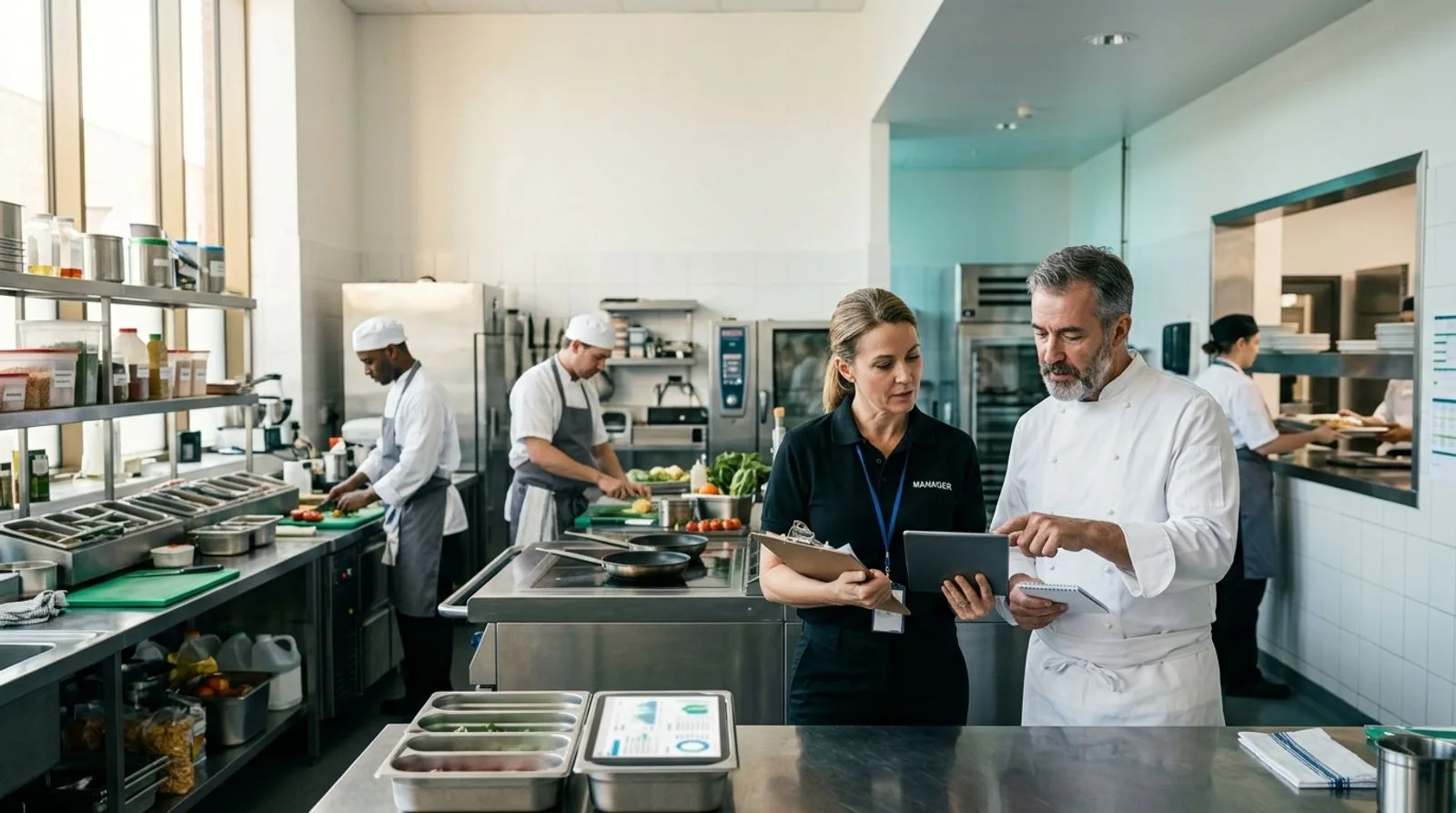
Food service manager reviewing kitchen operations software with chefs in a modern commercial kitchen

Published:Last updated:Author:Saro Loucks

BUYER’S GUIDE

How we evaluated food service management software

Food service management software connects the operational work that determines whether meals are delivered safely, consistently, and profitably. Depending on the setting, that work may include recipe and menu control, nutrition analysis, purchasing, receiving, inventory, production forecasting, labor planning, point-of-sale data, catering, resident or patient meal service, and enterprise reporting. The right platform is not simply a digital checklist. It should turn demand signals into practical production decisions while giving managers a reliable view of food cost, waste, service performance, and accountability.

This category spans several distinct markets. Restaurant groups often prioritize invoice automation, theoretical-versus-actual food cost, labor controls, and store-level execution. Contract food service and institutional operators may need cycle menus, nutrient and allergen management, tray-line or dining workflows, diet-office integrations, and centralized procurement. Commissaries and production kitchens tend to value recipes, yields, batch planning, lot visibility, and transfers between locations. We therefore evaluated each product against the use case it is designed to solve rather than pretending every platform offers the same depth everywhere.

Our scorecards assess operational breadth, inventory and purchasing, menu and nutrition capabilities, analytics and control, and usability and implementation. We also considered integrations, mobile access, multi-site administration, support resources, and how clearly a vendor communicates its commercial model. Scores are editorial assessments intended to help buyers build a shortlist; they are not laboratory tests or guarantees of performance. Pricing changes frequently and often depends on modules, transaction volume, interfaces, locations, users, and implementation services, so buyers should request a written scope and total first-year estimate.

The shortlist covers exactly ten products: FoodReady, Restaurant365, MarginEdge, MarketMan, Apicbase, Nutritics, CBORD, Computrition, MealSuite, and Crunchtime. Together they represent strong options for food manufacturers and central kitchens, restaurant groups, healthcare, senior living, education, contract catering, and multi-unit enterprises. We excluded master sanitation scheduling from the evaluation and kept the analysis focused on broader food service operations, financial control, menu intelligence, production, nutrition, and service delivery.

Before contacting vendors, document the decisions your team needs to improve. If the primary problem is invoice coding and food-cost visibility, a restaurant back-office platform may be the best fit. If the operation must manage therapeutic diets, allergens, and resident preferences, a healthcare-focused system deserves more weight. If recipes, production batches, traceability, and quality records need to share one operational data model, an integrated food operations platform will usually deliver more value than a collection of disconnected apps.

TOP 10 PLATFORMS

Independent software comparison

The best food service management software for 2026

A detailed comparison of platforms for food production, inventory, purchasing, menu and nutrition management, restaurant back-office control, and institutional meal service.

Reviewed by FoodReady Editorial Team · Food operations, quality systems, restaurant technology, and institutional dining research

FoodReady
Unified food operations, quality, inventory, production, and traceability
9.4
Custom quote
Configured by facilities, users, workflows, integrations, and services
  • Web
  • iOS
  • Android
  • API
Restaurant365
Restaurant enterprise management with accounting, inventory, labor, and store operations
9.1
Custom quote
Packages and costs vary by accounting, operations, payroll, and location scope
  • Web
  • iOS
  • Android
  • API
MarginEdge
Invoice processing, food-cost visibility, and restaurant back-office automation
8.9
Public subscription available
Historically priced per location; confirm current subscription and add-on fees
  • Web
  • iOS
  • Android
  • API
MarketMan
Cloud inventory and purchasing control for restaurants and hospitality groups
8.8
Subscription plans
Plan level, locations, features, and integrations affect price; request current terms
  • Web
  • iOS
  • Android
  • API
Apicbase
Food and beverage management for recipes, procurement, inventory, and production
8.7
Custom quote
Based on modules, users, outlets, implementation, and integration scope
  • Web
  • iOS
  • Android
  • API
Nutritics
Menu, nutrition, allergen, and food-service sustainability intelligence
8.6
Custom quote
Products, sites, user roles, databases, and services determine pricing
  • Web
  • API
CBORD
Enterprise foodservice and nutrition management for healthcare, education, and senior living
8.6
Custom enterprise quote
Modules, facilities, interfaces, hardware, implementation, and support shape total cost
  • Web
  • iOS
  • Android
  • API
Computrition
Foodservice and nutrition operations for healthcare and institutional environments
8.5
Custom enterprise quote
Deployment, interfaces, facilities, modules, devices, and services affect pricing
  • Web
  • iOS
  • Android
  • API
MealSuite
Resident-centered dining management for senior living and healthcare
8.4
Custom quote
Communities, products, integrations, devices, onboarding, and support determine cost
  • Web
  • iOS
  • Android
  • API
Crunchtime
Enterprise operations control for large multi-unit restaurant brands
8.7
Custom enterprise quote
Locations, applications, deployment services, and integration scope affect cost
  • Web
  • iOS
  • Android
  • API
Editor's pick

FoodReady

Unified food operations, quality, inventory, production, and traceability

  • Best overall
  • Food operations
  • Configurable
9.4
Overall score
PricingCustom quote· Configured by facilities, users, workflows, integrations, and services
Platforms
  • Web
  • iOS
  • Android
  • API

FoodReady is the strongest overall choice for food businesses that want operational management and food-specific quality controls in one configurable environment. It brings together recipes, inventory, purchasing, supplier information, production records, traceability, inspections, corrective actions, document control, and reporting. That combination is especially useful when a central kitchen, commissary, manufacturer, co-packer, or multi-site food operation has outgrown spreadsheets but does not want to assemble a separate quality system, inventory app, and production database.

The platform’s differentiator is the connection between day-to-day execution and audit-ready evidence. A manager can standardize a receiving or production workflow, assign it to the appropriate team, capture records on a mobile device, and connect exceptions to follow-up actions. Lot and batch context can remain associated with operational records rather than being reconstructed after an issue. Configurable forms and workflows also let organizations model their own approvals, checks, specifications, and escalation paths without forcing every site into an inflexible generic process.

FoodReady uses quote-based pricing because scope can vary substantially. Buyers should define facilities, modules, records, mobile users, integrations, data migration, configuration, training, and ongoing support before comparing proposals. It is best suited to operators that view food service management as a connected system of production, inventory, supplier, quality, and traceability processes—not merely restaurant accounting or menu publishing.

Pros

  • Unifies food operations, quality, inventory, production, supplier, and traceability records
  • Configurable workflows and mobile data capture support diverse facility processes
  • Food-industry focus reduces reliance on generic forms and disconnected point tools
  • Supports multi-site standardization while preserving location-level accountability

Cons

  • Quote-based pricing requires a scoped vendor discussion
  • Broader implementation may require process mapping and data cleanup
  • Organizations seeking only restaurant bookkeeping may not need its operational depth

Scorecard

  • Operational breadth
    9.6 / 10
  • Inventory & purchasing
    9.2 / 10
  • Menu & production
    9.3 / 10
  • Analytics & control
    9.5 / 10
  • Usability & implementation
    9.2 / 10

Feature highlights

  • Recipe, production, inventory, supplier, and purchasing workflows
  • Lot and batch traceability with connected operational records
  • Mobile inspections, approvals, exceptions, and corrective-action follow-up
  • Configurable dashboards, forms, permissions, and multi-site reporting
  • Implementation and advisory support for food operations
Best for: Food manufacturers, commissaries, central kitchens, co-packers, and multi-site operators needing unified operations and quality control

Visit FoodReady
#2

Restaurant365

Restaurant enterprise management with accounting, inventory, labor, and store operations

  • Restaurant ERP
  • Multi-unit
9.1
Overall score
PricingCustom quote· Packages and costs vary by accounting, operations, payroll, and location scope
Platforms
  • Web
  • iOS
  • Android
  • API

Restaurant365 is built for restaurant groups that want accounting and store operations to run on a shared platform. Its product family covers restaurant accounting, accounts payable, inventory, recipes, purchasing, scheduling, payroll, workforce functions, and business intelligence. Because sales, labor, invoices, recipes, and general-ledger activity can feed the same operational model, finance and operations leaders gain a more consistent view of prime cost than they would from stand-alone spreadsheets and manual journal entries.

A major differentiator is its restaurant-specific accounting foundation. Daily sales summaries, franchise or entity structures, bank activity, invoice workflows, and location reporting can be managed alongside operational tools. Inventory counts and theoretical-versus-actual usage help managers investigate waste, portioning, purchasing variance, and recipe-cost movement. Labor forecasting and scheduling add another controllable component of prime cost, while mobile tools give store teams access to practical tasks without keeping them behind an office computer.

Restaurant365 generally sells through packaged, quote-based subscriptions, and implementation, payment, payroll, or integration costs can affect the total. Buyers should verify which modules are included, how many legal entities and locations are covered, what historical data will migrate, and whether existing POS, banking, distributor, and payroll connections are supported. It is a compelling fit for growing restaurant groups that need financial consolidation and operating discipline, but institutional nutrition or clinical meal-service requirements may call for a more specialized platform.

Pros

  • Combines restaurant accounting with inventory, scheduling, workforce, and operations
  • Strong multi-entity and multi-location financial visibility
  • Restaurant-focused integrations can reduce manual sales and invoice entry
  • Theoretical food cost and labor reporting support prime-cost management

Cons

  • Module packaging can make total cost difficult to assess without a detailed quote
  • Implementation requires careful chart-of-accounts and integration planning
  • Not designed primarily for clinical nutrition or patient meal service

Scorecard

  • Operational breadth
    9.3 / 10
  • Inventory & purchasing
    9.2 / 10
  • Menu & production
    8.4 / 10
  • Analytics & control
    9.5 / 10
  • Usability & implementation
    8.8 / 10

Feature highlights

  • Restaurant accounting, AP automation, and financial reporting
  • Inventory counts, recipe costing, purchasing, and waste analysis
  • Labor forecasting, scheduling, payroll, and workforce tools
  • POS, bank, vendor, and enterprise data integrations
  • Mobile access for location managers and operating teams

Best for: Multi-unit restaurant groups that want restaurant accounting and operations on one enterprise platform

Visit Restaurant365
#3

MarginEdge

Invoice processing, food-cost visibility, and restaurant back-office automation

  • Fast deployment
  • Invoice automation
8.9
Overall score
PricingPublic subscription available· Historically priced per location; confirm current subscription and add-on fees
Platforms
  • Web
  • iOS
  • Android
  • API

MarginEdge focuses on a persistent restaurant-management problem: turning invoices, recipes, sales, and labor data into timely operating information without creating a second full-time data-entry job. Teams can submit photographed, emailed, or electronic invoices for processing, while the platform maps line items and exports relevant financial data to accounting systems. Managers then gain food-cost, price-change, purchasing, and controllable P&L visibility much sooner than they would when invoices are keyed at period end.

The product is especially useful for operators that already have a general ledger and POS ecosystem but need a more efficient bridge between the restaurant and back office. Recipe costing, theoretical usage, budget tracking, vendor price comparisons, bill payment options, and labor reporting support weekly decision-making. The practical value is speed: an operator can identify a sudden ingredient-price increase, location-level purchasing anomaly, or unfavorable cost trend while there is still time to act.

MarginEdge has been known for straightforward per-location subscription pricing, although buyers should confirm current rates, bill-pay arrangements, accounting integrations, and optional services directly with the vendor. It is not a comprehensive clinical nutrition or institutional meal-ordering system, and its production capabilities are more restaurant-oriented than manufacturing-oriented. For independent restaurants and growing groups that want faster invoice processing and clearer food-cost control without replacing every system, however, it offers a focused and accessible path to better management.

Pros

  • Reduces manual invoice entry and accelerates food-cost reporting
  • Works with existing POS and accounting environments
  • Useful vendor-price, recipe-cost, purchasing, and controllable P&L visibility
  • Per-location model can be easier to understand than complex enterprise bundles

Cons

  • Not a full ERP, clinical nutrition, or food manufacturing platform
  • Data quality depends on recipe, invoice, and POS mapping accuracy
  • Advanced enterprise workflows may require additional systems

Scorecard

  • Operational breadth
    8.4 / 10
  • Inventory & purchasing
    9.3 / 10
  • Menu & production
    8.2 / 10
  • Analytics & control
    9.1 / 10
  • Usability & implementation
    9.3 / 10

Feature highlights

  • Invoice capture, line-item processing, and accounting exports
  • Recipe and plate costing with ingredient price updates
  • Food-cost, budget, vendor, and purchasing analytics
  • Bill payment and financial workflow options
  • Restaurant-focused POS and accounting integrations

Best for: Independent restaurants and growing groups prioritizing invoice automation and weekly food-cost visibility

Visit MarginEdge
#4

MarketMan

Cloud inventory and purchasing control for restaurants and hospitality groups

  • Inventory control
  • Hospitality
8.8
Overall score
PricingSubscription plans· Plan level, locations, features, and integrations affect price; request current terms
Platforms
  • Web
  • iOS
  • Android
  • API

MarketMan is a cloud inventory and purchasing platform for restaurants, bars, cafés, hotels, and multi-unit hospitality businesses. It centralizes item catalogs, vendors, purchase orders, invoices, inventory counts, recipes, transfers, waste, and cost reporting. Operators can use it to replace fragmented spreadsheets and gain a consistent process for ordering and counting across locations, while head-office teams monitor compliance, cost movement, and performance from a shared dashboard.

Its clearest differentiator is the depth of everyday back-of-house inventory control without requiring a restaurant to adopt a complete accounting suite. Purchase orders can be compared with received goods and invoices, recipe costs can reflect current ingredient prices, and actual usage can be compared with theoretical expectations. Mobile counting and receiving tools help teams capture information where the work occurs. For groups with central purchasing, location-specific catalogs and approvals can also make procurement more disciplined.

MarketMan offers subscription-based commercial arrangements, but current plan names, limits, implementation services, and integration fees should be verified. Buyers should test the exact workflows for pack-size conversions, catch-weight products, transfers, credits, and vendor substitutions because these details often determine whether inventory numbers remain credible. MarketMan is best when the priority is restaurant and hospitality inventory, purchasing, and food-cost management. Organizations needing clinical dietetics, resident ordering, or extensive food manufacturing quality workflows should evaluate specialist alternatives.

Pros

  • Strong purchasing, receiving, inventory, recipe, and waste workflows
  • Mobile tools support practical counts and receiving at the location
  • Multi-site visibility helps standardize catalogs and procurement controls
  • Integrates with common restaurant technology ecosystems

Cons

  • Subscription and integration scope requires careful comparison
  • Reliable results depend on disciplined item and recipe setup
  • Less suited to clinical nutrition and highly regulated production workflows

Scorecard

  • Operational breadth
    8.7 / 10
  • Inventory & purchasing
    9.5 / 10
  • Menu & production
    8.5 / 10
  • Analytics & control
    8.9 / 10
  • Usability & implementation
    8.6 / 10

Feature highlights

  • Purchase orders, receiving, invoice management, and vendor catalogs
  • Mobile inventory counts, transfers, and waste tracking
  • Recipe costing and theoretical-versus-actual analysis
  • Multi-location permissions, reporting, and procurement visibility
  • POS and accounting integration options

Best for: Restaurants and hospitality groups needing disciplined inventory, purchasing, and recipe-cost control

Visit MarketMan
#5

Apicbase

Food and beverage management for recipes, procurement, inventory, and production

  • Recipe management
  • Multi-site F&B
8.7
Overall score
PricingCustom quote· Based on modules, users, outlets, implementation, and integration scope
Platforms
  • Web
  • iOS
  • Android
  • API

Apicbase is designed for multi-site food and beverage organizations that need one operational source for recipes, ingredients, allergens, menus, procurement, inventory, and production. It can help restaurant groups, contract caterers, hotels, ghost kitchens, and central production teams standardize recipe data while still handling outlet-specific ordering and stock activity. A structured recipe database becomes the foundation for food cost, nutrition and allergen information, purchasing requirements, and production instructions.

The platform stands out when culinary data must drive operational workflows. Recipe versions, yields, sub-recipes, ingredient specifications, and menu structures can inform procurement and inventory rather than living in static documents. Central teams can monitor purchasing and performance across outlets, while kitchen teams access production-relevant information. Integrations can connect POS sales, suppliers, accounting tools, and other systems so managers spend less time reconciling data manually.

Pricing is typically quote-based and depends on sites, modules, integrations, training, and rollout complexity. Prospective buyers should validate supplier coverage in their region, the handling of local units and tax rules, and how the system models central kitchens, internal transfers, and franchise structures. Apicbase is a strong fit for culinary-led multi-unit businesses seeking standardized recipes and connected F&B operations. It is less likely to replace a full restaurant general ledger or a specialized healthcare diet-office system, so the surrounding application landscape still matters.

Pros

  • Connects recipe data to purchasing, inventory, production, allergens, and costs
  • Well aligned with multi-site culinary and hospitality operations
  • Supports centralized recipe governance with outlet-level execution
  • API and integration options can connect suppliers, POS, and finance tools

Cons

  • Pricing and implementation require a tailored proposal
  • Recipe and ingredient data preparation can be resource intensive
  • May need complementary accounting or workforce systems

Scorecard

  • Operational breadth
    9.0 / 10
  • Inventory & purchasing
    9.1 / 10
  • Menu & production
    9.3 / 10
  • Analytics & control
    8.6 / 10
  • Usability & implementation
    8.4 / 10

Feature highlights

  • Central recipe, ingredient, yield, allergen, and menu management
  • Procurement, inventory, production, and waste workflows
  • Multi-outlet reporting and culinary standardization
  • Supplier, POS, accounting, and API integration options
  • Operational tools for central kitchens and distributed outlets

Best for: Contract caterers, hotel groups, restaurant chains, and central kitchens centered on recipe-led operations

Visit Apicbase
#6

Nutritics

Menu, nutrition, allergen, and food-service sustainability intelligence

  • Nutrition
  • Menu compliance
  • Sustainability
8.6
Overall score
PricingCustom quote· Products, sites, user roles, databases, and services determine pricing
Platforms
  • Web
  • API

Nutritics specializes in the information layer behind compliant, transparent, and nutritionally informed food service. Its capabilities support recipe development, nutrient analysis, allergen management, menu publishing, food labeling, cost considerations, and sustainability insights. Food service teams can build standardized recipes from ingredient data, calculate nutrition and allergen outputs, and distribute approved information to menus, labels, customer-facing channels, and internal teams.

The product’s differentiator is its focus on food data quality and communication rather than broad restaurant accounting. For dietitians, menu developers, contract caterers, hospitality groups, universities, and food businesses facing detailed labeling or allergen obligations, that specialization can be more valuable than a generic recipe-costing feature. Sustainability functionality can also help teams assess environmental impacts and support menu-development initiatives, subject to the available data and selected product configuration.

Nutritics uses a quote-based model across its product portfolio. Buyers should confirm which food composition databases, label formats, publishing tools, APIs, and implementation services are included, along with any regional regulatory support. They should also test how recipe updates flow to every menu and channel where information appears. Nutritics is an excellent choice when nutrition, allergens, menu compliance, and food information are the primary management requirements. It may need to integrate with inventory, procurement, POS, or finance applications to form a complete food service technology stack.

Pros

  • Deep recipe nutrition, allergen, labeling, and menu-information capabilities
  • Useful for dietitians, menu developers, contract caterers, and hospitality teams
  • Supports consistent publication of approved food information
  • Sustainability insights can inform menu-development decisions

Cons

  • Not a complete accounting, workforce, or inventory platform
  • Commercial scope varies across products and regions
  • Accuracy depends on ingredient data, recipe governance, and user processes

Scorecard

  • Operational breadth
    8.1 / 10
  • Inventory & purchasing
    7.3 / 10
  • Menu & production
    9.6 / 10
  • Analytics & control
    8.8 / 10
  • Usability & implementation
    9.0 / 10

Feature highlights

  • Recipe development and nutrient calculation
  • Allergen, label, and menu-information management
  • Food composition database access and structured ingredient data
  • Menu publishing and integration options
  • Food-service sustainability analysis capabilities

Best for: Dietitians, contract caterers, universities, and hospitality teams prioritizing nutrition, allergens, and menu transparency

Visit Nutritics
#7

CBORD

Enterprise foodservice and nutrition management for healthcare, education, and senior living

  • Institutional foodservice
  • Healthcare
8.6
Overall score
PricingCustom enterprise quote· Modules, facilities, interfaces, hardware, implementation, and support shape total cost
Platforms
  • Web
  • iOS
  • Android
  • API

CBORD provides enterprise foodservice technology for hospitals, senior living communities, colleges, universities, and other complex institutions. Its solutions span food and nutrition operations, menu and recipe management, inventory and purchasing, production, point of sale, patient or resident dining, and related campus or facility services. The platform is designed for environments where food service must coordinate dietary requirements, high-volume production, multiple service points, and organizational systems.

Its key advantage is institutional depth. In healthcare, diet orders, allergies, preferences, meal selections, and tray or room-service processes may need to work with clinical and hospital information. In higher education, meal plans, retail service, production, catering, and campus-card environments create a different but equally interconnected set of requirements. CBORD’s long-standing focus on these sectors gives it domain capabilities that a restaurant inventory app typically cannot match.

Pricing is custom and can include software modules, implementation, integrations, devices, training, and support. Buyers should require a detailed interface inventory and project plan because value depends heavily on accurate integration with clinical, ERP, identity, POS, or campus systems. Workflow demonstrations should use real menus, diet rules, service locations, and exception scenarios. CBORD is best for large institutional operators that need breadth and sector-specific functionality and have the resources to manage an enterprise deployment. Smaller operators may find the scope and implementation demands greater than necessary.

Pros

  • Deep healthcare, senior living, and higher-education foodservice capabilities
  • Supports complex menu, nutrition, production, retail, and meal-service environments
  • Enterprise integrations can connect foodservice to broader institutional systems
  • Suitable for multi-facility governance and large operating teams

Cons

  • Enterprise implementation can be lengthy and resource intensive
  • Total cost may include substantial interface, services, and hardware components
  • Scope can be excessive for small independent operations

Scorecard

  • Operational breadth
    9.4 / 10
  • Inventory & purchasing
    8.7 / 10
  • Menu & production
    9.5 / 10
  • Analytics & control
    8.5 / 10
  • Usability & implementation
    7.8 / 10

Feature highlights

  • Institutional menu, recipe, nutrition, inventory, and production management
  • Patient, resident, retail, and campus dining workflows
  • Integration options for clinical, ERP, identity, and campus systems
  • Multi-facility administration and enterprise reporting
  • Implementation, training, and support services

Best for: Hospitals, senior living organizations, universities, and large institutional foodservice operations

Visit CBORD
#8

Computrition

Foodservice and nutrition operations for healthcare and institutional environments

  • Clinical nutrition
  • Enterprise foodservice
8.5
Overall score
PricingCustom enterprise quote· Deployment, interfaces, facilities, modules, devices, and services affect pricing
Platforms
  • Web
  • iOS
  • Android
  • API

Computrition develops foodservice and nutrition management technology for healthcare, senior living, military, education, and other institutional settings. Its platform supports areas such as menu and recipe management, nutrient and allergen information, purchasing and inventory, production planning, patient or resident meal service, and enterprise reporting. These capabilities address an operating model in which dietary needs, meal accuracy, production efficiency, and service coordination are tightly linked.

Computrition differentiates itself through domain-specific workflows rather than generic back-office accounting. Healthcare and senior-living organizations can evaluate how the system handles diet orders, allergies, preferences, nourishment, room service, tray assembly, and communication with clinical systems. Production and purchasing functions help translate menus and census or demand information into practical operational requirements. The result can be better visibility from menu planning through meal delivery when configuration and integrations are carefully implemented.

The vendor provides custom pricing, so buyers should request an itemized proposal for software, interfaces, implementation, data conversion, training, devices, travel, and ongoing support. A proof-of-workflow should cover normal service and exceptions such as late trays, substitutions, diet changes, unavailable items, and cross-facility reporting. Computrition is best for institutional organizations that need nutrition and meal-service depth and are prepared for a structured enterprise project. Restaurant chains focused mainly on prime-cost accounting or invoice automation will generally find purpose-built restaurant platforms more aligned with their needs.

Pros

  • Strong alignment with healthcare, senior living, and institutional nutrition workflows
  • Connects menus, nutrition, production, inventory, and meal service
  • Supports complex dietary, preference, and service requirements
  • Enterprise deployment and integration services are available

Cons

  • Pricing is not transparent without a tailored proposal
  • Implementation and interface work can demand significant internal resources
  • Not optimized for restaurant general-ledger or franchise management

Scorecard

  • Operational breadth
    9.2 / 10
  • Inventory & purchasing
    8.5 / 10
  • Menu & production
    9.5 / 10
  • Analytics & control
    8.4 / 10
  • Usability & implementation
    7.9 / 10

Feature highlights

  • Menu, recipe, nutrient, allergen, and production management
  • Patient and resident meal-service workflows
  • Purchasing, inventory, and operational reporting
  • Clinical and enterprise system interface options
  • Project implementation, training, and customer support

Best for: Healthcare, senior living, military, and institutional operators needing detailed nutrition and meal-service workflows

Visit Computrition
#9

MealSuite

Resident-centered dining management for senior living and healthcare

  • Senior living
  • Resident experience
8.4
Overall score
PricingCustom quote· Communities, products, integrations, devices, onboarding, and support determine cost
Platforms
  • Web
  • iOS
  • Android
  • API

MealSuite focuses on foodservice management for senior living, long-term care, and healthcare organizations, with particular attention to resident experience and the operational realities of care-based dining. The platform supports menus, recipes, nutrition, allergens, preferences, production, purchasing, inventory, meal service, and point-of-sale use cases across its product ecosystem. Staff can work from centralized information while accounting for the individualized needs that make resident dining more complex than conventional restaurant service.

Its standout capability is the connection between resident profiles and meal workflows. Preferences, dietary restrictions, textures, allergies, and menu choices can influence service decisions, helping staff deliver more personalized meals and reduce avoidable errors. Centralized menu and production information can also help multi-community organizations standardize operations while allowing local teams to manage day-to-day service. Depending on the selected products, tableside or point-of-service tools can support ordering and dining-room interaction.

MealSuite prices deployments by quote, with total cost affected by the number of communities, applications, users, interfaces, devices, and onboarding requirements. Buyers should demonstrate the system with real resident profiles, menu cycles, substitutions, texture modifications, and last-minute diet changes. They should also confirm interoperability with electronic health record, POS, procurement, and finance environments. MealSuite is best for senior living and care organizations that want resident-centered dining technology; broader restaurant accounting or food manufacturing workflows may require other systems.

Pros

  • Resident-centered workflows support preferences, diets, textures, and allergies
  • Purpose-built for senior living, long-term care, and healthcare dining
  • Connects menu and nutrition information with production and service
  • Can support multi-community standardization and dining-room workflows

Cons

  • Best fit is concentrated in care and senior-living markets
  • Quote-based pricing requires full scope definition
  • Integrations and data migration may increase project complexity

Scorecard

  • Operational breadth
    8.8 / 10
  • Inventory & purchasing
    8.1 / 10
  • Menu & production
    9.3 / 10
  • Analytics & control
    8.2 / 10
  • Usability & implementation
    8.5 / 10

Feature highlights

  • Resident profiles, preferences, diets, allergens, and texture requirements
  • Menu, recipe, nutrition, production, purchasing, and inventory tools
  • Dining-room and point-of-service workflow options
  • Multi-community controls and centralized content
  • Onboarding, integration, and support services

Best for: Senior living and long-term care organizations prioritizing personalized resident dining

Visit MealSuite
#10

Crunchtime

Enterprise operations control for large multi-unit restaurant brands

  • Enterprise restaurants
  • Labor & inventory
8.7
Overall score
PricingCustom enterprise quote· Locations, applications, deployment services, and integration scope affect cost
Platforms
  • Web
  • iOS
  • Android
  • API

Crunchtime provides enterprise restaurant operations software for large multi-unit brands that need consistent control over inventory, food cost, labor, and location execution. Its platform can help central teams forecast demand, manage orders and stock, analyze theoretical and actual usage, schedule labor, and monitor whether stores complete required operating work. The emphasis is not only on reporting results after a period closes, but on helping managers make daily decisions across a large network.

The differentiator is scale. Enterprise restaurant organizations have thousands of users, complex distributor relationships, regional menus, high transaction volumes, and a constant need to compare store performance. Crunchtime’s tools are designed to turn sales and operational data into forecasts, prep or ordering guidance, labor plans, and exception visibility. Integration with POS, HR, payroll, suppliers, and enterprise systems is central to that value because manual data movement would undermine timely control.

Pricing is custom and generally reflects an enterprise sale, including locations, products, integrations, rollout services, and support. Buyers should test forecast accuracy, order recommendations, recipe and inventory models, labor rules, manager usability, and exception reporting with representative high- and low-volume stores. They should also evaluate change-management requirements for field adoption. Crunchtime is best for established restaurant chains with a sophisticated technology and operations function. Independent restaurants or small groups may prefer a lighter product with simpler onboarding and a more transparent commercial model.

Pros

  • Designed for inventory, labor, and execution across large restaurant networks
  • Forecasting and theoretical-versus-actual analysis support daily decisions
  • Central visibility helps operations teams identify location exceptions
  • Enterprise integrations support high-volume, multi-system environments

Cons

  • Enterprise pricing and deployment are not aimed at small operators
  • Integration and data-governance work can be substantial
  • Institutional nutrition and resident meal service are outside its core focus

Scorecard

  • Operational breadth
    9.2 / 10
  • Inventory & purchasing
    9.2 / 10
  • Menu & production
    8.5 / 10
  • Analytics & control
    9.4 / 10
  • Usability & implementation
    8.0 / 10

Feature highlights

  • Demand forecasting, inventory, ordering, and food-cost control
  • Labor planning, scheduling, and workforce visibility
  • Enterprise dashboards and location exception management
  • Store execution and operational task capabilities
  • POS, supplier, HR, payroll, and enterprise integrations

Best for: Large multi-unit restaurant brands seeking enterprise inventory, labor, forecasting, and execution control

Visit Crunchtime

Pricing and capabilities were reviewed for 2026 planning. Vendors frequently change packaging and commercial terms; request a current written proposal and confirm every required integration.

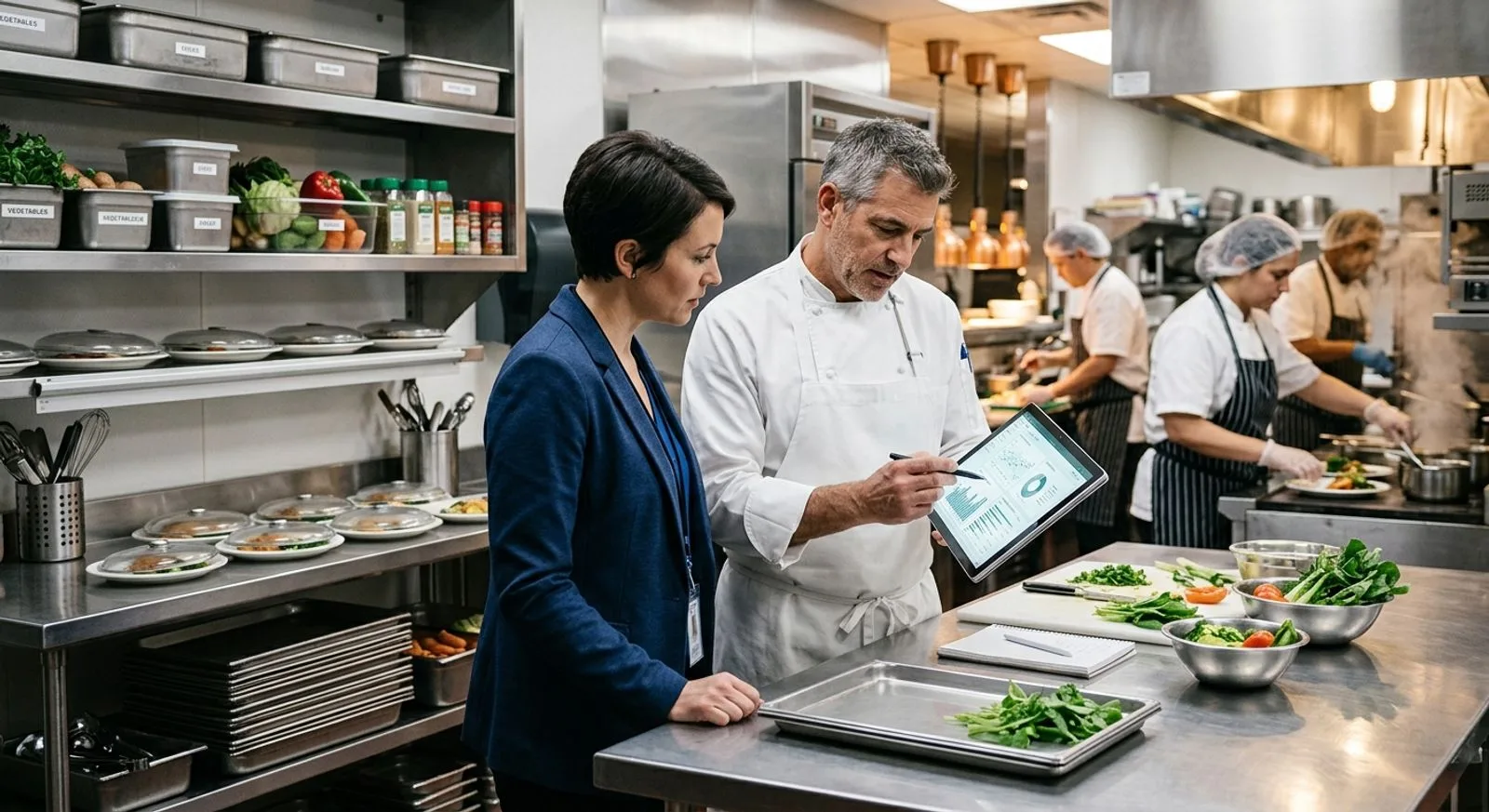
Food service director and chef reviewing operational data on a tablet
SELECTION FRAMEWORK

How to choose the right platform for your operation

Start by separating essential workflows from attractive extras. Map how demand becomes a menu, recipe, purchase order, delivery, inventory transaction, production instruction, served meal, and financial result. Record who owns each step, what information they need, which exceptions occur, and where staff re-enter data. This exercise prevents a polished demonstration from distracting the buying team with capabilities that do not solve its most expensive operational problems.

Next, choose the product family that matches the operating model. Restaurant groups often gain the most from accounting integration, invoice automation, labor control, POS connectivity, and theoretical-versus-actual food cost. Healthcare and senior living teams should prioritize diet orders, allergens, textures, preferences, nutrition, meal accuracy, and clinical interoperability. Contract catering, hotels, and central kitchens need strong recipe governance, production, procurement, outlet controls, and transfers. Food manufacturers and commissaries may place additional weight on batch context, traceability, quality records, supplier controls, and configurable approvals.

Data readiness is as important as product functionality. Ingredient catalogs, vendor item mappings, pack sizes, units of measure, yields, recipes, menu cycles, nutritional values, location hierarchies, user roles, and financial dimensions all influence system output. Ask every finalist to explain who cleans and imports each dataset, how duplicates are resolved, how conversions are tested, and who owns ongoing governance. A weak item master will make even excellent cost and inventory analytics untrustworthy.

Finally, require a scripted demonstration using your own scenarios. Have the vendor receive a partial order with a substitution, process an invoice credit, update an ingredient price, revise a recipe yield, forecast production for multiple sites, post an internal transfer, and show how a manager investigates a variance. Institutional buyers should add diet changes, allergen conflicts, substitutions, and meal-service exceptions. Score the number of clicks, role permissions, mobile experience, audit trail, reporting latency, and recovery from errors—not just whether a feature technically exists.

Build a three-year total-cost model before signing

Subscription price is only one line in the business case. Include implementation, configuration, interfaces, data conversion, devices, label or receipt hardware, training, travel, payment fees, premium support, API access, data warehouses, and internal project time. Estimate the ongoing labor required to maintain items, recipes, vendors, menus, permissions, and integrations. Then model measurable benefits such as fewer invoice-entry hours, improved purchasing compliance, lower waste, tighter portions, reduced overtime, faster month-end close, better production accuracy, and fewer service errors.

Contract language matters as well. Confirm data ownership, export formats, service levels, security obligations, annual increases, renewal terms, support hours, sandbox availability, implementation acceptance criteria, and charges for adding locations or interfaces. Ask for references whose complexity resembles yours, then discuss what required more effort than expected. A platform with a higher subscription can be the lower-cost option when it replaces manual work and disconnected applications; a low headline price can become expensive if critical workflows require custom development.

FINAL RECOMMENDATIONS

Which food service management system should you shortlist?

For a food manufacturer, commissary, central kitchen, or multi-site operator that wants production, inventory, supplier, quality, and traceability processes to work together, FoodReady is the most balanced starting point. Its configurable food-industry model can reduce the operational gaps created when teams use one system for stock, another for inspections, and spreadsheets for production evidence. It deserves particular attention when implementation must reflect the organization’s own workflows rather than a generic restaurant template.

For restaurant groups, shortlist according to the business problem. Restaurant365 is the logical candidate when restaurant accounting, multi-entity reporting, inventory, labor, and workforce functions need a common foundation. MarginEdge is attractive when invoice processing and rapid food-cost visibility are the immediate priorities while an existing accounting system remains in place. MarketMan emphasizes purchasing and inventory discipline, Apicbase is well suited to recipe-led multi-site F&B operations, and Crunchtime targets the forecasting, labor, inventory, and execution demands of large restaurant brands.

Nutrition and institutional dining require a different lens. Nutritics is a specialist choice for nutrition analysis, allergens, labeling, menus, and sustainability information. CBORD and Computrition provide the breadth and domain workflows expected by hospitals, universities, senior living organizations, and other institutions. MealSuite is especially relevant where resident preferences, diets, textures, and the dining experience shape daily service. These products should be evaluated with clinical, nutrition, foodservice, IT, procurement, and frontline stakeholders in the room.

Do not select from a feature checklist alone. The winning platform should complete your hardest real-world scenarios with clear ownership, minimal re-entry, credible data, and usable exception handling. Run a paid pilot or structured proof of concept when risk is high. Establish baseline measures before rollout—food cost, waste, invoice-processing time, count accuracy, labor variance, menu-error rates, production overage, and close time—so leadership can see whether the implementation produces the promised operational improvement.

A strong purchase also needs an adoption plan. Assign executive sponsorship, process owners, data stewards, location champions, and a realistic training calendar. Roll out in manageable waves, publish role-based procedures, review early data daily, and resolve configuration problems before scaling. Food service software creates value when managers trust it enough to run the operation from it and frontline employees can use it accurately during a busy service period.

COMMON QUESTIONS

Food service management software FAQ

Practical answers for teams comparing restaurant, institutional dining, central kitchen, and food operations platforms.

What is food service management software?

Food service management software coordinates the information and workflows used to plan, purchase, produce, serve, and analyze food. Depending on the product, it may include recipes, menus, nutrition and allergens, procurement, receiving, inventory, production forecasting, labor, accounting, point of sale, resident or patient dining, quality records, and multi-site reporting. The category is broad, so buyers should define their operating model before comparing products. A restaurant accounting platform and a hospital meal-service system may both qualify, but they solve very different problems.

How is restaurant management software different from institutional foodservice software?

Restaurant platforms commonly prioritize POS integration, invoice processing, food cost, inventory, labor scheduling, accounting, and store-level execution. Institutional systems for hospitals, senior living, education, or contract dining often place greater emphasis on cycle menus, nutrient analysis, allergens, therapeutic diets, resident preferences, production quantities, meal delivery, and connections to clinical or campus systems. Some organizations need elements of both. The deciding factor should be whether the software handles the operation’s highest-risk workflows natively and can exchange data reliably with surrounding systems.

Which features should be considered essential?

Essential features depend on the use case, but most buyers should evaluate item and vendor management, recipes and yields, purchasing and receiving, inventory counts, permissions, audit history, mobile usability, reporting, and integration options. Restaurant groups may add POS, invoice automation, theoretical usage, accounting, payroll, and scheduling. Institutional operators may add menus, nutrition, allergens, diets, preferences, production, and meal service. Central kitchens may add batch production, transfers, traceability, and quality workflows. Require finalists to demonstrate exceptions, not only ideal processes.

How much does food service management software cost?

Costs range from focused per-location subscriptions to large enterprise contracts. A quote may include the subscription, implementation, configuration, integrations, data migration, devices, training, payment services, and premium support. Locations, users, modules, transaction volume, entities, and interface complexity frequently influence price. Buyers should compare three-year total cost rather than the monthly license alone. Ask each vendor for an itemized first-year estimate, ongoing annual costs, assumptions, rate increases, and charges for adding sites, users, products, or data connections.

How long does implementation usually take?

A focused invoice or inventory tool may be deployed in weeks when item, vendor, POS, and accounting data are ready. A multi-module restaurant ERP or institutional foodservice platform can take several months, especially when it involves clinical interfaces, multiple facilities, hardware, historical data, or major process changes. Timeline depends as much on customer readiness as product complexity. Assign internal owners for data, integrations, testing, training, and acceptance, and do not schedule rollout during the organization’s most disruptive operating period.

What data should we prepare before implementation?

Prepare location and entity structures, users and roles, suppliers, vendor item codes, ingredient catalogs, units of measure, pack sizes, costs, recipes, sub-recipes, yields, menus, inventory areas, financial dimensions, and integration credentials. Institutional teams may also need nutrient databases, allergens, diet definitions, textures, resident or patient preferences, service locations, and interface mappings. Clean duplicates and obsolete records before migration. Establish who approves future changes because data governance after launch determines whether costs, inventory, nutrition, and forecasts remain reliable.

Which integrations matter most?

Restaurant buyers commonly need POS, accounting, banking, distributor, payroll, HR, scheduling, and business-intelligence connections. Healthcare buyers may need electronic health record or admission-discharge-transfer feeds, procurement, finance, identity, and point-of-sale integrations. Central kitchens and food businesses may need ERP, e-commerce, supplier, warehouse, label, quality, and traceability connections. Ask whether each integration is native, partner-built, file-based, or custom; how often it synchronizes; how errors are monitored; who supports it; and what additional fees apply.

How should vendors be scored during demonstrations?

Create a weighted scorecard tied to business outcomes. Evaluate workflow completeness, ease of use, mobile performance, role permissions, exception handling, audit trails, reporting, integration fit, implementation method, support, security, and total cost. Give vendors the same script and realistic sample data. Ask frontline users to perform tasks rather than watching a sales representative click through prepared screens. Record gaps, workarounds, and promised roadmap items separately, and do not score unreleased functionality as if it were available.

Can one platform serve restaurants, commissaries, and institutional dining?

Some broad platforms can support multiple operating models, but depth varies. A unified food operations system may work well for production kitchens, commissaries, manufacturers, and multi-site service operations. Restaurant ERP products are strongest where POS, accounting, labor, and prime-cost control dominate. Institutional platforms are designed around menus, nutrition, diets, preferences, and meal service. Organizations spanning several models should identify a system of record for each data domain and test cross-business workflows carefully rather than assuming one product will be equally deep everywhere.

How do we measure return on investment after launch?

Establish baselines before implementation and track a small set of operational measures by site. Useful metrics include invoice-processing time, purchasing compliance, inventory adjustment value, theoretical-versus-actual variance, food cost, waste, overtime, production overage, menu or allergen errors, meal accuracy, month-end close time, and hours spent compiling reports. Review adoption metrics alongside financial outcomes because weak usage can hide product value. Set targets, assign owners, and conduct 30-, 60-, and 90-day reviews before expanding the rollout.

Written by

saro loucks

Saro Loucks

Saro Loucks is the Director of Content and a Food Safety Advisor for FoodReady. Saro is certified in HACCP and a trained SQF Practitioner. When Saro is not editing, writing, or advising new customers on what food safety goals they should pursue, she enjoys spending time with her family, baking gluten-free sourdough bread, and playing Mahjong.

Get a demo

Speak with our Expert Consultants

15–30 minutes. We map FoodReady to your process, plug in your real HACCP plan, and show you the auditor view before the call ends.

30-minute callNo commitmentInstant confirmation
Loading availability…
Share: