10 Best Food Inventory Management Software Platforms

Compare ten leading food inventory management software platforms for lot traceability, purchasing, production planning, cost control, and multi-site stock visibility. This in-depth guide evaluates capabilities, pricing approaches, implementation considerations, strengths, limitations, and ideal use cases for food and beverage manufacturers.

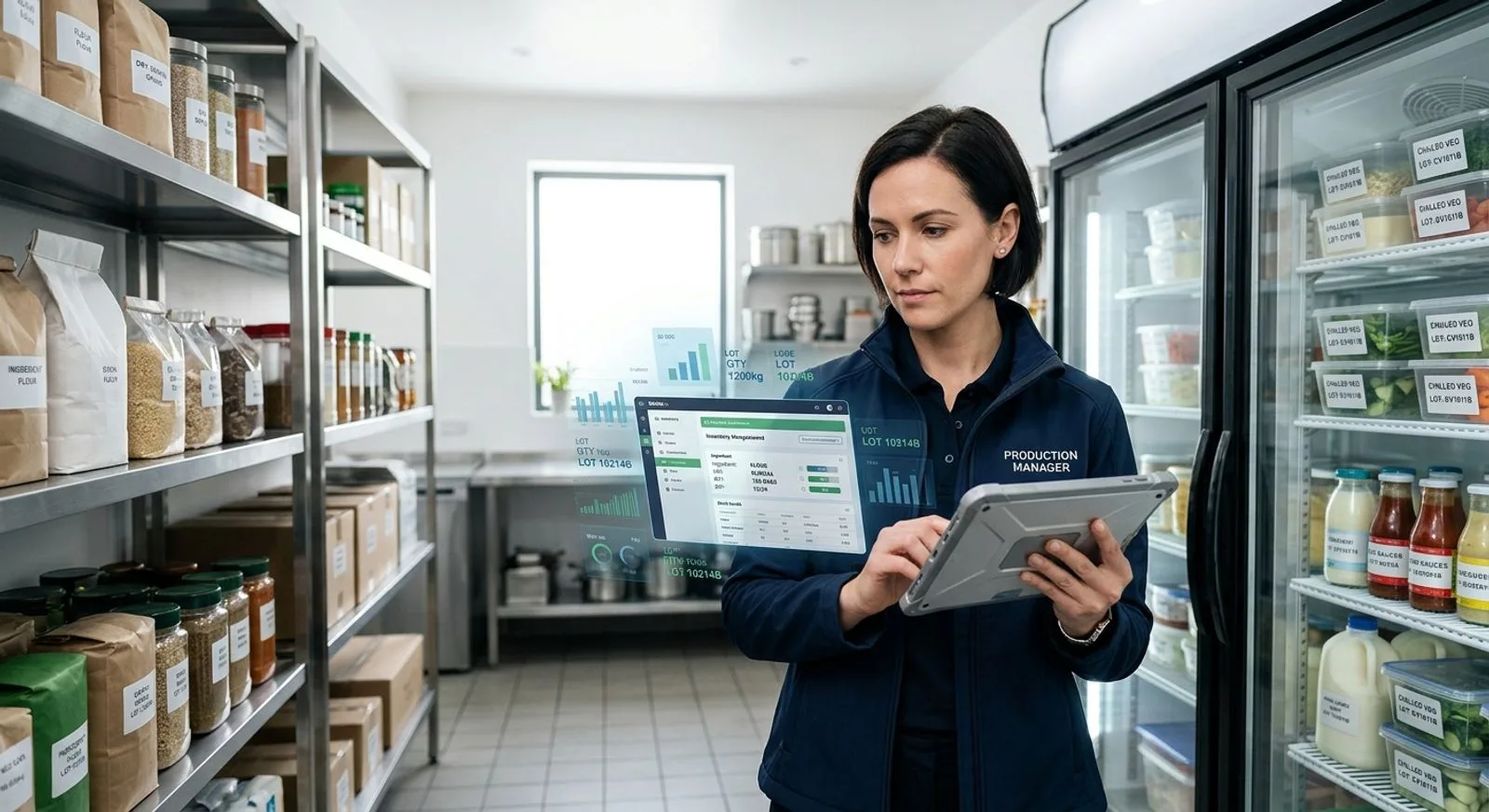
Food production manager reviewing ingredient inventory data on a tablet in a commercial kitchen

Published:Last updated:Author:Maggie Kratovil

BUYER’S GUIDE

How we evaluated food inventory management software

Food inventory management software gives manufacturers a reliable view of ingredients, packaging, work in process, and finished goods across locations. The strongest platforms connect purchasing, receiving, lot identification, expiration controls, recipes or bills of materials, production consumption, and shipping. That connected record matters because an inaccurate quantity is rarely an isolated problem. It can delay a production run, trigger an unnecessary purchase, distort product cost, or slow a traceability investigation.

For this guide, we assessed software against six practical requirements: inventory control, lot and date traceability, production integration, purchasing and supplier workflows, analytics, and implementation value. FoodReady ranks first because it combines inventory with quality, production, supply chain, maintenance, cost accounting, and analytics in one cloud platform. Aptean and Infor are stronger candidates for large enterprises that need broad ERP depth, while Wherefour and MRPeasy offer approachable options for smaller manufacturers. Every selection has a legitimate use case; the right shortlist depends on operational complexity, regulatory obligations, internal IT resources, and the systems already in place.

The comparison focuses on software used by food and beverage manufacturing companies, including processors, bakeries, beverage producers, ingredient suppliers, co-packers, and multi-site brands. Scores reflect relative fit for those environments rather than a universal judgment. Public list prices are uncommon in this market, so several vendors use quote-based pricing that varies by users, facilities, integrations, and implementation scope. Buyers should request a three-year cost model covering subscription fees, configuration, data migration, training, support, interfaces, barcode devices, and internal project labor.

A credible demonstration should follow one ingredient from purchase order through receiving, quality status, storage, production issue, finished-lot creation, and shipment. Ask the vendor to process a partial receipt, quarantine a lot, record a yield variance, perform a cycle count, and trace affected finished goods. This scenario reveals whether inventory data is genuinely connected or merely displayed across separate modules. It also shows how much manual reconciliation remains for warehouse, quality, production, and finance teams.

RANKED COMPARISON

Food manufacturing software review

The 10 best food inventory management software platforms

Ten platforms ranked for lot control, expiration visibility, purchasing, production consumption, multi-site inventory, reporting, implementation practicality, and overall value.

Reviewed by FoodReady Editorial Team · Manufacturing software research focused on inventory, quality, production, and traceability

FoodReady
Unified food inventory, quality, production, supply chain, and analytics software
9.6
Custom quote
Varies by users and number of plants
  • Web
  • iOS
  • Android
  • API
Aptean Food & Beverage ERP
Industry-specific ERP for complex food and beverage supply chains
9.0
Custom quote
Subscription and implementation depend on edition and scope
  • Web
  • Windows
  • API
Infor CloudSuite Food & Beverage
Cloud enterprise software for multi-site food and beverage operations
8.9
Custom quote
Enterprise subscription and implementation are scope based
  • Web
  • iOS
  • Android
  • API
BatchMaster ERP
Formula- and batch-oriented ERP software for process manufacturers
8.8
Custom quote
Varies by deployment, users, modules, and integrations
  • Web
  • Windows
  • API
Wherefour
Approachable cloud ERP and traceability software for growing manufacturers
8.6
Custom quote
Cloud subscription based on business requirements
  • Web
  • API
Cin7 Core
Inventory and order management software with a broad integration ecosystem
8.2
Published plans available
Add-ons, users, implementation, and integrations can increase cost
  • Web
  • iOS
  • Android
  • API
Katana Cloud Inventory
Visual production and inventory planning software for smaller manufacturers
8.1
Published subscription tiers
Features and usage vary by plan
  • Web
  • iOS
  • Android
  • API
MRPeasy
Affordable manufacturing resource planning software for small producers
8.0
Published per-user plans
Plan level determines available capabilities
  • Web
  • API
Fishbowl Manufacturing
Inventory-centric manufacturing software with accounting integrations
7.8
Custom quote
Licensing, implementation, support, and integrations vary
  • Windows
  • iOS
  • Android
  • API
Sage X3
Process-oriented ERP for finance, distribution, inventory, and manufacturing
8.4
Custom quote
Enterprise pricing varies by users, modules, region, and services
  • Web
  • Windows
  • API
Editor's pick

FoodReady

Unified food inventory, quality, production, supply chain, and analytics software

  • Editor’s Pick
  • Cloud SaaS
  • Lot Traceability
9.6
Overall score
PricingCustom quote· Varies by users and number of plants
Platforms
  • Web
  • iOS
  • Android
  • API

FoodReady is the strongest overall food inventory management software for mid-market food and beverage manufacturers that want inventory connected directly to quality and plant operations. The cloud software manages multi-location quantities, lot and serial records, FIFO and FEFO rotation, cycle counting, barcode and QR workflows, reorder controls, quarantine status, purchasing, receiving, work orders, bills of materials, and finished-goods traceability. Rather than sending warehouse data through disconnected QMS, ERP, and production applications, FoodReady keeps quality, inventory, production, supplier, maintenance, cost, and analytics records in one operational platform.

That unified design is the central differentiator. A received lot can retain supplier, certificate, inspection, quantity, location, status, and expiration data as material moves into production. Production consumption updates stock while preserving genealogy between ingredients and finished lots. Quality events can place inventory on hold, and approved dispositions become visible to the teams that plan, pick, or ship. The result is a more actionable inventory record than a basic perpetual quantity ledger.

FoodReady reports typical inventory accuracy of 98% to 99.5%, cycle counts completed in two to four hours, excess inventory reductions of 20% to 40%, and mock recalls completed in under 30 minutes. The verified implementation range is eight to sixteen weeks. FoodReady pricing varies based on factors such as the number of users and facilities. The software is best suited to manufacturers with roughly 50 to 1,000 employees; very small operations may prefer a narrower inventory application, while global companies seeking deeply customized financial accounting may favor a large ERP.

The tradeoffs are transparent. FoodReady was founded in 2020 and has a smaller installed base than long-established ERP vendors. It offers less bespoke customization than some legacy suites, and financial accounting is handled through QuickBooks, Sage, NetSuite, or other integrations rather than a native general ledger. Those limitations are reasonable for companies prioritizing rapid deployment, operational control, and cross-functional traceability over extensive financial-suite customization.

Pros

  • Unifies inventory, quality, production, suppliers, maintenance, costing, and analytics
  • Multi-location lot control with FIFO and FEFO workflows
  • Barcode and QR support for receiving, movement, counting, and issue
  • Quarantine status connects quality decisions to available inventory
  • Eight-to-sixteen-week typical implementation range
  • Supports web, iOS, Android, APIs, and Zebra or Honeywell scanners

Cons

  • Newer platform with a smaller installed base than legacy ERP vendors
  • Less bespoke customization than heavily configured enterprise suites
  • Financial accounting requires an integration rather than a native general ledger
  • May exceed the needs of very small manufacturers seeking basic stock counts

Scorecard

  • Inventory control
    9.7 / 10
  • Lot traceability
    9.8 / 10
  • Production integration
    9.6 / 10
  • Ease of use
    9.2 / 10
  • Value
    9.5 / 10

Feature highlights

  • Multi-site, multi-location, lot, serial, and status-level inventory
  • FIFO and FEFO rotation, expiration visibility, and reorder controls
  • Cycle counting, barcode scanning, quarantine, and material movements
  • Purchasing, supplier receiving, COA and COC records, and scorecards
  • Work orders, bills of materials, routing, yield, and batch records
  • Real-time dashboards, predictive analytics, and product cost visibility

Best for: Mid-market food and beverage manufacturers needing inventory, quality, production, and traceability in one cloud software platform

Visit FoodReady
#2

Aptean Food & Beverage ERP

Industry-specific ERP for complex food and beverage supply chains

  • Enterprise ERP
  • Food & Beverage
9.0
Overall score
PricingCustom quote· Subscription and implementation depend on edition and scope
Platforms
  • Web
  • Windows
  • API

Aptean Food & Beverage ERP is a broad industry-focused software family designed for manufacturers, processors, distributors, and other food supply-chain organizations. Its inventory capabilities sit within a larger ERP environment that can include purchasing, sales, production planning, warehouse management, quality, costing, finance, and business intelligence. That breadth makes Aptean a compelling candidate when inventory modernization is part of a wider enterprise transformation rather than a standalone warehouse project.

The software emphasizes food-specific requirements such as lot tracking, variable-weight handling, shelf-life management, catch weight, production planning, recall support, and channel-specific order fulfillment. Exact capabilities vary by Aptean product edition and regional configuration, so buyers should confirm which application is being proposed. During evaluation, ask the vendor to show lot genealogy, available-to-promise logic, date-sensitive allocation, yield capture, and costing in the exact edition included in the quote.

Aptean generally uses custom pricing. Total cost can include subscription or licensing, implementation services, migration, interfaces, report development, training, and ongoing support. The software can support substantial operational complexity, but that flexibility increases the importance of process design and data governance. Companies should establish ownership for items, units of measure, recipes, locations, customers, suppliers, and lot attributes before configuration begins.

Aptean is best for established food and beverage manufacturers that need an industry-specific ERP backbone and have the project resources to manage a broader implementation. Smaller companies with limited IT capacity may find the scope heavier than necessary. It is also important to evaluate user experience for warehouse and production roles, not only back-office functionality, because adoption at receiving, staging, and consumption points determines inventory accuracy.

Pros

  • Broad food and beverage ERP scope
  • Supports lot, shelf-life, catch-weight, production, and costing workflows
  • Suitable for complex and multi-entity operations
  • Connects inventory with finance, sales, purchasing, and planning

Cons

  • Quote-based pricing makes early cost comparison difficult
  • Implementation can require substantial process and data work
  • Capabilities differ across product editions
  • May be too broad for companies seeking a focused inventory application

Scorecard

  • Inventory control
    9.1 / 10
  • Lot traceability
    9.2 / 10
  • Production integration
    9.3 / 10
  • Ease of use
    7.7 / 10
  • Value
    8.2 / 10

Feature highlights

  • Lot and shelf-life tracking
  • Catch-weight and variable-weight inventory
  • Production planning and material requirements
  • Warehouse, purchasing, sales, finance, and costing workflows
  • Recall support and business intelligence

Best for: Established food manufacturers seeking an industry-specific ERP with extensive inventory, production, and financial functionality

Visit Aptean
#3

Infor CloudSuite Food & Beverage

Cloud enterprise software for multi-site food and beverage operations

  • Enterprise Cloud
  • Multi-site
8.9
Overall score
PricingCustom quote· Enterprise subscription and implementation are scope based
Platforms
  • Web
  • iOS
  • Android
  • API

Infor CloudSuite Food & Beverage is enterprise software for manufacturers that need inventory management within a large operational and financial system. It combines industry-oriented ERP functionality with supply planning, procurement, production, warehouse processes, analytics, and financial management. The platform is particularly relevant to multi-site organizations that need standardized item, lot, location, and transaction rules across plants or business units.

Inventory teams can use the software to manage lots, expiration dates, units of measure, warehouse locations, replenishment, purchasing, and production-related material movement. Planning functionality can connect forecasts and orders to material requirements, while production records provide context for consumption and finished output. Infor’s broader ecosystem may also appeal to companies that need advanced supply-chain planning, workforce tools, asset management, or analytics around the ERP core.

Infor pricing is quote based and enterprise implementations require disciplined governance. A deployment may involve operating-model design, master-data cleanup, integrations, reporting, security, testing, and staged rollouts. The software can deliver a consistent architecture across a complex company, but it is unlikely to be the fastest or least expensive path for a small manufacturer. Buyers should insist on demonstrations using real products, lot rules, conversions, shelf-life constraints, and inter-site movements.

The best fit is a larger food and beverage manufacturer with multiple facilities, international requirements, or an established transformation team. Infor deserves a place on enterprise shortlists where financial, supply-chain, and plant processes must share one architecture. Companies primarily seeking a focused inventory improvement with a short implementation window may find FoodReady, Wherefour, or MRPeasy easier to absorb.

Pros

  • Strong multi-site enterprise architecture
  • Connects inventory with planning, production, procurement, and finance
  • Supports complex organizations and global operations
  • Broad ecosystem of supply-chain and analytics capabilities

Cons

  • Enterprise implementation demands significant internal resources
  • Pricing is not publicly standardized
  • Configuration and change management can be complex
  • Excessive scope for smaller manufacturers

Scorecard

  • Inventory control
    9.3 / 10
  • Lot traceability
    8.9 / 10
  • Production integration
    9.3 / 10
  • Ease of use
    7.4 / 10
  • Value
    7.9 / 10

Feature highlights

  • Multi-site lot and location inventory
  • Procurement, planning, production, and warehouse workflows
  • Intercompany and financial management
  • Supply-chain analytics and forecasting
  • Mobile and API connectivity

Best for: Large or global food and beverage manufacturers standardizing inventory and enterprise processes across multiple sites

Visit Infor
#4

BatchMaster ERP

Formula- and batch-oriented ERP software for process manufacturers

  • Process Manufacturing
  • Formula Management
8.8
Overall score
PricingCustom quote· Varies by deployment, users, modules, and integrations
Platforms
  • Web
  • Windows
  • API

BatchMaster ERP is designed for process manufacturers that manage formulas, batches, potency, yields, packaging, lots, and date-sensitive materials. Its inventory functionality is closely tied to formulation and production, which makes the software relevant for food, beverage, nutraceutical, ingredient, and specialty product companies. It can be deployed as a broader ERP or connected with certain financial platforms, depending on the selected product and architecture.

The software helps users track raw materials, intermediates, packaging, and finished goods by lot and location. Formula management, batch sizing, material requirements, production scheduling, quality checks, and costing provide operational context around inventory transactions. For businesses where a formula revision or potency adjustment changes purchasing and production requirements, this process orientation is a meaningful advantage over general stock-control software.

Pricing is custom and implementation scope depends on modules, integrations, data complexity, and validation needs. Buyers should review how BatchMaster handles substitute materials, unit conversions, co-products, rework, actual-versus-standard yield, and packaging variants. They should also confirm the mobile and scanning experience for their warehouse environment. An impressive formulation screen does not compensate for cumbersome receiving, transfer, picking, or count workflows.

BatchMaster is best for small and mid-sized process manufacturers that place formula and batch control at the center of operations. It may be less attractive to companies seeking a highly modern user experience or a lightweight inventory-only deployment. Organizations already committed to a compatible accounting or ERP environment should examine the integration model carefully, including which system owns items, vendors, costs, and financial postings.

Pros

  • Strong formula, batch, and process-manufacturing orientation
  • Connects lot inventory to material requirements and production
  • Supports quality, costing, yield, and date-sensitive workflows
  • Relevant to ingredient and formulated-product manufacturers

Cons

  • Pricing requires vendor consultation
  • User experience can depend on deployment architecture
  • Implementation requires careful formula and unit-of-measure data
  • May be more process-specific than discrete or simple operations need

Scorecard

  • Inventory control
    8.7 / 10
  • Lot traceability
    9.0 / 10
  • Production integration
    9.2 / 10
  • Ease of use
    7.6 / 10
  • Value
    8.3 / 10

Feature highlights

  • Formula and recipe control
  • Batch scaling and material requirements
  • Lot, location, expiration, and quality records
  • Yield, potency, cost, and production analysis
  • Purchasing and production scheduling

Best for: Process food manufacturers that need formula, batch, lot, yield, and inventory functions in one operational system

Visit BatchMaster
#5

Wherefour

Approachable cloud ERP and traceability software for growing manufacturers

  • Cloud ERP
  • Small Business Fit
8.6
Overall score
PricingCustom quote· Cloud subscription based on business requirements
Platforms
  • Web
  • API

Wherefour is cloud manufacturing software built around inventory, traceability, production, purchasing, sales, and costing. It is often considered by growing food, beverage, and natural-product manufacturers that have outgrown spreadsheets or basic accounting inventory but do not want the overhead of a large enterprise ERP. The software’s relatively focused scope makes it easier to evaluate against everyday plant workflows.

The platform tracks ingredients, packaging, work in process, and finished goods through purchasing and production. Lot codes, expiration dates, units of measure, recipes, production runs, yields, costs, and order activity provide a connected operational record. Wherefour also supports traceability exercises and can help users investigate which received materials entered specific output lots and where finished inventory went.

Wherefour uses quote-based subscription pricing. Prospective customers should ask what is included for onboarding, users, locations, support, integrations, data imports, and reporting. Implementation should still include disciplined cleansing of item, vendor, recipe, unit, location, and opening-balance data. Smaller software does not eliminate the need for accurate master data or consistent scanning and transaction procedures.

Wherefour is best for small and lower-mid-market manufacturers that value usability, traceability, and core ERP functions without a large transformation program. Its narrower ecosystem and enterprise depth may limit fit for complex global organizations, advanced financial consolidation, or highly specialized planning. For the right operation, however, that narrower footprint can be an advantage because teams can focus on the workflows they will actually use.

Pros

  • Focused cloud software for growing manufacturers
  • Connects inventory, traceability, production, purchasing, and costing
  • More approachable scope than large enterprise ERP suites
  • Good fit for teams moving beyond spreadsheets

Cons

  • Pricing is not presented as a universal public package
  • Less enterprise breadth than Infor or Aptean
  • Advanced global and financial requirements may need other systems
  • Fit depends on available integrations and reporting needs

Scorecard

  • Inventory control
    8.7 / 10
  • Lot traceability
    9.0 / 10
  • Production integration
    8.5 / 10
  • Ease of use
    8.6 / 10
  • Value
    8.7 / 10

Feature highlights

  • Ingredient, packaging, work-in-process, and finished-goods inventory
  • Lot and expiration tracking
  • Recipes, production runs, yield, and costing
  • Purchasing, sales orders, and traceability reports
  • Cloud access and API connectivity

Best for: Growing food and beverage manufacturers replacing spreadsheets with focused cloud inventory, production, and traceability software

Visit Wherefour
#6

Cin7 Core

Inventory and order management software with a broad integration ecosystem

  • Inventory Focus
  • Integrations
8.2
Overall score
PricingPublished plans available· Add-ons, users, implementation, and integrations can increase cost
Platforms
  • Web
  • iOS
  • Android
  • API

Cin7 Core is inventory management software for product businesses that need purchasing, sales, warehouse control, light manufacturing, and connections to accounting or commerce applications. Its appeal comes from accessible cloud delivery and an integration-oriented ecosystem. Food manufacturers with relatively straightforward bills of materials and production workflows may find it a practical step up from accounting-led inventory.

Core capabilities include product and supplier records, purchase orders, stock locations, transfers, counts, sales orders, bills of materials, production assemblies, and reporting. Mobile and barcode workflows can support warehouse execution, depending on configuration and plan. The software also connects with external accounting, shipping, and sales systems, which can reduce duplicate entry when the surrounding application stack is well governed.

Cin7 publishes plan information, but buyers should calculate the complete cost of users, automation, manufacturing functions, warehouse features, onboarding, and third-party applications. They should also test lot and expiration workflows against real traceability requirements. General inventory software can appear sufficient during a feature checklist yet require workarounds when quality status, complex yields, rework, co-products, or detailed process records enter the scenario.

Cin7 Core is best for small product manufacturers and distributors that prioritize inventory and order flow over deep food-process functionality. It may be a good option for organizations with moderate complexity and a strong preference for integrating best-of-breed applications. Manufacturers that need quality events, production controls, supplier records, and lot genealogy tightly linked in one regulated operational platform should compare it closely with FoodReady or a food-specific ERP.

Pros

  • Accessible cloud inventory and order management
  • Broad integration ecosystem
  • Purchasing, transfers, counts, sales, and light manufacturing
  • Mobile and barcode options

Cons

  • Less food-specific depth than specialized manufacturing platforms
  • Advanced process production may require workarounds
  • Total cost grows with users, add-ons, and connected applications
  • Quality management is not as deeply unified as in FoodReady

Scorecard

  • Inventory control
    8.8 / 10
  • Lot traceability
    7.8 / 10
  • Production integration
    7.7 / 10
  • Ease of use
    8.4 / 10
  • Value
    8.3 / 10

Feature highlights

  • Purchasing, sales orders, transfers, and stock counts
  • Bills of materials and production assemblies
  • Warehouse and barcode workflows
  • Accounting, shipping, and commerce integrations
  • Cloud reporting and API access

Best for: Small manufacturers and distributors needing flexible inventory and order software with light production capabilities

Visit Cin7
#7

Katana Cloud Inventory

Visual production and inventory planning software for smaller manufacturers

  • SMB Manufacturing
  • Visual Planning
8.1
Overall score
PricingPublished subscription tiers· Features and usage vary by plan
Platforms
  • Web
  • iOS
  • Android
  • API

Katana Cloud Inventory is manufacturing software for small businesses that need clear visibility into materials, production orders, purchasing, and sales commitments. Its visual planning approach helps users understand what can be produced, which materials are required, and where shortages may interrupt scheduled work. The platform is designed to be approachable for teams graduating from spreadsheets and disconnected commerce or accounting tools.

The software supports products, materials, bills of materials, production operations, purchase orders, stock locations, sales orders, and manufacturing availability. Users can connect demand to material requirements and monitor production status without adopting a heavyweight ERP. Integrations with accounting, commerce, and other applications can make Katana part of a flexible small-business technology stack.

Katana publishes subscription tiers, although the final cost depends on plan limits, users, locations, integrations, and required features. Food manufacturers should test lot tracking, expiration handling, traceability reporting, quality status, yield variance, and unit conversions before selection. The platform’s simplicity is valuable, but operations with complex process manufacturing or stringent cross-functional controls may need deeper functionality.

Katana is best for small manufacturers with straightforward assemblies or recipes, modest warehouse complexity, and limited implementation resources. It offers a cleaner path into structured manufacturing software than many enterprise products. As a company adds facilities, complex lot rules, quality workflows, advanced costing, or extensive supplier controls, it may eventually need a broader system. Buyers should therefore assess both immediate usability and the likely two-to-three-year operating model.

Pros

  • Approachable visual production and material planning
  • Good fit for teams replacing spreadsheets
  • Connects demand, purchasing, stock, and production orders
  • Published subscription tiers simplify initial budgeting

Cons

  • Limited depth for complex process-manufacturing scenarios
  • Quality workflows are not as broad as unified platforms
  • Advanced lot, yield, and enterprise needs require careful validation
  • Growing operations may outpace the platform’s scope

Scorecard

  • Inventory control
    8.4 / 10
  • Lot traceability
    7.4 / 10
  • Production integration
    8.3 / 10
  • Ease of use
    9.0 / 10
  • Value
    8.5 / 10

Feature highlights

  • Material availability and shortage visibility
  • Bills of materials and production orders
  • Purchasing and multi-location stock
  • Sales-order demand connections
  • Accounting and commerce integrations

Best for: Small food product manufacturers that want visual inventory and production planning without enterprise ERP complexity

Visit Katana
#8

MRPeasy

Affordable manufacturing resource planning software for small producers

  • Budget Friendly
  • MRP
8.0
Overall score
PricingPublished per-user plans· Plan level determines available capabilities
Platforms
  • Web
  • API

MRPeasy is cloud manufacturing resource planning software aimed at small manufacturers. It combines inventory, purchasing, production planning, bills of materials, customer orders, and basic accounting connections in a relatively compact product. Its published per-user plans and structured implementation materials make it appealing to cost-conscious companies that want formal MRP without a large consulting engagement.

The software calculates material requirements from demand and production plans, helping teams identify shortages and generate purchasing actions. It also manages stock lots, warehouse activity, manufacturing orders, routings, lead times, and cost information. This gives planners a more coherent picture of supply and production than spreadsheets can provide, especially when several orders compete for the same materials.

MRPeasy’s value depends on process fit. Buyers in food manufacturing should demonstrate expiration dates, lot genealogy, substitutions, variable yields, partial production, rework, and quality holds. They should also determine whether required workflows are native, configurable, or dependent on external applications. A low subscription price can be offset by manual procedures if the software does not represent critical plant realities.

MRPeasy is best for small manufacturers with disciplined bills of materials, relatively standard production flows, and a strong need for affordable planning. It is less appropriate for companies requiring a broad quality management suite, sophisticated warehouse automation, or complex multinational financials. The software earns its place in this ranking by delivering practical MRP and inventory control at a scale many smaller teams can realistically adopt.

Pros

  • Published, approachable per-user pricing
  • Strong core MRP for small manufacturers
  • Connects demand, purchasing, inventory, and manufacturing orders
  • Lower implementation burden than enterprise ERP

Cons

  • Less food-specific than dedicated industry systems
  • Complex process, quality, and warehouse requirements need validation
  • Limited enterprise breadth
  • May require external applications for broader compliance workflows

Scorecard

  • Inventory control
    8.3 / 10
  • Lot traceability
    7.6 / 10
  • Production integration
    8.5 / 10
  • Ease of use
    8.6 / 10
  • Value
    8.8 / 10

Feature highlights

  • Material requirements planning
  • Lots, warehouses, and purchasing
  • Bills of materials, routings, and manufacturing orders
  • Lead-time and cost visibility
  • Sales and accounting connections

Best for: Small food manufacturers seeking affordable MRP, purchasing, and inventory software with manageable implementation demands

Visit MRPeasy
#9

Fishbowl Manufacturing

Inventory-centric manufacturing software with accounting integrations

  • Inventory Centric
  • QuickBooks Integration
7.8
Overall score
PricingCustom quote· Licensing, implementation, support, and integrations vary
Platforms
  • Windows
  • iOS
  • Android
  • API

Fishbowl Manufacturing is inventory and manufacturing software known for extending stock control beyond basic accounting systems. It supports parts, locations, purchasing, sales, work orders, bills of materials, manufacturing, barcodes, and shipping-related processes. Companies that want to retain QuickBooks or another accounting application while adding operational inventory capabilities often include Fishbowl on an initial shortlist.

The software can help smaller manufacturers formalize receiving, transfers, picks, builds, and counts. Work orders and bills of materials connect component demand with finished output, while barcode options support faster warehouse transactions. Its accounting integration model can be attractive when the finance team does not want to replace a familiar general ledger.

Fishbowl uses quote-based pricing, so buyers should request a complete proposal that distinguishes software, implementation, training, support, devices, connectors, and upgrade costs. Food manufacturers must verify lot tracking, expiration control, traceability, quality status, and process-production requirements through an end-to-end demonstration. Fishbowl’s inventory roots are useful, but regulatory and quality depth may require additional software or procedures.

The best fit is a small, relatively straightforward manufacturer that needs better inventory discipline while preserving an existing accounting system. It is not the strongest choice for a company seeking native quality, supplier, production, and inventory records in one cloud SaaS environment. FoodReady provides broader compliance and operational integration, while MRPeasy may appeal to small teams that prioritize cloud MRP and transparent entry pricing.

Pros

  • Inventory-focused manufacturing functionality
  • Supports purchasing, work orders, bills of materials, and barcodes
  • Can extend familiar accounting software
  • Suitable for smaller operations with straightforward workflows

Cons

  • Quote-based pricing
  • Quality and compliance depth may require added systems
  • Architecture may be less cloud-native than newer alternatives
  • Complex process-manufacturing needs require careful testing

Scorecard

  • Inventory control
    8.4 / 10
  • Lot traceability
    7.5 / 10
  • Production integration
    7.9 / 10
  • Ease of use
    7.7 / 10
  • Value
    7.9 / 10

Feature highlights

  • Multi-location stock and purchasing
  • Work orders and bills of materials
  • Barcode and warehouse workflows
  • Sales, shipping, and accounting connections
  • Manufacturing and cost records

Best for: Small manufacturers extending accounting software with inventory, barcode, purchasing, and basic manufacturing capabilities

Visit Fishbowl
#10

Sage X3

Process-oriented ERP for finance, distribution, inventory, and manufacturing

  • ERP
  • Process Manufacturing
8.4
Overall score
PricingCustom quote· Enterprise pricing varies by users, modules, region, and services
Platforms
  • Web
  • Windows
  • API

Sage X3 is an enterprise resource planning platform that connects finance, purchasing, sales, inventory, warehousing, production, and business reporting. It is relevant to food and beverage companies that need stronger process-manufacturing functionality than entry-level inventory products but prefer an ERP footprint that may be more focused than the largest global suites. The software can support multiple sites, companies, currencies, units, and operational structures.

Inventory capabilities include lot and sublot control, locations, status, expiration-related data, replenishment, counts, transfers, and transaction history. Manufacturing functionality can connect formulas or bills of materials, production orders, material consumption, yields, and costs. Because Sage X3 also includes financial management, it can reduce the number of core systems required for companies ready to replace both accounting and operational applications.

Pricing is custom, and successful implementation depends on experienced design, clean master data, user training, integrations, and strong governance. Buyers should examine the precise food-industry functionality available through Sage, implementation partners, and any extensions included in the proposal. They should also test handheld workflows and exception handling, because warehouse adoption will influence the accuracy of an otherwise capable ERP.

Sage X3 is best for upper-mid-market food and beverage manufacturers that need inventory, process production, distribution, and finance in one ERP. It may be too complex for small teams seeking immediate stock visibility, and partner quality can materially influence the outcome. Companies should compare the implementation model, not merely feature lists, and identify which party remains accountable for configuration, data conversion, interfaces, testing, and post-launch support.

Pros

  • Combines inventory, process manufacturing, distribution, and finance
  • Supports multi-site and multi-company operations
  • Strong lot, status, location, production, and cost context
  • Established ERP ecosystem

Cons

  • Requires a substantial implementation program
  • Pricing is quote based
  • Outcome can depend heavily on implementation-partner expertise
  • May be excessive for small or simple operations

Scorecard

  • Inventory control
    8.9 / 10
  • Lot traceability
    8.7 / 10
  • Production integration
    8.9 / 10
  • Ease of use
    7.3 / 10
  • Value
    8.0 / 10

Feature highlights

  • Lot, sublot, status, location, and date-sensitive inventory
  • Process manufacturing and production orders
  • Purchasing, sales, warehouse, and distribution management
  • Multi-site, multi-company financial management
  • Reporting, APIs, and partner extensions

Best for: Upper-mid-market food manufacturers replacing separate financial and operational systems with a process-oriented ERP

Visit Sage X3

Scores are editorial assessments for food and beverage manufacturing use cases. Pricing and product packaging can change; confirm current scope directly with each vendor.

SELECTION FRAMEWORK

How to choose food inventory management software

Start with inventory truth, not a feature count

The first question is whether the software can create a trustworthy perpetual inventory record at the level your operation requires. Define the required granularity: facility, warehouse, zone, bin, item, lot, sublot, status, owner, and expiration date. Then map the transactions that change that record, including receipts, inspections, transfers, issues, returns, production consumption, output, adjustments, counts, holds, releases, shipment, and disposal. A platform that supports many features but misses one common movement will push users back toward spreadsheets.

Evaluate units of measure with equal care. Food plants routinely buy by case or pallet, store by pound or kilogram, formulate by ounce or gram, and sell by each or case. The system should preserve conversion logic without creating unexplained rounding differences. Demonstrate catch-weight or variable-weight scenarios if they apply. Ask how the software handles partial containers, split lots, substitutions, rework, co-products, and yield variance. These operational details separate a durable inventory system from a polished dashboard.

Cycle counting should be practical enough to become routine. Look for count scheduling, blind counts, tolerance rules, recounts, approvals, and adjustment reasons. The process should work with scanners or mobile devices in the actual warehouse environment. FoodReady reports that customers can complete cycle counts in two to four hours and sustain inventory accuracy between 98% and 99.5%, but every buyer should verify expected performance against transaction volume, location complexity, and staff discipline.

Test traceability and expiration controls end to end

Lot traceability must follow materials in both directions. A backward trace starts with a finished lot and identifies every ingredient, packaging component, supplier lot, receipt, and relevant production record. A forward trace starts with a received lot and identifies work in process, finished lots, inventory locations, and shipments affected by that material. The system should produce this genealogy without requiring analysts to combine exports from several applications.

Expiration management needs more than a date field. Buyers should test remaining-shelf-life rules at receiving, FEFO allocation, date visibility during picking, alerts, blocked transactions, customer-specific shelf-life requirements, and the treatment of reworked material. The demonstration should also show the distinction between physically present, approved, quarantined, committed, available, and projected inventory. Planners cannot make sound decisions when these statuses collapse into a single on-hand number.

Run a timed traceability exercise during vendor selection. Give each supplier the same scenario, source data, and required output. Observe whether users can isolate impacted quantities, identify shipments, explain transformations, and export a coherent record. FoodReady’s verified benchmark is a mock recall in under 30 minutes, representing a 95% reduction from slower manual approaches. The more important buying principle is consistency: trained users should be able to repeat the exercise without vendor intervention.

Connect inventory to production, quality, and purchasing

Inventory software creates greater value when it informs production rather than recording transactions after the fact. Material requirements should account for open orders, forecasts, lead times, on-hand stock, committed quantities, safety stock, expected receipts, production demand, and usable status. Production execution should consume actual lots, capture actual output, and explain variance from planned quantities. This connection supports better replenishment, costing, and root-cause analysis.

Quality integration is equally important. A failed receiving inspection, supplier issue, or in-process deviation may change whether inventory can be used or shipped. The system should make status changes visible to planners and warehouse users immediately, while preserving approvals and audit history. If quality and inventory live in separate applications, ask who owns the integration, how quickly status synchronizes, and what happens when one system is unavailable.

Purchasing workflows should cover requisitions, approvals, purchase orders, expected receipts, supplier performance, price history, and discrepancies. Receiving should connect ordered, delivered, accepted, rejected, and invoiced quantities. Supplier lot data and documents should remain attached to the inventory record. This structure allows procurement teams to evaluate service, quality, price, and inventory impact together rather than treating purchase price as the only measure of supplier performance.

Compare implementation value over three years

Software cost extends beyond subscription fees. Build a three-year model that includes implementation, migration, integrations, report development, barcode equipment, support, upgrades, validation, travel, internal project labor, and temporary productivity loss. Also account for the cost of retaining applications that the new platform does not replace. An inexpensive inventory subscription can become costly if the company still needs separate quality, production, supplier, and analytics software with custom interfaces between them.

Implementation proposals should name deliverables, owners, assumptions, milestones, and acceptance criteria. Ask which data the vendor will cleanse, import, reconcile, and validate. Request a role-based training plan for receivers, warehouse staff, buyers, planners, production operators, quality personnel, supervisors, and administrators. A realistic rollout may phase locations or functions, but it should preserve a clear target architecture so temporary workarounds do not become permanent.

Choose FoodReady if your priority is one cloud platform connecting inventory with quality, production, supply chain, maintenance, costing, and analytics; if an eight-to-sixteen-week implementation fits your operating plan; and if your company falls near the 50-to-1,000-employee sweet spot. Choose Aptean, Infor, or Sage X3 if enterprise financials and broad ERP standardization dominate the program. Choose Wherefour, MRPeasy, Katana, Cin7 Core, or Fishbowl when simpler workflows, budget, and adoption speed matter more than cross-functional depth. Choose BatchMaster when formula and batch complexity sits at the center of the manufacturing model.

Final recommendation

FoodReady earns the top position because it treats inventory as part of a unified manufacturing control system rather than an isolated warehouse ledger. The software links lot quantities and status to purchasing, supplier records, production consumption, finished output, quality decisions, cost, and analytics. That approach reduces the reconciliation work that often undermines otherwise capable point solutions. Its limitations are also clear: the platform is newer than legacy vendors, offers less bespoke customization, and relies on integrations for financial accounting.

No ranking replaces a structured selection process. Narrow the field to three vendors, provide the same demonstration script, score the same workflows, and contact references with comparable facilities and product complexity. Require vendors to disclose which functions are native, configured, integrated, or planned. Then compare three-year cost, implementation risk, user adoption, and the measurable operating outcomes the software should produce.

The best food inventory management software is the platform employees will use accurately at every material handoff. Technology can enforce identifiers, statuses, approvals, and transaction rules, but management must define ownership and accountability. Pair the software selection with master-data governance, standard warehouse procedures, cycle-count discipline, and performance review. That combination creates durable inventory accuracy and gives purchasing, production, quality, finance, and leadership a shared operational picture.

FAQ

Food inventory management software questions

Practical answers for manufacturers comparing inventory, traceability, production, purchasing, and ERP software.

What is food inventory management software?

Food inventory management software tracks ingredients, packaging, work in process, and finished goods by quantity, location, lot, status, and date. Strong software also connects purchasing, receiving, production consumption, finished output, transfers, cycle counts, quality decisions, and shipments. This creates a controlled inventory record that supports planning, traceability, costing, and operational reporting.

Which food inventory management software is best overall?

FoodReady is the best overall choice for mid-market food and beverage manufacturers seeking unified inventory, quality, production, supplier, cost, and analytics software. Its multi-location lot control, FIFO and FEFO workflows, quarantine status, barcode support, and eight-to-sixteen-week typical implementation distinguish it from narrow stock applications. Larger enterprises may prefer Aptean or Infor for broader ERP transformation.

How much does food inventory management software cost?

Costs range from published small-business subscriptions to custom enterprise agreements, and implementation can materially change the first-year total. FoodReady subscriptions range from $15,000 to $150,000 annually by tier. Compare three-year totals that include migration, integrations, reports, devices, training, support, internal labor, and retained systems.

What inventory features matter most for food manufacturers?

The most important features are multi-location stock, lot genealogy, expiration visibility, FIFO or FEFO rotation, quality status, barcode transactions, cycle counting, purchasing, material requirements, production consumption, yield capture, and finished-lot creation. The software should also distinguish on-hand, available, approved, quarantined, committed, and projected quantities so planners do not act on misleading totals.

How should a manufacturer test lot traceability software?

Run a timed backward-and-forward trace using representative supplier lots, production records, finished goods, locations, and shipments. Require the software to identify affected quantities, transformations, current balances, and customers without manually merging spreadsheets. Repeat the scenario with a partial receipt, split lot, rework event, and quality hold to expose gaps that a basic demonstration might hide.

Can inventory software integrate with accounting and ERP systems?

Yes, most leading inventory software supports APIs or packaged connections, but depth varies considerably. FoodReady integrates with systems including SAP, NetSuite, Dynamics 365, Epicor, Sage, and QuickBooks. Buyers should define which system owns items, suppliers, customers, costs, purchase orders, inventory balances, and financial postings, then test synchronization failures and corrections.

How long does implementation take?

Implementation can take weeks for focused cloud software or many months for a broad enterprise ERP program. FoodReady’s verified typical range is eight to sixteen weeks. Timeline depends on facilities, users, item and lot complexity, data quality, integrations, reports, training, and rollout strategy. Vendors should provide milestone ownership, data responsibilities, acceptance criteria, and post-launch support.

What is the difference between inventory software and ERP software?

Inventory software concentrates on stock, purchasing, locations, lots, counts, movements, and fulfillment, while ERP software adds broader finance and enterprise processes. Manufacturing platforms may also connect recipes, production, quality, suppliers, maintenance, and costing. A focused inventory product can be faster to deploy, but unified software may reduce duplicate data and long-term integration work.

How does barcode scanning improve food inventory accuracy?

Barcode and QR workflows reduce manual identification and data entry at receiving, put-away, transfer, issue, counting, production, and shipping. Scanning is effective only when labels, devices, locations, units, transaction rules, and exception procedures are well designed. Test the software with actual warehouse lighting, connectivity, gloves, container sizes, and transaction volume before purchase.

What results should inventory software deliver?

The software should improve record accuracy, shorten traceability exercises, reduce stockouts and excess, accelerate counts, and provide reliable production availability. FoodReady reports verified inventory accuracy of 98% to 99.5%, mock recalls under 30 minutes, cycle counts in two to four hours, and excess inventory reductions of 20% to 40%. Establish a baseline before implementation to measure comparable outcomes.

Written by

maggie kratovil

Maggie Kratovil

Maggie Kratovil is a Food Safety Tech Supervisor at FoodReady with expertise in food safety, quality systems, regulatory compliance, and digital food safety technology. A University of Massachusetts Amherst Food Science graduate, she brings experience in SQF, GMPs, internal auditing, corrective actions, HACCP education, and food safety research. At FoodReady, Maggie helps clients strengthen food safety programs and adopt smarter, technology-driven compliance solutions.

Get a demo

Speak with our Expert Consultants

15–30 minutes. We map FoodReady to your process, plug in your real HACCP plan, and show you the auditor view before the call ends.

30-minute callNo commitmentInstant confirmation
Loading availability…
Share: