10 Best Commissary Kitchen Software Platforms

Compare the best commissary kitchen software for centralized production, inventory, recipes, purchasing, catering orders, food safety, and multi-location distribution. This in-depth guide evaluates 10 platforms by operational fit, usability, capabilities, value, and implementation requirements.

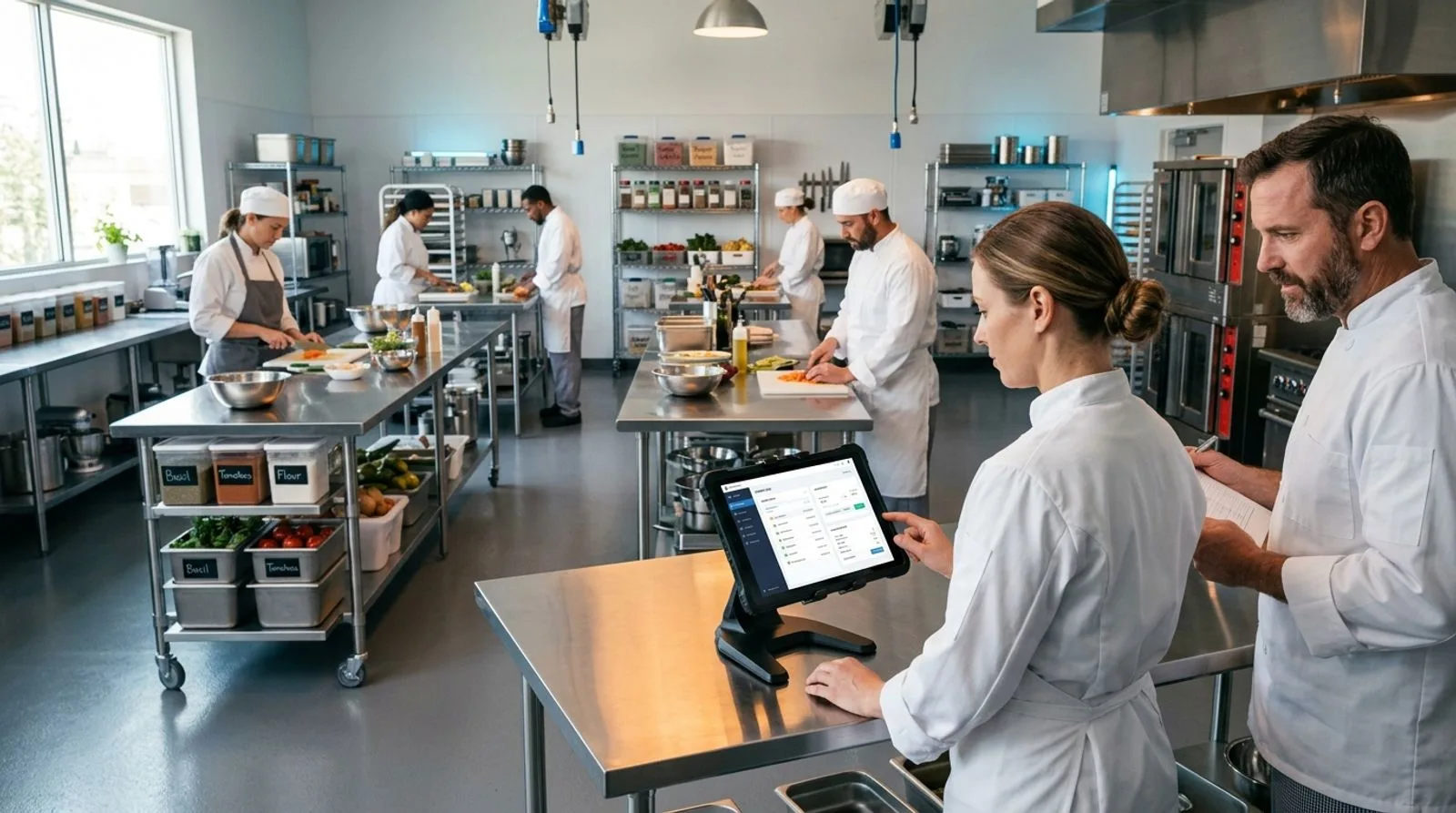
Team using digital software to coordinate production in a modern commissary kitchen

Published:Last updated:Author:Saro Loucks

BUYER'S GUIDE

How we evaluated commissary kitchen software

A commissary kitchen sits at the center of a demanding operating model. Ingredients arrive in bulk, teams convert them into recipes or components, and finished products move to restaurants, cafés, schools, delivery routes, events, or retail channels. Software must connect those steps without forcing managers to maintain separate spreadsheets for purchasing, recipes, production, inventory, costing, orders, and quality records. The best platform is therefore not simply a restaurant point-of-sale system or a generic task app; it is the system that reflects how a central kitchen actually plans, makes, packs, and distributes food.

We evaluated each product across five practical dimensions: production control, inventory and purchasing, recipe and cost management, order or distribution coordination, and usability and value. Scores are editorial assessments based on documented capabilities, market positioning, implementation demands, and suitability for common commissary models. Pricing changes frequently and many vendors sell by custom quote, so buyers should treat the figures and pricing labels below as planning guidance rather than binding offers. Request a proposal that separates subscription fees, setup, integrations, training, payment processing, devices, and ongoing support.

Our shortlist intentionally covers several types of commissary. FoodReady and Galley Solutions emphasize production and operational control; Apicbase and MarketMan connect recipes, food costs, purchasing, and stock; MarginEdge focuses on invoice and back-office automation; FoodStorm, Flex Catering, Spoonfed, CaterZen, and Total Party Planner are stronger where catering orders drive the kitchen. This variety matters because a meal-prep facility supplying five pickup locations has different requirements from a corporate caterer or a restaurant group producing sauces centrally. Start with your operating model, then choose the product category that removes the most expensive handoffs.

TOP 10 PLATFORMS

Software review

The 10 best commissary kitchen software platforms

A detailed comparison of platforms for central production, recipes, inventory, procurement, catering orders, food safety records, and distribution. The first-ranked product offers the broadest fit, while every entry has a distinct best-use case.

Reviewed by FoodReady Editorial Team · Food manufacturing, food safety, traceability, and operations software research

FoodReady
Unified food production, inventory, traceability, quality, and compliance workflows
9.5
Custom quote
Scope varies by facilities, users, and implementation
  • Web
  • iOS
  • Android
  • API
Galley Solutions
Culinary resource planning for recipe-driven food production
9.1
Custom quote
Enterprise scope and services determine cost
  • Web
  • API
Apicbase
Food and beverage management for recipes, procurement, inventory, and multi-site operations
8.9
Custom quote
Packages vary by modules and locations
  • Web
  • iOS
  • Android
  • API
MarketMan
Restaurant inventory and purchasing control for growing food businesses
8.7
Subscription plans
Request current pricing and onboarding details
  • Web
  • iOS
  • Android
  • API
FoodStorm
Catering order management with kitchen production visibility
8.6
Custom quote
Implementation and transaction needs may affect cost
  • Web
  • API
Flex Catering
End-to-end catering management for sales, production, delivery, and billing
8.5
Custom quote
Confirm regional availability and payment costs
  • Web
  • iOS
  • Android
Spoonfed
Online ordering and operations software for corporate catering
8.3
Custom quote
Packages depend on operation and service requirements
  • Web
  • API
MarginEdge
Invoice, food-cost, and back-office automation for restaurant operators
8.2
Per-location subscription
Check the vendor site for current monthly pricing
  • Web
  • iOS
  • Android
  • API
CaterZen
Catering CRM, ordering, marketing, production, and delivery tools
8.0
Subscription plans
Plans and optional services vary
  • Web
Total Party Planner
Event catering management for proposals, menus, staffing, production, and reporting
7.9
Subscription plans
Request current tiers, onboarding, and add-on costs
  • Web
Editor's pick

FoodReady

Unified food production, inventory, traceability, quality, and compliance workflows

  • Editor's Pick
  • Food operations
  • Traceability
9.5
Overall score
PricingCustom quote· Scope varies by facilities, users, and implementation
Platforms
  • Web
  • iOS
  • Android
  • API

FoodReady is the strongest all-around choice for commissary kitchens that need production execution and food-safety controls in the same environment. Teams can organize recipes and formulas, receiving, supplier records, lot-coded inventory, production activities, checks, corrective actions, and traceability instead of stitching together unrelated restaurant apps. That breadth is valuable for a central kitchen supplying stores or wholesale customers because managers can connect what was received, what was made, and where finished product went.

The differentiator is its food-industry focus. Rather than treating a batch as a generic work order, FoodReady supports operational records that matter to food businesses, including ingredient and finished-goods traceability, digital forms, label-related data, and audit evidence. Pricing is quote-based, and implementation scope depends on facilities, workflows, integrations, and services. It is best suited to growing multi-unit food businesses, commissaries, co-packers, prepared-food producers, and central kitchens where compliance and recall readiness are as important as cost and throughput.

Pros

  • Connects production, inventory, supplier, quality, and traceability workflows
  • Designed specifically for food manufacturing and food-service operations
  • Supports digital records, corrective actions, and audit-ready documentation
  • Appropriate for multi-site and higher-complexity commissary environments

Cons

  • Requires process mapping and implementation rather than instant self-service setup
  • Custom pricing makes an initial discovery call necessary
  • May be more platform than a very small catering kitchen needs

Scorecard

  • Production control
    9.6 / 10
  • Inventory & purchasing
    9.3 / 10
  • Recipes & costing
    9.2 / 10
  • Traceability & quality
    9.8 / 10
  • Usability & value
    9.4 / 10

Feature highlights

  • Lot-level ingredient and finished-product traceability
  • Digital production, receiving, inspection, and verification records
  • Recipe, inventory, supplier, and corrective-action workflows
  • Implementation and food-safety consulting services
Best for: Commissaries needing one food-specific platform for production, inventory, traceability, and quality

Visit FoodReady
#2

Galley Solutions

Culinary resource planning for recipe-driven food production

  • Culinary operations
  • Production planning
9.1
Overall score
PricingCustom quote· Enterprise scope and services determine cost
Platforms
  • Web
  • API

Galley Solutions positions its platform as culinary resource planning software, making it a natural fit for commissaries where recipes, ingredients, production plans, and purchasing must stay aligned. Its value comes from converting recipe demand into operational requirements. Culinary and operations teams can standardize recipe data, understand ingredient needs, coordinate purchasing, manage production information, and improve food-cost visibility from a shared source of truth.

That recipe-to-production orientation distinguishes Galley from catering CRMs that primarily capture events and orders. It is especially relevant to prepared-meal companies, contract food-service operators, institutional kitchens, and multi-location brands with a centralized culinary operation. Galley sells through a custom process rather than a simple public monthly plan, so prospective customers should ask how implementation, data migration, integrations, and support affect first-year cost. The product is best when management wants disciplined culinary data and scalable production planning, but organizations seeking a lightweight order form or event-sales pipeline may find a catering-first platform easier to deploy.

Pros

  • Strong connection between recipes, ingredients, purchasing, and production
  • Built around the needs of culinary and food-production teams
  • Useful for standardization across locations and high recipe volumes
  • Supports food-cost visibility and structured operational data

Cons

  • Pricing is not presented as a simple public self-service plan
  • Implementation may require significant recipe and ingredient data preparation
  • Less focused on event CRM than catering-specific competitors

Scorecard

  • Production control
    9.5 / 10
  • Inventory & purchasing
    9.0 / 10
  • Recipes & costing
    9.6 / 10
  • Orders & distribution
    8.4 / 10
  • Usability & value
    8.8 / 10

Feature highlights

  • Recipe and ingredient data management
  • Demand-informed production planning
  • Purchasing and food-cost visibility
  • Centralized culinary standards for distributed teams

Best for: Large recipe-driven commissaries, prepared-meal producers, and contract food-service operations

Visit Galley Solutions
#3

Apicbase

Food and beverage management for recipes, procurement, inventory, and multi-site operations

  • Multi-site
  • Recipe costing
8.9
Overall score
PricingCustom quote· Packages vary by modules and locations
Platforms
  • Web
  • iOS
  • Android
  • API

Apicbase is a food and beverage management platform built to centralize recipes, allergens, menu data, procurement, inventory, production planning, and business intelligence. For a commissary kitchen, its strongest capability is turning standardized recipes and forecast demand into actionable purchasing and production information while maintaining consistency across outlets. This helps restaurant groups and food-service companies reduce the disconnect between the central culinary team and the locations that consume its output.

The platform is particularly useful when recipe governance and multi-site control are the buying priorities. Operators can structure ingredient and supplier data, calculate recipe costs, monitor stock, and share controlled culinary information across the business. Apicbase uses quote-based pricing, with cost influenced by modules, locations, integrations, and onboarding requirements. Buyers should validate how central production transfers, unit conversions, local ordering, and accounting or point-of-sale integrations work in their exact configuration. It is best for established restaurant groups, hotels, ghost-kitchen networks, and institutional operators that can dedicate resources to clean master data and adoption.

Pros

  • Deep recipe, allergen, menu, and food-cost management
  • Strong multi-location purchasing and inventory capabilities
  • Centralizes culinary data for consistent execution
  • Broad integration and reporting potential

Cons

  • Can demand substantial data setup and process discipline
  • Custom pricing complicates quick budget comparison
  • May be excessive for a single small kitchen with limited recipes

Scorecard

  • Production control
    8.8 / 10
  • Inventory & purchasing
    9.2 / 10
  • Recipes & costing
    9.6 / 10
  • Orders & distribution
    8.2 / 10
  • Usability & value
    8.6 / 10

Feature highlights

  • Recipe, allergen, and menu engineering
  • Procurement and supplier management
  • Inventory counts and food-cost analysis
  • Multi-site analytics and integrations

Best for: Restaurant groups and food-service organizations needing centralized recipe and procurement control

Visit Apicbase
#4

MarketMan

Restaurant inventory and purchasing control for growing food businesses

  • Inventory
  • Purchasing
8.7
Overall score
PricingSubscription plans· Request current pricing and onboarding details
Platforms
  • Web
  • iOS
  • Android
  • API

MarketMan focuses on inventory, purchasing, supplier management, invoices, recipe costing, and food-cost analysis. A commissary can use it to monitor ingredient movement, standardize ordering, track price changes, and improve visibility into theoretical versus actual usage. For multi-unit restaurant businesses, the platform can help connect the central operation with the financial and inventory disciplines used at individual locations.

Its primary differentiator is an approachable restaurant-operations orientation rather than heavy manufacturing functionality. That can shorten the learning curve for culinary and finance teams already accustomed to restaurant terminology. MarketMan offers subscription-based commercial packages, but prospects should request current pricing because features, location count, onboarding, and integrations affect the final proposal. During a demonstration, test how the system handles commissary-to-store transfers, units of measure, partial yields, waste, and recipes that become sub-recipes elsewhere. MarketMan is best for small and midsize groups whose central kitchen challenge is controlling purchasing and food cost, not running highly regulated batch manufacturing.

Pros

  • Strong purchasing, inventory, invoice, and food-cost workflows
  • Restaurant-friendly interface and operating model
  • Recipe costing helps teams respond to ingredient price changes
  • Useful visibility across multiple locations

Cons

  • Not as deep in food-manufacturing quality workflows as specialist platforms
  • Final pricing depends on locations, package, and services
  • Complex central-production genealogy may require another system

Scorecard

  • Production control
    8.1 / 10
  • Inventory & purchasing
    9.4 / 10
  • Recipes & costing
    9.1 / 10
  • Orders & distribution
    8.2 / 10
  • Usability & value
    8.8 / 10

Feature highlights

  • Purchase orders and supplier management
  • Inventory counting and transfers
  • Invoice capture and price tracking
  • Recipe costing and food-cost analytics

Best for: Restaurant groups prioritizing commissary inventory, procurement, and food-cost control

Visit MarketMan
#5

FoodStorm

Catering order management with kitchen production visibility

  • Catering orders
  • Production reports
8.6
Overall score
PricingCustom quote· Implementation and transaction needs may affect cost
Platforms
  • Web
  • API

FoodStorm is catering management software for businesses that need to manage online ordering, customers, menus, payments, production requirements, and fulfillment. In a commissary environment, it is valuable when incoming catering orders are the primary demand signal. Instead of manually translating emails and order forms into kitchen counts, teams can consolidate orders and produce reports that communicate what must be prepared, packed, delivered, or collected.

The platform's distinction is its connection between customer-facing catering commerce and back-of-house execution. It suits grocery catering departments, corporate caterers, food-service companies, and commissaries processing a large number of scheduled orders. FoodStorm is sold by custom quote; buyers should clarify implementation, online ordering, integrations, payment services, and support when comparing total cost. It is less suitable as the sole system for detailed lot genealogy or advanced ingredient inventory, but it can be the operational front door for an order-led commissary. Ask vendors to demonstrate changes, cancellations, lead times, delivery zones, production summaries, labels, and consolidated orders across multiple pickup locations.

Pros

  • Connects online catering orders with production and fulfillment information
  • Handles customers, menus, payments, and scheduled orders
  • Well suited to grocery and high-volume catering operations
  • Reduces manual re-entry from sales to kitchen teams

Cons

  • Inventory and manufacturing traceability are not its central strengths
  • Custom pricing requires a sales consultation
  • May need integrations for accounting, procurement, or deeper production control

Scorecard

  • Production control
    8.6 / 10
  • Inventory & purchasing
    7.6 / 10
  • Recipes & costing
    8.0 / 10
  • Orders & distribution
    9.6 / 10
  • Usability & value
    9.0 / 10

Feature highlights

  • Online catering ordering and menu management
  • Consolidated production and packing reports
  • Customer, payment, pickup, and delivery workflows
  • Order changes and scheduled fulfillment coordination

Best for: Grocery, corporate, and multi-location commissaries driven by catering orders

Visit FoodStorm
#6

Flex Catering

End-to-end catering management for sales, production, delivery, and billing

  • Catering CRM
  • Delivery
8.5
Overall score
PricingCustom quote· Confirm regional availability and payment costs
Platforms
  • Web
  • iOS
  • Android

Flex Catering combines online ordering, customer relationship management, quoting, kitchen production information, delivery planning, invoicing, and reporting. For a catering-led commissary, that end-to-end workflow can replace disconnected spreadsheets used by sales, kitchen, dispatch, and finance. The system helps teams carry order details from inquiry through fulfillment while reducing the risk that menu changes or delivery instructions disappear during handoff.

Its differentiator is breadth across the catering lifecycle. A commissary serving offices, weddings, venues, or recurring corporate accounts can manage both commercial activity and operational output in one product. Pricing is provided through a vendor quote, and availability or integrations can vary by market, so buyers should confirm currency, payment processing, onboarding, support hours, and required add-ons. Flex Catering is best for established caterers whose central kitchen exists to fulfill event and delivery orders. It is not a substitute for specialized manufacturing traceability or advanced warehouse management, but it offers practical coordination where customer orders, production documents, dispatch, and billing need to stay synchronized.

Pros

  • Broad workflow from lead and quote through production, delivery, and invoice
  • Online ordering and CRM capabilities support revenue generation
  • Kitchen and delivery information comes from the same order record
  • Useful for recurring corporate and event catering

Cons

  • Not designed as a full manufacturing execution or traceability platform
  • Pricing and regional details require direct confirmation
  • Complex inventory control may require integrations or complementary tools

Scorecard

  • Production control
    8.6 / 10
  • Inventory & purchasing
    7.5 / 10
  • Recipes & costing
    8.0 / 10
  • Orders & distribution
    9.4 / 10
  • Usability & value
    8.9 / 10

Feature highlights

  • Catering CRM, proposals, and online ordering
  • Kitchen production reports and order documentation
  • Delivery planning and driver coordination
  • Invoices, payments, and business reporting

Best for: Full-service caterers coordinating sales, kitchen output, delivery, and billing

Visit Flex Catering
#7

Spoonfed

Online ordering and operations software for corporate catering

  • Corporate catering
  • Online ordering
8.3
Overall score
PricingCustom quote· Packages depend on operation and service requirements
Platforms
  • Web
  • API

Spoonfed is purpose-built for catering order management, with tools for online ordering, account customers, menu controls, production information, delivery, invoicing, and reporting. It fits commissaries serving offices, universities, venues, and recurring business clients because it can capture structured orders without relying on long email threads. Kitchen teams gain clearer demand information, while administrators can manage customer accounts and financial workflows.

The strongest differentiator is specialization in corporate catering rather than broad restaurant management. This matters when orders include delivery windows, purchase-order numbers, customer-specific terms, repeating selections, or account billing. Spoonfed generally provides pricing through consultation, so request a complete quote covering onboarding, payment arrangements, integrations, and support. Prospective users should test menu cutoff rules, modifiers, allergen communication, order amendments, consolidated prep information, route details, and invoicing in a live demonstration. Spoonfed is a compelling choice for caterers with predictable B2B volume, but commissaries focused on wholesale production, complex inventory, or lot-level traceability will likely need a separate operational system.

Pros

  • Specialized workflows for corporate and account-based catering
  • Online ordering reduces manual order entry
  • Connects customer, production, delivery, and invoice information
  • Supports repeat business and structured client relationships

Cons

  • Less appropriate for wholesale manufacturing or deep warehouse control
  • Public self-service pricing is limited
  • May need separate recipe, purchasing, or traceability systems

Scorecard

  • Production control
    8.3 / 10
  • Inventory & purchasing
    7.2 / 10
  • Recipes & costing
    7.8 / 10
  • Orders & distribution
    9.3 / 10
  • Usability & value
    8.8 / 10

Feature highlights

  • B2B online ordering and account management
  • Menu availability, modifiers, and order controls
  • Kitchen, delivery, and fulfillment reporting
  • Invoices, payments, and management reporting

Best for: Corporate caterers and institutional food-service teams managing recurring account orders

Visit Spoonfed
#8

MarginEdge

Invoice, food-cost, and back-office automation for restaurant operators

  • Invoice automation
  • Food cost
8.2
Overall score
PricingPer-location subscription· Check the vendor site for current monthly pricing
Platforms
  • Web
  • iOS
  • Android
  • API

MarginEdge automates invoice processing and connects purchasing data with recipes, inventory, food-cost reporting, accounting, and restaurant operations. For a commissary, its practical advantage is reducing the administrative work required to enter invoices and understand ingredient price movement. Managers can get more timely cost information and pass clean financial data to accounting instead of waiting for manual spreadsheet updates.

Unlike production-centric platforms, MarginEdge begins with back-office data. Its invoice capture service and restaurant accounting integrations make it particularly attractive to operators burdened by high invoice volume. The company has historically promoted transparent per-location subscription pricing, although buyers should confirm the current rate and what services or integrations are included. During evaluation, verify how the product represents a central kitchen, handles transfers to operating units, maps commissary revenue or cost allocations, and supports recipe yields. MarginEdge is best for restaurant groups and commissaries whose immediate problem is invoice entry, purchasing visibility, and food-cost control; it should complement rather than replace specialized production and quality systems.

Pros

  • Reduces manual invoice entry and improves price visibility
  • Strong accounting and restaurant-technology integration ecosystem
  • Useful recipe and food-cost reporting
  • More transparent pricing approach than many enterprise vendors

Cons

  • Not a complete production execution platform
  • Lot genealogy and advanced quality workflows require another system
  • Central-kitchen transfer accounting needs careful configuration

Scorecard

  • Production control
    7.3 / 10
  • Inventory & purchasing
    9.1 / 10
  • Recipes & costing
    8.8 / 10
  • Orders & distribution
    7.5 / 10
  • Usability & value
    8.9 / 10

Feature highlights

  • Invoice capture and line-item digitization
  • Food-cost, purchasing, and price analytics
  • Recipe costing and inventory support
  • Accounting and point-of-sale integrations

Best for: Restaurant groups seeking to automate commissary invoices and improve food-cost visibility

Visit MarginEdge
#9

CaterZen

Catering CRM, ordering, marketing, production, and delivery tools

  • Sales & marketing
  • Catering operations
8.0
Overall score
PricingSubscription plans· Plans and optional services vary
Platforms
  • Web

CaterZen combines catering CRM, online ordering, proposals, customer communication, kitchen documents, delivery management, invoicing, and marketing automation. Its appeal for a commissary is strongest when growth and operational consistency are equally important. Sales teams can nurture customers and capture orders, while kitchen and delivery staff work from the corresponding production and fulfillment details.

The differentiator is CaterZen's emphasis on catering sales and repeat business alongside execution. That can suit restaurant catering divisions and independent caterers that need more than a kitchen production report. The vendor offers packaged subscriptions, but prospects should verify current plan limits, setup charges, payment processing, texting, marketing services, and integrations before budgeting. In a demonstration, test recurring customers, quotes, menu packages, modifiers, production quantities, delivery instructions, driver workflows, and last-minute changes. CaterZen is best for small and midsize catering businesses seeking one commercial and operational toolkit. A high-volume food manufacturer or commissary requiring sophisticated ingredient traceability will need deeper production software.

Pros

  • Combines catering CRM, marketing, ordering, and fulfillment
  • Supports repeat-customer development and sales follow-up
  • Creates kitchen and delivery information from order records
  • Packaged subscription approach can suit smaller operators

Cons

  • Manufacturing, warehouse, and traceability depth is limited
  • Some advanced services may increase total cost
  • Less suitable for complex multi-stage food production

Scorecard

  • Production control
    8.0 / 10
  • Inventory & purchasing
    7.0 / 10
  • Recipes & costing
    7.7 / 10
  • Orders & distribution
    9.0 / 10
  • Usability & value
    8.5 / 10

Feature highlights

  • Catering CRM and automated marketing
  • Online ordering, proposals, and payments
  • Kitchen production documents
  • Delivery and customer communication tools

Best for: Independent caterers and restaurant catering divisions focused on sales and fulfillment

Visit CaterZen
#10

Total Party Planner

Event catering management for proposals, menus, staffing, production, and reporting

  • Event catering
  • Established platform
7.9
Overall score
PricingSubscription plans· Request current tiers, onboarding, and add-on costs
Platforms
  • Web

Total Party Planner is established catering management software covering leads, clients, proposals, menus, event details, kitchen production information, staffing, rentals, payments, and reports. It can serve as the system of record for a commissary that produces food primarily for weddings, social events, venues, and corporate functions. Structured event records reduce the risk of sales promises becoming disconnected from culinary and service requirements.

Its key differentiator is event depth. Where an inventory platform sees demand as quantities and dates, Total Party Planner also captures service timelines, equipment, staffing, room or venue information, and client communications. The company sells subscription plans, with final costs influenced by tier, users, setup, and optional capabilities; confirm current pricing directly. Buyers should evaluate proposal workflows, menu costing, production reports, packing documents, staffing, changes, and event profitability. It is best for event caterers with a central production kitchen and complex service requirements, but it is not designed to be the primary system for advanced procurement, warehouse management, or end-to-end ingredient traceability.

Pros

  • Detailed event, proposal, menu, staffing, and rental workflows
  • Links sales records to kitchen and service requirements
  • Suitable for complex weddings, venues, and social events
  • Provides operational and financial reporting for caterers

Cons

  • Inventory and procurement capabilities are not the primary focus
  • Interface and setup should be tested against modern usability expectations
  • Food-manufacturing quality and traceability require complementary tools

Scorecard

  • Production control
    8.1 / 10
  • Inventory & purchasing
    6.9 / 10
  • Recipes & costing
    7.9 / 10
  • Orders & distribution
    8.9 / 10
  • Usability & value
    8.0 / 10

Feature highlights

  • Lead, customer, proposal, and event management
  • Menu, kitchen, packing, and event documents
  • Staffing, rentals, payments, and schedules
  • Event profitability and management reports

Best for: Event-focused commissaries managing weddings, venues, staffing, and complex service details

Visit Total Party Planner

Scores are editorial assessments, not vendor certifications. Pricing and capabilities can change; request a current demonstration and written proposal.

"You do not rise to the level of your goals. You fall to the level of your systems."

James Clear
Author of Atomic Habits
SELECTION FRAMEWORK

How to choose software for a commissary kitchen

Begin with the flow of demand. If most work starts as catering orders, demonstrate the entire sequence from online order or proposal through changes, production quantities, packing, delivery, and invoicing. If stores replenish from a central kitchen, focus instead on location ordering, demand consolidation, recipe explosion, intercompany or inter-location transfers, pick lists, and proof of receipt. A prepared-food manufacturer should prioritize batch records, lot identification, yield, labels, quality checks, and recall retrieval. A product that performs brilliantly in one model can create expensive gaps in another.

Next, build a realistic scripted demonstration. Give every vendor the same scenario: receive an ingredient in two units of measure; update its price; use it in a sub-recipe; produce a partial batch; record yield and waste; pack two finished formats; allocate output to three destinations; change one order after production begins; and retrieve the related supplier, production, and shipment records. Ask the vendor to complete the scenario in the live product rather than a slide deck. Count manual entries, exports, workarounds, and places where employees must remember a rule.

Finally, calculate first-year and steady-state cost. Include subscription fees, implementation, recipe and supplier data migration, interfaces, payment fees, devices, label printers, training, internal project time, and support. Then quantify expected benefits: fewer invoice-entry hours, lower ingredient variance, faster production planning, reduced waste, fewer missed order changes, improved on-time fulfillment, and faster record retrieval. Choose the smallest coherent system that controls your highest-risk handoffs while leaving a credible path for growth.

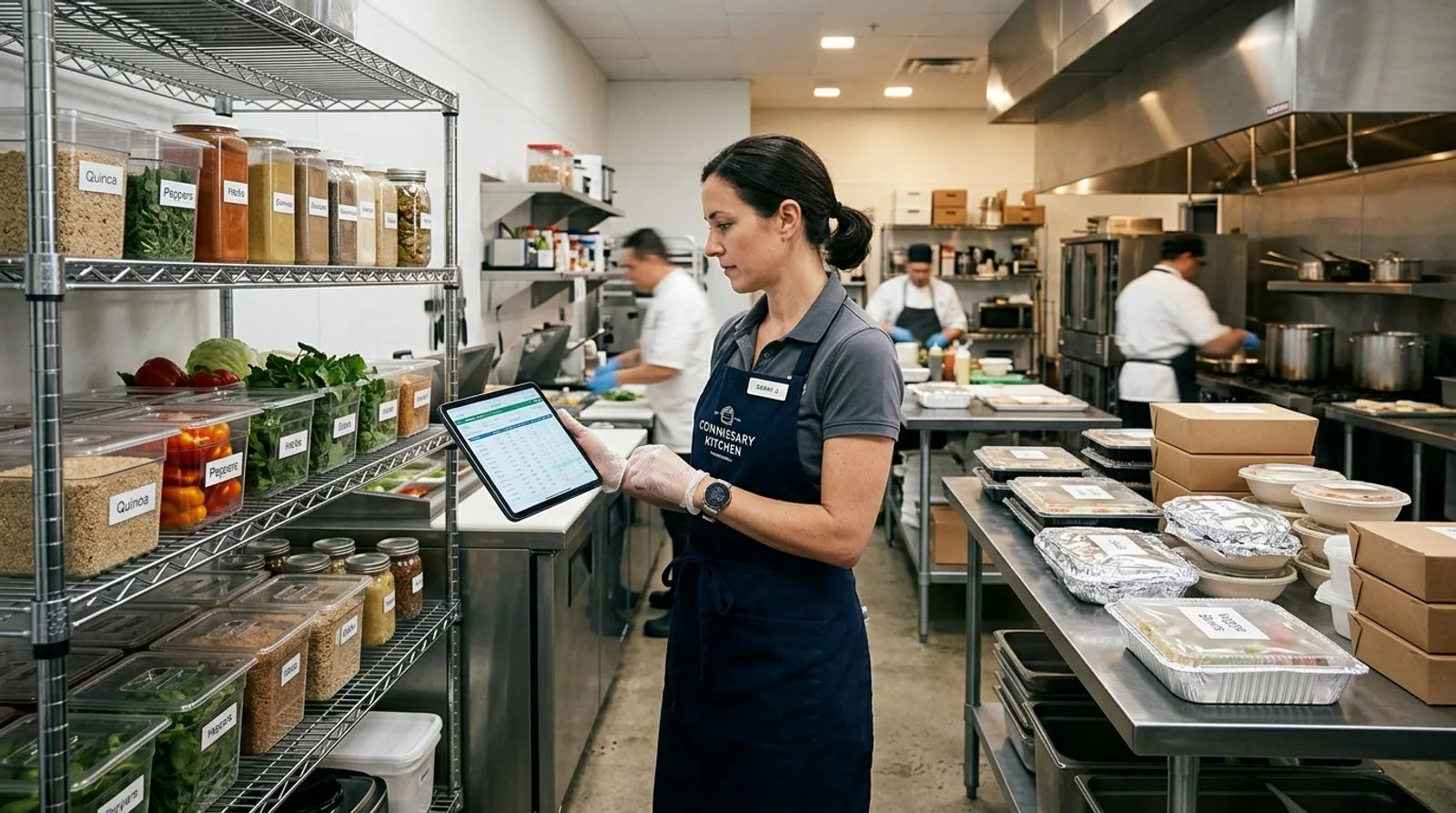
Commissary kitchen manager reviewing production and inventory data on a tablet
VENDOR DEMO CHECKLIST

Require vendors to prove the complete commissary workflow

Ask each shortlisted vendor to use your recipes, units, order types, destinations, and approval rules in a scripted session. The demonstration should show demand consolidation, purchasing, receiving, recipe or sub-recipe updates, production quantities, yield and waste, packing, transfers or delivery, and management reporting. Include an incorrect delivery, an ingredient substitution, and a late order change. A credible system should preserve who changed what, when it changed, and which downstream records were affected—without rebuilding the workflow in spreadsheets.

FINAL RECOMMENDATIONS

Match the platform to the constraint you need to remove

There is no single commissary platform that leads every category because the market includes production systems, restaurant inventory tools, culinary planning platforms, and catering management suites. FoodReady earns our top overall ranking because it addresses the broad operational chain and adds food-specific traceability and quality controls. Galley Solutions is particularly compelling for sophisticated recipe-driven production, while Apicbase offers strong recipe, procurement, and multi-site governance. MarketMan and MarginEdge make sense when purchasing discipline, invoice automation, and food-cost visibility offer the fastest financial return.

For order-led operations, make the buying decision closer to the customer workflow. FoodStorm fits grocery and high-volume catering; Flex Catering supports a broad sales-to-delivery process; Spoonfed specializes in corporate accounts; CaterZen combines catering operations with marketing; and Total Party Planner handles detailed event requirements. Do not choose among these products from a feature checklist alone. Run the same changed-order scenario in every demonstration and include the kitchen employee, dispatcher, salesperson, finance lead, and general manager in scoring.

The most successful implementation starts before configuration. Standardize item names, units of measure, recipe yields, destination codes, supplier identifiers, and ownership rules. Select a process owner with authority to resolve cross-functional decisions, pilot one meaningful product family or order channel, and define adoption metrics such as inventory variance, planning time, waste, late changes, fulfillment errors, and record-retrieval time. Software creates leverage only when the underlying operating rules are clear; a disciplined pilot reveals those rules and produces a repeatable rollout plan.

COMMON QUESTIONS

Commissary kitchen software FAQ

Practical answers for operators comparing production, inventory, culinary, and catering platforms.

What is commissary kitchen software?

Commissary kitchen software coordinates the work performed in a centralized food-production facility. Depending on the product, it may manage recipes, ingredient purchasing, receiving, inventory, production quantities, yields, food-cost calculations, catering orders, packing, transfers, delivery, traceability, quality checks, and reporting. The category is broader than restaurant point-of-sale software because the central kitchen often produces components or finished food for several destinations. It is also broader than a simple checklist app because demand, ingredients, recipes, output, and fulfillment must remain connected. Buyers should select a platform according to whether their operation is production-led, inventory-led, catering-led, or compliance-led.

Which platform is best for a multi-location restaurant commissary?

The best choice depends on the commissary's primary bottleneck. FoodReady is a strong overall candidate when production, inventory, traceability, and quality need to work together. Apicbase can fit restaurant groups that prioritize centralized recipes, allergens, procurement, and multi-site visibility. MarketMan is attractive when purchasing, inventory, and food-cost control are the central issues, while MarginEdge can reduce invoice-entry effort and improve cost reporting. Demonstrate location ordering, consolidated demand, production, transfers, receiving at stores, unit conversions, and financial allocation before choosing. A familiar restaurant interface is helpful, but it should not come at the expense of central-production control.

Can catering software run a commissary kitchen?

Catering software can run the order-to-fulfillment side of a commissary when most demand originates from events, corporate orders, grocery catering, or scheduled delivery. FoodStorm, Flex Catering, Spoonfed, CaterZen, and Total Party Planner can translate customer orders into kitchen and delivery information. However, catering systems may not provide deep ingredient inventory, lot genealogy, production yield, supplier quality, or complex recipe planning. Many operators pair a catering platform with accounting, inventory, or food-production software. Before buying, identify which application will own customers, menus, recipes, inventory, production status, invoices, and traceability so employees do not maintain conflicting records.

What integrations should commissary kitchen software support?

Common integrations include accounting platforms, point-of-sale systems, e-commerce or online ordering, payment gateways, supplier catalogs, invoice capture, payroll or scheduling, business intelligence, label printing, delivery routing, and enterprise resource planning. Integration value depends on data ownership and timing. A nightly sales summary may be sufficient for reporting but too late for production planning. Ask which records move in each direction, how frequently they sync, how errors are surfaced, and who supports the connector. Include integration setup, middleware, transaction fees, and maintenance in the proposal rather than assuming every logo on a marketplace page represents a turnkey connection.

How much does commissary kitchen software cost?

Costs range from relatively accessible per-location restaurant subscriptions to substantial custom implementations for multi-facility production platforms. The license is only one part of total cost. Budget for onboarding, recipe and ingredient cleanup, supplier data, user training, integrations, mobile devices, printers, payment processing, reporting, and internal project time. Ask vendors for first-year and renewal-year totals under realistic growth assumptions. A less expensive product can cost more if employees keep shadow spreadsheets or manually reconcile disconnected systems. Conversely, a comprehensive enterprise platform may not be justified for a small kitchen with one order channel and limited production complexity.

How long does implementation take?

A focused restaurant or catering application can sometimes be configured in weeks, while a broader production, inventory, traceability, and integration program may require several months. Timeline depends on data quality, recipe count, locations, interfaces, process decisions, and staff availability more than software installation. Reduce risk by piloting one product family, destination group, or catering channel with enough complexity to expose real issues. Define acceptance tests before configuration, assign data owners, and reserve time for floor-level training. Avoid launching during the busiest seasonal period, and keep a controlled cutover plan for open orders, current inventory, and supplier deliveries.

Which metrics should we track after launch?

Track outcomes tied to the reason for buying. Useful measures include production-planning time, purchase-order cycle time, invoice-entry hours, inventory variance, ingredient waste, recipe-cost variance, actual versus expected yield, order-change errors, on-time fulfillment, stockouts, transfer discrepancies, and time required to retrieve production or distribution records. Add adoption indicators such as the percentage of orders entered through the intended channel and the percentage of required records completed on time. Compare a four- to eight-week baseline with results after stabilization; do not judge the system only by login counts or the number of digital forms created.

How should a commissary prepare data before migration?

Start with ingredients, recipes, units of measure, yields, suppliers, destinations, customers, and chart-of-account mappings. Remove duplicate item names, define conversion rules, decide which unit controls purchasing and which controls recipes, and verify sub-recipes. Assign an owner to every data domain and document approval rules for future changes. Migrate active information first instead of carrying years of obsolete products into the new system. Test several recipes end to end, including partial batches, substitutions, waste, and different pack sizes. Clean data is not merely an IT concern; it determines whether purchasing, costing, production, and reporting can be trusted.

Should a small commissary buy an all-in-one platform?

Not always. A small catering kitchen may get more value from an order-management product connected to accounting than from a broad production suite. A growing prepared-food business with wholesale customers, multiple destinations, or demanding traceability requirements may outgrow that arrangement quickly. Map the highest-cost handoffs and select the smallest coherent system that controls them. Favor products with export access, documented integrations, and an upgrade path. If two applications are necessary, define which one owns each core record and eliminate duplicate entry through an integration or a tightly governed procedure.

What should be included in a software demonstration?

Use your own scenario rather than accepting a generic tour. Include an ingredient bought by the case but consumed by weight, a sub-recipe used in several finished items, a price change, a partial production run, yield loss, two pack sizes, three destinations, a late order amendment, and a returned or rejected delivery. Ask the vendor to show planning, execution, user permissions, change history, exception handling, reporting, and integration monitoring. Have frontline employees score the number of steps and clarity of the screens. Request references from businesses with a comparable production and distribution model, not merely a similar company size.

Written by

saro loucks

Saro Loucks

Saro Loucks is the Director of Content and a Food Safety Advisor for FoodReady. Saro is certified in HACCP and a trained SQF Practitioner. When Saro is not editing, writing, or advising new customers on what food safety goals they should pursue, she enjoys spending time with her family, baking gluten-free sourdough bread, and playing Mahjong.

Get a demo

Speak with our Expert Consultants

15–30 minutes. We map FoodReady to your process, plug in your real HACCP plan, and show you the auditor view before the call ends.

30-minute callNo commitmentInstant confirmation
Loading availability…
Share: