8 Best USDA Compliance Software for Food Manufacturing

Compare the top USDA compliance software systems for food manufacturing. Evaluate pricing, features, pros, cons, and lot traceability capabilities.

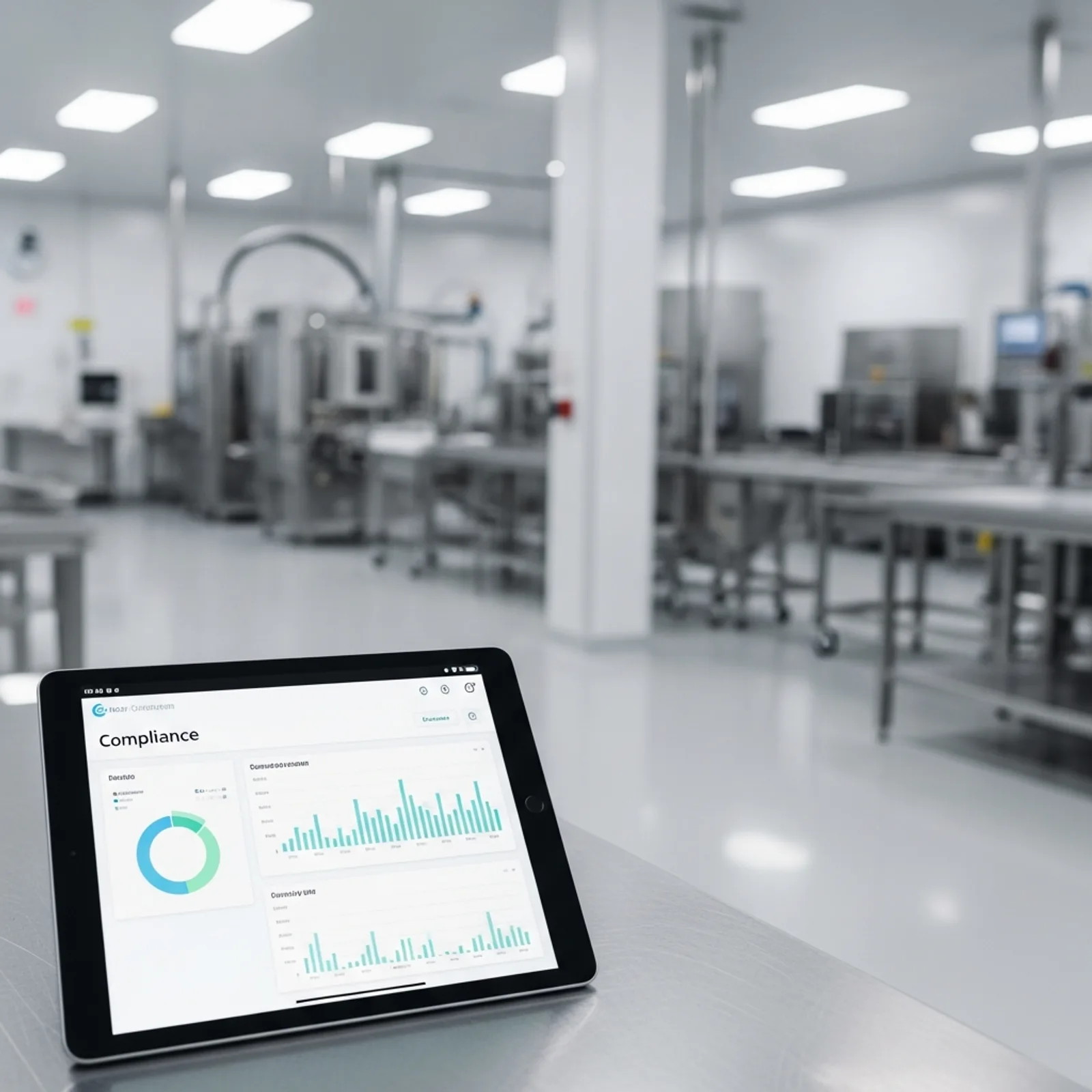
Modern food manufacturing facility with digital compliance dashboard on a tablet, clean and professional style

Published:Last updated:Author:Dave Seddon

Food manufacturing companies that operate under USDA oversight face strict expectations for food safety documentation, lot traceability, sanitation records, HACCP monitoring, corrective actions, and audit readiness. For meat, poultry, egg products, and other USDA-regulated operations, compliance is not something that can be prepared for only before an audit. It has to be managed every day, across receiving, production, quality assurance, inventory, shipping, and recordkeeping.

That is why many food manufacturers are moving away from paper logs, spreadsheets, shared folders, and disconnected systems. These manual methods can work for a small operation for a limited time, but they often become difficult to manage as production grows. Missing records, delayed corrective actions, incomplete lot tracking, and slow recall exercises can create serious risks during USDA inspections, customer audits, SQF audits, BRCGS audits, and internal food safety reviews.

USDA compliance software helps food manufacturers digitize and organize the records, workflows, and operational data needed to maintain compliance. Depending on the platform, this may include HACCP plans, sanitation standard operating procedures, pre-op inspections, CCP monitoring, supplier documentation, training records, CAPA workflows, document control, lot traceability, inventory tracking, production records, and recall management.

However, not every system labeled as compliance software is built the same way. Some platforms are primarily quality management systems. Others are ERP platforms with inventory and production features. Some are document-control tools, while others combine quality, traceability, inventory, and manufacturing operations into one system. Choosing the right software depends on your facility size, products, USDA requirements, audit pressure, traceability needs, budget, and internal technical resources.

This guide compares the best USDA compliance software for food manufacturing companies in 2026 and explains where each platform fits best.

What Is USDA Compliance Software?

USDA compliance software is a digital system that helps food manufacturers manage the records, procedures, and operational controls needed to meet USDA food safety and inspection expectations.

For USDA-regulated facilities, this can include support for:

  • HACCP plans and hazard analysis records
  • Critical control point monitoring
  • Sanitation SOPs and pre-operational inspections
  • Corrective actions and nonconformance tracking
  • Lot traceability and recall readiness
  • Supplier approval and ingredient documentation
  • Training records and employee sign-offs
  • Audit preparation and document control
  • Production, inventory, and shipping records
  • Digital signatures and time-stamped records

The main purpose of USDA compliance software is to make food safety records easier to complete, verify, retrieve, and defend during inspections or audits. Instead of relying on binders, spreadsheets, or manual filing systems, food manufacturers can use software to centralize compliance documentation and connect it to real production activity.

This is especially important for companies that need fast access to records during USDA inspection, customer audits, third-party certification audits, mock recalls, or product investigations.

Why USDA-Regulated Food Manufacturers Need Better Compliance Systems?

USDA-regulated food manufacturers often operate in environments where documentation must be accurate, complete, and available on short notice. A missed sanitation record, incomplete CCP log, delayed corrective action, or weak lot trace can create compliance concerns and increase operational risk.

Paper-based systems make this harder because records are usually created in one place, reviewed in another, and stored somewhere else. Quality managers may need to collect forms from the production floor, check handwriting, verify signatures, enter data into spreadsheets, scan documents, and organize binders before an audit. This process takes time and can leave gaps.

A digital USDA compliance system can improve this process by helping teams:

  • Capture records directly on the production floor
  • Reduce missing or incomplete documentation
  • Standardize checklists and inspections
  • Trigger corrective actions when deviations occur
  • Connect quality records with inventory and production lots
  • Retrieve records quickly during audits
  • Improve mock recall speed and accuracy
  • Maintain stronger control over documents and approvals

For many food manufacturers, the goal is not only to “go paperless.” The bigger goal is to build a system where compliance records reflect what is actually happening in production, inventory, quality, sanitation, and shipping.

Key Use Cases for USDA Compliance Software

Different buyers search for USDA compliance software for different reasons. Some need help preparing for inspections. Others need stronger lot traceability, better document control, or a replacement for paper-based quality systems. Before comparing platforms, it helps to clarify which use cases matter most for your facility.

1. HACCP and CCP Monitoring

USDA-regulated facilities need reliable systems for HACCP documentation, CCP monitoring, verification, corrective actions, and record review. The right software should make it easy for operators and quality teams to complete checks accurately and escalate deviations when limits are not met.

2. Sanitation and Pre-Operational Inspections

Sanitation records, SSOPs, pre-op inspections, and environmental or hygiene checks are often reviewed closely during inspections and audits. Software can help standardize forms, require signatures, attach photos, document findings, and track corrective actions.

3. Lot Traceability and Recall Management

Traceability is one of the most important software requirements for food manufacturers. A strong system should connect raw materials, suppliers, production batches, finished goods, inventory movements, and shipments. This helps teams complete mock recalls faster and identify affected lots during a real product issue.

4. Audit and Inspection Readiness

USDA inspections, customer audits, SQF audits, BRCGS audits, and internal audits all require fast access to accurate records. Compliance software should help organize documents, show completed records, track open issues, and reduce the amount of time spent preparing for audits.

5. Corrective Actions and CAPA

When a deviation, nonconformance, complaint, or audit finding occurs, the software should help document the issue, assign responsibility, investigate root cause, complete corrective actions, verify effectiveness, and maintain a clear audit trail.

6. Supplier and Ingredient Documentation

Food manufacturers need to manage supplier approvals, certificates of analysis, letters of guarantee, allergen statements, specifications, and other documentation. Software can help centralize supplier records and reduce the risk of expired or missing documents.

7. Document Control and Training

SOPs, HACCP plans, work instructions, and policies need version control, approvals, and employee training records. A good system should help ensure that employees are trained on the correct versions of procedures and that obsolete documents are removed from use.

How We Evaluated the Best USDA Compliance Software

The platforms in this guide were evaluated based on how well they support the needs of food manufacturing companies operating in USDA-regulated or audit-heavy environments.

The most important evaluation criteria included:

Compliance Management

We looked at whether each platform supports HACCP records, sanitation checks, audit preparation, document control, training, corrective actions, and food safety workflows.

Traceability and Recall Readiness

We considered how well each system connects supplier, inventory, production, batch, and shipping data. Platforms with stronger lot genealogy and mock recall capabilities received higher scores.

Fit for Food Manufacturing

Some systems are built for general quality management, while others are better suited for food and beverage production. We prioritized platforms that can support real food manufacturing operations, not only document storage.

Ease of Use

Compliance software is only effective if operators, supervisors, quality teams, and managers can use it consistently. We considered user experience, mobile access, floor-level data collection, and implementation complexity.

Implementation and Total Cost of Ownership

Software cost is not limited to the subscription fee. We also considered implementation time, configuration needs, integration costs, internal IT requirements, and the long-term burden of maintaining the system.

Operational Integration

USDA compliance depends on more than quality documents. Inventory, production, suppliers, sanitation, and shipping often need to be connected. Platforms that reduce data silos and manual duplicate entry were rated more favorably.

What to Look for in USDA Compliance Software

Before choosing a platform, food manufacturers should look beyond a basic feature list. The right system should match the way your facility actually operates.

At minimum, USDA compliance software should help you manage food safety records, audit documentation, corrective actions, and traceability. For growing manufacturers, it should also connect with production and inventory workflows so that compliance data is captured as part of normal operations.

Important features to consider include:

  • HACCP and food safety plan management
  • Digital checklists and production-floor forms
  • CCP monitoring and deviation workflows
  • CAPA and nonconformance management
  • Lot tracking and mock recall reporting
  • Inventory and batch record integration
  • Supplier approval and document management
  • Training records and document control
  • Mobile access for operators and QA teams
  • Digital signatures and audit trails
  • Reporting dashboards and audit preparation tools
  • ERP, accounting, or warehouse system integrations

A smaller food manufacturer may only need document control, checklists, and basic traceability. A larger or faster-growing operation may need a more complete platform that connects quality, inventory, production, suppliers, and shipping in one system.

Quick Comparison: Types of USDA Compliance Software

Not all USDA compliance software falls into the same category. Most platforms fit into one of four groups.

Quality Management Software

QMS platforms are strong for document control, CAPA, audits, training, and compliance workflows. They are often a good fit for companies that already have inventory or ERP systems in place. However, pure QMS platforms may require integrations to support complete lot traceability.

ERP Software

ERP systems are strong for finance, inventory, purchasing, and production planning. They can support traceability, but their quality and food safety features may need customization or add-ons. ERP platforms are often expensive and complex to implement.

MES or Manufacturing Operations Software

MES platforms help manage shop floor activity, production data, equipment, and process control. They can be useful for high-volume manufacturers, but they may not always provide the best document control or audit management experience.

Unified Food Manufacturing Platforms

Unified platforms combine quality, inventory, production, traceability, and compliance workflows. These systems are often a strong fit for mid-market food manufacturers that want to reduce separate software tools and manage compliance as part of daily operations.

Software Review

2026 Comparison

8 Best USDA Compliance Software for Food Manufacturing (2026)

A side-by-side look at the top platforms for USDA, SQF, and HACCP compliance, ranked by depth, speed of implementation, and total cost of ownership.

Reviewed by Marcus Vance · ASQ CQE, ISO Lead Auditor · 15 years food safety software evaluation

Editor's pick
Modern food manufacturing facility with digital compliance dashboard on a tablet, clean and professional style

FoodReady

AI-powered manufacturing management software unifying quality, inventory, and production.

  • USDA Compliant
  • AI-Powered
  • Unified Platform
9.6
Overall score
Pricing$40K–75K / yr· Professional tier subscription (excludes implementation)
Platforms
  • Web
  • iOS
  • Android
  • API

FoodReady is an AI-powered USDA compliance software platform designed specifically to unify quality, inventory, production, and supply chain operations for mid-market food manufacturing companies. Founded in 2020, the cloud-based SaaS platform has been deployed across approximately 400 manufacturing sites globally, helping organizations transition from fragmented legacy systems to a single, cohesive digital ecosystem. By eliminating the need for separate quality management systems (QMS), enterprise resource planning (ERP) software, and manufacturing execution systems (MES), FoodReady saves food manufacturing companies between $50,000 and $150,000 annually in integration and maintenance costs.

The core differentiator of the FoodReady USDA compliance software system is its deep, native integration across all operational modules. When a raw material is received, the system automatically captures supplier certificates of analysis (COA), records storage temperatures, and assigns unique barcode labels. As inventory moves through the production floor, the software tracks lot genealogy in real time, ensuring complete compliance with USDA and FSMA 204 traceability standards. In the event of an audit or a mock recall, FoodReady allows quality assurance teams to generate a comprehensive bi-directional lot trace report in under thirty minutes—a process that typically takes hours or days using manual spreadsheets.

FoodReady also features advanced AI-assisted root cause analysis to streamline corrective and preventive action (CAPA) workflows. When a critical control point (CCP) deviation or nonconformance is logged, the platform's built-in AI analyzes historical quality data to suggest potential root causes and corrective actions, reducing CAPA cycle times by up to 65% and repeat nonconformances by 60%. Additionally, the software provides offline-capable mobile applications for iOS and Android, allowing floor operators to complete pre-operational sanitation checklists, record metal detector checks, and capture digital signatures directly at the line, even in facilities with limited connectivity.

Pros

  • Unified quality, inventory, production, and supply chain in a single cloud platform
  • Automated lot traceability and mock recalls completed in under 30 minutes
  • AI-assisted root cause analysis for rapid CAPA resolution
  • Native USDA, SQF, and HACCP compliance templates built-in

Cons

  • Newer platform (founded 2020) with a smaller install base than legacy ERPs
  • Financial accounting requires integration with QuickBooks or Sage

Scorecard

  • Compliance
    9.8 / 10
  • Traceability
    9.7 / 10
  • Ease of Use
    9.4 / 10
  • Value
    9.5 / 10

Feature highlights

  • Real-time lot genealogy and instant recall management
  • Mobile-native floor inspections and digital signature capture
  • Automated preventive maintenance and calibration scheduling
  • Supplier portal for COA/COC document collection

Best for: Mid-market food manufacturing companies needing unified operations and compliance.

See FoodReady
#2
ETQ Reliance

ETQ Reliance

Enterprise-grade quality management software with deep compliance workflows.

  • Enterprise QMS
  • USDA Ready
8.8
Overall score
Pricing$80K–200K / yr· Subscription only; implementation extra
Platforms
  • Web

ETQ Reliance is a highly mature, enterprise-grade USDA compliance software system that has been a staple in regulated industries for over three decades. The platform is renowned for its deep compliance workflows and highly configurable form builder, making it an attractive option for large food manufacturing companies with complex, multi-site operations. ETQ Reliance excels at document control, employee training tracking, and advanced CAPA management, providing a robust framework for maintaining USDA and GFSI compliance.

However, ETQ Reliance is a pure QMS platform, meaning it lacks native inventory, production scheduling, and warehouse management capabilities. Food manufacturing companies using ETQ must invest significant time and capital into integrating the software with their existing ERP and MES systems to achieve end-to-end lot traceability. This separation of quality and operations data often leads to data silos and delayed visibility into shop floor events. Additionally, ETQ Reliance is associated with a high total cost of ownership, with annual subscriptions ranging from $80,000 to $200,000, plus substantial implementation fees. The deployment process is also lengthy, often taking six to twelve months and requiring dedicated internal IT resources to configure and maintain the system.

Pros

  • Highly configurable forms and workflow automation engine
  • Extensive library of pre-built quality modules
  • Strong document control and employee training tracking

Cons

  • High total cost of ownership and long deployment timelines
  • Requires separate integrations for inventory and production floor data

Scorecard

  • Compliance
    9.2 / 10
  • Traceability
    8.0 / 10
  • Ease of Use
    7.5 / 10
  • Value
    7.8 / 10

Feature highlights

  • Configurable CAPA and nonconformance workflows
  • Centralized audit management and scheduling
  • Advanced reporting and compliance dashboards

Best for: Large enterprise food manufacturers with dedicated IT teams needing pure QMS.

Learn More
#3
MasterControl

MasterControl

Document-centric quality management software for highly regulated environments.

  • Document Control
  • USDA Compliant
8.5
Overall score
Pricing$60K–150K / yr· Per-module pricing structure
Platforms
  • Web

MasterControl is a document-centric USDA compliance software system widely utilized in highly regulated environments, including pharmaceuticals, medical devices, and large-scale food manufacturing. The platform's primary strength lies in its battle-tested document control and training management modules, which ensure that all standard operating procedures (SOPs) and HACCP plans are properly routed, approved, and signed using compliant electronic signatures. MasterControl's training module automatically triggers employee retraining whenever an SOP is updated, ensuring continuous compliance on the production floor.

Despite its strong compliance credentials, MasterControl is less suited for real-time shop floor operations and inventory management. The software does not offer native lot tracking or production scheduling, requiring food manufacturing companies to rely on separate ERP systems for these critical functions. This lack of operational integration means that lot genealogy and recall management must be handled through complex, custom-built integrations. MasterControl's user interface can also feel dated and complex, leading to a steep learning curve for floor operators. Implementation timelines typically range from six to twelve months, with annual licensing costs between $60,000 and $150,000 depending on the modules selected.

Pros

  • Industry-standard document control and revision tracking
  • Robust training management linked to document updates
  • Strong electronic signature compliance (21 CFR Part 11 ready)

Cons

  • Complex user interface with a steep learning curve
  • Limited visibility into real-time shop floor operations

Scorecard

  • Compliance
    9.0 / 10
  • Traceability
    7.8 / 10
  • Ease of Use
    7.2 / 10
  • Value
    7.5 / 10

Feature highlights

  • Automated document routing and approval workflows
  • Employee training verification and tracking
  • Integrated CAPA and deviation management

Best for: Food manufacturers prioritizing document control and training records.

Learn More
#4
NetSuite

NetSuite

Enterprise resource planning software with integrated quality and inventory modules.

  • Full ERP
  • Global Platform
8.4
Overall score
Pricing$50K–150K / yr· Base platform plus module licensing
Platforms
  • Web

NetSuite is a comprehensive USDA compliance software system that provides a single, centralized platform for managing financials, inventory, purchasing, and production. For large food manufacturing companies, NetSuite offers a highly scalable solution that unifies business operations across multiple locations. The platform's inventory module provides robust lot tracking and warehouse management capabilities, which are essential for maintaining USDA traceability and managing shelf-life sensitive ingredients.

While NetSuite is an exceptionally powerful ERP, its quality and regulatory compliance modules are less specialized than dedicated QMS platforms. Food manufacturing companies often find that NetSuite's native quality features require extensive customization or third-party add-ons to meet detailed USDA, HACCP, and SQF documentation requirements. This customization significantly increases the complexity and cost of the deployment. NetSuite implementations are notoriously long and expensive, often taking twelve to thirty-six months and costing upwards of $200,000 to $1,000,000. For mid-market manufacturers, the high total cost of ownership and administrative overhead of NetSuite can be difficult to justify when compared to more agile, food-specific software platforms.

Pros

  • Comprehensive financial, inventory, and production management
  • Single source of truth for enterprise-wide business data
  • Highly scalable for rapidly growing organizations

Cons

  • Extremely long and expensive implementation cycles
  • Quality and compliance modules are less specialized than dedicated QMS

Scorecard

  • Compliance
    8.2 / 10
  • Traceability
    8.8 / 10
  • Ease of Use
    7.0 / 10
  • Value
    7.2 / 10

Feature highlights

  • Multi-location inventory and warehouse management
  • Integrated financial accounting and job costing
  • Basic quality inspection and nonconformance tracking

Best for: Large food manufacturers prioritizing ERP and financial management.

Learn More
#5
Qualio

Qualio

Cloud-based quality management software designed for growing life sciences and food brands.

  • Cloud-Native
  • Rapid Setup
8.2
Overall score
Pricing$30K–70K / yr· Annual subscription
Platforms
  • Web

Qualio is a modern, cloud-native USDA compliance software system designed specifically for growing life sciences and food brands. The platform is highly regarded for its clean, intuitive user interface and rapid deployment timeline, often allowing companies to get up and running in just a few weeks. Qualio excels at document management, training tracking, and basic CAPA workflows, making it an excellent choice for smaller food manufacturing companies that need to transition away from paper-based compliance systems quickly.

However, Qualio's simplicity comes with limitations in operational depth. The software is a pure QMS and does not include native inventory tracking, production scheduling, or shop floor execution capabilities. Food manufacturing companies using Qualio must manage their physical inventory and lot traceability in a separate system, which can complicate USDA mock recalls and lot genealogy reporting. Additionally, Qualio offers limited customization options for complex, multi-stage compliance workflows. While it is an excellent, user-friendly tool for document control and basic compliance, larger or more complex food manufacturing operations may find its lack of operational integration restrictive.

Pros

  • Modern, intuitive user interface with high user adoption
  • Fast implementation timeline compared to legacy systems
  • Good document management and training tracking

Cons

  • Lacks native inventory and production management capabilities
  • Limited customization options for complex workflows

Scorecard

  • Compliance
    8.5 / 10
  • Traceability
    7.2 / 10
  • Ease of Use
    8.8 / 10
  • Value
    8.0 / 10

Feature highlights

  • Simplified document creation and approval
  • Basic CAPA and deviation tracking
  • Automated training notifications

Best for: Small to mid-sized food brands focused on basic compliance and document control.

Learn More
#6
Fishbowl

Fishbowl

Inventory and manufacturing management software for small businesses.

  • Budget Friendly
  • Inventory Focus
7.8
Overall score
Pricing$15K–30K / yr· Subscription pricing
Platforms
  • Windows
  • macOS
  • Web

Fishbowl is a USDA compliance software system designed primarily for small to mid-sized businesses. The platform offers strong inventory tracking, barcode scanning, and work order management capabilities, making it a popular choice for companies looking to upgrade from basic accounting software like QuickBooks. Fishbowl's lot tracking features allow manufacturers to trace raw materials and finished goods, providing a baseline level of traceability that is useful for USDA compliance.

However, Fishbowl is not a dedicated regulatory compliance or quality management system. It lacks native modules for CAPA management, document control, audit scheduling, and employee training tracking. Food manufacturing companies using Fishbowl must rely on manual workarounds or separate software tools to manage their HACCP plans, sanitation logs, and regulatory documentation. This lack of integrated quality features means that preparing for USDA audits remains a highly manual and time-consuming process. While Fishbowl is an affordable and capable inventory tool, it does not provide the comprehensive compliance framework required by rapidly growing or highly regulated food manufacturing facilities.

Pros

  • Strong inventory tracking and barcode scanning capabilities
  • Affordable pricing for small manufacturing operations
  • Seamless integration with QuickBooks accounting software

Cons

  • Lacks dedicated regulatory compliance and QMS modules
  • Requires manual workarounds for USDA and HACCP audit prep

Scorecard

  • Compliance
    6.5 / 10
  • Traceability
    8.2 / 10
  • Ease of Use
    7.8 / 10
  • Value
    8.5 / 10

Feature highlights

  • Lot and serial number tracking
  • Work order and bill of materials management
  • Barcode generation and scanning

Best for: Small food manufacturers on a tight budget prioritizing inventory.

Learn More
#7
Plex

Plex

Smart manufacturing platform offering cloud ERP and MES capabilities.

  • Cloud ERP/MES
  • Smart Mfg
8.6
Overall score
Pricing$75K–180K / yr· Enterprise subscription
Platforms
  • Web
  • iOS
  • Android

Plex is a USDA compliance software system that offers a cloud-based ERP and manufacturing execution system (MES) designed specifically for high-volume, discrete and process manufacturers. Plex provides deep shop floor control, real-time production tracking, and machine integration, allowing food manufacturing companies to monitor operations with extreme precision. The platform's lot traceability is exceptionally strong, capturing data directly from the production line to create a detailed genealogy from raw materials to finished goods.

Despite its powerful operational capabilities, Plex is a highly complex and expensive system to implement. The deployment process often requires significant configuration and can take nine to eighteen months to complete. The user interface is highly technical and can be overwhelming for non-technical staff and floor operators, leading to lower user adoption rates. Additionally, while Plex includes quality control features, its regulatory compliance and document management modules are less intuitive than dedicated QMS platforms. For mid-market food manufacturing companies, the high implementation cost and administrative burden of Plex can be a significant barrier to entry.

Pros

  • Deep shop floor control and manufacturing execution system (MES)
  • Real-time production tracking and machine integration
  • Strong lot traceability from raw materials to finished goods

Cons

  • High implementation cost and complex configuration
  • User interface can feel overwhelming for non-technical staff

Scorecard

  • Compliance
    8.8 / 10
  • Traceability
    9.2 / 10
  • Ease of Use
    7.2 / 10
  • Value
    7.8 / 10

Feature highlights

  • Real-time shop floor control and OEE tracking
  • End-to-end lot genealogy and traceability
  • Integrated quality control and SPC charting

Best for: Mid-market to enterprise food manufacturers needing deep MES and shop floor control.

Learn More
#8
yokitup logo

Intellect

Highly customizable QMS and compliance software with no-code capabilities.

  • No-Code QMS
  • USDA Ready
8.3
Overall score
Pricing$40K–90K / yr· Annual subscription based on users
Platforms
  • Web
  • iOS
  • Android

Intellect is a highly customizable USDA compliance software system built on a no-code platform, allowing food manufacturing companies to design and modify compliance workflows without writing code. The platform offers pre-built templates for USDA, FDA, and GFSI compliance, which can be easily tailored to match a facility's unique operational processes. Intellect's mobile applications support offline data collection, enabling floor operators to complete sanitation checklists and quality inspections directly on the production floor even without an active internet connection.

While Intellect's extreme customizability is a major strength, it can also be a double-edged sword. Designing and maintaining custom workflows requires significant internal resources and a deep understanding of the platform's capabilities. Organizations without dedicated quality systems administrators may struggle to fully leverage the software. Furthermore, Intellect is a pure QMS and does not include native inventory tracking or production scheduling modules, meaning food manufacturing companies must integrate it with separate ERP or inventory systems to achieve complete lot traceability and recall readiness.

Pros

  • Extreme flexibility with a drag-and-drop no-code platform
  • Mobile apps support offline data collection on the floor
  • Good pre-built templates for USDA and FDA compliance

Cons

  • Requires significant internal resources to customize and maintain
  • Lacks native inventory and production scheduling modules

Scorecard

  • Compliance
    8.7 / 10
  • Traceability
    7.5 / 10
  • Ease of Use
    8.0 / 10
  • Value
    8.2 / 10

Feature highlights

  • Customizable audit and inspection forms
  • Mobile-native CAPA and nonconformance tracking
  • Document control and employee training records

Best for: Food manufacturers with unique compliance workflows needing a highly customizable QMS.

Learn More

Pricing reflects typical mid-market deployments and is updated quarterly.

Buyer's Guide

How to Choose the Right USDA Compliance Software for Your Facility

How to Choose the Right USDA Compliance Software

Choosing USDA compliance software is not only a technology decision. It is an operational decision that affects quality assurance, production, sanitation, inventory, purchasing, warehouse management, shipping, and executive oversight.

The best platform for your facility depends on what you need the software to solve. A company struggling with document control may need a different system than a company struggling with mock recalls. A small processor moving away from paper logs may not need the same platform as a multi-site manufacturer with complex production workflows.

Use the following factors to guide your decision.

1. Start With Your Main Compliance Problem

Before comparing platforms, define the main reason you are looking for software.

Common reasons include:

  • Preparing for USDA inspections
  • Replacing paper logs and spreadsheets
  • Improving HACCP and CCP monitoring
  • Managing sanitation and pre-op records
  • Reducing audit preparation time
  • Improving lot traceability and mock recall speed
  • Centralizing supplier documentation
  • Managing CAPA and nonconformances
  • Connecting quality data with inventory and production
  • Supporting SQF, BRCGS, or customer audit requirements

This matters because different platforms solve different problems. A document-control QMS may be enough if your main issue is SOP approvals and training records. But if your main issue is lot traceability, batch records, production data, and recall readiness, you may need a system that connects quality with inventory and manufacturing operations.

2. Decide Whether You Need a QMS, ERP, MES, or Unified Platform

Many buyers make the mistake of comparing all compliance software as if every system is built for the same purpose. In reality, each software category has strengths and limitations.

A QMS is usually best for document control, CAPA, audits, training, and quality workflows. However, it may not manage inventory, production, or shipping natively.

An ERP is usually best for finance, purchasing, inventory, and enterprise resource planning. However, it may require customization to support USDA-specific documentation and food safety workflows.

An MES is usually best for production execution, shop floor control, and manufacturing data. However, it may not be as strong for document control, supplier records, or compliance program management.

A unified food manufacturing platform can be a better fit when your facility wants quality, production, inventory, suppliers, and traceability connected in one system.

The right choice depends on whether your compliance challenges are mostly documentation-based, operation-based, traceability-based, or enterprise-wide.

3. Prioritize Lot Traceability and Recall Readiness

For food manufacturers, traceability should be one of the highest-priority buying criteria. USDA-regulated facilities need to know where materials came from, how they were used, which finished goods were produced, and where those products were shipped.

A strong traceability system should help your team answer questions such as:

  • Which supplier lot went into this finished product?
  • Which production batch used this raw material?
  • Which customers received the affected product?
  • What other lots may be impacted?
  • Can we complete a mock recall quickly and accurately?
  • Are production, inventory, and shipping records connected?

If a software platform requires your team to manually pull data from spreadsheets, paper batch records, warehouse logs, and shipping records, it may not provide the level of traceability your facility needs.

The best USDA compliance software should make traceability easier during daily operations, not only during an emergency.

4. Evaluate How Records Are Captured on the Production Floor

Compliance records are only useful if they are completed accurately and on time. That means the software must work well for the people entering data on the production floor.

Look for features such as:

  • Mobile or tablet-friendly forms
  • Offline data collection
  • Required fields and validation rules
  • Digital signatures
  • Time-stamped entries
  • Photo attachments
  • Barcode scanning
  • Automated alerts for missed checks or deviations
  • Easy review and approval workflows

If the system is too difficult for operators to use, teams may return to paper workarounds. This weakens data integrity and reduces the value of the software.

A good platform should make it easier for operators to complete records correctly while giving QA managers better visibility into what is happening across the facility.

5. Consider Audit Readiness Beyond Document Storage

Many systems can store documents. Fewer systems can help a food manufacturer stay audit-ready every day.

Audit readiness requires more than uploading SOPs to a shared folder. Your software should help organize records, show completion status, track corrective actions, maintain version control, and provide quick access to evidence during inspections or audits.

When evaluating platforms, ask whether the system can help you retrieve:

  • HACCP records
  • CCP monitoring logs
  • Pre-op and sanitation records
  • Corrective actions
  • Training records
  • Supplier approvals
  • Internal audit findings
  • Customer complaint investigations
  • Mock recall reports
  • Calibration and maintenance records
  • Document approval history

The easier it is to retrieve complete records, the less time your team will spend preparing for audits and responding to inspector or auditor requests.

6. Review CAPA and Nonconformance Workflows

Corrective actions are a major part of food safety compliance. When a deviation, nonconformance, customer complaint, or audit finding occurs, the software should help your team manage the issue from start to finish.

A strong CAPA workflow should include:

  • Issue identification
  • Risk or severity classification
  • Root cause analysis
  • Corrective action assignment
  • Due dates and responsible users
  • Verification of completion
  • Effectiveness checks
  • Approval and closure
  • Reporting and trend analysis

The goal is to prevent issues from being documented and forgotten. Good compliance software helps teams close the loop and identify repeat problems before they become larger compliance or operational risks.

7. Understand the True Cost of Ownership

The subscription price is only one part of the software cost. Food manufacturers should also consider implementation fees, configuration costs, integrations, training, hardware, support, and internal labor.

Some platforms may appear affordable at first but require heavy customization or multiple add-on systems. Others may have a higher subscription cost but reduce the need for separate QMS, inventory, production, or traceability tools.

When comparing pricing, consider:

  • Annual software subscription
  • Implementation and onboarding fees
  • Data migration costs
  • Integration costs
  • User licenses
  • Mobile or hardware requirements
  • Support fees
  • Internal IT resources
  • Ongoing configuration and maintenance
  • Time saved during audits and recalls

A lower-cost system is not always the better value if it creates more manual work or requires additional software to close compliance gaps.

8. Match the Software to Your Facility Size and Complexity

The best software for a small USDA-regulated facility may not be the best software for a large multi-site manufacturer.

Smaller facilities may prioritize ease of use, fast implementation, basic digital records, and affordability. Mid-sized manufacturers may need stronger traceability, mobile inspections, inventory integration, and audit dashboards. Large enterprises may need multi-site controls, advanced workflows, ERP integrations, and dedicated administrative capabilities.

A practical way to evaluate fit is to ask:

  • How many users will need access?
  • How many facilities need to be included?
  • How complex are our production processes?
  • Do we need real-time inventory and lot tracking?
  • Do we need mobile access on the floor?
  • Do we have internal IT support?
  • Do we need integrations with accounting, ERP, or warehouse systems?
  • How quickly do we need to implement the system?

The right software should support where your facility is today while giving you room to grow.

The Transition From Paper Records to Digital USDA Compliance

Moving from paper-based compliance to digital software is a major change for many food manufacturers. It affects how operators complete records, how QA reviews information, how managers track issues, and how facilities prepare for inspections and audits.

The transition is usually easier when it is handled in phases. Many companies begin with high-impact workflows such as sanitation checks, CCP monitoring, corrective actions, document control, or mock recall records. Once the team becomes comfortable with the system, additional workflows can be added.

A practical transition plan may include:

  1. Reviewing current paper forms and spreadsheets
  2. Identifying the highest-risk compliance gaps
  3. Choosing which records to digitize first
  4. Configuring digital forms and approval workflows
  5. Training operators, QA staff, and managers
  6. Running paper and digital records in parallel for a short period
  7. Reviewing early data for errors or missing steps
  8. Expanding the system to additional departments or facilities

Change management is important. Operators need simple forms. QA teams need clear review workflows. Managers need visibility into overdue tasks, deviations, and trends. The software should support the way the facility works rather than forcing unnecessary complexity into daily operations.

When implemented well, digital compliance software can reduce administrative work, improve record accuracy, strengthen traceability, and help food manufacturers maintain a more proactive food safety culture.

FAQ

Frequently Asked Questions

Common questions about USDA compliance software systems for food manufacturing.

What is USDA compliance software for food manufacturing?

USDA compliance software is a specialized digital platform designed to automate food safety documentation, lot traceability, and audit preparation for meat, poultry, and egg processors. This software system replaces manual paper logs and spreadsheets with a centralized database, ensuring that all sanitation standard operating procedures (SSOPs) and HACCP records are easily accessible. By utilizing this software, food manufacturing facilities can maintain continuous compliance with USDA regulations and streamline daily inspector interactions. The software platform also automates corrective action workflows when deviations occur on the production floor.

How does USDA compliance software improve lot traceability?

USDA compliance software improves lot traceability by automatically linking raw material receiving records, production batch logs, and finished product shipping manifests into a digital genealogy. This software system eliminates the need for manual paper-based tracking, allowing quality teams to execute comprehensive mock recalls in under thirty minutes. By using this software platform, food manufacturing companies can instantly identify which raw material lots went into specific finished goods and where those products were shipped. This real-time traceability software capability is essential for protecting consumer safety and meeting strict regulatory standards.

Can USDA compliance software help with SQF and BRC audits?

Yes, USDA compliance software helps food manufacturing companies prepare for SQF and BRC audits by centralizing all quality, safety, and training records in a secure digital repository. This software system provides pre-built compliance templates and automated audit preparation dashboards, reducing audit preparation labor by up to 90%. Auditors can quickly verify document control, employee training, and sanitation logs through the software platform, ensuring a smooth and efficient audit process. Implementing this software demonstrates a proactive commitment to food safety that satisfies both regulatory inspectors and third-party auditors.

What is the typical cost of USDA compliance software?

The typical cost of USDA compliance software ranges from $15,000 to $150,000 annually, depending on the facility size, user count, and required operational modules. Small food manufacturing companies can utilize starter software tiers, while mid-market organizations typically invest in professional software subscriptions that include advanced inventory and production capabilities. In addition to the annual software subscription, companies should budget for implementation and training fees, which can range from $10,000 to $60,000. Investing in a comprehensive software platform often yields a rapid return on investment by reducing quality labor and preventing product waste.

How long does it take to implement USDA compliance software?

Implementing USDA compliance software typically takes between eight and sixteen weeks for specialized cloud-based platforms, while complex enterprise ERP systems can take twelve to thirty-six months. The software deployment timeline depends on the complexity of your manufacturing processes, the volume of historical data to migrate, and the level of software customization required. A dedicated software implementation team will guide your facility through system configuration, user training, and hardware integration to ensure a smooth transition. Choosing an agile, food-specific software platform minimizes production disruption and accelerates your path to digital compliance.

Does USDA compliance software support mobile data collection?

Yes, modern USDA compliance software supports mobile data collection through offline-capable applications designed for tablets and smartphones used on the production floor. This mobile software capability allows operators to record sanitation checks, temperature logs, and quality inspections directly at the production line. By capturing data electronically, the software system eliminates transcription errors and ensures that compliance records are time-stamped and digitally signed in real time. This mobile software integration ensures that quality managers have immediate visibility into shop floor compliance without waiting for paper logs to be transcribed.

How does USDA compliance software handle corrective actions (CAPA)?

USDA compliance software handles corrective actions (CAPA) by automatically triggering a digital CAPA workflow whenever a critical control point deviation or quality nonconformance is recorded. The software system guides quality teams through root cause analysis, corrective action assignment, and effectiveness verification to ensure complete compliance. Advanced software platforms utilize AI to analyze historical quality data and suggest potential root causes, reducing CAPA cycle times by up to 65%. This automated software workflow ensures that no quality issue is overlooked and that all corrective actions are fully documented for regulatory audits.

Can USDA compliance software integrate with existing ERP systems?

Yes, USDA compliance software can integrate with existing ERP systems to synchronize inventory, purchasing, and financial data across your entire food manufacturing organization. This software integration ensures that quality and compliance data flows seamlessly between your operational software and your financial accounting systems, such as QuickBooks or Sage. By connecting these software platforms, manufacturers can maintain a single source of truth for both business operations and regulatory compliance. This integrated software approach eliminates manual data entry, reduces administrative overhead, and provides a comprehensive view of facility performance.

Final Verdict

The best USDA compliance software is the one that fits your facility’s actual compliance and operational needs.

For some companies, the priority is document control and audit management. For others, the priority is lot traceability, production records, inventory control, sanitation checks, or mock recall speed. Larger manufacturers may need enterprise-level configuration and integrations, while mid-market facilities may benefit more from a unified, food-specific platform that is easier to implement and maintain.

Before selecting a system, map your current compliance process from receiving through production, quality checks, inventory movement, shipping, and record review. Identify where records are delayed, duplicated, incomplete, or disconnected. Then choose the platform that closes those gaps with the least operational friction.

A strong USDA compliance software system should help your team stay inspection-ready, complete records accurately, trace products quickly, manage corrective actions, and reduce the manual burden on quality and operations teams.

Written by

dave seddon mba rdn ldn

Dave Seddon

Driven to ensure organizational requirements meet the challenges of technology integration with sound food safety and quality planning with focus on risk mitigation and prevention. Technical expertise in audit standards, lead instructor via accredited programs, and community leader to advance local / national food ecosystems.

Get a demo

Speak with our Expert Consultants

15–30 minutes. We map FoodReady to your process, plug in your real HACCP plan, and show you the auditor view before the call ends.

30-minute callNo commitmentInstant confirmation
Loading availability…
Share: