10 Best School Lunch Software Platforms for K-12 Districts (2026)

Compare 10 school lunch software platforms for menu planning, cafeteria point of sale, meal-benefit administration, inventory, production records, payments, and family engagement. This guide evaluates capabilities, tradeoffs, fit, and buying considerations for K-12 nutrition programs.

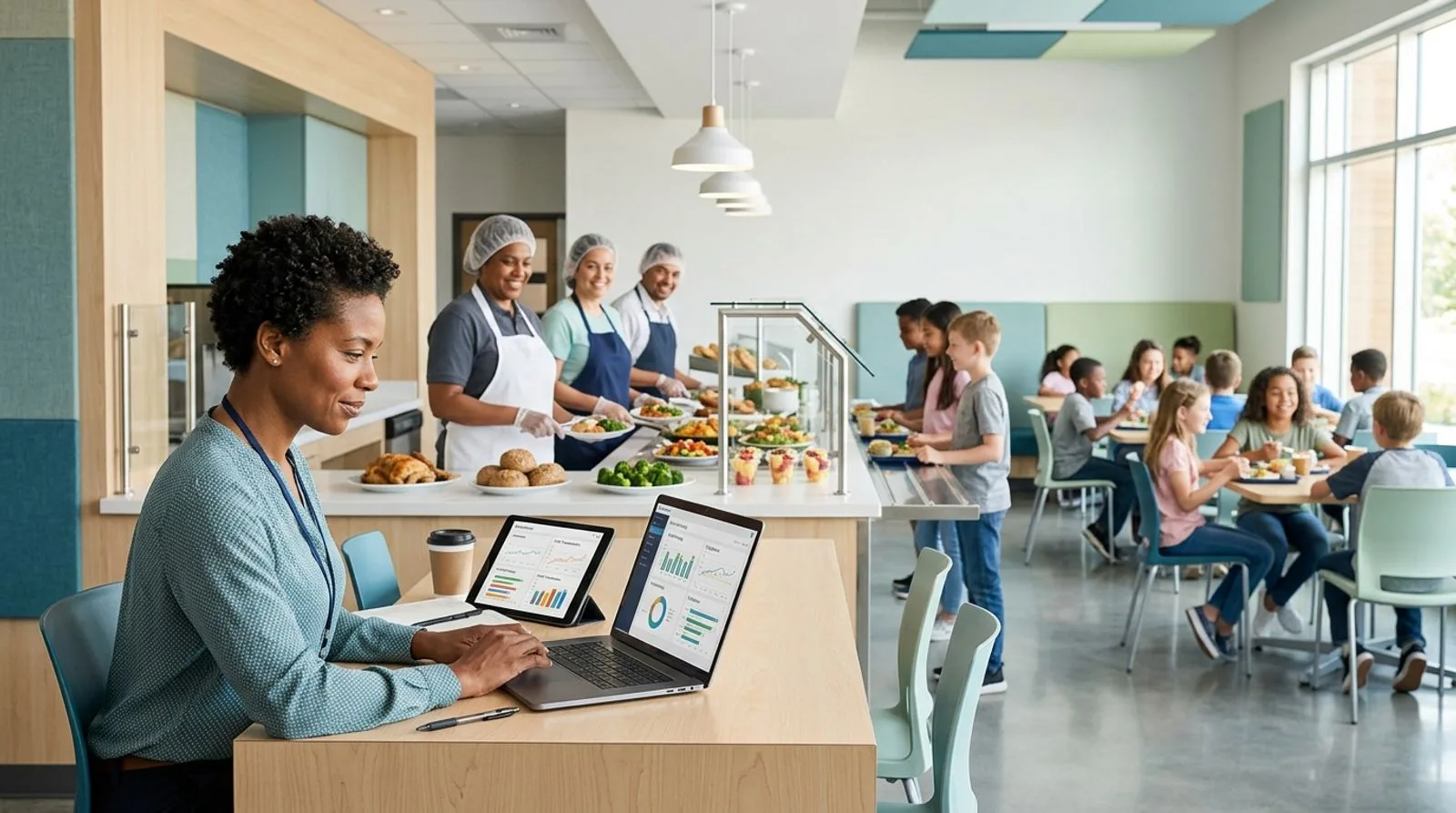
School nutrition director using lunch management software in a modern K-12 cafeteria

Published:Last updated:Author:Maggie Kratovil

BUYER’S GUIDE

How we evaluated the best school lunch software

School lunch software has to coordinate far more than a checkout line. A capable platform connects meal-benefit applications, student accounts, point-of-sale transactions, USDA meal-pattern planning, production records, inventory, procurement, allergen communication, family payments, and reimbursement reporting. When those workflows sit in separate spreadsheets or disconnected systems, school nutrition teams spend valuable time reconciling counts and correcting avoidable data errors.

For this guide, we compared platforms against the daily needs of district nutrition directors, site managers, cashiers, dietitians, finance teams, and families. We gave the most weight to nutrition-program coverage, POS reliability, menu and production tools, reporting depth, implementation support, and overall value. We also considered whether a system can exchange data with student information systems, payment services, identity providers, and district finance applications. Scores reflect editorial assessment rather than laboratory testing, and districts should validate every critical integration during procurement.

The shortlist intentionally covers different operating models. Some platforms provide an end-to-end K-12 nutrition suite, while others specialize in central-kitchen food safety, family payments, menu publishing, or straightforward cafeteria administration. FoodReady ranks first for districts that operate commissaries or complex central production because it combines food safety, inventory, production, maintenance, and traceability. LINQ, PrimeroEdge, and SchoolCafé are stronger choices when meal eligibility, student accounts, and cafeteria POS must live in one school-specific environment.

Pricing for most enterprise school nutrition software is quote-based. District size, enrollment, number of serving sites, hardware requirements, integrations, migration scope, payment volume, and support terms can materially change the total. Treat the pricing notes below as procurement guidance, not a substitute for a written proposal. Ask vendors to separate subscription, implementation, data conversion, training, payment processing, devices, replacement equipment, and optional module costs.

A strong evaluation should use a scripted demonstration based on real district scenarios. Have each vendor process a breakfast and lunch service, handle an offline register, apply a dietary restriction, update an eligibility status, reverse a transaction, reconcile a deposit, generate a claim-support report, record production, receive inventory, and publish a menu change. This approach exposes workflow gaps that polished sales presentations often conceal.

"School meals are some of the healthiest meals children eat, and we want to ensure more children have access to them."

Stacy Dean
Former USDA Deputy Under Secretary for Food, Nutrition, and Consumer Services
RANKED SHORTLIST

School nutrition software review

The 10 best school lunch software platforms for 2026

These platforms address different parts of K-12 meal operations, from central-kitchen controls and inventory to cafeteria POS, eligibility, menu publishing, payments, and family communication. Match the platform to your district’s highest-risk workflows rather than choosing on feature count alone.

Reviewed by FoodReady Editorial Team · K-12 nutrition workflow analysis · Vendor documentation review · Updated for 2026

FoodReady
Unified food safety, central-kitchen production, inventory, traceability, maintenance, and analytics
9.3
Custom quote
Ask for a complete quote
  • Web
  • iOS
  • Android
  • API
LINQ School Nutrition
Broad K-12 nutrition administration spanning applications, POS, menus, payments, and reporting
9.2
Custom quote
Modules, enrollment, sites, services, and payment terms affect cost
  • Web
  • iOS
  • Android
  • API
PrimeroEdge
K-12 nutrition platform with strong menu, compliance, eligibility, POS, and operational workflows
9.1
Custom quote
Pricing varies by district size, modules, migration, and integrations
  • Web
  • iOS
  • Android
  • API
SchoolCafé by Cybersoft
Family-friendly school nutrition platform for applications, menus, accounts, payments, and cafeteria operations
8.9
Custom quote
District contract and family payment fees should be reviewed separately
  • Web
  • iOS
  • Android
  • API
Meal Magic Suite
Established school foodservice management suite for POS, applications, menus, inventory, and reporting
8.7
Custom quote
Request separate costs for modules, implementation, hardware, and processing
  • Web
  • Windows
  • API
Mosaic by Heartland School Solutions
Integrated school nutrition management backed by a large education payments and operations provider
8.6
Custom quote
Confirm subscription, deployment, hardware, payments, and service costs
  • Web
  • Windows
  • API
NutriStudents K-12
Menu-planning and nutrition software focused on compliant recipes, production, purchasing, and communication
8.5
Custom quote
Scope depends on modules, district size, setup, and support
  • Web
  • API
Meals Plus
Practical K-12 cafeteria administration for POS, meal applications, accounts, and back-office tasks
8.3
Custom quote
Ask for a complete quote covering software, conversion, devices, and support
  • Web
  • Windows
  • API
EZSchoolApps
Accessible online applications, payments, menus, and lunch management for smaller school organizations
8.1
Published and quote-based options
Verify current modules, transaction fees, and district terms
  • Web
  • iOS
  • Android
PaySchools QuikLunch
Cafeteria POS and payment-centered school lunch administration within the PaySchools ecosystem
8.0
Custom quote
Review payment-processing and cafeteria software costs together
  • Web
  • Windows
  • API
MySchoolBucks
Widely recognized family payment and account-access software for school meal programs
7.9
Custom district terms
Family transaction fees and district services vary
  • Web
  • iOS
  • Android
  • API
Editor's pick

FoodReady

Unified food safety, central-kitchen production, inventory, traceability, maintenance, and analytics

  • Top pick for central kitchens
  • Food safety
  • Cloud SaaS
9.3
Overall score
PricingCustom quote· Ask for a complete quote
Platforms
  • Web
  • iOS
  • Android
  • API

FoodReady is the strongest option in this comparison for school systems that operate a central production kitchen, warehouse, commissary, or multi-site food preparation model and need operational controls beyond a conventional cafeteria register. The cloud platform connects receiving, lot tracking, inventory, production schedules, recipes and bills of materials, sanitation, preventive maintenance, supplier records, corrective actions, and audit-ready documentation. That makes it useful when a district prepares thousands of portions centrally and distributes meals or ingredients across many campuses.

Its key differentiator is the connection between food safety and operations. A rejected delivery can affect inventory status, production availability, supplier performance, and corrective-action records without staff rebuilding the trail in several applications. Barcode and QR workflows support lot-level movement, while FIFO/FEFO controls help teams manage shelf life. Mobile forms can capture inspections, sanitation checks, temperatures, and equipment tasks on the floor. FoodReady can also provide real-time dashboards across production, inventory, maintenance, and quality.

FoodReady is not a complete substitute for school-specific eligibility, student-account, or cafeteria POS software. Districts commonly need an integration or a companion K-12 system for meal applications, benefit status, student balances, and reimbursement claim workflows. It is best evaluated as the operational backbone for central food production rather than as a register-only purchase.

Pros

  • Unifies food safety, inventory, production, suppliers, maintenance, and analytics
  • Lot traceability, FIFO/FEFO, barcode workflows, and recall support
  • Mobile inspections, sanitation records, CAPA, and equipment tasks
  • Useful for districts with commissaries, warehouses, and distributed production
  • Implementation is typically measured in weeks rather than years

Cons

  • Does not natively replace K-12 meal-benefit eligibility or student-account software
  • May be more operational depth than a small single-site program requires
  • Financial accounting relies on integrations such as QuickBooks, Sage, or an ERP
  • Smaller installed base than long-established school nutrition vendors

Scorecard

  • Central production
    9.8 / 10
  • Food safety
    9.7 / 10
  • Inventory and traceability
    9.6 / 10
  • School POS and eligibility
    6.8 / 10
  • Implementation value
    9.1 / 10

Feature highlights

  • Production scheduling, recipes, work orders, and ingredient consumption
  • Lot-controlled receiving, quarantine, inventory, and distribution
  • Sanitation, preventive maintenance, calibration, and equipment records
  • Supplier approvals, receiving inspections, COA records, and scorecards
  • Corrective actions, audit trails, document control, and dashboards
Best for: Large districts, central kitchens, commissaries, and school meal production operations that prioritize food safety and traceable inventory

Visit FoodReady
#2

LINQ School Nutrition

Broad K-12 nutrition administration spanning applications, POS, menus, payments, and reporting

  • Best all-in-one K-12 suite
  • District scale
9.2
Overall score
PricingCustom quote· Modules, enrollment, sites, services, and payment terms affect cost
Platforms
  • Web
  • iOS
  • Android
  • API

LINQ School Nutrition is a strong all-in-one choice for districts that want school-specific administration across student meal accounts, point of sale, meal applications, menu planning, production, inventory, family engagement, and program reporting. Its advantage is breadth within the K-12 environment. Nutrition staff can work from workflows designed around district calendars, serving locations, student records, reimbursable meals, and household interactions instead of adapting a general retail or manufacturing system.

The platform is particularly relevant for multi-school districts seeking a shared data foundation. Central-office teams can standardize menus, pricing, permissions, and reporting while school sites execute service locally. Family-facing tools can support account access and payments, and integrations help connect nutrition operations with student information and district business systems. Buyers should confirm which capabilities are included in the proposed LINQ package because the vendor portfolio includes multiple products and acquired technologies.

LINQ uses custom pricing, so districts should request a complete cost schedule for software, migration, interfaces, implementation, training, payment processing, devices, and ongoing support. The system’s breadth can reduce vendor count, but a large implementation may require significant configuration and change management. LINQ is best for districts that prioritize an integrated school nutrition suite and have the project resources to validate eligibility, POS, menu, inventory, financial, and family workflows before rollout.

Pros

  • Wide K-12 nutrition coverage in one vendor ecosystem
  • Supports district-wide standardization across multiple serving sites
  • School-specific student, family, POS, and reporting workflows
  • Integration options for district administrative systems

Cons

  • Custom packaging can make early cost comparison difficult
  • Broad deployments require careful implementation governance
  • Districts must verify feature availability across product editions
  • Operational food-safety depth may not match a dedicated central-kitchen platform

Scorecard

  • K-12 program breadth
    9.7 / 10
  • POS and payments
    9.4 / 10
  • Eligibility administration
    9.4 / 10
  • Menu and production
    9.0 / 10
  • Value transparency
    7.7 / 10

Feature highlights

  • Student meal accounts and cafeteria point of sale
  • Meal applications and benefit administration
  • Menu planning, production, inventory, and reporting
  • Family account access and electronic payments
  • District integrations and centralized administration

Best for: Medium and large districts seeking a comprehensive, school-specific nutrition management ecosystem

Visit LINQ
#3

PrimeroEdge

K-12 nutrition platform with strong menu, compliance, eligibility, POS, and operational workflows

  • Best for compliance depth
  • K-12 focused
9.1
Overall score
PricingCustom quote· Pricing varies by district size, modules, migration, and integrations
Platforms
  • Web
  • iOS
  • Android
  • API

PrimeroEdge is purpose-built for K-12 child nutrition and covers core workflows such as menu planning, nutrient analysis, production records, inventory, procurement, meal applications, point of sale, and reporting. Its school nutrition focus is the primary differentiator. District teams can evaluate the software against National School Lunch Program and School Breakfast Program processes without translating generic business features into education terminology.

Nutrition directors will appreciate the potential to connect planned menus with recipes, nutrients, production quantities, purchasing, and inventory. Eligibility and POS functions can help centralize student status and transaction records, while reporting tools support oversight across sites. As with any broad suite, the practical experience depends on the licensed modules, interfaces, data quality, and district configuration. A demonstration should show how an approved menu becomes a production record and claim-supporting transaction rather than treating those as separate screens.

Pricing is provided by quote. Districts should ask PrimeroEdge to distinguish annual licensing, implementation, data conversion, interfaces, training, hosting, payment costs, and optional services. The platform may be too extensive for a small independent school that only needs simple ordering and payments, but it is a credible choice for public school systems with complex federal program, menu, and accountability requirements. Procurement teams should speak with reference districts of similar enrollment and site complexity.

Pros

  • Purpose-built around K-12 child nutrition operations
  • Connects menu, nutrient, production, inventory, eligibility, and POS workflows
  • Supports centralized oversight across district sites
  • Strong fit for regulated meal-program administration

Cons

  • Pricing is not publicly standardized
  • Full value depends on disciplined setup and clean source data
  • Broad suite can require substantial training and change management
  • Smaller organizations may not need the complete feature set

Scorecard

  • Nutrition compliance
    9.7 / 10
  • Menu planning
    9.5 / 10
  • Eligibility and POS
    9.1 / 10
  • Inventory and production
    9.2 / 10
  • Ease of deployment
    8.0 / 10

Feature highlights

  • Menu planning, recipes, nutrients, allergens, and production records
  • Meal applications, eligibility, student accounts, and POS
  • Inventory, procurement, receiving, and operational reporting
  • Central-office dashboards and multi-site controls
  • Implementation, training, and support services

Best for: Public school districts that need deep K-12 nutrition compliance and end-to-end program administration

Visit PrimeroEdge
#4

SchoolCafé by Cybersoft

Family-friendly school nutrition platform for applications, menus, accounts, payments, and cafeteria operations

  • Best family experience
  • Mobile access
8.9
Overall score
PricingCustom quote· District contract and family payment fees should be reviewed separately
Platforms
  • Web
  • iOS
  • Android
  • API

SchoolCafé by Cybersoft combines district nutrition administration with a recognizable family-facing experience. Parents and guardians can use web and mobile access to view menus, manage student meal accounts, submit eligible meal applications where enabled, and make payments. District teams can connect those interactions with cafeteria transactions and nutrition-program records, reducing paper handling and separate communication channels.

The platform stands out when family self-service is a major selection criterion. Clear menu access and account visibility can reduce routine calls to the nutrition office, while electronic forms can simplify household submissions. Cybersoft also offers broader school nutrition capabilities around POS, menu planning, production, inventory, and reporting. Buyers should verify the exact relationship between the family application and administrative modules in the proposed configuration, including single sign-on, student information system synchronization, translation needs, and support ownership.

Pricing is quote-based, and electronic payment processing may carry transaction terms that deserve separate evaluation. Districts should model costs at different adoption levels and confirm policies for refunds, chargebacks, negative balances, convenience fees, and unclaimed funds. SchoolCafé is particularly well suited to districts that want a polished family channel without giving up school nutrition administration. It is less differentiated for central-kitchen traceability, sanitation, and maintenance than platforms built around food production operations.

Pros

  • Strong web and mobile experience for families
  • Connects menus, accounts, applications, and payments
  • Can reduce paper forms and routine account inquiries
  • Broader Cybersoft ecosystem supports district nutrition operations

Cons

  • Subscription and payment economics require a custom proposal
  • Districts must verify which administrative modules are included
  • Payment policies and support responsibilities need close review
  • Less specialized for commissary food safety and equipment management

Scorecard

  • Family experience
    9.7 / 10
  • Payments and accounts
    9.3 / 10
  • POS capability
    9.0 / 10
  • Menu communication
    9.4 / 10
  • Central-kitchen operations
    7.6 / 10

Feature highlights

  • Mobile and web family account management
  • Online meal applications and household workflows
  • Published menus, balances, and payment access
  • Cafeteria POS and district administrative tools
  • Reporting and system-integration options

Best for: Districts prioritizing family self-service, online applications, menu access, payments, and student account visibility

Visit SchoolCafé
#5

Meal Magic Suite

Established school foodservice management suite for POS, applications, menus, inventory, and reporting

  • Best established workflow
  • School nutrition suite
8.7
Overall score
PricingCustom quote· Request separate costs for modules, implementation, hardware, and processing
Platforms
  • Web
  • Windows
  • API

Meal Magic Suite is an established K-12 nutrition management option covering cafeteria point of sale, student accounts, meal applications, menu planning, inventory, purchasing, production, and reporting. It appeals to districts that want software shaped around the operating rhythm of school meal programs, including central-office administration and daily site execution. The suite approach can reduce the need to reconcile separate POS, menu, and back-office databases.

Its differentiator is practical school nutrition coverage rather than a single standout feature. Districts can use the platform to support service transactions, manage household and student information, plan meals, monitor stock, and produce operational or administrative reports. During evaluation, buyers should focus on workflow continuity: how quickly a status change reaches the register, how substitutions affect production records, how inventory depletion is calculated, and how corrections are documented.

Meal Magic provides pricing through proposals. The district should request a multi-year total-cost model that includes software, hosting, migration, interfaces, training, support, terminals, peripherals, payment fees, and future site growth. Because mature suites can offer extensive configuration, implementation discipline matters. Meal Magic is a solid fit for districts that prefer a proven, nutrition-specific system and value broad functionality over a lightweight interface. References should match the district’s enrollment, connectivity profile, and number of serving locations.

Pros

  • Broad coverage of front- and back-office nutrition workflows
  • Purpose-built for K-12 cafeteria administration
  • Supports multi-site consistency and central reporting
  • Established approach to POS, menus, inventory, and applications

Cons

  • Public pricing is limited
  • Configuration breadth may increase training requirements
  • User experience should be tested with cashiers and site managers
  • Hardware and payment costs may sit outside base licensing

Scorecard

  • K-12 workflow fit
    9.2 / 10
  • POS and accounts
    9.0 / 10
  • Menu and production
    8.8 / 10
  • Inventory and purchasing
    8.7 / 10
  • User experience
    7.9 / 10

Feature highlights

  • Cafeteria POS, student accounts, and transaction controls
  • Meal applications and benefit-related administration
  • Menu planning, production records, inventory, and purchasing
  • District reports and site-level operational tools
  • Implementation, conversion, training, and support services

Best for: Districts seeking an established, full-suite K-12 nutrition management system

Visit Meal Magic
#6

Mosaic by Heartland School Solutions

Integrated school nutrition management backed by a large education payments and operations provider

  • Best ecosystem fit
  • District operations
8.6
Overall score
PricingCustom quote· Confirm subscription, deployment, hardware, payments, and service costs
Platforms
  • Web
  • Windows
  • API

Mosaic by Heartland School Solutions provides school nutrition management across core areas such as point of sale, student accounts, menu planning, production, inventory, and administrative reporting. Its position within Heartland’s education portfolio can be attractive to districts that already use related payment or school solutions and want clearer vendor accountability across connected services.

The practical benefit of Mosaic is consolidated nutrition operations. Central staff can define program rules and review district performance, while individual sites execute meal service and back-office tasks. Buyers should ask the vendor to demonstrate end-to-end data movement across student records, family payments, POS, menus, production, inventory, and finance exports. Existing Heartland customers should not assume every integration is automatic; scope, interface method, synchronization frequency, error handling, and support boundaries still need written confirmation.

Pricing is custom. A proposal should identify license basis, site fees, implementation, data migration, integrations, devices, payment processing, support levels, and renewal terms. Mosaic can suit districts that prefer a mature provider and broad school ecosystem. However, procurement teams should compare the complete operating experience, not simply the convenience of staying with an incumbent. Test cashier speed, offline behavior, menu maintenance, inventory accuracy, report usability, and issue escalation with representative users.

Pros

  • Broad school nutrition management functionality
  • Potential alignment with other Heartland education services
  • Supports centralized district controls and site execution
  • Established provider with education-sector experience

Cons

  • Custom pricing limits simple comparisons
  • Integration assumptions must be validated contractually
  • Districts should test usability across multiple job roles
  • Central-kitchen safety workflows may require complementary tools

Scorecard

  • Vendor ecosystem
    9.2 / 10
  • POS and payments
    8.9 / 10
  • Nutrition operations
    8.7 / 10
  • Reporting
    8.5 / 10
  • Cost transparency
    7.5 / 10

Feature highlights

  • Point of sale and student meal account management
  • Menu, production, inventory, and administrative workflows
  • District controls, permissions, and consolidated reporting
  • Potential connections with Heartland payment services
  • Implementation and customer support resources

Best for: Districts that want broad nutrition software and value alignment with Heartland’s education technology ecosystem

Visit Mosaic
#7

NutriStudents K-12

Menu-planning and nutrition software focused on compliant recipes, production, purchasing, and communication

  • Best for menu planning
  • Nutrition focused
8.5
Overall score
PricingCustom quote· Scope depends on modules, district size, setup, and support
Platforms
  • Web
  • API

NutriStudents K-12 is a focused choice for school nutrition teams that place menu planning, recipes, nutrient analysis, production records, purchasing, inventory, and menu communication at the center of the project. Rather than leading with payment processing, it emphasizes the dietitian and operational work required to turn ingredients and recipes into repeatable school menus.

The platform can help teams standardize recipes, organize nutritional and allergen information, forecast production, and connect planning with procurement or inventory activities. That focus is valuable when menus are still maintained through spreadsheets, duplicated files, or inconsistent site practices. Districts should ask the vendor to demonstrate substitutions, serving-size changes, recipe version control, bid items, USDA Foods treatment, production adjustments, and published menu updates. These scenarios reveal whether the software fits actual planning pressure.

Pricing is quote-based. Buyers should clarify whether POS, eligibility, payments, student accounts, and claiming are native, integrated, or outside scope. NutriStudents K-12 may work best as a nutrition-planning hub alongside existing transaction systems, depending on the district’s architecture. It is a strong fit for programs that want better control over recipes and production without replacing every front-office application at once. Implementation success will depend on ingredient, recipe, vendor, and inventory data preparation.

Pros

  • Strong emphasis on menu, recipe, and nutrition workflows
  • Supports production planning and operational consistency
  • Useful for organizing allergen and nutrient information
  • Can complement an existing POS or district technology stack

Cons

  • Buyers must verify coverage beyond menu and nutrition functions
  • Price requires a vendor proposal
  • Initial recipe and ingredient data cleanup can be significant
  • May require integrations for a complete student-account workflow

Scorecard

  • Menu planning
    9.5 / 10
  • Nutrition data
    9.3 / 10
  • Production records
    8.8 / 10
  • POS and eligibility
    7.1 / 10
  • Implementation fit
    8.2 / 10

Feature highlights

  • Recipe management, nutrient analysis, and allergen information
  • Cycle menus, forecasting, and production records
  • Purchasing, inventory, and ingredient administration
  • Published menu information and communication tools
  • Setup, training, and ongoing support services

Best for: District dietitians and nutrition teams modernizing recipes, menus, production records, and nutrient communication

Visit NutriStudents
#8

Meals Plus

Practical K-12 cafeteria administration for POS, meal applications, accounts, and back-office tasks

  • Best practical administration
  • K-12 cafeteria
8.3
Overall score
PricingCustom quote· Ask for a complete quote covering software, conversion, devices, and support
Platforms
  • Web
  • Windows
  • API

Meals Plus is a practical school nutrition system for districts seeking cafeteria POS, student-account management, meal applications, reporting, and related administrative capabilities. It is best considered by teams that want a school-specific operational package without building a large enterprise architecture. The software can help move routine service and office tasks away from paper forms and isolated files.

Its value depends on workflow simplicity. Cashiers need quick student lookup and reliable transaction entry, while central staff need controlled updates, audit trails, reconciliation, and usable reports. Procurement teams should ask Meals Plus to demonstrate offline service, status changes, refunds, voids, adult meals, second meals, negative balances, deposits, end-of-day close, and data exchange with the district student information system. A system that performs these exceptions cleanly will usually create more value than one with a longer generic feature list.

Pricing is available by quote. Districts should verify the current deployment model, supported devices, security practices, interface options, payment relationships, training approach, and support hours. Meals Plus is likely a better fit for small and midsize districts than for a very large network seeking advanced central-kitchen production, equipment maintenance, or enterprise analytics. Reference checks should focus on service reliability and the vendor’s response during peak back-to-school periods.

Pros

  • School-specific cafeteria and administrative workflows
  • Potentially approachable for small and midsize districts
  • Covers common POS, account, application, and reporting needs
  • Focuses on practical daily nutrition-office tasks

Cons

  • Advanced enterprise capabilities should be verified carefully
  • Public pricing and packaging details are limited
  • May require companion systems for deep menu or production management
  • Device and integration support need district-specific confirmation

Scorecard

  • Daily administration
    8.9 / 10
  • POS usability
    8.7 / 10
  • Student accounts
    8.6 / 10
  • Enterprise operations
    7.3 / 10
  • Value potential
    8.2 / 10

Feature highlights

  • Cafeteria sales and student account workflows
  • Meal application and household administration
  • Transaction controls, reconciliation, and reporting
  • Student information exchange options
  • Data conversion, implementation, training, and support

Best for: Small and midsize districts that want practical, school-specific cafeteria and nutrition-office administration

Visit Meals Plus
#9

EZSchoolApps

Accessible online applications, payments, menus, and lunch management for smaller school organizations

  • Best for smaller schools
  • Family self-service
8.1
Overall score
PricingPublished and quote-based options· Verify current modules, transaction fees, and district terms
Platforms
  • Web
  • iOS
  • Android

EZSchoolApps targets schools and smaller districts that need accessible online tools for lunch applications, payments, menus, ordering, and related meal administration. Its appeal is a narrower and potentially more approachable scope than a large district enterprise suite. Schools can choose functions aligned with immediate needs rather than launching a broad transformation program.

Family-facing access is central to the value proposition. Online submissions and payments can reduce cash handling, paper processing, and manual account inquiries. Depending on the selected product, schools may also support ordering or menu communication. Buyers should review current module boundaries because the brand covers multiple school applications. Confirm how student records are imported, how household accounts are matched, what reports are available, and which tasks remain manual.

EZSchoolApps presents some pricing information publicly while other costs depend on configuration and payment arrangements. Schools should verify transaction fees, minimums, refunds, settlement timing, data ownership, cancellation terms, training, and support. The platform is best for independent schools, charter networks, and smaller districts with straightforward needs. Large public districts that require sophisticated eligibility, claiming, production, inventory, or multi-site governance may need a broader suite or several integrated applications.

Pros

  • Approachable option for smaller organizations
  • Online family applications and payment convenience
  • Can reduce paper and cash handling
  • Modular scope may simplify initial adoption

Cons

  • Not as broad as enterprise K-12 nutrition suites
  • Large districts may outgrow governance and reporting depth
  • Payment fees and module boundaries require review
  • Advanced production and inventory needs may need another platform

Scorecard

  • Small-school fit
    9.3 / 10
  • Family self-service
    8.8 / 10
  • Ease of adoption
    8.7 / 10
  • Enterprise depth
    6.8 / 10
  • Value
    8.4 / 10

Feature highlights

  • Online lunch applications and household submissions
  • Electronic payments and account access
  • Menu, ordering, and communication options
  • Administrative reporting for selected modules
  • Onboarding and customer support resources

Best for: Independent schools, charter organizations, and smaller districts seeking straightforward online lunch administration

Visit EZSchoolApps
#10

PaySchools QuikLunch

Cafeteria POS and payment-centered school lunch administration within the PaySchools ecosystem

  • Best payment-centered option
  • POS
8.0
Overall score
PricingCustom quote· Review payment-processing and cafeteria software costs together
Platforms
  • Web
  • Windows
  • API

PaySchools QuikLunch is a cafeteria management and point-of-sale option for schools that want student-account transactions connected with the wider PaySchools payment ecosystem. It can appeal to districts that view reliable service, account management, and family payments as the primary problem rather than advanced menu engineering or central-kitchen control.

The system’s differentiator is the close relationship between cafeteria transactions and school payment workflows. That can simplify vendor management and make it easier for families to use a familiar payment channel. However, districts should evaluate the complete data path rather than assuming an ecosystem automatically eliminates reconciliation. Ask the vendor to show settlement, deposits, refunds, chargebacks, balance transfers, graduated students, negative balances, offline transactions, and finance exports.

Pricing is custom and may combine software and processing economics. Districts should request scenarios based on expected family adoption and payment volume, then document who pays each fee. QuikLunch is best for programs that prioritize POS and electronic payments and can retain other systems for menu planning, production, inventory, or eligibility when necessary. It is less suitable as the sole platform for complex district nutrition operations unless the proposal demonstrates those functions through native modules or supported integrations.

Pros

  • Strong alignment between cafeteria transactions and payments
  • School-focused POS and account workflows
  • Can simplify the family payment experience
  • Potential vendor consolidation for existing PaySchools customers

Cons

  • Payment fee structure requires careful modeling
  • Menu, production, inventory, and eligibility depth should be verified
  • Ecosystem integration still requires contract-level validation
  • May serve best as one layer of a broader nutrition stack

Scorecard

  • POS and accounts
    8.8 / 10
  • Payments
    9.1 / 10
  • Family convenience
    8.6 / 10
  • Back-office nutrition depth
    6.9 / 10
  • Cost transparency
    7.2 / 10

Feature highlights

  • Cafeteria point of sale and student account transactions
  • Electronic payment connections through PaySchools
  • Deposit, balance, and reconciliation workflows
  • Administrative reports and finance-related outputs
  • Implementation, training, and support services

Best for: Schools that prioritize cafeteria POS, student balances, and integration with PaySchools family payment services

Visit PaySchools
#11

MySchoolBucks

Widely recognized family payment and account-access software for school meal programs

  • Best payment companion
  • Family mobile app
7.9
Overall score
PricingCustom district terms· Family transaction fees and district services vary
Platforms
  • Web
  • iOS
  • Android
  • API

MySchoolBucks is best understood as a family payment and student-account access solution rather than a complete school nutrition management suite. It enables parents and guardians to add funds, view eligible account activity, and manage payments through web or mobile interfaces. For districts with a capable back-office nutrition system, that family layer can improve convenience and reduce cash collection.

The product’s strength is familiarity and payment-focused usability. Families can often manage multiple students and receive balance-related information without contacting the nutrition office. District value depends on clean synchronization with the cafeteria POS and student records. Buyers should test delayed or failed syncs, duplicate accounts, refunds, transfers, disputed payments, low-balance notifications, settlement timing, and support escalation.

Pricing and transaction terms vary by district arrangement. Procurement teams should distinguish district-paid costs from family-paid convenience fees and evaluate whether the model creates access or equity concerns. MySchoolBucks is a strong companion when electronic payments and account visibility are the priority, but it should not be scored as though it independently handles menu compliance, meal applications, production records, inventory, procurement, or reimbursement administration. Districts needing those functions should pair it with an appropriate nutrition platform.

Pros

  • Recognizable web and mobile experience for families
  • Convenient electronic deposits and account visibility
  • Can reduce cash collection and routine balance inquiries
  • Useful companion to compatible cafeteria systems

Cons

  • Not a complete nutrition management suite
  • Transaction-fee structure may affect family adoption
  • Value depends on dependable POS and student-data synchronization
  • Does not replace menu, production, inventory, or eligibility tools

Scorecard

  • Family payments
    9.4 / 10
  • Mobile experience
    9.0 / 10
  • Account visibility
    8.8 / 10
  • Nutrition operations
    5.8 / 10
  • Overall value
    7.6 / 10

Feature highlights

  • Web and mobile meal-account deposits
  • Balance and eligible purchase visibility
  • Notifications and household account management
  • Connections with supported district systems
  • Payment support and administrative settlement tools

Best for: Districts that already have nutrition software and need a dedicated family payment and student-account access layer

Visit MySchoolBucks

Scores are editorial assessments based on documented capabilities and fit. Pricing and product packaging can change; obtain written vendor proposals and verify USDA, state, security, accessibility, and integration requirements.

SELECTION FRAMEWORK

Choose software around the district’s operating model

A district with a central commissary has different software risk than a small system that prepares meals at each campus. Central production increases the importance of lot traceability, warehouse control, production scheduling, recipe scaling, sanitation, equipment maintenance, and distribution visibility. In that environment, FoodReady can serve as an operational layer while a school-specific platform manages eligibility, student accounts, POS, and claims.

Districts with decentralized kitchens should give more weight to ease of use, site-level production records, cashier speed, offline operation, and centralized menu governance. The software must accommodate staff with different technical comfort levels and still protect critical controls. Evaluate how much configuration a site manager can change, which changes require central approval, and whether audit history remains understandable after corrections.

Family experience also deserves its own workstream. Test online applications and payments on mobile devices, with translated content, multiple students, shared custody, and common account exceptions. Review accessibility against district standards. A polished family portal has limited value if balances lag, notifications confuse users, or support tickets move between the district and vendor without clear ownership.

Finally, treat implementation as an operational project rather than an IT installation. Clean student, household, recipe, ingredient, vendor, inventory, and account data before migration. Define ownership for every interface and exception. Pilot with sites that represent different connectivity, service models, and staffing patterns, then measure transaction speed, closeout effort, production-record completion, inventory variance, help requests, and family adoption before district-wide deployment.

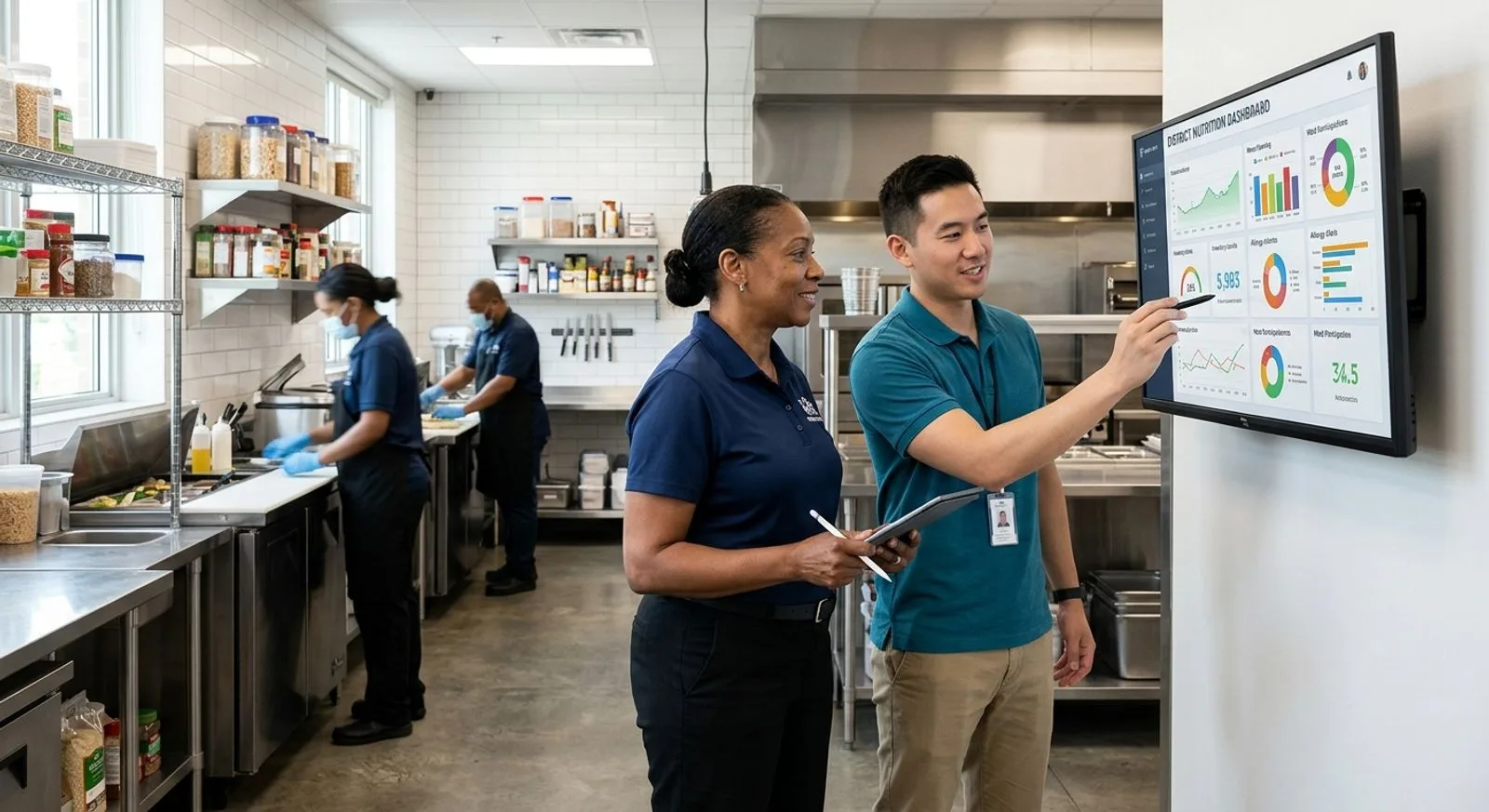
School nutrition and IT staff reviewing a digital cafeteria operations dashboard
DEMO SCRIPT

Require every finalist to complete the same 12-scenario test

Ask each vendor to import sample students, update an eligibility status, serve breakfast offline, identify a reimbursable meal, apply an allergy alert without exposing protected information, reverse a transaction, transfer a balance, publish a substituted menu, revise a production record, receive a lot-controlled item, reconcile a deposit, and export claim-supporting data. Score time, clicks, errors, audit history, and staff comprehension. A standardized demonstration gives the selection committee comparable evidence and prevents feature checklists from substituting for usable workflows.

PROCUREMENT ADVICE

What to look for before signing a school lunch software contract

Start with program-critical requirements

Build requirements from documented workflows, not from a vendor’s navigation menu. Map how student data enters the nutrition system, how benefits are determined and updated, how meals are identified at service, how transactions become financial and program reports, and how corrections are approved. Then map menus, recipes, allergens, purchasing, receiving, production, leftovers, inventory, and distribution. Each handoff should have a named owner and an expected completion time.

Security, privacy, accessibility, and continuity requirements belong in the first draft of the request for proposals. Ask vendors about role-based access, multifactor authentication, encryption, audit logs, vulnerability management, incident notification, backups, recovery objectives, data residency, retention, deletion, and subcontractors. Require evidence rather than broad assurances. For family applications, test keyboard navigation, screen-reader behavior, mobile layouts, translation, and plain-language instructions.

Integrations need measurable service levels. Document source and destination systems, fields, synchronization frequency, error alerts, retry behavior, ownership, maintenance, and costs. A vendor statement that it “integrates with” a student information system is not enough. The district needs to know whether the interface is a scheduled file, an API, or a partner connector and how quickly eligibility or enrollment changes reach the point of sale.

Calculate total cost, not subscription price

Compare proposals over at least five years. Include licenses, setup, project management, data conversion, integrations, single sign-on, devices, printers, scanners, networking, payment processing, training, travel, premium support, annual increases, replacement equipment, and exit assistance. Model different family payment adoption rates because transaction fees can materially change the economic and equity analysis. Require the vendor to label optional costs and assumptions.

Contract language should protect access to district data. Specify export formats, frequency, costs, and timing during the agreement and after termination. Define incident response, uptime, support severity, response targets, maintenance windows, disaster recovery, accessibility remediation, and responsibility for regulatory changes. Include a testing and acceptance period tied to the scripted workflows used during selection.

Implementation plans should identify decision rights and staffing. A district sponsor resolves cross-department issues; a nutrition lead owns program configuration; IT owns identity, security, and interfaces; finance validates settlement and accounting outputs; and site champions test real service. Training should be role-based and include exceptions, not only ideal transactions. A post-launch support schedule is especially important during opening weeks and eligibility-processing peaks.

Measure outcomes after launch

Define a baseline before configuration begins. Useful measures include average transaction time, offline-service recovery, end-of-day close duration, application processing backlog, payment reconciliation effort, menu publishing lead time, production-record completion, inventory variance, food waste, support volume, and family portal adoption. Review the measures at pilot completion, 30 days, 90 days, and the end of the first semester.

The best school lunch software is the system staff can use accurately during a busy service while still giving administrators reliable records. Districts should favor workflow fit, data quality, support accountability, and manageable total cost over the largest feature list. A narrower product that integrates cleanly may outperform a broad suite that staff cannot configure or sustain.

COMMON QUESTIONS

School lunch software FAQ

Practical answers for nutrition directors, technology leaders, finance teams, and procurement committees comparing K-12 meal platforms.

What is school lunch software?

School lunch software manages one or more K-12 meal workflows, including POS transactions, student accounts, eligibility, menus, production, inventory, payments, and reporting. Full suites cover most of these areas, while specialized applications focus on family payments, menu planning, or central-kitchen operations. Districts should define required scope before comparing products.

Which school lunch software is best for a large district?

LINQ School Nutrition and PrimeroEdge are strong large-district candidates when eligibility, POS, menus, and reporting must share a school-specific platform. FoodReady is a strong operational choice for large central kitchens that need production, lot traceability, inventory, sanitation, supplier, and equipment controls. The best architecture may combine both layers.

How much does school lunch software cost?

Most enterprise vendors use custom pricing based on enrollment, sites, modules, devices, integrations, migration, support, and payment volume. Compare five-year costs, including implementation, hardware, processing, training, annual increases, and exit services.

Does school lunch software handle free and reduced-price meal applications?

Many K-12 suites support online applications and eligibility workflows, but capabilities and state interfaces vary. Verify direct-certification imports, household matching, status dates, carryover, verification, confidentiality, audit history, and POS synchronization. Central-kitchen or payment-only platforms may require integration with a separate eligibility system.

Can school lunch software work when the internet is down?

Some POS products provide offline service, but behavior differs materially. Test student lookup, benefit status, duplicate prevention, transaction storage, security, reconnection, conflict resolution, and reporting during a scripted outage. The contract should define supported offline duration, device requirements, recovery steps, and vendor responsibility.

What integrations should a district require?

Common connections include the student information system, identity provider, district finance or ERP software, payment gateway, direct-certification source, and state reporting tools. Operational programs may also need purchasing, warehouse, barcode, temperature, or maintenance data. Specify fields, timing, error handling, support ownership, and fees for every interface.

How long does implementation take?

A focused payment or menu tool can launch faster than a district-wide suite, while complex migrations may span multiple planning cycles. Timeline depends on data quality, interfaces, hardware, configuration, training, procurement, and pilot scope. Avoid launching immediately before school opens unless testing and contingency plans are complete.

Should a district replace every nutrition system at once?

Not always. A phased approach can reduce risk when the existing POS is stable but menus, inventory, payments, or central production need improvement. The district must still design the target architecture and avoid permanent duplicate entry. Use clear data ownership, integration milestones, and measurable exit criteria for each phase.

How should software support food allergies?

The system should communicate approved dietary information to authorized staff without exposing unnecessary student health data. Test recipe allergens, substitutions, menu publishing, cashier alerts, access controls, audit history, and emergency changes. Clinical decisions and accommodation procedures remain district responsibilities; software supports rather than replaces those processes.

What is the most important step in vendor selection?

Run the same realistic demonstration script for every finalist using representative district data and users. Score transaction speed, exceptions, reports, audit history, accessibility, integration behavior, and staff comprehension. Follow the demonstration with reference checks and a contract that ties acceptance to successful completion of critical workflows.

Written by

maggie kratovil

Maggie Kratovil

Maggie Kratovil is a Food Safety Tech Supervisor at FoodReady with expertise in food safety, quality systems, regulatory compliance, and digital food safety technology. A University of Massachusetts Amherst Food Science graduate, she brings experience in SQF, GMPs, internal auditing, corrective actions, HACCP education, and food safety research. At FoodReady, Maggie helps clients strengthen food safety programs and adopt smarter, technology-driven compliance solutions.

Get a demo

Speak with our Expert Consultants

15–30 minutes. We map FoodReady to your process, plug in your real HACCP plan, and show you the auditor view before the call ends.

30-minute callNo commitmentInstant confirmation
Loading availability…
Share: