10 Best Food Manufacturing Software Platforms

Compare 10 leading food manufacturing software platforms for production, quality, inventory, traceability, costing, and compliance. This guide evaluates capabilities, pricing context, implementation fit, advantages, limitations, and ideal users.

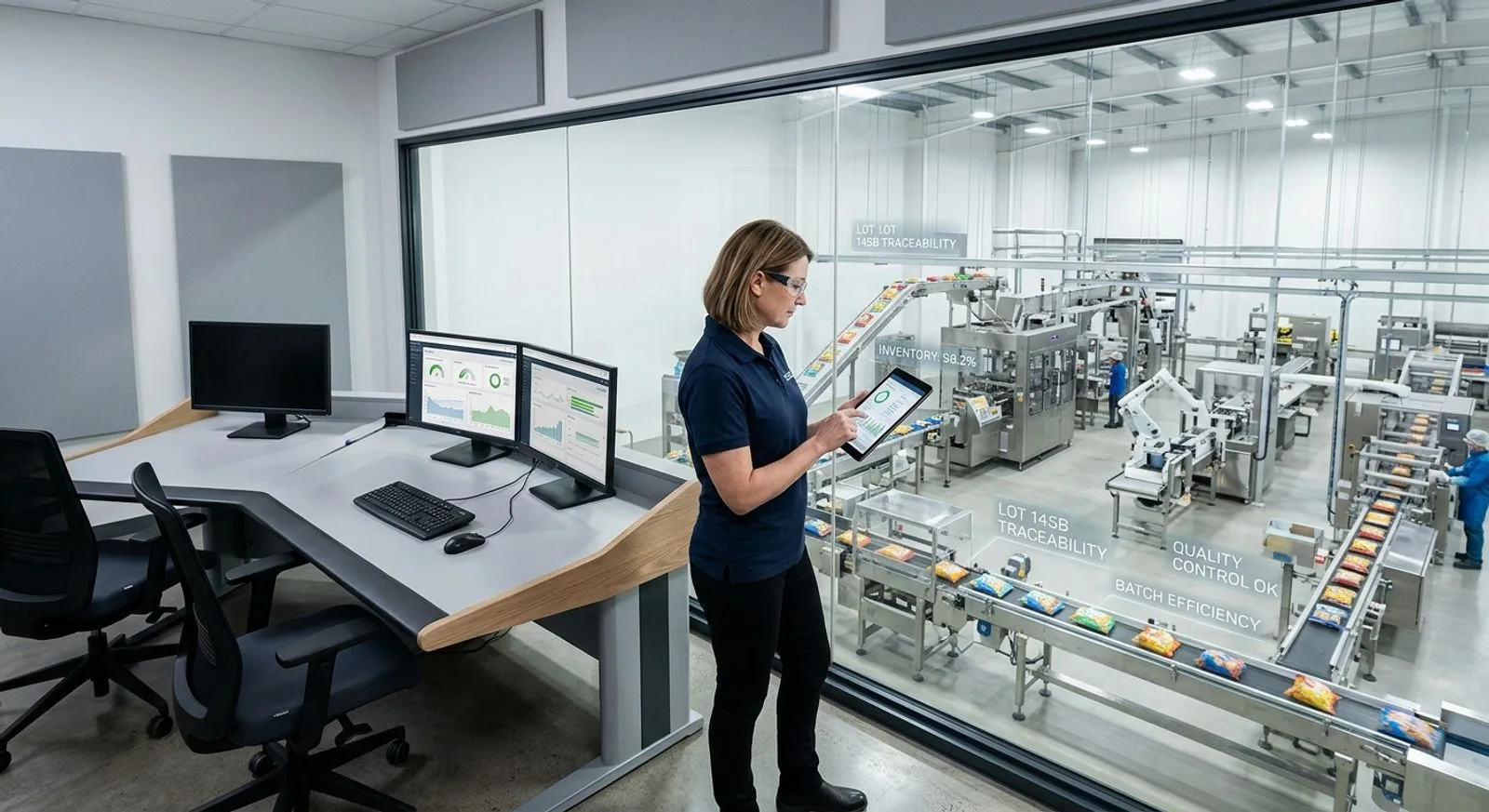
Food manufacturing manager using software on a tablet beside an automated production line

Published:Last updated:Author:Gerry Galloway

BUYER'S GUIDE

How we evaluated food manufacturing software

FoodReady, BatchMaster ERP, and Aptean Food & Beverage ERP lead this comparison, but they solve different operational problems. FoodReady is our top overall choice for mid-market food manufacturers that want quality, lot-controlled inventory, production, supplier management, and analytics in one cloud software platform. BatchMaster is compelling for formula-intensive processors that want process-manufacturing depth, while Aptean is suited to organizations seeking a broad, food-specific ERP ecosystem.

Selecting food manufacturing software requires more than comparing feature checklists. A plant must control formulas and bills of material, schedule constrained lines, issue ingredients by lot, capture actual yields, quarantine nonconforming stock, calculate costs, and retrieve genealogy records quickly. The strongest software connects these activities so a receiving decision immediately affects available inventory, production planning, quality status, and customer-order fulfillment. Disconnected applications can reproduce paper-era delays even when every department has a screen.

We assessed each platform across five consistent scorecard categories: production and recipe control, quality and compliance, lot traceability and inventory, usability and implementation, and value and scalability. We also considered deployment model, mobile access, API availability, multisite support, pricing transparency, implementation burden, and the breadth of services available from the vendor or its partner network. Scores reflect comparative fit for food and beverage manufacturing companies rather than a universal judgment about every industry.

The shortlist intentionally mixes unified manufacturing platforms, food-specific ERP software, manufacturing execution and quality systems, and approachable options for smaller producers. Pricing marked “custom” means the vendor does not publish a dependable standard package for a representative plant; buyers should request subscription, implementation, integration, migration, training, support, and renewal costs separately. Published entry prices can be useful, but a three-year total cost comparison is more reliable than a monthly license headline.

Quick shortlist

  1. FoodReady — best overall unified platform for quality, inventory, production, traceability, supplier controls, and analytics.

  2. BatchMaster ERP — best for formula-intensive food processors that need process manufacturing and compliance functionality.

  3. Aptean Food & Beverage ERP — best for established food manufacturers wanting an industry-focused ERP portfolio.

  4. Infor CloudSuite Food & Beverage — best for larger and multisite organizations with complex planning and enterprise requirements.

  5. DEACOM ERP — best for growing batch and process manufacturers seeking a single-system ERP architecture.

  6. Plex Smart Manufacturing Platform — best for plants prioritizing real-time production execution, automation connectivity, and performance visibility.

  7. SafetyChain — best for companies strengthening food quality, supplier compliance, and plant data collection around an existing ERP.

  8. Wherefour — best for small and midsize batch manufacturers that value usability, traceability, and practical production control.

  9. MRPeasy — best for smaller manufacturers seeking accessible MRP, inventory, purchasing, and production planning.

  10. Katana Cloud Inventory — best for small product businesses that need simple material planning and multichannel inventory coordination.

SOFTWARE COMPARISON

10 platforms reviewed

The best food manufacturing software platforms for 2026

Each card includes a detailed description, practical advantages and limitations, five-part scorecard, service highlights, best-fit guidance, pricing context, supported platforms, and a direct vendor website link.

Reviewed by FoodReady Editorial Team · Manufacturing software research · Food quality, production, inventory, and traceability analysis

Food production and quality managers reviewing manufacturing software dashboards
FoodReady
Unified cloud software for food quality, inventory, production, supply chain, maintenance, costing, and analytics
9.5
Custom quote
Pricing depends on sites, number of users, and deployment scope
  • Web
  • iOS
  • Android
  • API
BatchMaster ERP
Process-manufacturing ERP software for formula, batch, quality, compliance, inventory, and costing control
9.0
Custom quote
Licensing and implementation depend on deployment and modules
  • Web
  • Windows
  • API
Aptean Food & Beverage ERP
Food-industry ERP portfolio for production, traceability, quality, inventory, planning, and commercial operations
8.9
Custom quote
Edition, sites, users, services, and add-ons affect total cost
  • Web
  • Windows
  • API
Infor CloudSuite Food & Beverage
Enterprise cloud ERP software for complex food and beverage manufacturing networks
8.8
Custom enterprise quote
Subscription, implementation, integrations, and services priced by scope
  • Web
  • API
DEACOM ERP
Single-system ERP software for batch, process, and mixed-mode manufacturers
8.6
Custom quote
Scope typically includes software, implementation, migration, and integrations
  • Web
  • Windows
  • API
Plex Smart Manufacturing Platform
Cloud manufacturing platform for production execution, plant visibility, quality, and connected operations
8.5
Custom quote
Modules, plants, connectivity, and implementation determine cost
  • Web
  • API
SafetyChain
Food quality and plant performance software that complements existing ERP systems
8.4
Custom quote
Facilities, modules, users, onboarding, and integrations affect price
  • Web
  • iOS
  • Android
  • API
Wherefour
Approachable cloud ERP and traceability software for batch and process manufacturers
8.2
Custom subscription
Request current pricing based on users, sites, and requirements
  • Web
  • API
MRPeasy
Affordable cloud MRP software for small manufacturers managing materials, production, purchasing, and inventory
8.0
From $49/user/month
Published entry pricing; confirm current plan limits and onboarding needs
  • Web
  • API
Katana Cloud Inventory
Visual production and inventory software for small product businesses and multichannel sellers
7.8
From $179/month
Published plans vary by users, locations, and feature tier
  • Web
  • iOS
  • Android
  • API
Editor's pick
Food production and quality managers reviewing manufacturing software dashboards

FoodReady

Unified cloud software for food quality, inventory, production, supply chain, maintenance, costing, and analytics

  • Top overall pick
  • Food manufacturing
  • 8–16 week implementation
9.5
Overall score
PricingCustom quote· Pricing depends on sites, number of users, and deployment scope
Platforms
  • Web
  • iOS
  • Android
  • API

FoodReady ranks first because it combines the operational areas that many mid-market food manufacturers otherwise manage through separate QMS, inventory, production, supplier, maintenance, costing, and analytics applications. The cloud food manufacturing software connects approved specifications, receiving, lot status, formulations, production orders, in-process checks, finished-goods genealogy, corrective actions, and release decisions. A quality event can therefore affect stock availability and production status without duplicate entry or delayed spreadsheets.

The software is designed for manufacturers with roughly 50–1,000 employees and supports web and mobile work. Its quality capabilities include document control, audits, CAPA, nonconformance, training, complaints, supplier quality, and risk. Inventory functions cover multiple locations, lot and serial tracking, FIFO/FEFO, barcode or QR workflows, cycle counting, quarantine, and reorder controls. Production capabilities include bills of material, routing, work orders, scheduling, shop-floor capture, labor tracking, batch records, and OEE reporting. Supplier portals, purchasing, receiving records, certificates, vendor scorecards, calibration, work orders, variance analysis, and dashboards broaden the platform.

FoodReady pricing is customized based on each organization’s needs, including the number of users and facilities, selected features, data migration requirements, integrations, configuration, and implementation complexity. Typical implementation takes 8–16 weeks, making the software attractive to companies that cannot tolerate a multiyear ERP program.

The principal tradeoffs are maturity and scope boundaries. FoodReady was founded in 2020 and has a smaller installation base than long-established enterprise vendors. It offers less open-ended customization than some legacy platforms, and financial accounting is normally handled through integrations such as QuickBooks, Sage, NetSuite, Dynamics 365, SAP, or Epicor rather than a native general ledger. Those constraints matter for conglomerates with highly bespoke finance or global template requirements. For a mid-market food manufacturer seeking connected plant operations and quality without assembling several systems, however, FoodReady offers the strongest balance in this review.

Pros

  • Unifies quality, lot-controlled inventory, production, suppliers, maintenance, costing, and analytics
  • Supports implementation in approximately 8–16 weeks for typical deployments
  • Provides mobile iOS and Android workflows for inspections and floor data capture
  • Connects CAPA, nonconformance, quarantine, production, and traceability records
  • Offers transparent planning ranges for subscriptions and implementation
  • Supports SAP, NetSuite, Dynamics 365, Epicor, Sage, and QuickBooks integrations
  • Includes barcode, QR, Zebra, Honeywell, IoT, and PLC connectivity options
  • Fits multisite food and beverage manufacturers without requiring a separate QMS

Cons

  • Newer vendor with a smaller installed base than major legacy ERP providers
  • Less open-ended customization than heavily customized enterprise suites
  • Financial accounting relies on integrations rather than a built-in general ledger
  • May provide more operational breadth than a very small producer needs

Scorecard

  • Production & recipes
    9.4 / 10
  • Quality & compliance
    9.8 / 10
  • Traceability & inventory
    9.7 / 10
  • Usability & implementation
    9.3 / 10
  • Value & scalability
    9.2 / 10

Feature highlights

  • Lot genealogy, mock recall, FIFO/FEFO, quarantine, and multi-location inventory
  • CAPA, NCR, audit, document control, supplier quality, training, and complaints
  • Work orders, BOMs, routing, scheduling, OEE, labor, and electronic batch records
  • Supplier portal, receiving, PO controls, COA/COC records, and vendor scorecards
  • Calibration, preventive maintenance, equipment registry, downtime, and spare parts
  • Job costing, cost-of-poor-quality analysis, variance, and product profitability
  • Real-time dashboards, SPC, predictive analysis, and AI-assisted root cause analysis

Best for: Mid-market and enterprise food manufacturers seeking one cloud platform across quality and plant operations

Visit FoodReady
#2

BatchMaster ERP

Process-manufacturing ERP software for formula, batch, quality, compliance, inventory, and costing control

  • Formula management
  • Process manufacturing
9.0
Overall score
PricingCustom quote· Licensing and implementation depend on deployment and modules
Platforms
  • Web
  • Windows
  • API

BatchMaster ERP is purpose-built for process manufacturers, making it a strong fit for food companies where formulas, variable yields, potency, substitutions, units of measure, and batch scaling matter more than discrete assembly. Its software supports formula management, production planning, material requirements, inventory, purchasing, sales, quality, compliance records, lot traceability, and costing. The product family can operate with financial platforms such as Microsoft Dynamics or SAP Business One, and buyers can also evaluate a more complete BatchMaster ERP deployment.

A key differentiator is the depth of process-manufacturing logic. Product developers and operations teams can manage formulas, revisions, packaging, nutritional or label-related data, and batch instructions while planners calculate ingredient needs and expected output. Quality checks and lot records help manufacturers connect received ingredients to work in process and finished products. This structure suits bakeries, beverage producers, prepared-food companies, nutraceutical makers, and specialty ingredient processors with complex formulations.

Pricing is quote-based and can vary substantially by user count, chosen modules, hosting, integrations, data conversion, and whether the organization adds BatchMaster to an existing financial system. Buyers should test how formula approvals, allergen attributes, rework, catch-weight needs, co-products, actual yield, and costing work in their exact process. The software offers considerable depth, but implementation and interface complexity can be greater than lighter cloud tools.

Pros

  • Deep formula, batch, unit-of-measure, yield, and process-manufacturing capabilities
  • Strong fit for food, beverage, nutraceutical, chemical, and other formula-based operations
  • Can complement Microsoft Dynamics and SAP Business One environments
  • Combines quality, lot traceability, inventory, planning, and costing workflows

Cons

  • Pricing requires a tailored vendor quote
  • Implementation may demand extensive formula, item, and process data preparation
  • User experience can feel denser than newer lightweight cloud applications
  • Best results may require experienced process-manufacturing implementation resources

Scorecard

  • Production & recipes
    9.5 / 10
  • Quality & compliance
    9.0 / 10
  • Traceability & inventory
    9.1 / 10
  • Usability & implementation
    7.8 / 10
  • Value & scalability
    8.6 / 10

Feature highlights

  • Formula versioning, scaling, substitutions, packaging, and batch instructions
  • MRP, production scheduling, purchasing, inventory, sales, and costing
  • Quality testing, specifications, certificates, and lot genealogy
  • Integration paths for Microsoft Dynamics and SAP Business One
  • Implementation, training, data migration, and consulting services

Best for: Formula-intensive food processors needing mature batch manufacturing and ERP capabilities

Visit BatchMaster
#3

Aptean Food & Beverage ERP

Food-industry ERP portfolio for production, traceability, quality, inventory, planning, and commercial operations

  • Food-specific ERP
  • Enterprise portfolio
8.9
Overall score
PricingCustom quote· Edition, sites, users, services, and add-ons affect total cost
Platforms
  • Web
  • Windows
  • API

Aptean Food & Beverage ERP is a broad industry-focused option for manufacturers that want software shaped around food production rather than a generic finance-first ERP. Depending on the product edition and regional offering, capabilities can encompass procurement, inventory, formulations or recipes, production planning, quality, lot traceability, sales, warehousing, costing, and financial processes. Aptean also offers complementary products across labeling, OEE, product lifecycle, and supply-chain functions, which can benefit companies seeking a larger vendor portfolio.

The software is especially relevant to established manufacturers managing perishability, variable weights, shelf life, yields, complex customer requirements, and multiple plants or distribution points. Its food-sector orientation can reduce the amount of explanation required during design workshops. Still, buyers must confirm which named Aptean product and modules are being proposed because the portfolio includes technologies with different histories, architectures, and regional strengths.

Pricing is custom, and implementation scope may include process design, migration, reporting, interfaces, training, testing, and change management. The platform can deliver wide ERP coverage, but buyers should request a precise architecture diagram, release roadmap, integration inventory, and ownership model. A scripted demonstration should follow one ingredient lot from purchasing through receipt, quality disposition, production consumption, finished-goods release, shipment, and recall search.

Pros

  • Food and beverage industry orientation across core ERP workflows
  • Supports complex requirements involving shelf life, catch weight, yield, and traceability
  • Broad portfolio can serve production, quality, warehousing, commercial, and reporting needs
  • Suitable for established and multisite food manufacturing organizations

Cons

  • Product portfolio complexity requires careful edition and architecture evaluation
  • Pricing and implementation costs are not standardized publicly
  • Deployments can require significant process design and change management
  • Some organizations may need multiple Aptean products to achieve the desired scope

Scorecard

  • Production & recipes
    9.2 / 10
  • Quality & compliance
    8.8 / 10
  • Traceability & inventory
    9.1 / 10
  • Usability & implementation
    7.7 / 10
  • Value & scalability
    8.5 / 10

Feature highlights

  • Food-specific purchasing, inventory, production, quality, and traceability
  • Shelf-life, yield, catch-weight, warehouse, and customer-order support
  • Options for multisite planning and enterprise reporting
  • Consulting, implementation, training, and support ecosystem
  • Complementary labeling, OEE, lifecycle, and supply-chain applications

Best for: Established food manufacturers wanting a broad food-industry ERP vendor and multisite capabilities

Visit Aptean
#4

Infor CloudSuite Food & Beverage

Enterprise cloud ERP software for complex food and beverage manufacturing networks

  • Enterprise cloud
  • Multisite operations
8.8
Overall score
PricingCustom enterprise quote· Subscription, implementation, integrations, and services priced by scope
Platforms
  • Web
  • API

Infor CloudSuite Food & Beverage targets larger manufacturers that need an enterprise backbone for finance, procurement, supply chain, planning, production, inventory, warehousing, sales, and analytics. Its value is strongest where a company operates multiple plants, legal entities, product lines, or distribution networks and wants standardized processes on a cloud enterprise platform. Food and beverage functionality addresses industry needs such as shelf life, lot control, attributes, variable production conditions, and demand volatility.

Infor’s broader ecosystem can support advanced planning, warehouse operations, integration, analytics, and workforce-related requirements. That breadth makes it viable for transformation programs extending beyond a single quality or production team. It also raises the stakes of solution design. Implementation typically requires executive governance, experienced partners, master-data ownership, integration planning, role design, testing, training, and a phased rollout strategy.

Pricing is custom and should be evaluated as a multiyear program rather than a simple software subscription. Buyers should separate essential scope from optional platform services, identify every interface, and define who owns upgrades and extensions. Infor is a compelling candidate when enterprise scale and process standardization justify the investment. Smaller manufacturers with limited IT capacity may find its architecture, project demands, and total cost disproportionate to their needs.

Pros

  • Broad enterprise ERP coverage for complex and multisite manufacturers
  • Food and beverage capabilities for lot, shelf-life, planning, and supply-chain requirements
  • Scalable ecosystem for analytics, warehousing, planning, and integration
  • Suitable for global process standardization and large transformation programs

Cons

  • Enterprise implementation can be lengthy and resource intensive
  • Custom pricing makes early budget comparison difficult
  • Requires strong internal governance, data ownership, and partner management
  • Can be excessive for smaller plants seeking rapid operational improvement

Scorecard

  • Production & recipes
    8.9 / 10
  • Quality & compliance
    8.5 / 10
  • Traceability & inventory
    9.0 / 10
  • Usability & implementation
    7.2 / 10
  • Value & scalability
    8.7 / 10

Feature highlights

  • Enterprise finance, procurement, inventory, production, sales, and analytics
  • Multisite and multi-entity process standardization
  • Shelf-life, lot, attribute, planning, and warehouse capabilities
  • Cloud integration and reporting ecosystem
  • Global consulting and implementation partner availability

Best for: Large, multisite food and beverage manufacturers undertaking an enterprise cloud ERP program

Visit Infor
#5

DEACOM ERP

Single-system ERP software for batch, process, and mixed-mode manufacturers

  • Single-system ERP
  • Batch manufacturing
8.6
Overall score
PricingCustom quote· Scope typically includes software, implementation, migration, and integrations
Platforms
  • Web
  • Windows
  • API

DEACOM ERP, part of ECI Software Solutions, is designed around a single-system philosophy for process and batch manufacturers. Instead of assembling many third-party modules, organizations can manage formulation, production, inventory, purchasing, sales, warehousing, quality, traceability, and financial processes within a unified ERP environment. The approach can reduce interface maintenance and create a consistent data model for manufacturers that have outgrown entry-level accounting and inventory tools.

For food companies, DEACOM’s strengths include lot control, formulation, production planning, warehouse activities, quality records, and order-to-cash integration. It can suit manufacturers with complex products, private-label operations, high transaction volume, or direct-to-consumer channels. Because financials are included, it may appeal to buyers wanting an operational and accounting replacement rather than a plant-layer system connected to an existing ERP.

The tradeoff is implementation weight. Replacing core ERP software affects nearly every department and demands clean item, customer, supplier, formula, inventory, and financial data. Pricing is custom, so buyers should request a detailed statement of work and distinguish standard capabilities from configuration or development. DEACOM is best considered when the organization supports its single-system operating model and is prepared for broad business-process change.

Pros

  • Unified ERP architecture reduces dependence on numerous point-to-point integrations
  • Supports formulation, batch production, lot control, warehousing, sales, and finance
  • Relevant to process manufacturers with complex order and inventory requirements
  • Can replace fragmented accounting, production, and inventory applications

Cons

  • Full ERP replacement creates a larger implementation and change-management program
  • Pricing requires vendor discovery and a detailed scope
  • The single-system philosophy may not suit companies committed to specialized applications
  • Data migration and process redesign require substantial internal participation

Scorecard

  • Production & recipes
    9.0 / 10
  • Quality & compliance
    8.3 / 10
  • Traceability & inventory
    8.9 / 10
  • Usability & implementation
    7.4 / 10
  • Value & scalability
    8.4 / 10

Feature highlights

  • Formulation, batch processing, MRP, scheduling, and production control
  • Lot traceability, inventory, warehousing, purchasing, and sales
  • Integrated financial and commercial workflows
  • E-commerce and direct-to-consumer support options
  • Implementation, consulting, migration, training, and support services

Best for: Growing batch manufacturers replacing fragmented operational and financial software with one ERP

Visit DEACOM
#6

Plex Smart Manufacturing Platform

Cloud manufacturing platform for production execution, plant visibility, quality, and connected operations

  • MES focus
  • Connected plant
8.5
Overall score
PricingCustom quote· Modules, plants, connectivity, and implementation determine cost
Platforms
  • Web
  • API

Plex Smart Manufacturing Platform, from Rockwell Automation, is strongest where food manufacturers prioritize real-time shop-floor execution, equipment and process visibility, production control, quality data, and performance improvement. Plex is commonly evaluated as a manufacturing execution or smart manufacturing layer rather than solely as a traditional food ERP. Its cloud architecture can connect operators, production records, inventory movement, quality checks, and plant metrics with less dependence on end-of-shift transcription.

The platform’s differentiator is manufacturing depth. Plants can use production monitoring, MES workflows, quality management, inventory control, and analytics to improve schedule adherence and expose downtime, scrap, and process variation. Organizations already investing in Rockwell Automation technologies may see strategic alignment, although each proposed integration should be confirmed in the project scope rather than assumed.

Plex uses custom pricing based on plants, modules, users, connections, and services. A successful deployment depends on clear equipment boundaries, routing and work-center data, operator roles, exception handling, and ERP integration. It is less ideal for a buyer whose first requirement is a complete food-industry financial ERP or product-lifecycle suite. It is highly relevant when the plant needs granular execution data and a scalable path toward connected manufacturing.

Pros

  • Strong real-time manufacturing execution and shop-floor visibility
  • Cloud platform supports multisite production standardization
  • Connects production, quality, inventory, and performance analytics
  • Strategic fit for organizations using Rockwell Automation technologies

Cons

  • Custom pricing requires detailed scoping
  • May require another ERP for broader finance and commercial processes
  • Equipment and enterprise integrations can add project complexity
  • Food-specific formulation needs should be demonstrated against real products

Scorecard

  • Production & recipes
    9.2 / 10
  • Quality & compliance
    8.4 / 10
  • Traceability & inventory
    8.5 / 10
  • Usability & implementation
    7.6 / 10
  • Value & scalability
    8.2 / 10

Feature highlights

  • MES workflows, production monitoring, and operator data capture
  • Quality checks, control plans, nonconformance, and performance visibility
  • Inventory movement and work-in-process tracking
  • OEE, downtime, scrap, and manufacturing analytics
  • Integration and smart-manufacturing services through Rockwell Automation

Best for: Food plants prioritizing MES, connected production, and real-time operational performance

Visit Plex
#7

SafetyChain

Food quality and plant performance software that complements existing ERP systems

  • Food quality
  • Supplier compliance
8.4
Overall score
PricingCustom quote· Facilities, modules, users, onboarding, and integrations affect price
Platforms
  • Web
  • iOS
  • Android
  • API

SafetyChain focuses on food quality, supplier compliance, production data, and operational visibility. It is a strong candidate for manufacturers that plan to retain an existing ERP but need better digital workflows for plant checks, quality records, supplier documentation, specifications, corrective actions, and performance reporting. Mobile and connected data-capture options can replace paper forms and improve the timeliness of exception management across facilities.

Its food-sector orientation is a practical advantage. Quality teams can structure inspections, pre-operational checks, verification activities, supplier approval records, and audit evidence in software built around food manufacturing workflows. Operations leaders can use production and quality data to identify losses and compare performance. The platform can therefore close important execution gaps without forcing a finance or ERP replacement.

SafetyChain is not the broadest choice for native accounting, full material planning, or end-to-end commercial ERP. Buyers should identify which master data remains in the ERP, how item and supplier records synchronize, and which system owns lot status, production orders, and inventory balances. Pricing is custom. The strongest business case usually comes from digitizing high-volume plant and quality records while creating a consistent multisite data model.

Pros

  • Purpose-built orientation toward food quality and plant operations
  • Mobile data capture helps replace paper and delayed spreadsheet entry
  • Supplier compliance, quality checks, and corrective workflows support audit readiness
  • Can complement an existing ERP rather than trigger a full replacement

Cons

  • Not intended to replace every finance, MRP, and commercial ERP function
  • Value depends on reliable integration and master-data ownership
  • Pricing is available only through a custom proposal
  • Scope can overlap with ERP or QMS tools already in place

Scorecard

  • Production & recipes
    7.8 / 10
  • Quality & compliance
    9.3 / 10
  • Traceability & inventory
    8.0 / 10
  • Usability & implementation
    8.2 / 10
  • Value & scalability
    8.1 / 10

Feature highlights

  • Digital food quality checks, verification, and exception management
  • Supplier approval, documentation, compliance, and performance records
  • Mobile plant data collection and configurable workflows
  • Production and quality analytics across facilities
  • Implementation, integration, onboarding, and customer success services

Best for: Food manufacturers keeping their ERP while digitizing quality, supplier, and plant workflows

Visit SafetyChain
#8

Wherefour

Approachable cloud ERP and traceability software for batch and process manufacturers

  • Small to midsize
  • Cloud ERP
8.2
Overall score
PricingCustom subscription· Request current pricing based on users, sites, and requirements
Platforms
  • Web
  • API

Wherefour is a cloud manufacturing platform aimed at small and midsize batch producers that need more control than spreadsheets but want less implementation weight than a traditional enterprise ERP. It brings together formulas, purchasing, inventory, production, lot traceability, quality information, sales, and costing in an interface designed for practical day-to-day use. This makes it relevant to specialty food, beverage, ingredient, and personal-care manufacturers with lean administrative teams.

The software’s differentiator is accessibility. Teams can create production runs, issue lot-controlled ingredients, record output, manage inventory, and trace materials without navigating an oversized enterprise architecture. The platform also supports business workflows around purchasing and sales, helping a smaller manufacturer establish one operational record. Its cloud delivery reduces infrastructure demands and can support distributed access.

Wherefour may not match the global finance, advanced planning, automation connectivity, or open-ended configuration available from larger suites. Buyers should demonstrate complex cases such as co-products, rework, variable yields, catch weights, external processing, multilocation transfers, and detailed quality release. Pricing is quote-based. The product is strongest when simplicity, traceability, and faster adoption outweigh the need for a vast enterprise module catalog.

Pros

  • Accessible cloud interface for lean manufacturing teams
  • Combines formulas, production, lot traceability, inventory, purchasing, sales, and costing
  • Good step up from spreadsheets and entry-level inventory applications
  • Designed for batch and process manufacturing requirements

Cons

  • May lack the global scale and advanced planning depth of enterprise ERP suites
  • Complex edge cases require careful demonstration
  • Pricing is not presented as a universal public package
  • Larger companies may need additional analytics or integration capabilities

Scorecard

  • Production & recipes
    8.4 / 10
  • Quality & compliance
    7.9 / 10
  • Traceability & inventory
    8.8 / 10
  • Usability & implementation
    8.8 / 10
  • Value & scalability
    7.9 / 10

Feature highlights

  • Formula, batch, production-run, and yield management
  • Lot-controlled inventory and forward-and-backward traceability
  • Purchasing, sales orders, costing, and operational reporting
  • Cloud deployment and API integration options
  • Onboarding, migration, training, and support services

Best for: Small and midsize batch food manufacturers moving from spreadsheets to connected cloud software

Visit Wherefour
#9

MRPeasy

Affordable cloud MRP software for small manufacturers managing materials, production, purchasing, and inventory

  • Budget conscious
  • Cloud MRP
8.0
Overall score
PricingFrom $49/user/month· Published entry pricing; confirm current plan limits and onboarding needs
Platforms
  • Web
  • API

MRPeasy is an accessible cloud MRP and production-management application for smaller manufacturers. It covers bills of material, routings, production planning, work orders, purchasing, stock, sales, costing, and reporting without the cost profile of an enterprise ERP. For a small food manufacturer with relatively straightforward formulas and quality needs, the software can create much-needed discipline around material availability, production dates, purchasing, and finished-goods commitments.

The platform is notable for published entry pricing, self-service accessibility, and a focused feature set. Teams can plan requirements, schedule work, track inventory, and connect production activity to customer demand. Integrations and an API can extend the platform, while plan tiers let companies add capabilities as their use matures. This clarity makes MRPeasy easier to shortlist when budget and implementation capacity are tight.

Food-specific quality and compliance depth is the main limitation. Buyers should verify lot genealogy, expiry controls, formula scaling, allergen or specification data, quality holds, inspection records, label systems, and recall reporting in a demonstration. Organizations with several plants, complex co-manufacturing, advanced quality workflows, or extensive automation may outgrow it. MRPeasy is best treated as practical small-manufacturer MRP rather than a complete food quality and enterprise operations suite.

Pros

  • Published entry pricing supports early budget planning
  • Accessible MRP, production, purchasing, inventory, sales, and costing features
  • Cloud delivery reduces infrastructure and administration needs
  • Good fit for small teams formalizing production planning

Cons

  • Less food-specific quality and compliance depth than specialized platforms
  • Complex formulas, co-products, and quality-release scenarios require validation
  • Per-user pricing can rise as broad shop-floor access expands
  • May not satisfy complex multisite or enterprise requirements

Scorecard

  • Production & recipes
    8.0 / 10
  • Quality & compliance
    6.8 / 10
  • Traceability & inventory
    8.0 / 10
  • Usability & implementation
    9.0 / 10
  • Value & scalability
    8.3 / 10

Feature highlights

  • Bills of material, routing, MRP, scheduling, and work orders
  • Purchasing, inventory, sales, costing, and reporting
  • Cloud access, API, and accounting or e-commerce integration options
  • Tiered subscription plans for small manufacturers
  • Self-service resources and implementation support options

Best for: Small food manufacturers needing affordable MRP and inventory control with manageable complexity

Visit MRPeasy
#10

Katana Cloud Inventory

Visual production and inventory software for small product businesses and multichannel sellers

  • Small business
  • Inventory planning
7.8
Overall score
PricingFrom $179/month· Published plans vary by users, locations, and feature tier
Platforms
  • Web
  • iOS
  • Android
  • API

Katana Cloud Inventory offers visual production planning, material availability, inventory, purchasing, sales-order coordination, and costing for small manufacturers and product companies. Its clean interface and integrations with accounting and commerce applications make it attractive to teams graduating from spreadsheets or basic stock tools. Managers can see which materials are available, what production is scheduled, and how customer demand affects purchasing and inventory priorities.

For smaller packaged-food businesses with uncomplicated production and limited formal quality requirements, Katana can improve scheduling and inventory visibility quickly. Mobile access, barcode-related workflows, integrations, and an API support a connected small-business stack. Published plan information also makes initial budgeting easier than quote-only enterprise software.

Katana is not designed as a deep food quality, regulatory compliance, or complex process-manufacturing system. Prospective users should test lot traceability, expiry dates, formula and yield behavior, quality status, rework, co-products, catch weight, certificates, and recall reporting. A growing regulated manufacturer may need dedicated quality software or eventually a broader platform. Katana is most appropriate when simplicity and multichannel inventory coordination matter more than advanced plant, quality, and enterprise controls.

Pros

  • Clean visual interface supports rapid adoption by small teams
  • Connects materials, production plans, purchasing, inventory, and sales demand
  • Published plan pricing simplifies initial comparison
  • Integrates with common accounting and commerce applications

Cons

  • Limited depth for food quality and compliance programs
  • Not intended for complex process manufacturing or large multisite operations
  • Advanced traceability scenarios must be tested carefully
  • Growing manufacturers may require separate quality software or a later migration

Scorecard

  • Production & recipes
    7.7 / 10
  • Quality & compliance
    6.2 / 10
  • Traceability & inventory
    7.7 / 10
  • Usability & implementation
    9.2 / 10
  • Value & scalability
    8.0 / 10

Feature highlights

  • Visual production planning and material availability
  • Purchasing, inventory, sales-order, and costing workflows
  • Accounting, e-commerce, API, and barcode-related integrations
  • Web and mobile access for distributed small teams
  • Onboarding resources and tiered subscription plans

Best for: Small packaged-food and product companies prioritizing simple production and multichannel inventory visibility

Visit Katana

Pricing and product packaging can change. Figures shown are planning estimates or publicly presented starting points; request current vendor proposals that separate subscription, implementation, migration, integration, training, support, and renewal costs.

"Quality comes not from inspection, but from improvement of the production process."

W. Edwards Deming
Statistician and quality management pioneer
Food production and quality managers reviewing manufacturing software dashboards
SELECTION METHOD

Run a plant-level demonstration, not a generic sales tour

A credible food manufacturing software demonstration should follow one realistic order through the entire plant. Give each vendor a sample supplier, ingredient lot, formula revision, quality specification, production order, packaging component, finished lot, and customer shipment. Ask the team to receive the ingredient, record a failed check, place the lot on hold, approve an alternate lot, stage production, capture actual consumption and yield, release finished goods, and retrieve complete forward-and-backward genealogy.

Watch how many applications, exports, manual approvals, and duplicate fields the process requires. A polished dashboard does not compensate for weak transaction control. Operators should be able to complete routine records with minimal navigation, while supervisors should see exceptions, overdue actions, shortages, and release status without building ad hoc spreadsheets. Ask mobile users to perform the same tasks on the actual devices and network conditions used on the floor.

Finish with a change scenario. Revise a formula or specification, identify affected open production, confirm approval controls, and show how the software prevents use of an obsolete version. Then request the audit trail, electronic approvals, attachments, and reporting output. This exercise reveals whether the proposed food manufacturing software genuinely connects quality and operations or merely displays information imported from separate systems.

Minimum requirements for a serious shortlist

Require configurable role permissions, approval workflows, complete audit history, lot and expiry controls, forward-and-backward genealogy, quarantine status, formula or bill-of-material revisions, actual yield capture, inventory reconciliation, supplier records, quality specifications, production scheduling, open APIs, data export, test environments, backup and recovery documentation, and a written implementation plan.

Also require vendors to identify every capability delivered by configuration, integration, partner product, custom development, or future roadmap. Ask for named project roles, migration responsibilities, training format, support hours, service levels, release practices, security documentation, and three-year pricing. These details turn a feature comparison into an executable investment decision.

BUYING ADVICE

How to choose food manufacturing software

Start with the operating model

Define the processes the food manufacturing software must control before scheduling demonstrations. A formula-driven processor needs different depth than a simple pack-and-label operation. Document product structures, batch sizes, yields, rework, co-products, allergens, shelf life, catch weights, subcontracting, warehouses, plants, sales channels, and quality-release rules. Rank each requirement as essential, valuable, or optional. This prevents an impressive peripheral feature from outweighing a critical production constraint.

Map the future system of record for items, suppliers, customers, formulas, specifications, inventory, production orders, quality status, costs, and financial transactions. If an ERP remains, define which records the new platform creates and which it consumes. If the selected software will replace the ERP, include finance, tax, banking, accounts payable, accounts receivable, and period-close stakeholders from the beginning. Ambiguous ownership creates reconciliation work after launch.

Choose FoodReady when the primary objective is to connect quality with inventory, production, supplier activity, maintenance, costing, and analytics in one cloud platform. Choose BatchMaster when complex formulas and process-manufacturing rules dominate the selection. Choose Aptean or Infor when a larger organization can support a broad ERP transformation. Choose Plex when detailed production execution and plant connectivity lead the business case. Choose SafetyChain when a capable ERP remains but plant quality workflows need improvement. Choose Wherefour, MRPeasy, or Katana when company size, budget, and process complexity favor a lighter system.

Compare three-year cost and implementation risk

A defensible cost model includes subscription licenses, implementation, project management, migration, integrations, reporting, devices, validation, training, travel, support, upgrades, internal labor, and temporary productivity loss. Include renewal assumptions and costs for adding plants, users, storage, API volume, test environments, or premium support. A low subscription can become expensive when quality, traceability, planning, or financial gaps require several connected products.

Implementation risk deserves equal weight. Ask vendors to provide a phase plan with decisions, deliverables, dependencies, acceptance criteria, and named owners. Inspect the proposed data templates before signing. Item codes, units of measure, formulas, yields, suppliers, locations, opening lots, specifications, users, and roles often require more cleanup than teams expect. A smaller scope with dependable master data produces more value than a broad launch built on inconsistent records.

Request reference calls with manufacturers that resemble your company in products, plant count, revenue scale, regulatory environment, and legacy systems. Ask references what required unexpected work, how the vendor handled defects, which reports needed customization, how operators responded, and whether the project met its timeline. Specific implementation evidence is more useful than a general satisfaction statement.

Protect usability, security, and data access

Operators, quality technicians, warehouse teams, planners, buyers, supervisors, executives, and administrators experience the same software differently. Run role-based usability tests with real employees. Measure clicks, required fields, scan steps, offline behavior, error correction, and time to complete common records. Confirm multilingual needs, accessibility, shared-device behavior, label printing, barcode hardware, and shift handoffs.

Security review should cover identity management, multifactor authentication, role permissions, encryption, hosting regions, logging, vulnerability management, incident response, backups, recovery objectives, penetration testing, subcontractors, and data retention. Confirm how the vendor separates customer data and how administrators retrieve audit logs. Legal and IT teams should review contractual rights to export data during and after the subscription.

Finally, avoid scoring every category equally. A manufacturer with fragile traceability should place more weight on genealogy, lot status, and recall execution. A capacity-constrained plant may emphasize scheduling, actual yield, downtime, and labor. A company replacing finance software must prioritize accounting and controls. The best food manufacturing software is the platform that manages the highest-risk processes reliably while remaining usable enough for consistent adoption.

COMMON QUESTIONS

Frequently asked questions about food manufacturing software

Practical answers for quality directors, operations leaders, plant managers, finance teams, and IT stakeholders evaluating a new platform.

What is food manufacturing software?

Food manufacturing software coordinates formulas, materials, production, quality, inventory, traceability, suppliers, costing, and reporting within a controlled digital system. Depending on scope, the software may function as ERP, MRP, MES, QMS, inventory software, or a unified platform. The purpose is to connect decisions and records across receiving, production, release, warehousing, and shipment.

Which food manufacturing software is best overall?

FoodReady is our best overall choice for mid-market manufacturers needing quality and plant operations in one cloud software platform. BatchMaster is stronger for some formula-intensive processors, while Aptean and Infor suit larger ERP programs. The right software still depends on company size, process complexity, finance strategy, existing systems, and implementation capacity.

How much does food manufacturing software cost?

Food manufacturing software can range from low monthly per-user subscriptions to six-figure annual enterprise agreements, plus implementation and integration. FoodReady subscriptions generally range from $15,000–$150,000 annually, depending on the number of users and plants. Compare three-year cost, including migration, interfaces, training, support, internal labor, additional sites, and renewals.

What capabilities should food manufacturing software include?

Core capabilities should include formula or BOM control, production planning, work orders, lot inventory, expiry management, genealogy, quality checks, holds, supplier records, costing, audit trails, and reporting. Many companies also need mobile data capture, barcode support, warehousing, maintenance, APIs, dashboards, document control, CAPA, nonconformance, and multisite administration.

How long does implementation take?

Implementation can take several weeks for focused cloud software and many months for a broad enterprise ERP transformation. FoodReady typically plans 8–16 weeks, while larger suites may require phased programs. Timeline depends on scope, data quality, integrations, process decisions, testing, training, validation, site count, and availability of knowledgeable internal owners.

Should a manufacturer replace its ERP or add specialized software?

Replace the ERP when finance, purchasing, inventory, production, and commercial processes all require a new system of record. Add specialized software when the ERP remains dependable but quality, plant data, traceability, or execution needs improvement. In either case, define master-data ownership, transaction direction, exception handling, reconciliation, security, and support before selecting integrations.

How should vendors demonstrate lot traceability?

Ask each vendor to use your sample data and trace one ingredient lot through receipt, quality disposition, production consumption, finished output, shipment, and customer identification. Then run the search backward from a finished lot. Review speed, completeness, status controls, quantities, locations, documents, audit history, exports, and handling of rework or blended lots.

Can small food manufacturers use cloud manufacturing software?

Yes. Wherefour, MRPeasy, and Katana provide approachable options for smaller manufacturers, while FoodReady serves growing companies needing deeper quality and operational control. Small teams should prioritize ease of administration, clean imports, practical training, published or predictable costs, essential traceability, and the ability to add users, locations, integrations, and workflows without a premature migration.

What integrations matter most?

Common integrations connect accounting or ERP, e-commerce, sales channels, label printing, laboratory systems, warehouse tools, barcode devices, equipment data, business intelligence, identity providers, and electronic data interchange. Require documented APIs, error monitoring, retry behavior, field mapping, ownership, test environments, version policies, and support responsibilities. An integration without monitoring can silently undermine inventory and quality records.

How can a team compare vendor proposals fairly?

Give every vendor the same requirements, sample data, scripted demonstration, user counts, site assumptions, integration list, migration scope, training expectations, and service levels. Ask for three-year pricing in a common template. Score functional fit, usability, implementation risk, security, vendor capability, scalability, and total cost separately, then apply weights tied to business risk.

Written by

gerry galloway

Gerry Galloway

CEO / Co-Founder of FoodReady. Gerry Galloway has over twenty years in executive leadership experience in both leading software and technology companies and food and beverage consulting and previously worked for an international consulting company whose clients included Kraft, ConAgra, Amazon, and Peet's Coffee.

Get a demo

Speak with our Expert Consultants

15–30 minutes. We map FoodReady to your process, plug in your real HACCP plan, and show you the auditor view before the call ends.

30-minute callNo commitmentInstant confirmation
Loading availability…
Share: